Anmeldung erforderlich
Melden Sie sich mit Ihrem iOSGods-Konto an, um fortzufahren.
Melden Sie sich mit Ihrem iOSGods-Konto an, um fortzufahren.

Erstelle atemberaubende Videos mit VivaVideo, dem weltweit beliebtesten Video-Editor, jetzt freigeschaltet mit dieser modifizierten Hack IPA. Greife auf Premium-Bearbeitungswerkzeuge, Effekte und Designs ohne Einschränkungen zu, um professionelle Inhalte aus deinen Fotos und Videos in Sekunden zu erstellen.
- Premium → alle Pro-Funktionen freigeschaltet
Diese App wird zusätzlich mit iGameGod geliefert und bietet Ihnen Zugriff auf Auto Touch zur Automatisierung sich wiederholender Aufgaben, App Speed Manager für eine anpassbare Spielgeschwindigkeit, Memory Engine zur Wertbearbeitung und weitere leistungsstarke iOS-Spielwerkzeuge.
Laden Sie VivaVideo - Best Video Editor Modded modded IPA über die obigen Links herunter. Tippen Sie auf den Installations-Button und folgen Sie den Anweisungen, um diese iOS-App auf Ihrem iPhone, iPad oder Apple Silicon zu installieren.
Brauchen Sie mehr Hilfe? In unseren iOSGods App häufig gestellten Fragen finden Sie ausführliche Antworten und Tipps zur Fehlerbehebung.
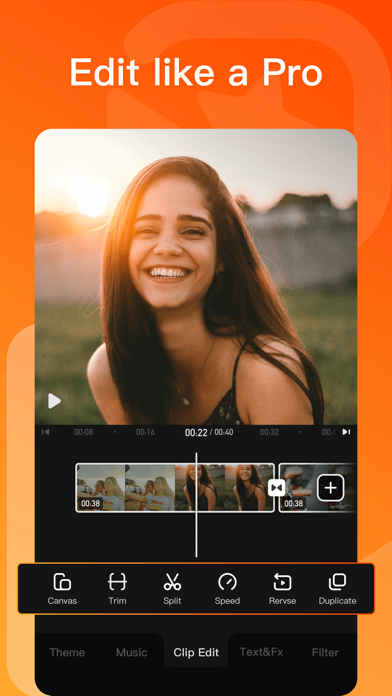
VivaVideo es una interesante y potente aplicación de edición de video gue te ayuda a grabar y mostrar fácilmente tu vida. Los aficionados pueden cortar y combinar clips simples e intuitivos en cualquien momento y en cual quier lugar, mientras que los profesionales pueden tener una diversión ilimitada de edición con potentes funciones de edición de alta gam.
[Edición de Videos]
* Cambio de velocidad de video 0.1 - 10x
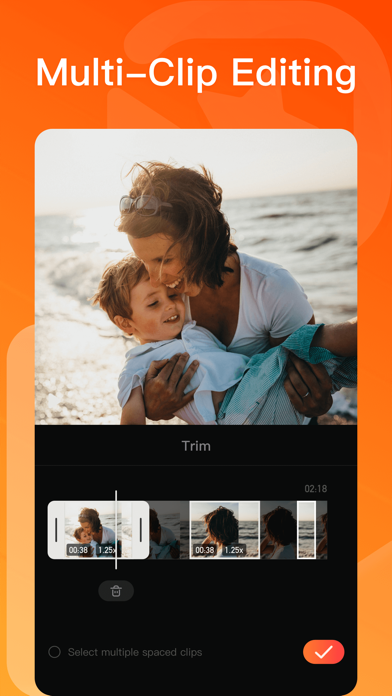
* Recorta, combina y rota el área del video.
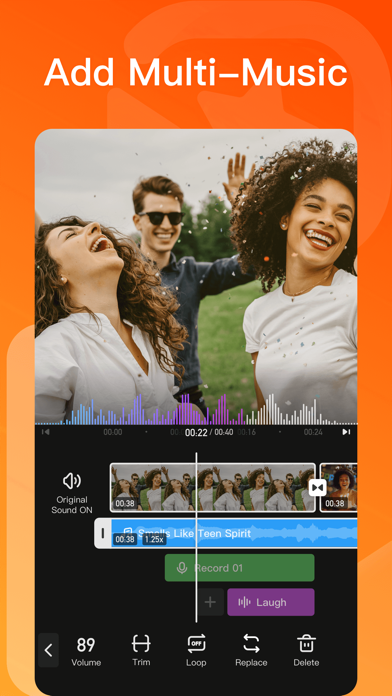
* Agrega música, efectos de sonido y narraciones.
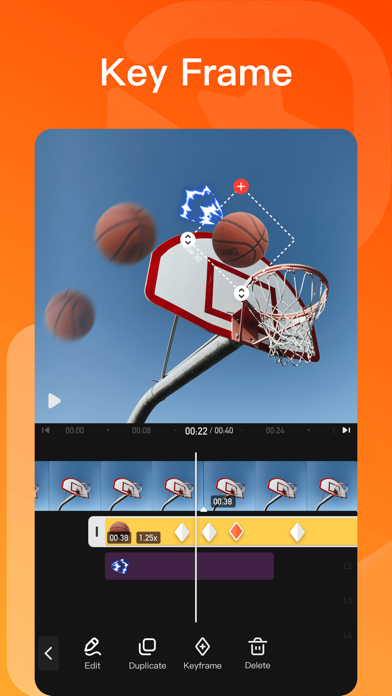
* Edición con fotogramas clave. Agrega animaciones personalizadas con fotogramas clave.
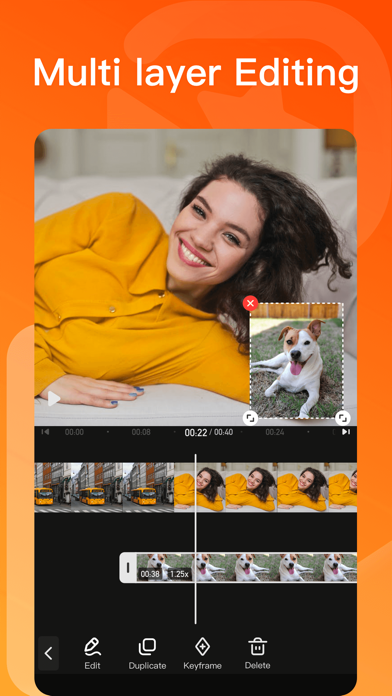
* PIP: añade múltiples capas de videos, fotos, stickers, efectos, texto, etc.
* Filtros elegantes, efectos y transiciones fluidas.
* Añade fotos fácilmente para crear presentaciones de videos cortos con música.
[Herramientas de IA]
* Generador de Videos con IA: crea abrazos conmovedores, besos mágicos, divertidos aplastamientos, transformaciones venenosas audaces y mucho más.
* Subtítulos Automáticos: ahorra tiempo con subtítulos generados por IA. Compatible con traducción de subtítulos.
* Recorte Automático con IA: elimina fondos al instante.
* Mejorador con IA: mejora tus videos en HD en segundos.
* Ajuste de Color con IA: perfecciona tus colores al instante con ajustes inteligentes.
* Pincel de Texto: añade un toque personal a tus fotos con pinceles de texto personalizables.
* Grabación de Pantalla con Grafiti: ¡realiza grabaciones mientras dibujas!
* Cambiador de Voz: Kudo Shinichi, Crayon Shinichi, ¡conviértelo con un clic!
[Añadir Música]
* Música con IA: convierte tus ideas en una canción única.
* Importa música desde iTunes, grabaciones y videos.
* Explora más cambios de ritmo musical en "Separación de Audio" y "Velocidad Variable de Audio".
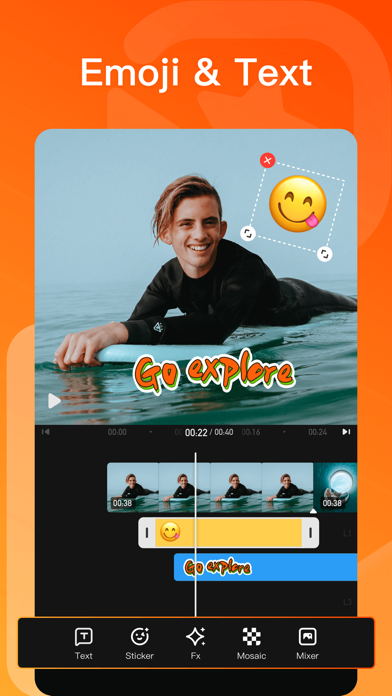
[Stickers y Textos]
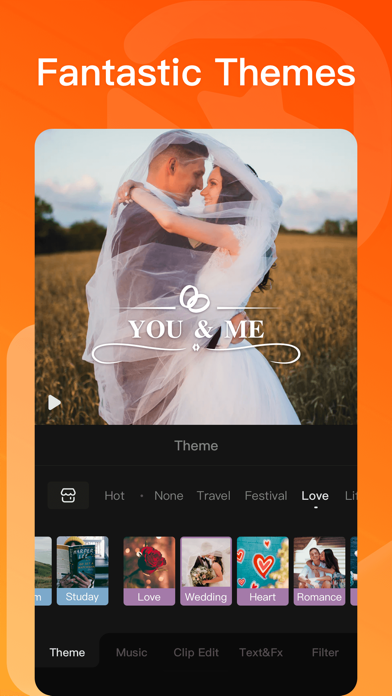
* Explora nuestra biblioteca infinita de materiales de edición, con textos y stickers nuevos para cada festividad y ocasión.
* Estilos de texto GIF y stickers temáticos para cualquier vibra o celebración.
[Filtros y Efectos]
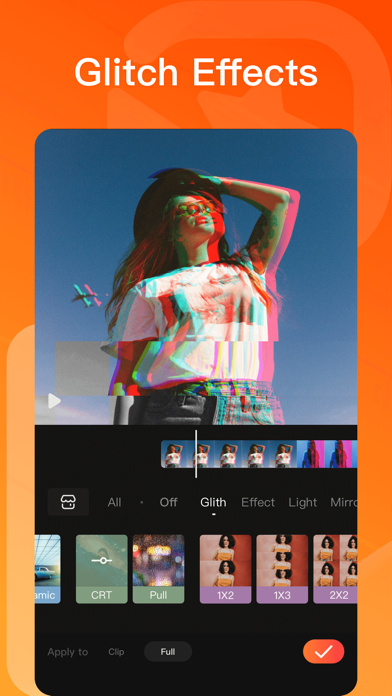
* Efectos de video profesionales como Glitch, transiciones, etc.
* Añade filtros estilo película a tus videos.
* Impresionantes efectos de edición de video: efectos VHS, FX y más. Una aplicación y editor PRO con efectos y filtros geniales.
[Fotogramas Clave]
* Todos los elementos, como la pista principal, imagen dentro de imagen, etc., admiten transformaciones de fotogramas clave, como arrastre de pantalla, rotación, transparencia y más.
[Guardar y Compartir]
* Admite exportación de GIF con efectos y estilos populares. ¡Diviértete!
* Compatible con guardado en calidad 4K Ultra HD.
---
Contactar con nosotros: [email protected] nstagram:vivavideoapp
Facebook: https://www.facebook.com/vivavideoapp
Facebook Group: https://www.facebook.com/groups/vivavideoapp
YouTube: https://www.youtube.com/channel/UCIZaBwh71otUX1MOxcxnLvQ
Suscripción
-Puede suscribirse para obtener acceso ilimitado a todas las caracteristicas y e contenido ofrecido para la compra en VivaVideo.
-Las suscripnciones se facturan mensualmente o anualmente a la tasa seleccionada según el plan de suscripción.
-Los pagosse cargarán a la cuenta de iTunes en el momento de la confirmación de acompra. Las suscripciones se renuevan automáticamente a menos que a renovación automática esté desactivada almenos 24 horas antes del final de periodoactual. Se le cobrará a su cuenta la renovación dentro de las 24 horas previas al final del periodo actual, y se le cobrará según su selección de plan de pagoLas suscripciones pueden ser administradas por el usuario y la renovación automáticasepuede desactivar vendo a la Confiauración de la cuenta delusuario despuésdelacompra.Cualquier porción no utilizada de un periodo de prueba gratuito se anularácuando el usuario compre una suscripción a esa publicación.
Términos de uso: https://rc.veresource.com/web/vivaVideo/TermsPrivacy.htm
Privacidad: https://rc.veresource.com/web/h5template/9b808c1d-df92-4dea-8488-0bcb41c7aca7-language=en/dist/index.html
- Nicht-Jailbroken/Jailed oder Jailbroken iPhone oder iPad.
- Sideloadly oder Alternativen.
- Computer mit Windows/macOS/Linux und installiertem iTunes.
SCHRITT 1: Laden Sie die vorinstallierte .IPA-Datei über den obigen Link auf Ihren Computer herunter. Zum Herunterladen aus der iOSGods-App siehe unser iOSGods App IPA Download-Tutorial mit Videobeispiel.
SCHRITT 2: Laden Sie Sideloadly herunter und installieren Sie es auf Ihrem Windows oder Mac.
SCHRITT 3: Öffnen Sie Sideloadly auf Ihrem Computer, verbinden Sie Ihr iOS-Gerät und warten Sie, bis Ihr Gerätename in Sideloadly erscheint.
SCHRITT 4: Sobald Ihr iDevice erkannt wird, ziehen Sie die heruntergeladene gemoddete .IPA-Datei in die Sideloadly-Anwendung.
SCHRITT 5: Geben Sie Ihre Apple-Account-E-Mail ein und drücken Sie „Start". Sie werden dann nach Ihrem Passwort gefragt. Geben Sie die erforderlichen Informationen ein.
SCHRITT 6: Warten Sie, bis Sideloadly das Sideloading/Installieren der gehackten IPA abgeschlossen hat. Bei Problemen während der Installation lesen Sie bitte den Hinweis unten.
SCHRITT 7: Sobald die Installation abgeschlossen ist und die App auf Ihrem Home-Bildschirm angezeigt wird, müssen Sie zu Einstellungen → Allgemein → Profile / VPN & Geräteverwaltung gehen. Tippen Sie dort auf die E-Mail, die Sie in Schritt 6 eingegeben haben, und dann auf „Trust [email protected]".
SCHRITT 8: Gehen Sie nun zu Ihrem Home-Bildschirm und öffnen Sie die neu installierte App – alles sollte einwandfrei funktionieren. Möglicherweise müssen Sie weitere App-spezifische Anweisungen im Hack-Popup im Spiel befolgen.
HINWEIS: iOS/iPadOS 16 und höher: Sie müssen den Entwicklermodus aktivieren. Bei kostenlosen Apple Developer-Accounts müssen Sie diesen Vorgang alle 7 Tage wiederholen. Bei Fragen oder Problemen lesen Sie bitte unsere Sideloadly-FAQ-Sektion im Thema.