ต้องเข้าสู่ระบบ
เข้าสู่ระบบด้วยบัญชี iOSGods เพื่อดำเนินการต่อ
เข้าสู่ระบบด้วยบัญชี iOSGods เพื่อดำเนินการต่อ

สร้างวิดีโอที่น่าทึ่งด้วย VivaVideo - Best Video Editor Modded ซึ่งเป็นแอปแก้ไขวิดีโอที่ได้รับความนิยมมากที่สุดในโลก ปลดล็อกด้วย Hack IPA นี้เพื่อเข้าถึงเครื่องมือแก้ไข เอฟเฟกต์ และธีมพรีเมียมโดยไม่มีข้อจำกัด เพื่อสร้างเนื้อหาคุณภาพมืออาชีพจากรูปภาพและวิดีโอของคุณในเพียงไม่กี่วินาที
- พรีเมียม → ปลดล็อกฟีเจอร์โปรทั้งหมด
แอปนี้ยังมาพร้อมกับ iGameGod ซึ่งช่วยให้คุณเข้าถึง Auto Touch สำหรับการทำงานซ้ำ ๆ โดยอัตโนมัติ, App Speed Manager สำหรับปรับความเร็วของเกม, การแก้ไขค่าด้วย Memory Engine และเครื่องมือสำหรับเกม iOS ที่ทรงพลังอื่น ๆ อีกมากมาย
ดาวน์โหลด VivaVideo - Best Video Editor Modded modded IPA จากลิงก์ด้านบน แตะปุ่มติดตั้งและทำตามคำแนะนำบนหน้าจอเพื่อติดตั้งแฮ็กแอป iOS นี้บน iPhone, iPad หรือ Apple Silicon
ต้องการความช่วยเหลือเพิ่มเติม? ดู คำถามที่พบบ่อยของแอป iOSGods สำหรับคำตอบโดยละเอียดและเคล็ดลับการแก้ไขปัญหา
小影(VivaVideo)「人氣 AI 模板」與專業 「Vlog 剪輯」全新登場,圖轉影片、文轉影片能力(支援 image 2、banana 2 風格)持續升級,並搭配語音轉繁體字幕、智能摳圖、文字塗鴉、質感濾鏡與 AI 抱抱特效,讓你輕鬆記錄每個溫馨時刻。立即下載,創作專屬你的Vlog和影片!
【最新AI玩法,讓創作充滿驚喜!】
- 「image 2 海報&PLOG」上傳照片+一句文案,即可把日常美食照變海報、把寵物照與商品訊息組成行銷海報,或一鍵生成手帳風 PLOG;自動排版、字型與配色,發佈更省時。
-「AI寶寶跳舞」 上傳寶寶照片,一鍵套用熱門舞蹈特效,讓寶貝瞬間變身舞林高手,萌翻全場!
-「黑白婚紗壁紙」 上傳情侶日常照,立即生成超唯美韓系婚紗壁紙,浪漫氛圍直接拉滿。
-「寶寶九宮格壁紙」 將寶寶照片變成超可愛九宮格桌布,滿滿療癒感,每天都想換一張!
-「AI溫情照片」 智慧合成家人照片,生成溫馨寫真。
【全能視頻剪輯】
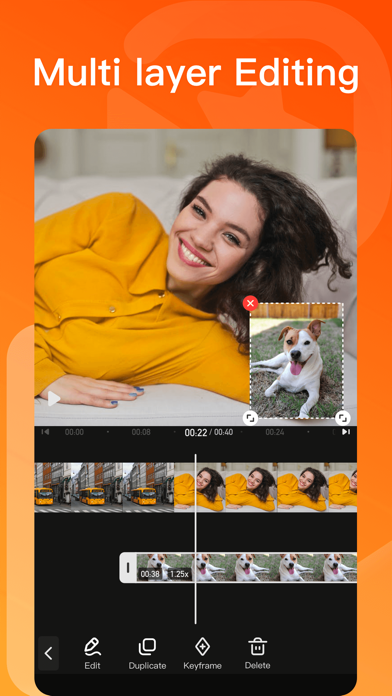
全新多軌道操作佈局,剪輯步驟更清晰~
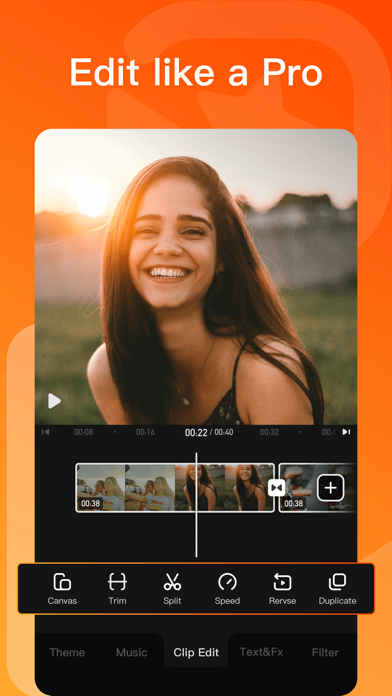
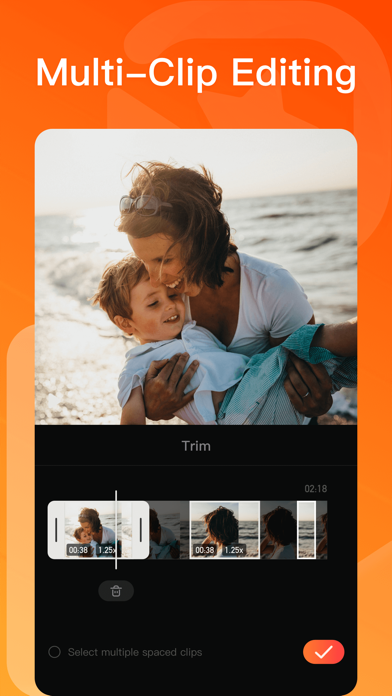
-「剪切」0.1秒精準剪切,好片不拖拉
-「變速」強大的0.1-10倍視頻變速效果,自由變換輕鬆改變視頻節奏
-「倒放」超酷視頻倒放功能,邀你一起乘坐時光機
-「比例」專業視頻比例:1:1、4:3、3:4、4:5、16:9、9:16⋯⋯
-「參數調節」高級視頻調色,支持亮度、對比度、飽和度、銳度、色溫、暗角、色調、陰影、高光、褪色
-「畫中畫」內置摳像、關鍵幀功能,輕鬆實現自定義動畫效果,剪輯創意視頻
-「自訂水印」在視頻中加入自己的logo,讓視頻更有個性
【貼紙和文本】
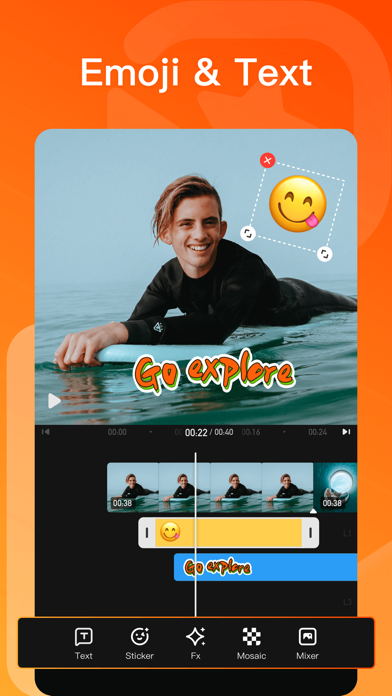
-「獨家貼紙」超丰富的場景化可愛動畫貼紙,讓視頻裝飾有趣味
-「自動字幕」一鍵識別字幕,自動添加文本,支持字幕翻译,滿足日常視頻後期
-「字幕风格」花字特效、KTV字幕、繽紛氣泡、Vlog標題等樣式隨心選
-「字體樣式」手繪、黑體、圓體、宋體等,字型陰影、對齊、多色描邊等定制專屬字幕
-「字幕動畫」入場、循環、出場多種動畫效果自由切換
【音樂曲庫】
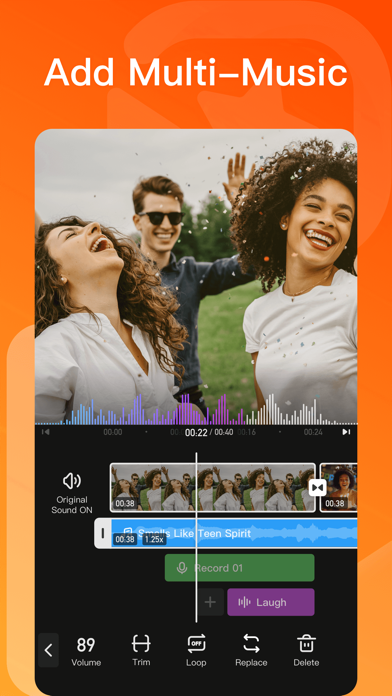
-「AI 音乐」把你的靈感化為獨一無二的專屬歌曲,簡單又有趣!
-「音頻」場景音樂庫/音效庫,契合視頻主題
-「音樂鏡頭」一鍵添加視頻配樂,跟著音樂舞動、歌唱或律動節拍
【濾鏡、特效、转场和主题】
-「濾鏡」復古膠片濾鏡,提升視頻畫質、色彩韻味,彷彿漫步膠片復興年代
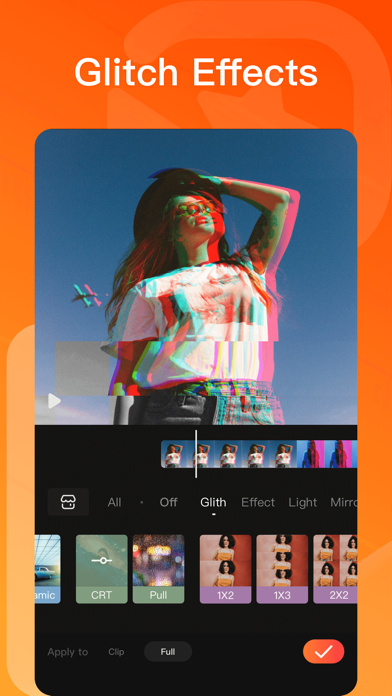
-「特效」飄雪、煙花、夢幻、漫畫風、glitch(故障藝術)、VHS、浪漫愛情、電影特效,讓生活秒變大片
-「轉場」1000+ 電影級影片转场設計,讓影片銜接更酷炫丝滑
-「主題」文藝、旅行、新年、浪漫、親子、生日、Vlog、畢業季、復古、時尚,多種風格主題任你挑選,轻松創作高級感影片
【畫中畫】
- 內置摳像、關鍵幀功能,輕鬆實現自定義動畫效果,剪輯創意視頻
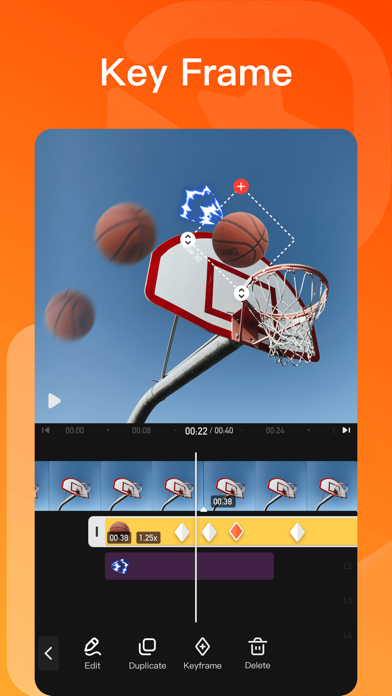
【關鍵幀】
- 精準控制視頻效果變化,打造更專業、更具創意的視頻
【智慧工具箱】
-「高清修復」恢復視頻細節,讓畫面更生動
-「文字笔刷涂鸦」自訂文字,在图片上画出你的创意文字涂鸦
-「照片變漫畫」定制頭像,秒變漫畫人物
-「智能裁剪」動態捕捉,剪輯智能化
-「提詞器」口播神器
-「塗鴉錄屏」實現邊畫邊拍
【快速保存/分享】
-「保存」一鍵導出4K超高清畫質大片,更能製作趣味表情GIF
-「畫質/視頻規格」支持GIF/480p/720p/全高清1080p/超高清4K的高分辨率的視頻輸出,滿足您的需求
-「分享」輕鬆分享至LINE、Facebook、Tik Tok、微信、抖音、快手、微博等社交媒體
【小影VIP會員權益】
1. 訂閱小影VIP會員包含以下功能:去除水印、4k高清導出、去除視頻時長限製、去除廣告、視頻參數調節、動畫字幕以及所有付費視頻素材。
2. 根據您的選擇,小影VIP會員提供「月費」、「年費」兩種時間周期訂閱。
3. 根據App Store自動續約規則,小影VIP會員將在您會員過期後進行自動續約(含免費試用),除非您在小影VIP會員到期日24小時前取消。
4. 會員條款:http://rc.xiaoying.tv/web/h5template/0f88b262-0e82-4f23-89af-8551db44197b-language=zh-CN/dist/index.html
5. 隱私政策:https://rc.veresource.com/web/h5template/9b808c1d-df92-4dea-8488-0bcb41c7aca7-language=en/dist/index.html
- iPhone หรือ iPad ที่ไม่ได้เจลเบรก/ไม่ได้เจลเบรก หรือเจลเบรกแล้ว
- Sideloadly หรือทางเลือกอื่น
- คอมพิวเตอร์ที่ใช้ Windows/macOS/Linux และติดตั้ง iTunes ไว้
ขั้นตอนที่ 1: ดาวน์โหลดไฟล์ .IPA ที่แฮกไว้ล่วงหน้าจากลิงก์ด้านบนลงในคอมพิวเตอร์ของคุณ หากต้องการดาวน์โหลดจากแอป iOSGods โปรดดู วิธีดาวน์โหลด IPA ในแอป iOSGods ซึ่งมีตัวอย่างวิดีโอประกอบ
ขั้นตอนที่ 2: ดาวน์โหลด Sideloadly แล้วติดตั้งบน Windows หรือ Mac ของคุณ
ขั้นตอนที่ 3: เปิด Sideloadly บนคอมพิวเตอร์ เชื่อมต่ออุปกรณ์ iOS แล้วรอจนกว่าชื่ออุปกรณ์ของคุณจะปรากฏใน Sideloadly
ขั้นตอนที่ 4: เมื่อ iDevice ของคุณถูกตรวจพบแล้ว ให้ลากไฟล์ .IPA ที่ม็อดมาวางลงในโปรแกรม Sideloadly
ขั้นตอนที่ 5: กรอกอีเมล Apple Account ของคุณ จากนั้นกด "Start" ระบบจะถามรหัสผ่าน กรอกข้อมูลที่จำเป็นให้เรียบร้อย
ขั้นตอนที่ 6: รอจนกว่า Sideloadly จะ sideload/ติดตั้งไฟล์ IPA ที่แฮกเสร็จ หากเกิดปัญหาระหว่างติดตั้ง โปรดอ่านหมายเหตุด้านล่าง
ขั้นตอนที่ 7: เมื่อการติดตั้งเสร็จสิ้นและเห็นแอปบนหน้าจอหลักแล้ว ให้ไปที่ การตั้งค่า → ทั่วไป → โปรไฟล์ / VPN และการจัดการอุปกรณ์ จากนั้นแตะที่อีเมลที่คุณกรอกในขั้นตอนที่ 6 แล้วแตะ "เชื่อถือ [email protected]"
ขั้นตอนที่ 8: จากนั้นไปที่หน้าจอหลักและเปิดแอปที่ติดตั้งใหม่ ทุกอย่างควรทำงานได้ปกติ คุณอาจต้องทำตามคำแนะนำเพิ่มเติมเฉพาะแอปในป๊อปอัปของม็อดในเกม
หมายเหตุ: สำหรับ iOS/iPadOS 16 ขึ้นไป คุณต้อง เปิดโหมดนักพัฒนา (Developer Mode) สำหรับบัญชี Apple Developer แบบฟรี คุณต้องทำขั้นตอนนี้ซ้ำทุก 7 วัน หากมีคำถามหรือพบปัญหา โปรดอ่าน หัวข้อ FAQ ของ Sideloadly ในกระทู้