Login Required
Sign in with your iOSGods account to continue.
Sign in with your iOSGods account to continue.
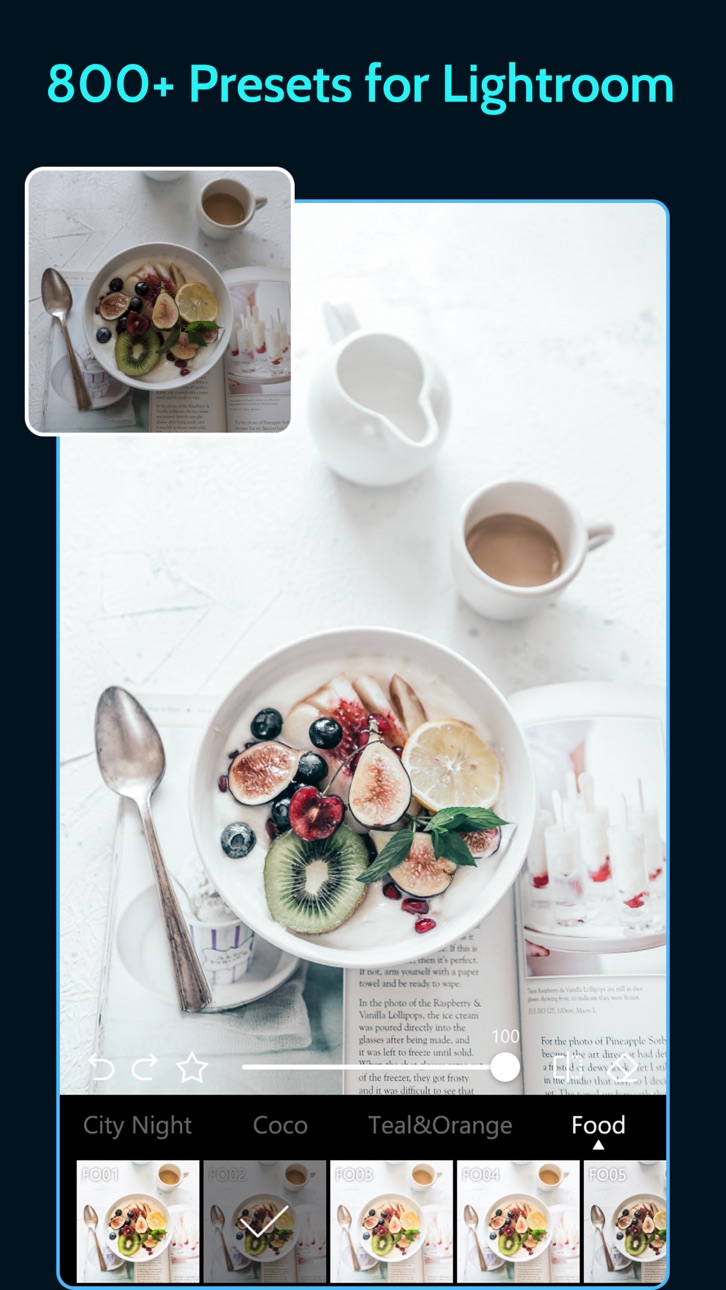
This photo and video editing app with hundreds of professional presets now unlocks premium access in this modded iOS version. Presets for Lightroom - Koloro Mod IPA gives you instant access to advanced filters inspired by film, travel, weddings, food, and more, plus powerful video editing tools to transform your content with a single tap.
- Premium Unlocked → full access to all presets and editing tools
This app also comes with iGameGod, giving you access to Auto Touch to automate repetitive tasks, App Speed Manager for adjustable gameplay speed, Memory Engine value editing, and more powerful iOS game tools.
Download Presets for Lightroom - Koloro Modded modded IPA from the links above. Tap the install button and follow the on-screen instructions to install this iOS app hack on your iPhone, iPad, or Apple Silicon.
Need more help? Check out our iOSGods App Frequently Asked Questions for detailed answers and troubleshooting tips.
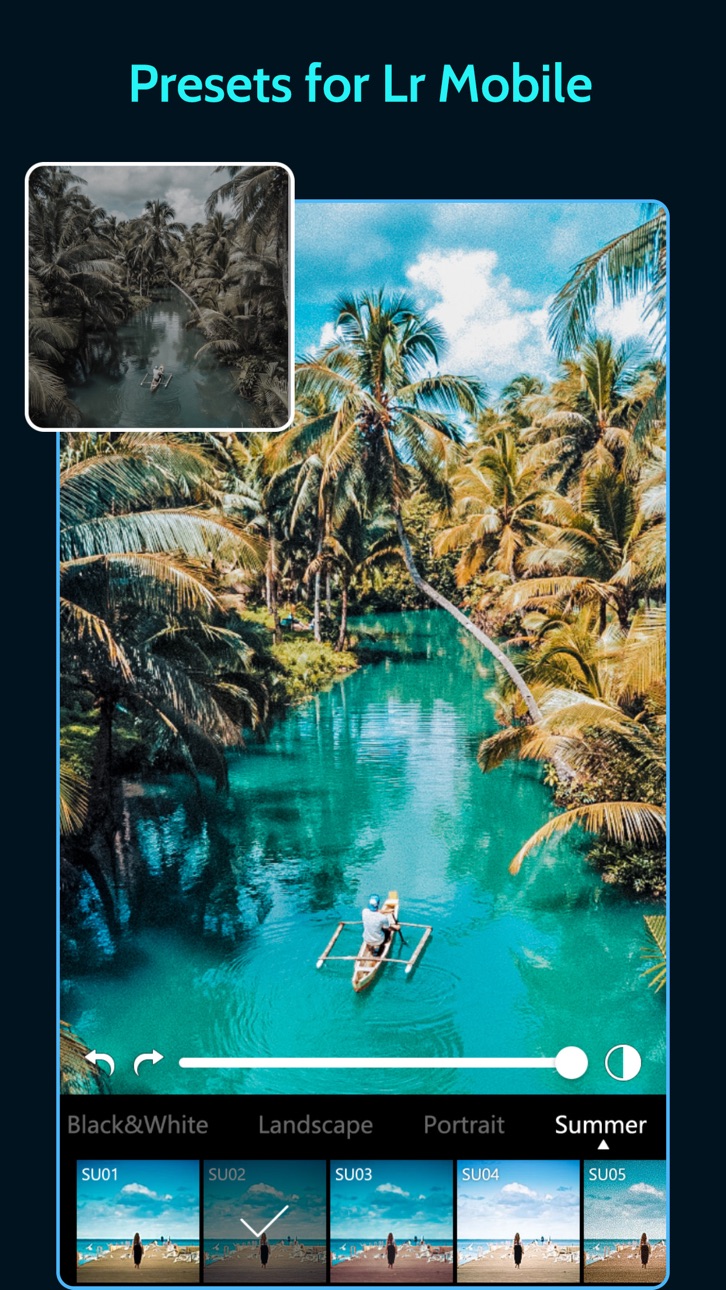
Presets for Lr mobile is the perfect and fundamental tool for photo editing.
1. Hundreds of presets
It provides you with advanced presets made by professionals. These presets are inspired by films, travelling, wedding, cities, foods, etc. It provides multiple kinds of presets, such as retro & vintage, vacation, light leak, bokeh, black & white, Cyberpunk, foodie, film, baby, heart, autumn, wedding, portrait, etc.
2. Video editing
use presets for Lightroom and filters inspired by famous artists and video editors etc. So easy to adjust your video and movie like photos with powerful tools and aesthetic overlay effects. Edit your video like a pro in this pics art box! You can also output live 4K HD film video with no crop.
3. Various beautiful overlays
It offers unique overlays to create an atmosphere. You can add various overlays, such as stars, rain, snow, glitter, light, film, leaves, shadow, vintage camera dazz etc.
4. Advanced editing tools
Use advanced editing tools like Contrast, Saturation, Fade, Hue, Highlight, Temp, Shadow, Vignette, Sharpen, Exposure, Brightness, and Grain. Brush & Eraser tools help you make specific adjustment in some parts of the photo. HSL, structure, vibrance and photo retouch, blur photo, more and more feature are coming soon!
5. Crop and rotate
Select no crop layouts for photos. Post full-size photos to Instagram without cropping! Move, rotate, scale, flip and edit your photos.
Come and create your own pics art! Share them on social media, like Instagram, Twitter, Facebook, Pinterest, Snapchat, Tik Tok, etc.
Subscription:
- With VIP you can subscribe for weekly new resource updates and unlimited access to all content.
- The purchase options include: buying one preset, montly subscription, yearly subscription and life-time purchase.
- Payment will be charged to iTunes Account at confirmation of purchase.
- Subscription automatically renews unless auto-renew is turned off for at least 24-hours before the end of the current period.
- The account will be charged for renewal within 24-hours prior to the end of the current period at the cost of the chosen package (monthly or yearly package).
- Subscriptions may be managed by the user and auto-renewal may be turned off by going to the user's Account Settings after purchase.
- No cancellation of the current subscription is allowed during active subscription period.
- Any unused portion of a free trial period, if offered, will be forfeited when the user purchases a subscription to that content.
Screenshots © their respective owners · App Store


iOSGods is not affiliated with, endorsed by, or sponsored by Apple Inc., Google LLC, or the developers of the apps listed here. Apple, iOS and App Store are trademarks of Apple Inc. Android and Google Play are trademarks of Google LLC. All other app names, icons, artwork and trademarks belong to their respective owners.
- Non-Jailbroken/Jailed or Jailbroken iPhone or iPad.
- Sideloadly or alternatives.
- Computer running Windows/macOS/Linux with iTunes installed.
STEP 1: Download the pre-hacked .IPA file from the link above to your computer. To download from the iOSGods App, see our iOSGods App IPA Download Tutorial which includes a video example.
STEP 2: Download Sideloadly and install it on your Windows or Mac.
STEP 3: Open Sideloadly on your computer, connect your iOS device, and wait until your device name appears in Sideloadly.
STEP 4: Once your iDevice is recognized, drag the modded .IPA file you downloaded and drop it into the Sideloadly application.
STEP 5: Enter your Apple Account email, then press “Start.” You’ll then be asked to enter your password. Go ahead and provide the required information.
STEP 6: Wait for Sideloadly to finish sideloading/installing the hacked IPA. If there are issues during installation, please read the note below.
STEP 7: Once the installation is complete and you see the app on your Home Screen, you will need to go to Settings → General → Profiles / VPN & Device Management. Once there, tap on the email you entered from step 6, and then tap on “Trust [email protected]”.
STEP 8: Now go to your Home Screen and open the newly installed app and everything should work fine. You may need to follow further per app instructions inside the hack's popup in-game.
NOTE: iOS/iPadOS 16 and later, you must enable Developer Mode. For free Apple Developer accounts, you will need to repeat this process every 7 days. If you have any questions or problems, read our Sideloadly FAQ section of the topic.
Hack Features:
- Inf Coins (Spend)
App Installation Instructions:
---------------------------------------------------------
----------------------------------------------------------
If you require more information or help, please read our Frequently Asked Questions topic on iOSGods.com.
----------------------------------------------------------
--------------------------------------------------