需要登录
请使用您的 iOSGods 账户登录以继续。
请使用您的 iOSGods 账户登录以继续。
使用VivaVideo创建令人惊艳的视频,这是全球最受欢迎的视频编辑器,现已通过此破解Hack IPA解锁。无限制地访问高级编辑工具、效果和主题,在几秒内从您的照片和视频制作专业级内容。
- 高级版 → 所有专业功能已解锁
此应用还内置 iGameGod,让你能够使用 Auto Touch 自动执行重复操作、通过 App Speed Manager 调节游戏速度、使用 Memory Engine 修改内存数值,以及更多强大的 iOS 游戏工具。
从上方链接下载 VivaVideo - Best Video Editor Modded modded IPA。点击安装按钮并按照屏幕提示在 iPhone、iPad 或 Apple Silicon 上安装此 iOS 应用修改版。
需要更多帮助?请查看我们的 iOSGods 应用常见问题解答 获取详细解答和故障排除技巧。
小影(VivaVideo)是一款功能强大,简单易用的高清视频编辑软件。爆款视频主题、海量贴纸素材、炫酷滤镜特效等你来探索!更有语音转字幕、文字涂鸦笔刷、AI 音乐、画中画、智能抠图、关键帧等功能,现在就用小影,记录你的精彩,分享你的故事!
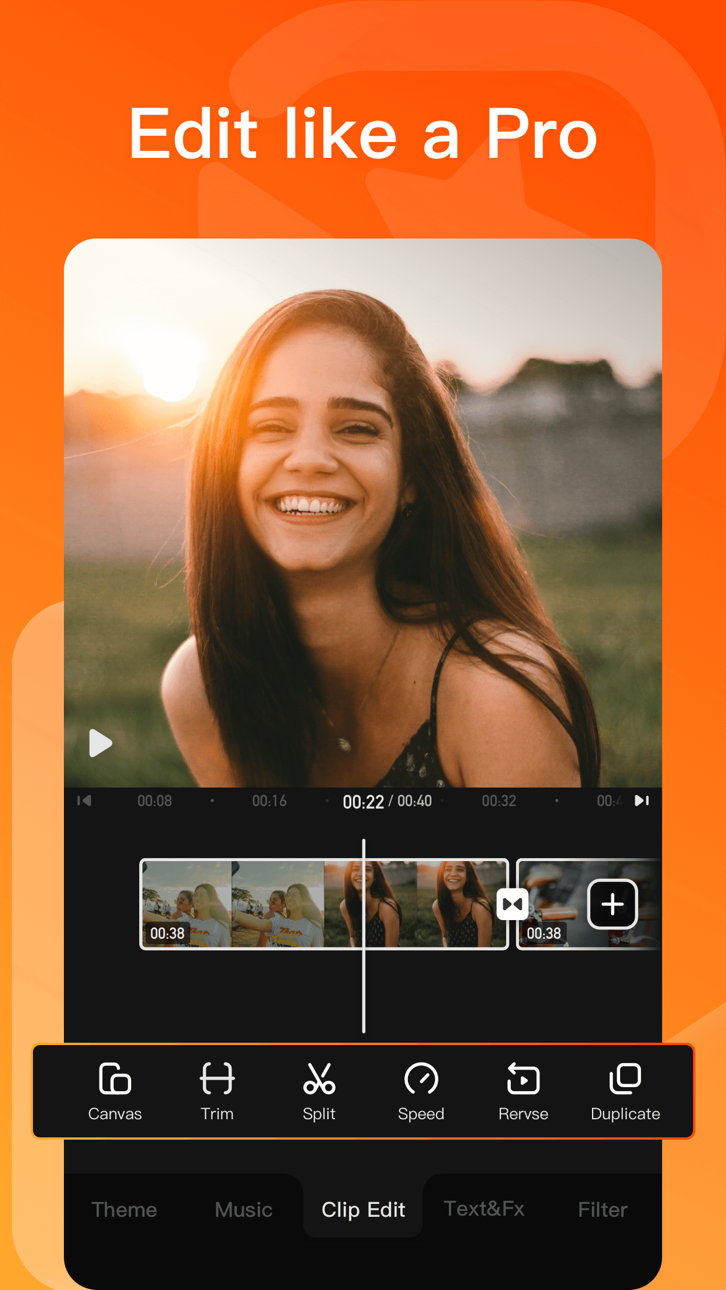
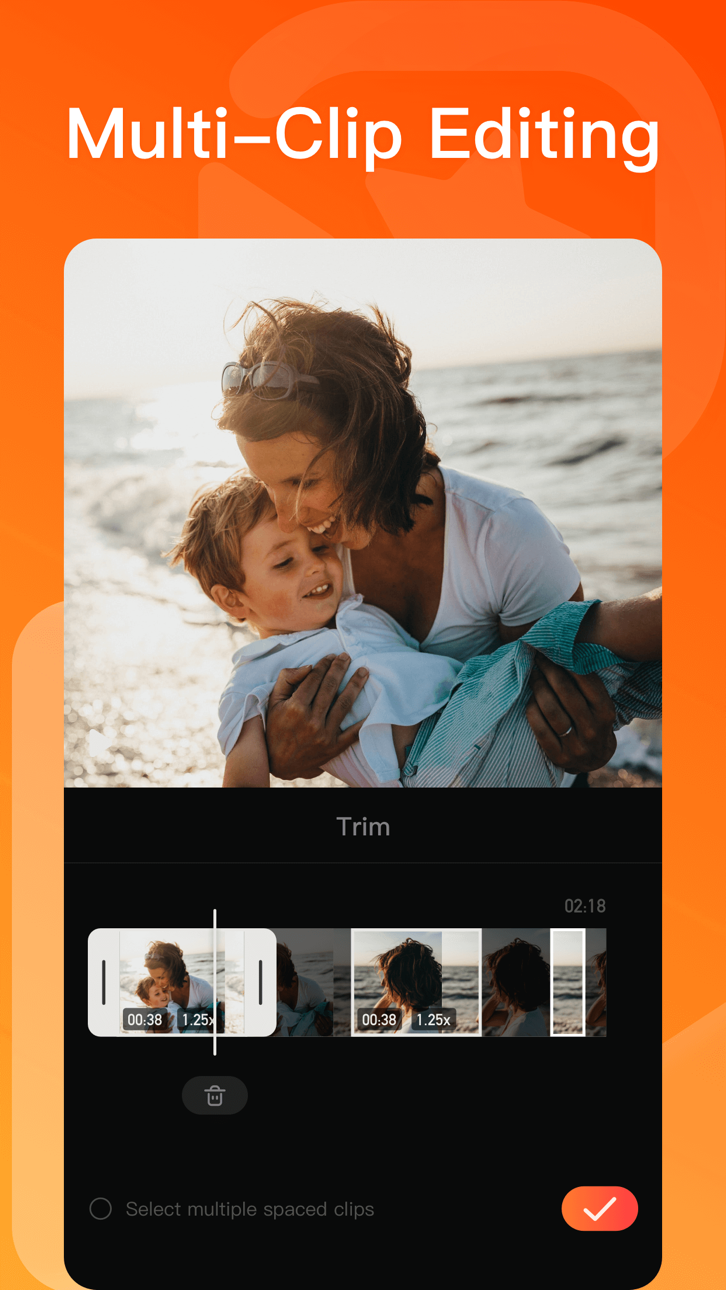
【全能视频剪辑】
全新多轨道操作布局,剪辑步骤更清晰~
-「剪切」0.1秒精准剪切,好片不拖拉
-「变速」强大的0.1-10倍视频变速效果,自由变换轻松改变视频节奏
-「倒放」超酷视频倒放功能,邀你一起乘坐时光机
-「比例」专业视频比例:1:1、4:3、3:4、4:5、16:9、9:16⋯⋯
-「参数调节」高级视频调色,支持亮度、对比度、饱和度、锐度、色温、暗角、色调、阴影、高光、褪色
-「画中画」内置抠像、关键帧功能,轻松实现自定义动画效果,剪辑创意视频
-「自定义水印」在视频中加入自己的logo,让视频更有个性
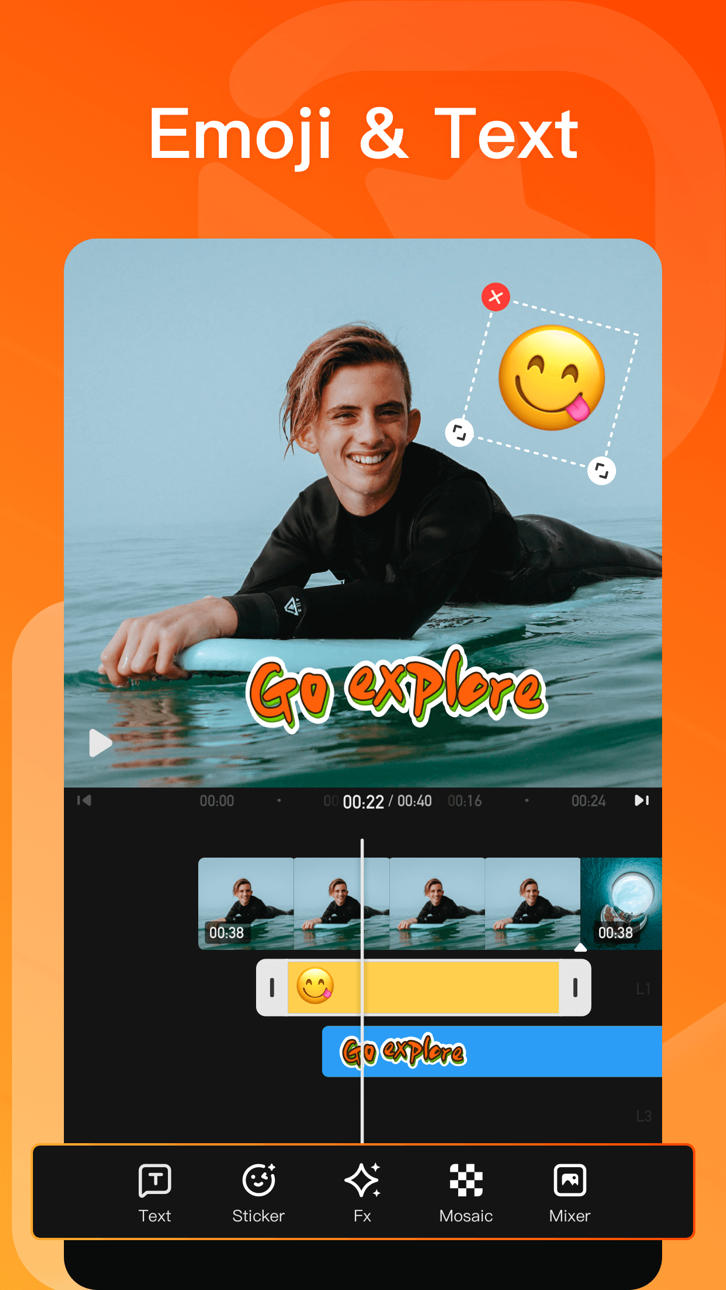
【贴纸和文本】
-「独家贴纸」超丰富的场景化可爱动画贴纸,让视频装饰有趣味
-「自动字幕」一键识别字幕,自动添加文本,支持字幕翻译,满足日常视频后期
-「字幕风格」花字特效、KTV字幕、缤纷气泡、Vlog标题等样式随心选
-「字体样式」手绘、黑体、圆体、宋体等,字型阴影、对齐、多色描边等定制专属字幕
-「字幕动画」入场、循环、出场多种动画效果自由切换
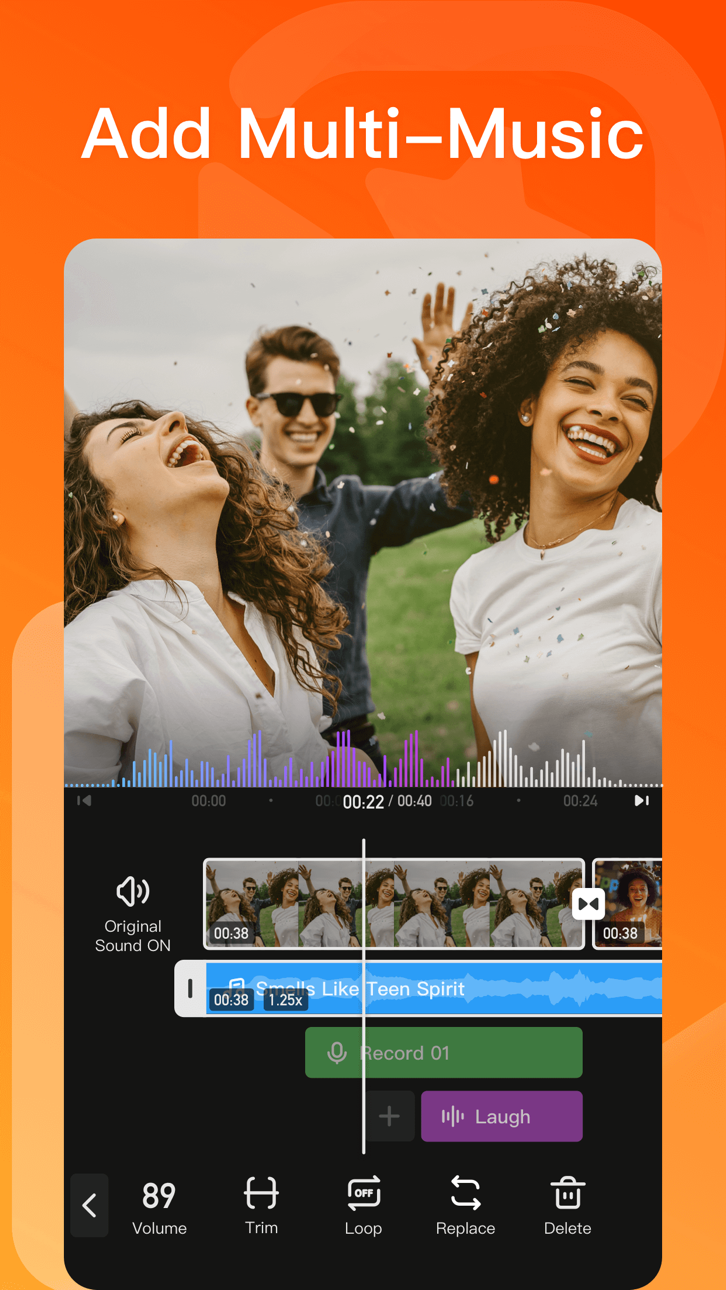
【音乐曲库】
-「AI 音乐」把你的灵感化为独一无二的专属歌曲,简单又有趣!
-「音频」场景音乐库/音效库,契合视频主题
-「音乐镜头」一键添加视频配乐,跟着音乐舞动、歌唱或律动节拍
【滤镜、特效、转场和主题】
-「滤镜」复古胶片滤镜,提升视频画质、色彩韵味,仿佛漫步胶片复兴年代
-「特效」飘雪、烟花、梦幻、漫画风、glitch(故障艺术)、VHS、浪漫爱情、电影特效,让生活秒变大片
-「转场」1000+ 电影级视频转场设计,让视频衔接更酷炫丝滑
-「主题」文艺、旅行、新年、浪漫、亲子、生日、Vlog、毕业季、复古、时尚,多种风格主题任你挑选,轻松创作高级感视频
【画中画】
- 内置抠像、关键帧功能,轻松实现自定义动画效果,剪辑创意视频
【关键帧】
- 精准控制视频效果变化,打造更专业、更具创意的视频
【智能工具箱】
-「高清修复」恢复视频细节,让画面更生动
-「文字笔刷涂鸦」自定义文字,在图片上画出你的创意文字涂鸦
-「照片变漫画」定制头像,秒变漫画人物
-「智能裁剪」动态捕捉,剪辑智能化
-「提词器」口播神器
-「涂鸦录屏」实现边画边拍
【快速保存/分享】
-「保存」一键导出4K超高清画质大片,更能制作趣味表情GIF
-「画质/视频规格」支持GIF/480p/720p/全高清1080p/超高清4K的高分辨率的视频输出,满足您的需求
-「分享」轻松分享至微信、抖音、快手、微博等社交媒体
【小影VIP会员权益】
1. 订阅小影VIP会员包含以下功能:去除水印、4k高清导出、去除视频时长限制、去除广告、视频参数调节、动画字幕以及所有付费视频素材。
2. 根据您的选择,小影VIP会员提供「月费」、「年费」两种时间周期订阅。
3. 根据App Store自动续约规则,小影VIP会员将在您会员过期后进行自动续约(含免费试用),除非您在小影VIP会员到期日24小时前取消。
4. 会员条款:http://rc.xiaoying.tv/web/h5template/0f88b262-0e82-4f23-89af-8551db44197b-language=zh-CN/dist/index.html
5. 隐私政策:https://rc.veresource.com/web/h5template/9b808c1d-df92-4dea-8488-0bcb41c7aca7-language=en/dist/index.html
截图 © 各自所有者 · App Store


iOSGods 与 Apple Inc.、Google LLC 及此处列出应用的开发者没有任何关联,也未获得其认可或赞助。Apple、iOS 和 App Store 是 Apple Inc. 的商标。Android 和 Google Play 是 Google LLC 的商标。其他所有应用名称、图标、图片和商标均归各自所有者所有。

- 未越狱/受限或已越狱的 iPhone 或 iPad。
- Sideloadly 或替代方案。
- 运行 Windows/macOS/Linux 且已安装 iTunes 的电脑。
步骤 1: 通过上方链接将已破解的 .IPA 文件下载到您的电脑。如需从 iOSGods App 下载,请参阅我们的 iOSGods App IPA 下载教程,其中包含视频示例。
步骤 2: 下载 Sideloadly 并将其安装到您的 Windows 或 Mac 上。
步骤 3: 在电脑上打开 Sideloadly,连接您的 iOS 设备,等待设备名称在 Sideloadly 中显示。
步骤 4: 当 Sideloadly 识别到您的 iOS 设备后,将下载好的修改版 .IPA 文件拖放到 Sideloadly 应用中。
步骤 5: 输入您的 Apple Account 邮箱,然后点击 "Start"。系统会提示您输入密码,请按要求填写信息。
步骤 6: 等待 Sideloadly 完成已破解 IPA 的旁加载/安装。如果安装过程中出现问题,请阅读下方的注意事项。
步骤 7: 安装完成并在主屏幕上看到该应用后,您需要前往 设置 → 通用 → 描述文件 / VPN 与设备管理。进入后,点击您在第 6 步中输入的邮箱,然后点击 "信任 [email protected]"。
步骤 8: 现在返回主屏幕并打开新安装的应用,一切应可正常运行。您可能需要按照游戏内修改弹窗中的具体说明执行进一步操作。
注意: 在 iOS/iPadOS 16 及更高版本上,您必须 启用开发者模式。对于免费的 Apple Developer 账户,您需要每 7 天重复一次此操作。如有任何疑问或问题,请阅读我们的 主题中的 Sideloadly 常见问题部分。
Hack Features:
- Inf Coins (Spend)
App Installation Instructions:
---------------------------------------------------------
----------------------------------------------------------
If you require more information or help, please read our Frequently Asked Questions topic on iOSGods.com.
----------------------------------------------------------
--------------------------------------------------