Login Diperlukan
Masuk dengan akun iOSGods kamu untuk melanjutkan.
Masuk dengan akun iOSGods kamu untuk melanjutkan.
Buat video yang menakjubkan dengan VivaVideo, editor video paling populer di dunia yang sekarang dibuka dengan Hack IPA modded ini. Akses alat pengeditan premium, efek, dan tema tanpa batasan untuk membuat konten berkualitas profesional dari foto dan video Anda dalam hitungan detik.
- Premium → semua fitur pro dibuka
Aplikasi ini juga dilengkapi dengan iGameGod, yang memberi Anda akses ke Auto Touch untuk mengotomatiskan tugas berulang, App Speed Manager untuk mengatur kecepatan permainan, pengeditan nilai Memory Engine, dan alat permainan iOS lainnya yang lebih canggih.
Unduh VivaVideo - Best Video Editor Modded modded IPA dari tautan di atas. Ketuk tombol pasang dan ikuti petunjuk di layar untuk memasang hack iOS ini di iPhone, iPad, atau Apple Silicon.
Butuh bantuan lebih lanjut? Lihat Pertanyaan yang Sering Diajukan untuk Aplikasi iOSGods kami untuk jawaban dan tips lengkap.
小影(VivaVideo)「人氣 AI 模板」與專業 「Vlog 剪輯」全新登場,圖轉影片、文轉影片能力(支援 image 2、banana 2 風格)持續升級,並搭配語音轉繁體字幕、智能摳圖、文字塗鴉、質感濾鏡與 AI 抱抱特效,讓你輕鬆記錄每個溫馨時刻。立即下載,創作專屬你的Vlog和影片!
【最新AI玩法,讓創作充滿驚喜!】
- 「image 2 海報&PLOG」上傳照片+一句文案,即可把日常美食照變海報、把寵物照與商品訊息組成行銷海報,或一鍵生成手帳風 PLOG;自動排版、字型與配色,發佈更省時。
-「AI寶寶跳舞」 上傳寶寶照片,一鍵套用熱門舞蹈特效,讓寶貝瞬間變身舞林高手,萌翻全場!
-「黑白婚紗壁紙」 上傳情侶日常照,立即生成超唯美韓系婚紗壁紙,浪漫氛圍直接拉滿。
-「寶寶九宮格壁紙」 將寶寶照片變成超可愛九宮格桌布,滿滿療癒感,每天都想換一張!
-「AI溫情照片」 智慧合成家人照片,生成溫馨寫真。
【全能視頻剪輯】
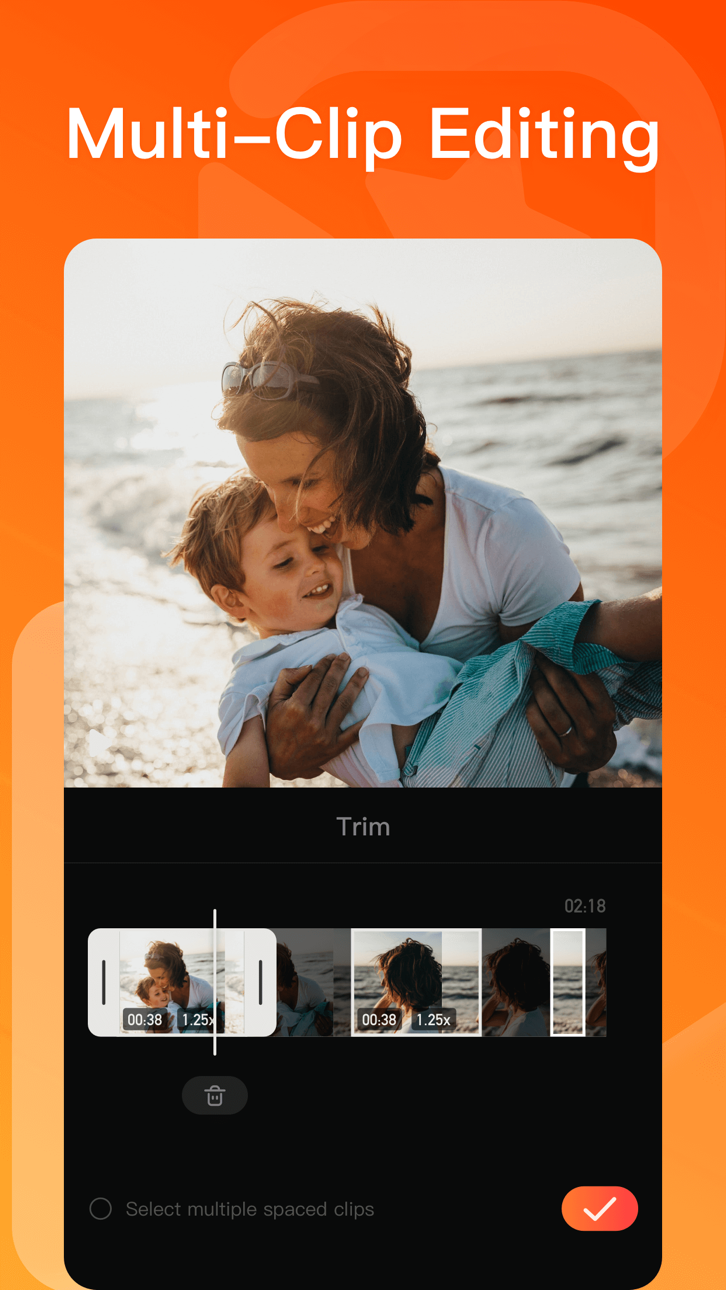
全新多軌道操作佈局,剪輯步驟更清晰~
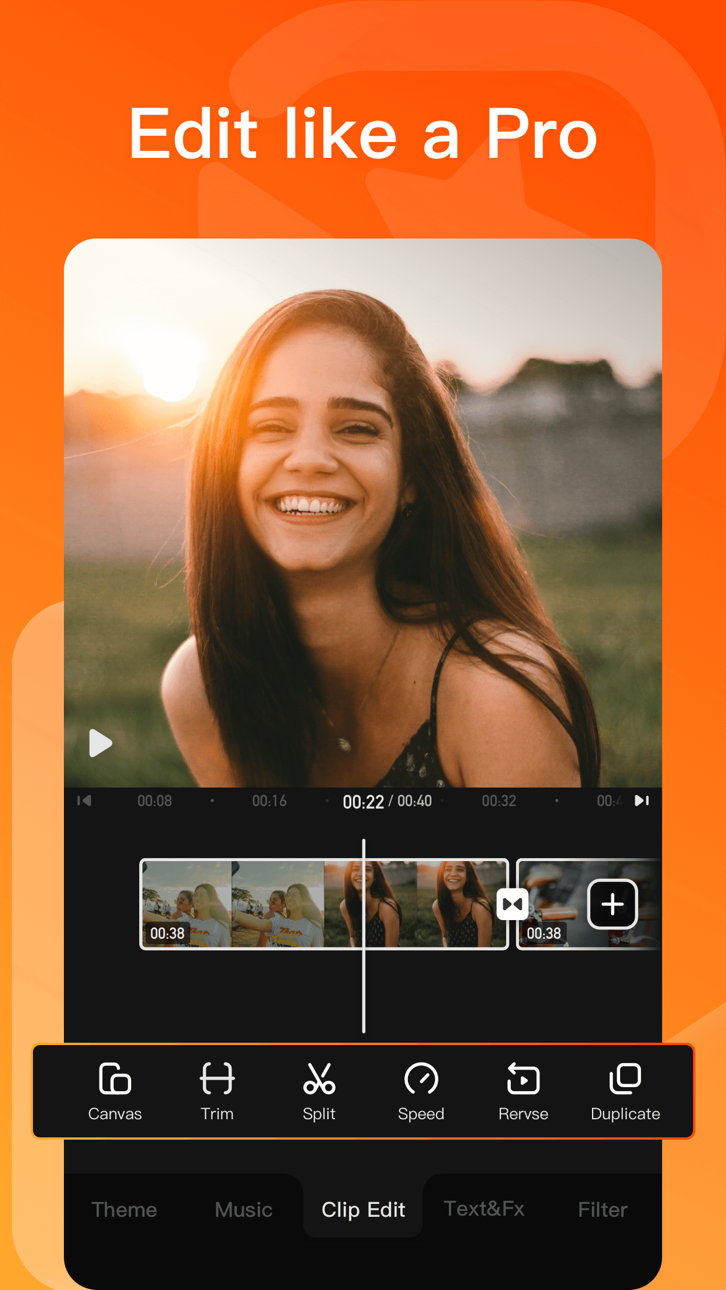
-「剪切」0.1秒精準剪切,好片不拖拉
-「變速」強大的0.1-10倍視頻變速效果,自由變換輕鬆改變視頻節奏
-「倒放」超酷視頻倒放功能,邀你一起乘坐時光機
-「比例」專業視頻比例:1:1、4:3、3:4、4:5、16:9、9:16⋯⋯
-「參數調節」高級視頻調色,支持亮度、對比度、飽和度、銳度、色溫、暗角、色調、陰影、高光、褪色
-「畫中畫」內置摳像、關鍵幀功能,輕鬆實現自定義動畫效果,剪輯創意視頻
-「自訂水印」在視頻中加入自己的logo,讓視頻更有個性
【貼紙和文本】
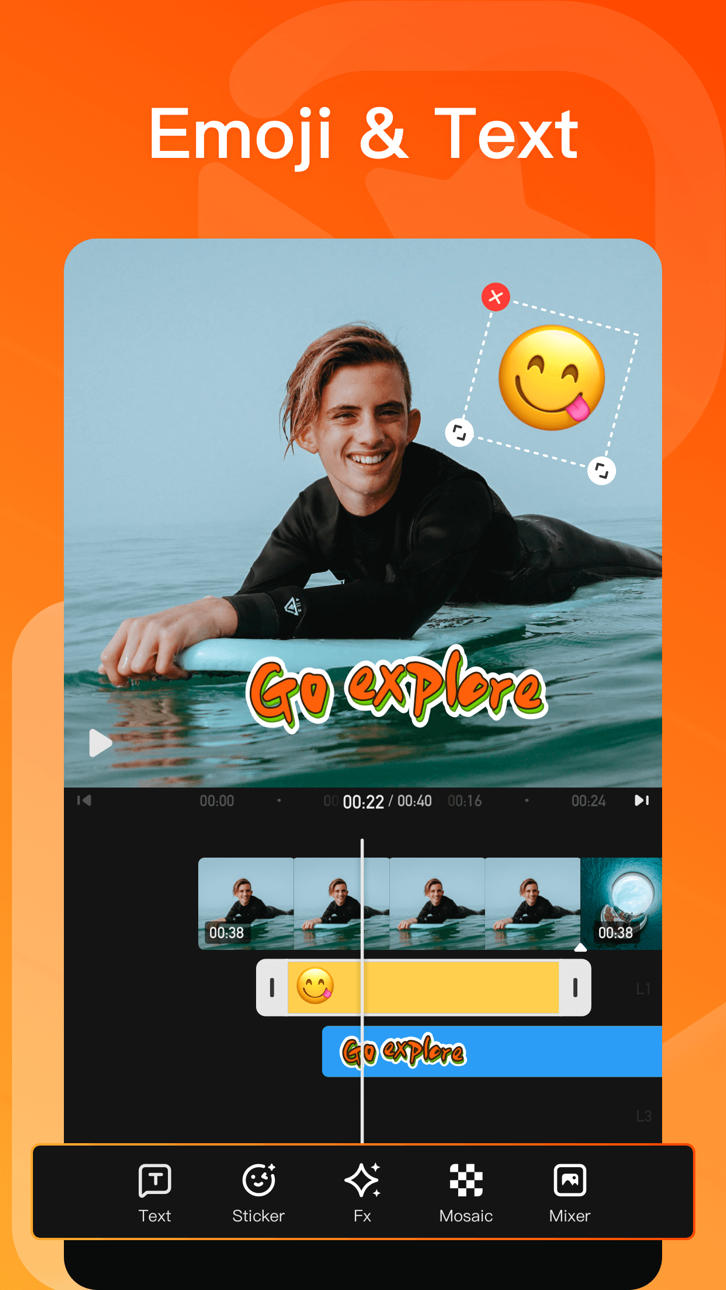
-「獨家貼紙」超丰富的場景化可愛動畫貼紙,讓視頻裝飾有趣味
-「自動字幕」一鍵識別字幕,自動添加文本,支持字幕翻译,滿足日常視頻後期
-「字幕风格」花字特效、KTV字幕、繽紛氣泡、Vlog標題等樣式隨心選
-「字體樣式」手繪、黑體、圓體、宋體等,字型陰影、對齊、多色描邊等定制專屬字幕
-「字幕動畫」入場、循環、出場多種動畫效果自由切換
【音樂曲庫】
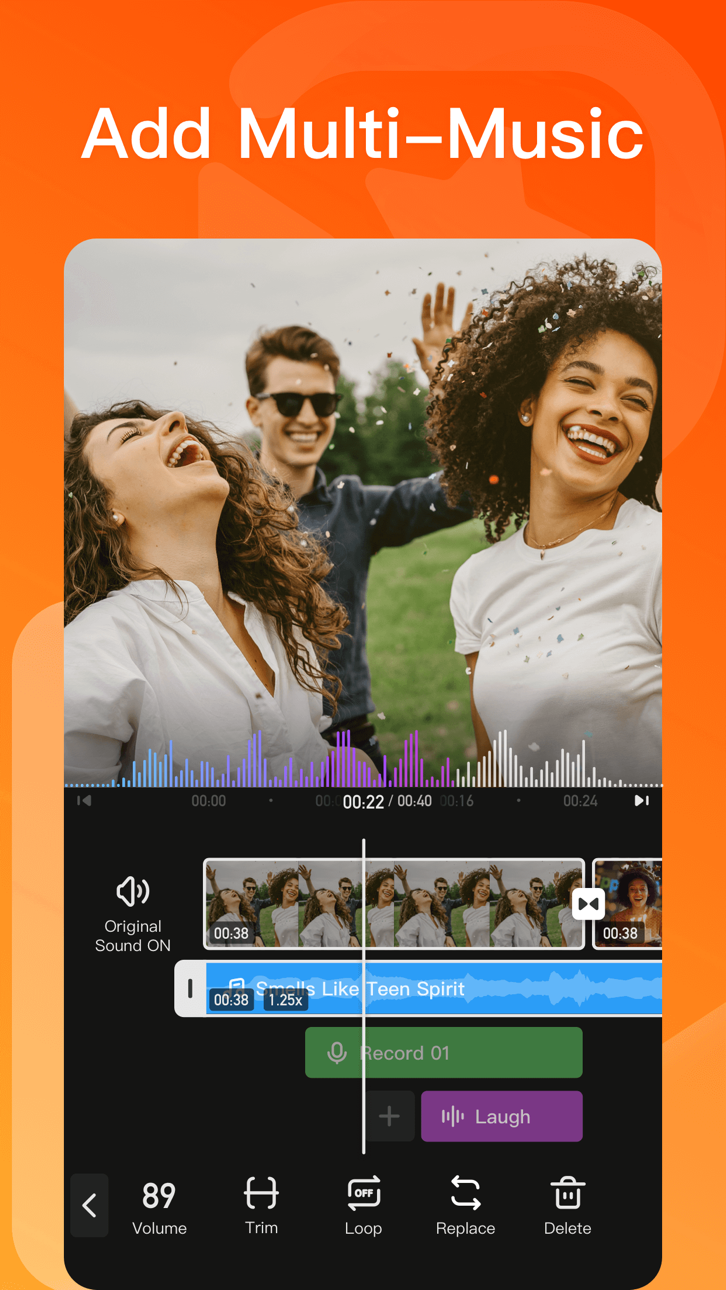
-「AI 音乐」把你的靈感化為獨一無二的專屬歌曲,簡單又有趣!
-「音頻」場景音樂庫/音效庫,契合視頻主題
-「音樂鏡頭」一鍵添加視頻配樂,跟著音樂舞動、歌唱或律動節拍
【濾鏡、特效、转场和主题】
-「濾鏡」復古膠片濾鏡,提升視頻畫質、色彩韻味,彷彿漫步膠片復興年代
-「特效」飄雪、煙花、夢幻、漫畫風、glitch(故障藝術)、VHS、浪漫愛情、電影特效,讓生活秒變大片
-「轉場」1000+ 電影級影片转场設計,讓影片銜接更酷炫丝滑
-「主題」文藝、旅行、新年、浪漫、親子、生日、Vlog、畢業季、復古、時尚,多種風格主題任你挑選,轻松創作高級感影片
【畫中畫】
- 內置摳像、關鍵幀功能,輕鬆實現自定義動畫效果,剪輯創意視頻
【關鍵幀】
- 精準控制視頻效果變化,打造更專業、更具創意的視頻
【智慧工具箱】
-「高清修復」恢復視頻細節,讓畫面更生動
-「文字笔刷涂鸦」自訂文字,在图片上画出你的创意文字涂鸦
-「照片變漫畫」定制頭像,秒變漫畫人物
-「智能裁剪」動態捕捉,剪輯智能化
-「提詞器」口播神器
-「塗鴉錄屏」實現邊畫邊拍
【快速保存/分享】
-「保存」一鍵導出4K超高清畫質大片,更能製作趣味表情GIF
-「畫質/視頻規格」支持GIF/480p/720p/全高清1080p/超高清4K的高分辨率的視頻輸出,滿足您的需求
-「分享」輕鬆分享至LINE、Facebook、Tik Tok、微信、抖音、快手、微博等社交媒體
【小影VIP會員權益】
1. 訂閱小影VIP會員包含以下功能:去除水印、4k高清導出、去除視頻時長限製、去除廣告、視頻參數調節、動畫字幕以及所有付費視頻素材。
2. 根據您的選擇,小影VIP會員提供「月費」、「年費」兩種時間周期訂閱。
3. 根據App Store自動續約規則,小影VIP會員將在您會員過期後進行自動續約(含免費試用),除非您在小影VIP會員到期日24小時前取消。
4. 會員條款:http://rc.xiaoying.tv/web/h5template/0f88b262-0e82-4f23-89af-8551db44197b-language=zh-CN/dist/index.html
5. 隱私政策:https://rc.veresource.com/web/h5template/9b808c1d-df92-4dea-8488-0bcb41c7aca7-language=en/dist/index.html
Tangkapan layar © pemiliknya masing-masing · App Store


iOSGods tidak berafiliasi, tidak didukung, dan tidak disponsori oleh Apple Inc., Google LLC, maupun pengembang aplikasi yang terdaftar di sini. Apple, iOS, dan App Store adalah merek dagang Apple Inc. Android dan Google Play adalah merek dagang Google LLC. Semua nama aplikasi, ikon, gambar, dan merek dagang lainnya adalah milik pemiliknya masing-masing.

- iPhone atau iPad tanpa Jailbreak atau dengan Jailbreak.
- Sideloadly atau alternatifnya.
- Komputer dengan Windows/macOS/Linux dan iTunes terpasang.
LANGKAH 1: Unduh file .IPA yang sudah di-hack dari tautan di atas ke komputer Anda. Untuk mengunduhnya dari iOSGods App, silakan lihat Tutorial Mengunduh IPA dari iOSGods App kami yang dilengkapi contoh video.
LANGKAH 2: Unduh Sideloadly dan pasang di Windows atau Mac Anda.
LANGKAH 3: Buka Sideloadly di komputer Anda, sambungkan perangkat iOS Anda, dan tunggu hingga nama perangkat Anda muncul di Sideloadly.
LANGKAH 4: Setelah iDevice Anda terdeteksi, seret file .IPA yang sudah dimodifikasi dan lepaskan ke dalam aplikasi Sideloadly.
LANGKAH 5: Masukkan email Apple Account Anda, lalu tekan "Start". Anda kemudian akan diminta memasukkan kata sandi. Silakan isi informasi yang diminta.
LANGKAH 6: Tunggu hingga Sideloadly selesai melakukan sideloading/pemasangan IPA yang di-hack. Jika terjadi masalah saat pemasangan, silakan baca catatan di bawah ini.
LANGKAH 7: Setelah pemasangan selesai dan Anda melihat aplikasi di Layar Beranda, Anda perlu masuk ke Pengaturan → Umum → Profil / VPN & Manajemen Perangkat. Setelah itu, ketuk email yang Anda masukkan pada langkah 6, lalu ketuk "Percayai [email protected]".
LANGKAH 8: Sekarang buka Layar Beranda dan jalankan aplikasi yang baru saja dipasang; semuanya seharusnya berjalan normal. Anda mungkin perlu mengikuti petunjuk tambahan per aplikasi yang muncul di popup hack di dalam game.
CATATAN: Pada iOS/iPadOS 16 dan yang lebih baru, Anda harus mengaktifkan Mode Pengembang. Untuk akun Apple Developer gratis, Anda perlu mengulangi proses ini setiap 7 hari. Jika Anda memiliki pertanyaan atau masalah, silakan baca bagian FAQ Sideloadly di topik tersebut kami.
Hack Features:
- Inf Coins (Spend)
App Installation Instructions:
---------------------------------------------------------
----------------------------------------------------------
If you require more information or help, please read our Frequently Asked Questions topic on iOSGods.com.
----------------------------------------------------------
--------------------------------------------------