Inloggning krävs
Logga in med ditt iOSGods-konto för att fortsätta.
Logga in med ditt iOSGods-konto för att fortsätta.
Lås upp Scanbot Pro:s premiumfunktioner för skanning utan kostnad med denna Mod IPA och få full åtkomst till högkvalitativ PDF- och JPG-dokumentskanning, molnintegration med iCloud Drive, Dropbox, Box och Evernote, QR-kodkänning och faxfunktioner utan att behöva betala. Scanbot Pro erbjuder skannerkraft i skrivbordsklass på din iOS-enhet, vilket gör att du kan skapa professionella skanningar på sekunder och ladda upp dem direkt till din föredragna molntjänst.
Den här appen levereras även med iGameGod, vilket ger dig tillgång till Auto Touch för att automatisera repetitiva uppgifter, App Speed Manager för justerbar spelhastighet, värdesredigering med Memory Engine och fler kraftfulla verktyg för iOS-spel.
Ladda ner Scanbot Pro modded IPA från länkarna ovan. Tryck på installationsknappen och följ instruktionerna för att installera denna iOS-apphack på iPhone, iPad eller Apple Silicon.
Behöver du mer hjälp? Se våra iOSGods-appens vanliga frågor för detaljerade svar och felsökningstips.
SwiftScan Pro unlocks full access to all the features limited in SwiftScan’s app.
SwiftScan Pro is the best mobile scanner app for documents and QR codes. Create high-quality PDF or JPG scans with just one tap. Send files via email or as a fax. Upload them to iCloud Drive, Box, Dropbox, Evernote and other cloud services.
SwiftScan Pro packs all the power of a desktop scanner into one tiny scanner app!
FEATURE HIGHLIGHTS
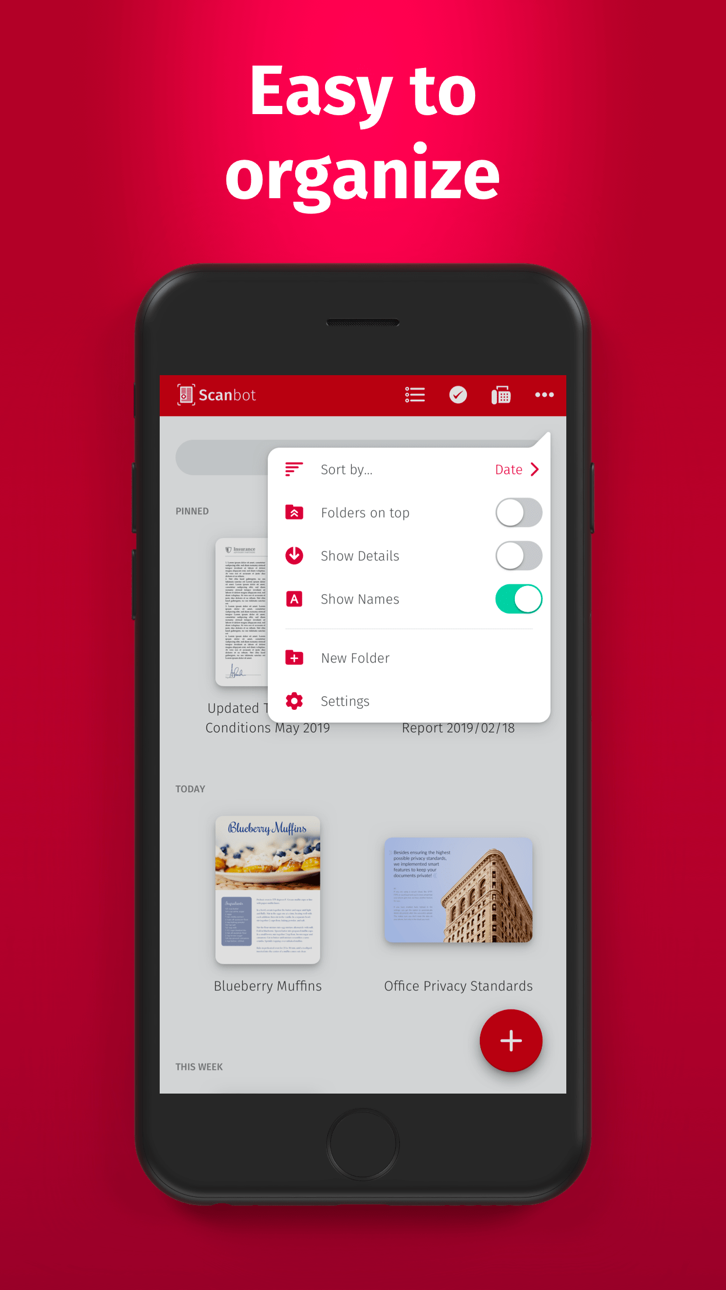
• iOS 14 widget: Shortcut widget provides instant access to scan, search, or view recent documents
• Scan premium quality PDFs or JPGs with 200 dpi and higher
• Advanced AI Tools to summarize your documents for quick comprehension, or even translate documents to another language
• Fax: you can now send your documents as a fax right from SwiftScan Pro!
• Cloud integration: iCloud Drive, Dropbox, Box, Evernote, WebDAV and other cloud services
• Scan QR codes: URLs, Contacts, Phone Numbers, Locations, Hotspots, etc.
• Lightning fast: automatic edge detection and scanning
• Multi-page documents
• Enhance your scans: color modes and automatic optimization
• Smart background upload
• Beautifully designed
• Text recognition (OCR): extract the text of your scans to copy, search, lookup, etc.
• Beautiful themes: select your preferred look and feel
• Smart file naming
• Passcode protection with Touch ID / Face ID support
• Add pages to existing scans
• Fast full-text search
• PDF password protection
Scan HIGH-QUALITY
SwiftScan Pro relies on the latest and most advanced mobile scanning technology available. Your scans are delivered at a premium quality with 200 dpi and higher, which is comparable to the performance of modern desktop scanners. In addition, various color modes, auto-optimization and blur-reduction help you to get the most out of your scans.
Scan QUICKLY
Just hold your iPhone over any document, receipt or whiteboard and it takes only a second to scan a page and save it as a PDF or JPG. Thanks to SwiftScan Pro’s latest technology, the edges of the document are automatically identified so that only the document itself is scanned. SwiftScan Pro captures the best possible image in the perfect moment.
Scan ANYTHING
SwiftScan Pro works on all occasions with all kind of media. Scan any kind of document such as paper documents, business cards, receipts, notes, whiteboards or post-its. SwiftScan Pro helps you save the documents that are important for you and get rid of paper clutter. No matter whether you are at work or on holidays, SwiftScan Pro is with you.
Scan to the CLOUD
Scanned documents can be emailed, printed or uploaded to a supported cloud drive. If you enable automatic upload and SwiftScan Pro will automatically save your scans to your preferred cloud service right at the moment your PDF scan has been created.
Learn more: https://swiftscan.app
Get in touch: [email protected]
Skärmbilder © respektive ägare · App Store


iOSGods är inte anslutet till, godkänt av eller sponsrat av Apple Inc., Google LLC eller utvecklarna av apparna som listas här. Apple, iOS och App Store är varumärken som tillhör Apple Inc. Android och Google Play är varumärken som tillhör Google LLC. Alla övriga appnamn, ikoner, bilder och varumärken tillhör sina respektive ägare.
- iPhone eller iPad utan jailbreak/jailad eller med jailbreak.
- Sideloadly eller alternativ.
- Dator med Windows/macOS/Linux och iTunes installerat.
STEG 1: Ladda ner den förhackade .IPA-filen från länken ovan till din dator. För att ladda ner från iOSGods App, se vår Guide för att ladda ner IPA i iOSGods App som även innehåller ett videoexempel.
STEG 2: Ladda ner Sideloadly och installera det på din Windows eller Mac.
STEG 3: Öppna Sideloadly på din dator, anslut din iOS-enhet och vänta tills enhetens namn visas i Sideloadly.
STEG 4: När din iEnhet känns igen drar du den moddade .IPA-filen du laddat ner och släpper den i Sideloadly-programmet.
STEG 5: Ange e-postadressen till ditt Apple Account och tryck sedan på ”Start”. Du ombeds sedan ange ditt lösenord. Fyll i de uppgifter som krävs.
STEG 6: Vänta tills Sideloadly är klar med att sideloada/installera den hackade IPA-filen. Om problem uppstår under installationen, läs noten nedan.
STEG 7: När installationen är klar och du ser appen på din hemskärm behöver du gå till Inställningar → Allmänt → Profiler / VPN & enhetshantering. Tryck där på e-postadressen du angav i steg 6 och tryck sedan på ”Lita på [email protected]”.
STEG 8: Gå nu till din hemskärm och öppna den nyligen installerade appen — allt ska fungera som det ska. Du kan behöva följa ytterligare app-specifika instruktioner i hackets popup inne i spelet.
OBS: På iOS/iPadOS 16 och senare måste du aktivera Utvecklarläge. För gratis Apple Developer-konton behöver du upprepa processen var sjunde dag. Om du har frågor eller problem, läs vår Sideloadly FAQ-avsnitt i tråden.
Game Name iOS Mod IPA is an action adventure game enhanced with powerful gameplay boosts and quality-of-life improvements. Win battles faster, earn rewards quicker, and enjoy uninterrupted play without ads.
- Unlimited Gold - spend freely to unlock premium content
- Damage Multiplier - deal significantly more damage in combat
- Defense Multiplier - take less damage and survive longer
- Reward Multiplier - earn more loot from every battle
- Max Level - instantly reach the highest player rank
- No Ads - play without interruptions or advertisements
This app also comes with iGameGod, giving you access to Auto Touch to automate repetitive tasks, App Speed Manager for adjustable gameplay speed, Memory Engine value editing, and more powerful iOS game tools.
Ladda ner Game Name Mod IPA från länkarna ovan. Tryck på installationsknappen och följ instruktionerna för att installera denna iOS-apphack på iPhone, iPad eller Apple Silicon.
Behöver du mer hjälp Se våra iOSGods-appens vanliga frågor för detaljerade svar och felsökningstips.
----------------------------------------------------------
--------------------------------------------------