Inloggning krävs
Logga in med ditt iOSGods-konto för att fortsätta.
Logga in med ditt iOSGods-konto för att fortsätta.
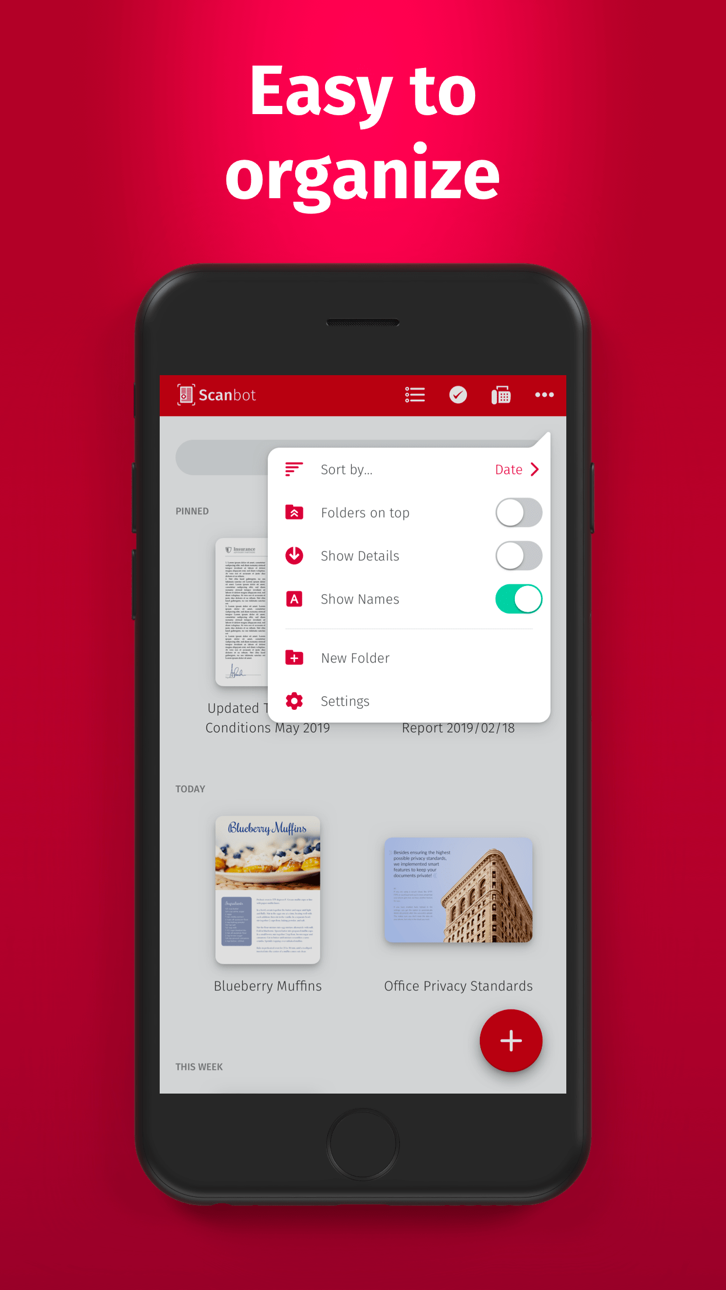
Lås upp Scanbot Pro:s premiumfunktioner för skanning utan kostnad med denna Mod IPA och få full åtkomst till högkvalitativ PDF- och JPG-dokumentskanning, molnintegration med iCloud Drive, Dropbox, Box och Evernote, QR-kodkänning och faxfunktioner utan att behöva betala. Scanbot Pro erbjuder skannerkraft i skrivbordsklass på din iOS-enhet, vilket gör att du kan skapa professionella skanningar på sekunder och ladda upp dem direkt till din föredragna molntjänst.
Den här appen levereras även med iGameGod, vilket ger dig tillgång till Auto Touch för att automatisera repetitiva uppgifter, App Speed Manager för justerbar spelhastighet, värdesredigering med Memory Engine och fler kraftfulla verktyg för iOS-spel.
Ladda ner Scanbot Pro modded IPA från länkarna ovan. Tryck på installationsknappen och följ instruktionerna för att installera denna iOS-apphack på iPhone, iPad eller Apple Silicon.
Behöver du mer hjälp? Se våra iOSGods-appens vanliga frågor för detaljerade svar och felsökningstips.
SwiftScan临解锁访问所有在SwiftScan的应用特征的限制。
SwiftScan Pro是文件和QR码的最好的移动扫描仪应用程序。创建高品质的PDF或JPG只用一个水龙头扫描。通过电子邮件或传真发送文件。他们上传到iCloud驱动器,盒,Dropbox的,Evernote的和其他云服务。
SwiftScan PRO包台式扫描仪的所有功能到一个很小的扫描应用程序!
功能亮点
•iOS的14控件:快捷方式小部件提供即时访问扫描,搜索,或查看最近的文档
•扫描优质PDF或JPG文件与200 dpi和更高
• 先进的人工智能工具可总结您的文档以便快速理解,甚至将文档翻译成另一种语言
•传真:你现在可以把你的文件从SwiftScan临传真吧!
•云集成:iCloud的驱动器,Dropbox的,箱,Evernote的,WebDAV和其他云服务
•扫描QR码:网址,联系人,电话号码,位置,热点等。
•闪电快:自动边缘检测和扫描
•多页文档
•增强您的扫描:颜色模式和自动优化
•智能后台上传
•设计精美
•文字识别(OCR):提取您扫描的文本复制,搜索,查找,等等。
•美丽的主题:选择您喜欢的外观和感觉
•智能文件命名
•密码保护带触摸ID /面部识别支持
•添加页面到现有的扫描
•快速全文检索
•PDF密码保护
扫描高质量
SwiftScan临依赖于可用的最新和最先进的移动扫描技术。您扫描在200 dpi和更高的,这是比较现代的桌面扫描仪性能的优质交付。此外,不同的色彩模式,自动优化和模糊还原帮助你得到你扫描的最出。
快速扫描
牵住你的iPhone上的任何文件,收据或白板只需要一秒钟扫描页面,并将其保存为PDF或JPG。由于SwiftScan Pro的最新技术,文档的边缘自动识别,以便只有文档本身进行扫描。 SwiftScan临捕捉完美的瞬间最佳的图像。
扫描ANYTHING
SwiftScan与所有类型的媒体各种场合的专业作品。扫描任何类型的文档,如纸质文档,名片,收据,笔记和白板或后它。 SwiftScan Pro可帮助您保存是对你很重要,摆脱杂乱的纸张的文件。无论你是在工作还是在节假日,SwiftScan Pro是你。
扫描至云
扫描的文档可以通过电子邮件发送,打印或上传到支持云驱动。如果启用自动上传和SwiftScan Pro会自动保存您扫描您的首选云服务就在那一刻你的PDF扫描已创建。
了解更多:https://swiftscan.app
取得联系:[email protected]
服务条款:https://maplemedia.io/terms-of-service/
必读:https://maplemedia.io/privacy/
Skärmbilder © respektive ägare · App Store


iOSGods är inte anslutet till, godkänt av eller sponsrat av Apple Inc., Google LLC eller utvecklarna av apparna som listas här. Apple, iOS och App Store är varumärken som tillhör Apple Inc. Android och Google Play är varumärken som tillhör Google LLC. Alla övriga appnamn, ikoner, bilder och varumärken tillhör sina respektive ägare.
- iPhone eller iPad utan jailbreak/jailad eller med jailbreak.
- Sideloadly eller alternativ.
- Dator med Windows/macOS/Linux och iTunes installerat.
STEG 1: Ladda ner den förhackade .IPA-filen från länken ovan till din dator. För att ladda ner från iOSGods App, se vår Guide för att ladda ner IPA i iOSGods App som även innehåller ett videoexempel.
STEG 2: Ladda ner Sideloadly och installera det på din Windows eller Mac.
STEG 3: Öppna Sideloadly på din dator, anslut din iOS-enhet och vänta tills enhetens namn visas i Sideloadly.
STEG 4: När din iEnhet känns igen drar du den moddade .IPA-filen du laddat ner och släpper den i Sideloadly-programmet.
STEG 5: Ange e-postadressen till ditt Apple Account och tryck sedan på ”Start”. Du ombeds sedan ange ditt lösenord. Fyll i de uppgifter som krävs.
STEG 6: Vänta tills Sideloadly är klar med att sideloada/installera den hackade IPA-filen. Om problem uppstår under installationen, läs noten nedan.
STEG 7: När installationen är klar och du ser appen på din hemskärm behöver du gå till Inställningar → Allmänt → Profiler / VPN & enhetshantering. Tryck där på e-postadressen du angav i steg 6 och tryck sedan på ”Lita på [email protected]”.
STEG 8: Gå nu till din hemskärm och öppna den nyligen installerade appen — allt ska fungera som det ska. Du kan behöva följa ytterligare app-specifika instruktioner i hackets popup inne i spelet.
OBS: På iOS/iPadOS 16 och senare måste du aktivera Utvecklarläge. För gratis Apple Developer-konton behöver du upprepa processen var sjunde dag. Om du har frågor eller problem, läs vår Sideloadly FAQ-avsnitt i tråden.
Game Name iOS Mod IPA is an action adventure game enhanced with powerful gameplay boosts and quality-of-life improvements. Win battles faster, earn rewards quicker, and enjoy uninterrupted play without ads.
- Unlimited Gold - spend freely to unlock premium content
- Damage Multiplier - deal significantly more damage in combat
- Defense Multiplier - take less damage and survive longer
- Reward Multiplier - earn more loot from every battle
- Max Level - instantly reach the highest player rank
- No Ads - play without interruptions or advertisements
This app also comes with iGameGod, giving you access to Auto Touch to automate repetitive tasks, App Speed Manager for adjustable gameplay speed, Memory Engine value editing, and more powerful iOS game tools.
Ladda ner Game Name Mod IPA från länkarna ovan. Tryck på installationsknappen och följ instruktionerna för att installera denna iOS-apphack på iPhone, iPad eller Apple Silicon.
Behöver du mer hjälp Se våra iOSGods-appens vanliga frågor för detaljerade svar och felsökningstips.
----------------------------------------------------------
--------------------------------------------------