Потрібен вхід
Увійдіть у свій обліковий запис iOSGods, щоб продовжити.
Увійдіть у свій обліковий запис iOSGods, щоб продовжити.

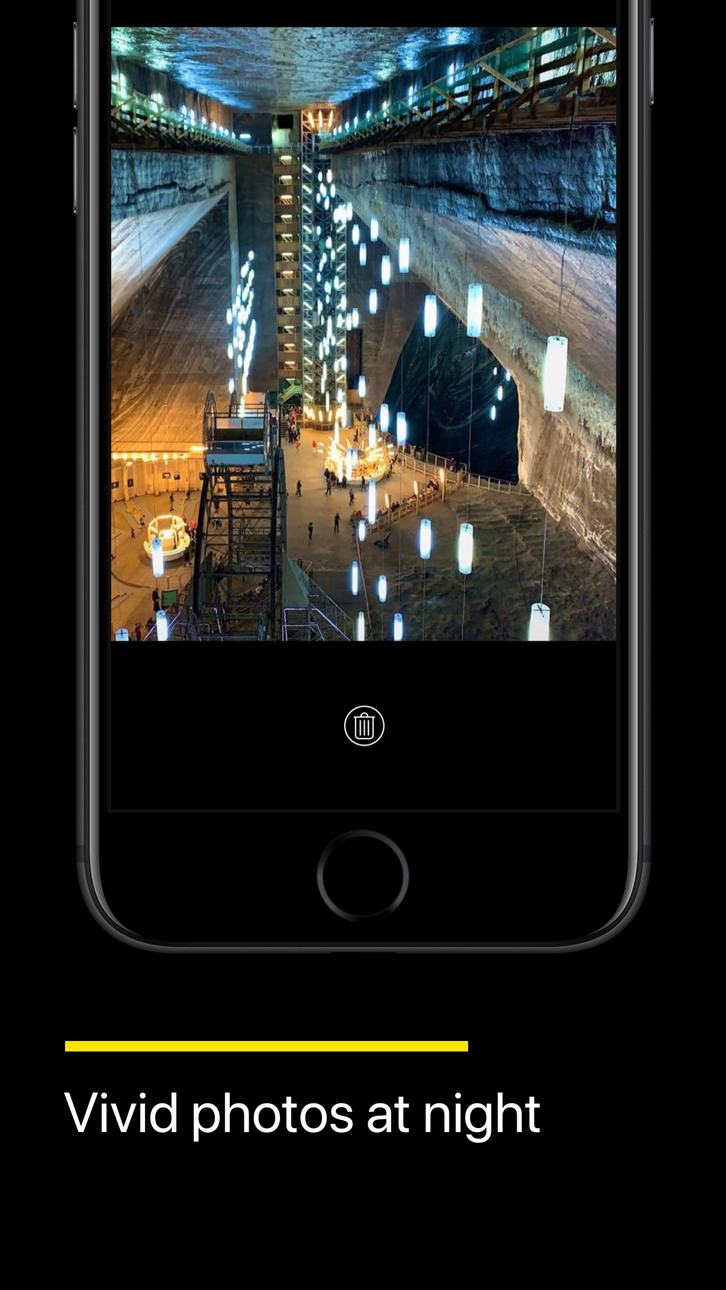
Захоплюйте вражаючі нічні фото на своєму iPhone за допомогою штучного інтелекту NeuralCam - Night Mode Camera для фотографування при слабкому освітленні, тепер розблокованої як безплатна Mod IPA. Цей визнаний додаток камери, похвалений 9to5Mac як найкращий інструмент для нічних фото на iPhone, використовує передовий нейронний обробку для перетворення темних сцен на чіткі, яскраві зображення, які значно перевищують можливості стандартної камери вашого iPhone. Отримайте преміум-функції нічного режиму без платіжної стіни.
Цей застосунок також постачається з iGameGod, який надає доступ до Auto Touch для автоматизації повторюваних дій, App Speed Manager для регулювання швидкості гри, редагування значень за допомогою Memory Engine та інших потужних інструментів для iOS-ігор.
Завантажте NeuralCam - Night Mode Camera modded IPA за посиланнями вище. Натисніть кнопку встановлення та дотримуйтесь інструкцій, щоб встановити цей хак iOS на iPhone, iPad або Apple Silicon.
Потрібна додаткова допомога? Перегляньте наш Поширені запитання про застосунок iOSGods для детальних відповідей та порад з усунення несправностей.
Create stunning portraits and master DSLR-level photography with AI-driven features that help you capture remarkable shots in any lighting condition.
NEW - Photo Coach: Your pocket portrait expert—blends ChatGPT's intelligence with NeuralCam's pro tools to guide you through composing, capturing, and perfecting professional portraits and other shots in real-time while building lasting skills.
Auto-mode for multiple features:
Auto-Portrait Mode: A fully AI-powered Portrait Mode without the limitations of the built-in portrait mode. Add professional depth to any portrait—works with all lenses, subjects, and distances, even in low light—with adjustable intensity for the perfect feel.
Auto Night Mode on All iPhones, All camera lenses with manual brightness optimization for skin tones
Auto AI Illumination: Brighter portraits without the flat HDR look
Quick-Editing mode: Perfect your portraits with a few taps before saving
AI & Classic editing controls:
AI Portrait Blur strength
AI Face Illumination strength
AI Style type and strength with skin tone preservation
Classic editing controls including exposure, contrast, shadows, highlights, and more
------ MAIN FEATURES: PERFECT PORTRAITS, NIGHT & DAY -------
Best-in-class Night Mode: The original NeuralCam feature - now optimized for portraits on All iPhones, All Cameras
Enhanced Daytime HDR: Capture brighter portraits with more detail and less noise
48 Megapixel AI Upscaled Photos: Professional-grade detail in every portrait
AI-Enhanced Macro Mode: Perfect for creative portrait details
Smart Color Grading: Elevate your portraits with AI styles based on professional photography
Auto-Remove People: Clean backgrounds for your portraits
Auto-Background Replacement: Studio-quality portrait backgrounds instantly
Lock screen Widget: Never miss the perfect portrait moment
------- ADDITIONAL FEATURES -------
Auto and Manual Night Mode
Auto and Manual Daytime Mode
AI Enhanced Macro Mode (including Night Macro Mode)
Manual Computational Photography Controls
Multiple Capturing Modes: High Detail, Low Noise, Unprocessed
Merging of 1-12 frames
24MP & 48MP AI Super-Resolution
12MP AI Detail Enhancement
Multiple AI Brightening Modes - now including NeuralHDR specially tailored for daytime photos
Classic Manual Photography Controls for White Balance, Exposure, and Focus
Timer
Tripod Mode - allows longer exposure time in really dark situations
Gentle Torch - so you can lightly illuminate your scene if needed, in very low light
Photo Format (HEIC/JPEG/TIFF)
Grid Options
Happy capturing!
Send us any feedback and feature requests either by leaving a comment on this store page, or by writing us at: [email protected] Enjoy!
Знімки екрана © їхніх власників · App Store


iOSGods не пов’язана з Apple Inc., Google LLC або розробниками перелічених тут застосунків, не схвалена та не спонсорується ними. Apple, iOS і App Store — торгові марки Apple Inc. Android і Google Play — торгові марки Google LLC. Усі інші назви застосунків, іконки, зображення й торгові марки належать їхнім власникам.
- iPhone або iPad без джейлбрейку/у заводському стані або з джейлбрейком.
- Sideloadly або альтернативи.
- Комп'ютер під керуванням Windows/macOS/Linux із встановленим iTunes.
КРОК 1: Завантажте попередньо зламаний .IPA-файл за посиланням вище на свій комп'ютер. Щоб завантажити з iOSGods App, перегляньте наш Посібник із завантаження IPA в iOSGods App, який містить відеоприклад.
КРОК 2: Завантажте Sideloadly і встановіть його на своєму Windows або Mac.
КРОК 3: Відкрийте Sideloadly на комп'ютері, підключіть свій iOS-пристрій і зачекайте, поки назва пристрою з'явиться у Sideloadly.
КРОК 4: Коли ваш iDevice буде розпізнано, перетягніть завантажений модифікований .IPA-файл і відпустіть його в застосунок Sideloadly.
КРОК 5: Введіть електронну пошту вашого Apple Account, потім натисніть «Start». Після цього вас попросять ввести пароль. Введіть необхідні дані.
КРОК 6: Зачекайте, доки Sideloadly завершить sideload/встановлення зламаного IPA. Якщо під час встановлення виникнуть проблеми, прочитайте примітку нижче.
КРОК 7: Коли встановлення завершено й ви побачите застосунок на головному екрані, перейдіть до Налаштування → Загальні → Профілі / VPN і керування пристроєм. Там натисніть на електронну пошту, яку ви ввели на кроці 6, а потім натисніть «Довіряти [email protected]».
КРОК 8: Тепер перейдіть на головний екран і відкрийте щойно встановлений застосунок — усе має працювати належним чином. Можливо, доведеться виконати додаткові інструкції для конкретного застосунку в спливаючому вікні хака в грі.
ПРИМІТКА: У iOS/iPadOS 16 і пізніших версіях потрібно увімкнути режим розробника. Для безкоштовних облікових записів Apple Developer цей процес доведеться повторювати кожні 7 днів. Якщо у вас є запитання або проблеми, прочитайте наш розділ FAQ зі Sideloadly у темі.
Game Name iOS Mod IPA is an action adventure game enhanced with powerful gameplay boosts and quality-of-life improvements. Win battles faster, earn rewards quicker, and enjoy uninterrupted play without ads.
- Unlimited Gold - spend freely to unlock premium content
- Damage Multiplier - deal significantly more damage in combat
- Defense Multiplier - take less damage and survive longer
- Reward Multiplier - earn more loot from every battle
- Max Level - instantly reach the highest player rank
- No Ads - play without interruptions or advertisements
This app also comes with iGameGod, giving you access to Auto Touch to automate repetitive tasks, App Speed Manager for adjustable gameplay speed, Memory Engine value editing, and more powerful iOS game tools.
Завантажте Game Name Mod IPA за посиланнями вище. Натисніть кнопку встановлення та дотримуйтесь інструкцій, щоб встановити цей хак iOS на iPhone, iPad або Apple Silicon.
Потрібна додаткова допомога Перегляньте наш Поширені запитання про застосунок iOSGods для детальних відповідей та порад з усунення несправностей.
----------------------------------------------------------
--------------------------------------------------