Login Required
Sign in with your iOSGods account to continue.
Sign in with your iOSGods account to continue.
Get premium cinema video recording without the paywall: FiLMiC Pro Mod IPA unlocks the full paid app and Cinematographer Kit at no cost, giving you professional-grade manual filming controls on your iPhone or iPad. This advanced mobile video camera hack delivers the responsive, feature-rich tools used by award-winning directors in high-profile film projects, now completely free.
- Free Paid App → full premium version unlocked
- Free Cinematographer Kit Purchase → professional filming tools included
This app also comes with iGameGod, giving you access to Auto Touch to automate repetitive tasks, App Speed Manager for adjustable gameplay speed, Memory Engine value editing, and more powerful iOS game tools.
Download FiLMiC Pro-Video Camera modded IPA from the links above. Tap the install button and follow the on-screen instructions to install this iOS app hack on your iPhone, iPad, or Apple Silicon.
Need more help? Check out our iOSGods App Frequently Asked Questions for detailed answers and troubleshooting tips.
Please note: The multi-cam feature shown at the Apple Keynote event is not yet available in FiLMiC Pro and will be coming soon.
FiLMiC Pro v6 is the most advanced cinema video camera for mobile. Ever. FiLMiC Pro has been enhanced with cutting-edge capabilities and the most responsive manual filming app available on iPhone and iPad
A multi-time iOS Video Camera App of the Year, FiLMiC Pro has been used in more high profile video projects by award winning directors than any other video app:
Unsane & High Flying Bird by Steven Soderbergh
Tangerine by Sean Baker
Detour by Michel Gondry
Snow Steam Iron by Zack Snyder
Three Minutes by Peter Chan
Olivia Wilde - No Love Like Yours
Claude Lelouch - The Best Years of a Life (Premiere Cannes 2019)
FiLMiC Pro provides filmmakers, newscasters, teachers, vloggers, artists and musicians with the capability to shoot in a true LOG gamma curve (included in the Cinematographer Kit optional in-app purchase). LOG V2 allows for greater tonal range and flexibility in post production by expanding dynamic range by up to 2.5 extra stops and setting the iPhone’s capabilities on par with camera equipment such as dslr costing thousands more. †
v6 Banner Features:
•Dual arc slider controls for manual focus and exposure adjustments.
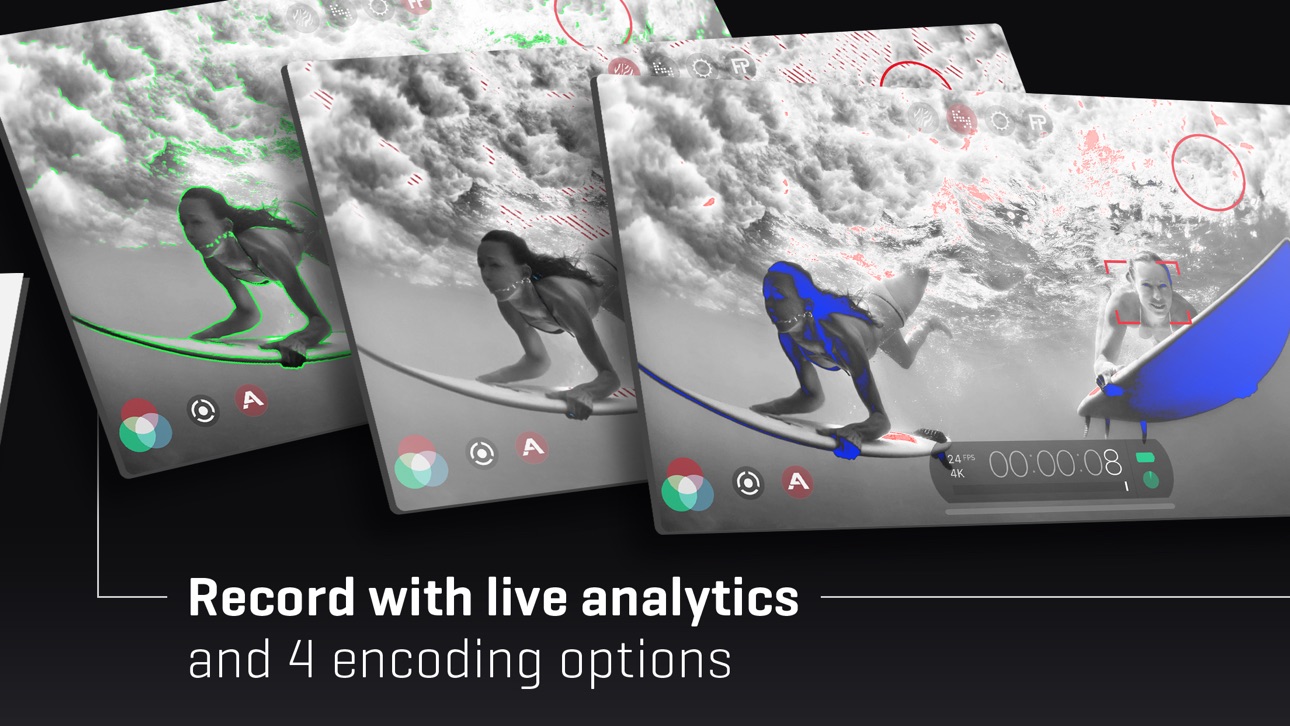
•Live analytics suite including Zebra Stripes, Clipping, False Color and Focus Peaking. (A8 processor or newer required).
• Ramped zoom rocker control.
• Waveform monitor including tri-mode histogram.
• White balance adjustment matrix with predefined and custom presets.
• Content Management System for project file naming.
• FiLMiC Sync integration to store preset data in the cloud and share between devices.
• Batch upload to supported share targets.
• Gamma curve controls for Natural, Dynamic, Flat and LOGv2. †
• Live shadow and highlight adjustments. †
• Live RGB, saturation and vibrance adjustments. †
(† Available as an optional purchase for iPhones with an A9 or newer processor and iPads with an A10X or newer processor. Limited to 30fps at 4k and 60fps at 1080p)
Foundation Features:
• Standard, manual and hybrid shooting modes. A shooting style for any skill level.
• Apple Watch support for remote start/stop and live video preview.
• Vertical and landscape shooting orientations.
• Variable speed zoom.
• Sync audio frame rates of 24, 25, 30, 48 50 and 60 fps.
• High speed frame rates of 60,120, 240 fps (hardware dependent).
• Slow and fast motion FX.
• Configurable time lapse recording.
• Tri-mode histogram, including waveform monitor. (A7 processor devices and newer)
• Downsampling to multiple size/resolutions.
• Customizable saved shooting presets.
• Aspect ratio framing guide overlays.
• Thirds guide for composition.
• Image stabilization.
• Support for FiLMiC Remote. FiLMiC Remote allows you to control an iOS device running FiLMiC Pro with a second device running FiLMiC Remote.
Full manual controls with pull capabilities for:
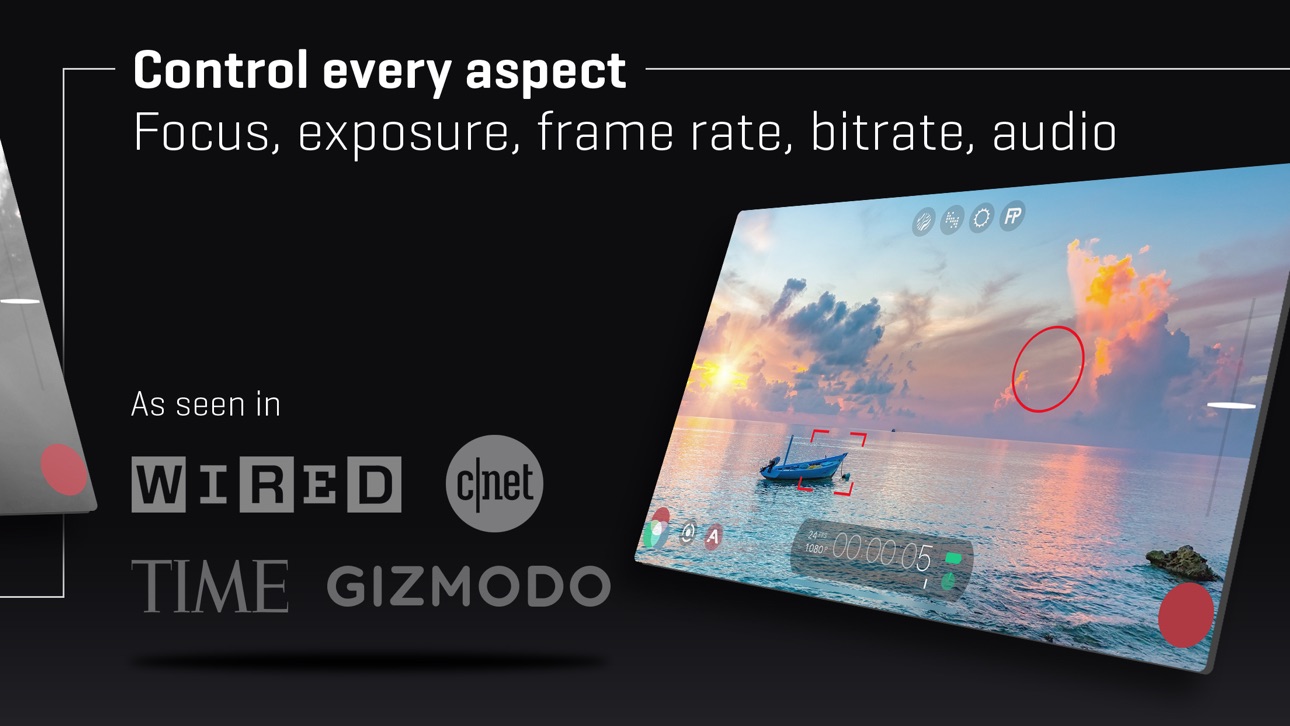
Exposure-ISO-Shutter Speed-Focus-Zoom
Up to a dozen different resolutions and aspect ratios including:
• HD Widescreen (16:9)
• Super 35 (2.39:1)
• Letterbox (2.20:1)
• Digital Cinema Initiative (17:9)
• Standard Definition (4:3)
• Ultra Panavision (2.76:1)
• Square (1:1)
Share your video through any iOS share-capable apps like: Facebook, DropBox, SanDisk iXpand, FTP
4 Flexible encoding options to balance between quality and file size:
• FiLMiC Extreme (offers up to 140Mbps encoding at 4K on latest gen devices)
• FiLMiC Quality
• Apple Standard
• Economy
3rd Party Hardware Support:
• Moondog Labs Anamorphic Lens (2.40:1)
• 35mm lens adapters
• Horizontal image flip
• Zhiyun Smooth 4 gimbal
•Movi Cinema Robot gimbal
• WD Wireless Passport Pro
• DJI OSMO Mobile 1 & 2 gimbals
Advanced Audio Features:
• Multiple audio formats: AAC, AIFF or PCM
• 44.1 * 48kHz sample rates
• Headphone monitoring
• Dynamic audio meter
• Adjustable input gain
• Support for external microphone levels
***Not all features available on older devices.
Screenshots © their respective owners · App Store


iOSGods is not affiliated with, endorsed by, or sponsored by Apple Inc., Google LLC, or the developers of the apps listed here. Apple, iOS and App Store are trademarks of Apple Inc. Android and Google Play are trademarks of Google LLC. All other app names, icons, artwork and trademarks belong to their respective owners.

- Non-Jailbroken/Jailed or Jailbroken iPhone or iPad.
- Sideloadly or alternatives.
- Computer running Windows/macOS/Linux with iTunes installed.
STEP 1: Download the pre-hacked .IPA file from the link above to your computer. To download from the iOSGods App, see our iOSGods App IPA Download Tutorial which includes a video example.
STEP 2: Download Sideloadly and install it on your Windows or Mac.
STEP 3: Open Sideloadly on your computer, connect your iOS device, and wait until your device name appears in Sideloadly.
STEP 4: Once your iDevice is recognized, drag the modded .IPA file you downloaded and drop it into the Sideloadly application.
STEP 5: Enter your Apple Account email, then press “Start.” You’ll then be asked to enter your password. Go ahead and provide the required information.
STEP 6: Wait for Sideloadly to finish sideloading/installing the hacked IPA. If there are issues during installation, please read the note below.
STEP 7: Once the installation is complete and you see the app on your Home Screen, you will need to go to Settings → General → Profiles / VPN & Device Management. Once there, tap on the email you entered from step 6, and then tap on “Trust [email protected]”.
STEP 8: Now go to your Home Screen and open the newly installed app and everything should work fine. You may need to follow further per app instructions inside the hack's popup in-game.
NOTE: iOS/iPadOS 16 and later, you must enable Developer Mode. For free Apple Developer accounts, you will need to repeat this process every 7 days. If you have any questions or problems, read our Sideloadly FAQ section of the topic.
Game Name iOS Mod IPA is an action adventure game enhanced with powerful gameplay boosts and quality-of-life improvements. Win battles faster, earn rewards quicker, and enjoy uninterrupted play without ads.
- Unlimited Gold - spend freely to unlock premium content
- Damage Multiplier - deal significantly more damage in combat
- Defense Multiplier - take less damage and survive longer
- Reward Multiplier - earn more loot from every battle
- Max Level - instantly reach the highest player rank
- No Ads - play without interruptions or advertisements
This app also comes with iGameGod, giving you access to Auto Touch to automate repetitive tasks, App Speed Manager for adjustable gameplay speed, Memory Engine value editing, and more powerful iOS game tools.
Download Game Name Mod IPA from the links above. Tap the install button and follow the on-screen instructions to install this iOS app hack on your iPhone, iPad, or Apple Silicon.
Need more help Check out our iOSGods App Frequently Asked Questions for detailed answers and troubleshooting tips.
----------------------------------------------------------
--------------------------------------------------