Inicio de sesión requerido
Inicia sesión con tu cuenta de iOSGods para continuar.
Inicia sesión con tu cuenta de iOSGods para continuar.
Obtén grabación de vídeo de cine premium sin restricciones: FiLMiC Pro Mod IPA desbloquea la aplicación de pago completa y el Kit de Cinematógrafo sin costo, brindándote controles de grabación manual de nivel profesional en tu iPhone o iPad. Este avanzado hack de cámara de vídeo móvil ofrece las herramientas receptivas y ricas en funciones utilizadas por directores galardonados en proyectos cinematográficos de alto perfil, ahora completamente gratis.
- Aplicación de Pago Gratuita → versión premium completa desbloqueada
- Compra Gratuita del Kit de Cinematógrafo → herramientas de grabación profesional incluidas
Esta app también incluye iGameGod, que te ofrece acceso a Auto Touch para automatizar tareas repetitivas, App Speed Manager para ajustar la velocidad del juego, edición de valores con Memory Engine y más potentes herramientas para juegos de iOS.
Descarga FiLMiC Pro-Video Camera modded IPA desde los enlaces de arriba. Toca el botón de instalación y sigue las instrucciones para instalar este hack iOS en tu iPhone, iPad o Mac con Apple Silicon.
¿Necesitas más ayuda? Consulta nuestras Preguntas frecuentes de la app iOSGods para respuestas detalladas y consejos de solución de problemas.
Filmic Pro v7 transforms your mobile device into a professional cinema camera, allowing you to capture the highest video quality possible on a smartphone or tablet, with the most intuitive capture experience — ever.
A multi-time iOS Video Camera App of the Year, Filmic Pro has been used in more high profile video projects by award winning filmmakers than any other app:
• Stupid Love - Lady Gaga
• Tangerine - Sean Baker
• Unsane & High Flying Bird - Steven Soderbergh
• Snow Steam Iron - Zack Snyder
Redesigned from the ground up, Filmic Pro v7 provides filmmakers, newscasters, teachers, vloggers, and social media content creators with the most powerful and intuitive camera experience available, with a full suite of advanced yet easy to use features.
| — V7 New Features — |
• Dedicated Focus/Exposure Mode selector, comprising three intuitive focus and exposure modes.
• Redesigned Manual Sliders for improved focus and exposure control:
— New Exposure/Zoom Slider provides discrete control over LV; ISO; shutter speed; and zoom.
— Improved pull points for automated rack focus and zoom moves.
• Quick Action Modals (QAMs) put key functionality at your fingertips front and center in the main interface, eliminating the need to dive into settings.
• Action Slider can be revealed to provide a real-time readout and control over key capture settings including ISO, shutter speed, white balance, and gamma curve. Tap a value to interact with its associated QAM for unrivalled control.
• Custom Function (Fn) Button now allows you to map one of dozens of available custom functions to the main UI, so your most used feature is only ever a tap away.
• Enhanced pro audio capabilities with support for 16/24-bit audio.
— — Headline Features — —
• ProRes Capture (Proxy; LT; 422; 422 HQ; 4444)*
• iPad Pro M2 exclusive: ProRes 4444 XQ
• Log gamma curves*
• Realtime Film Looks for cinematic results without the need for grading*
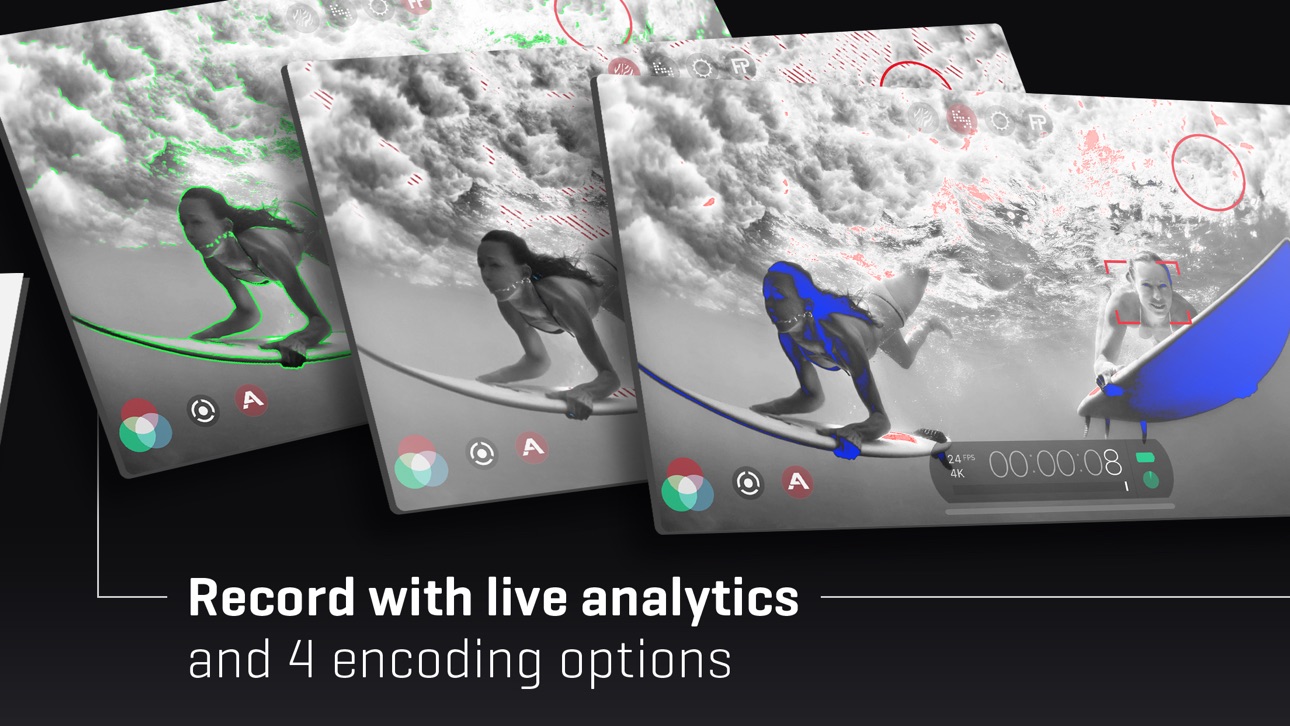
• Live Analytic suite including Zebras, False Color, Focus Peaking*
• Support for DolbyVision HDR, 10-bit SDR, and 8-bit HEVC/H264*
• Clean HDMI Out transforms your device into a pro level web cam
• Frame.io Camera to Cloud (C2C) support*
• Advanced Audio Controls for manual input gain, 16/24-bit audio; uncompressed PCM
• CMS for industry standard clip naming conventions.
— Foundation Features —
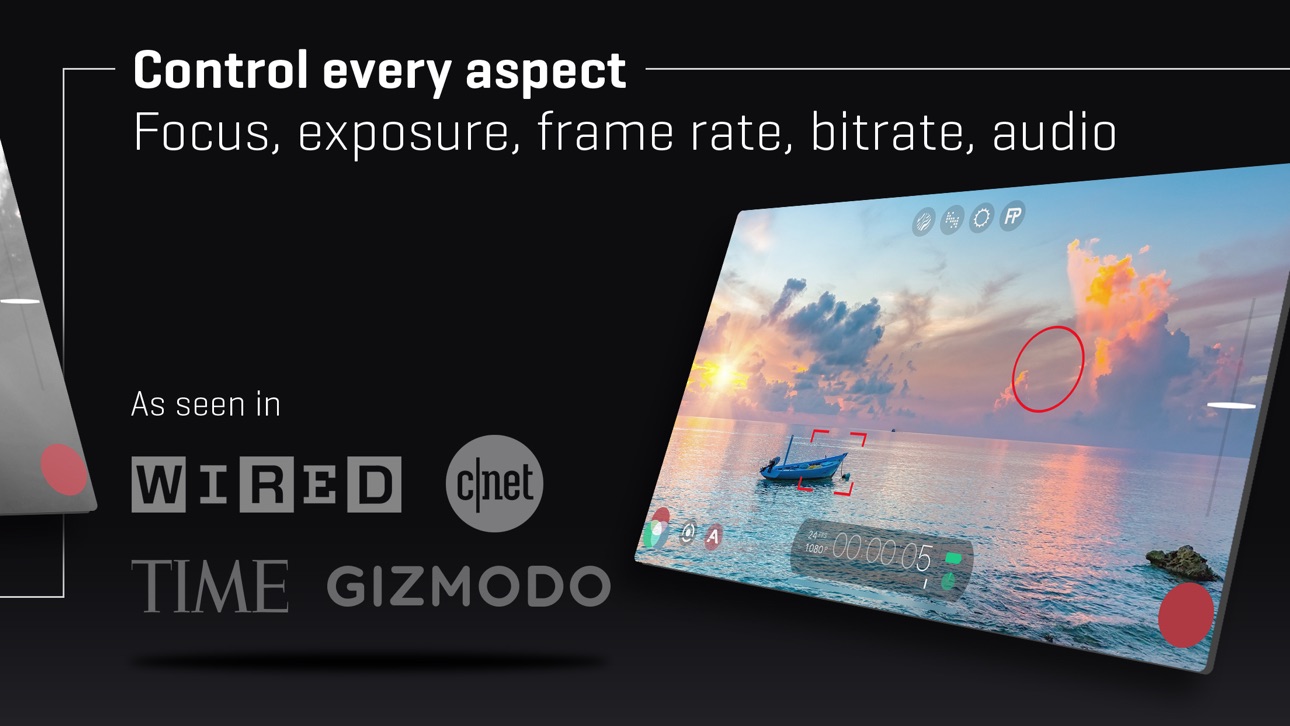
• Manual control over every capture parameter
• Apple Watch support for remote start/stop + video preview
• Vertical and landscape support
• Sync audio frame rates of 24/25/30/48/50/60 fps*
• High speed frame rates of 60/120/240fps*
• Slow and fast motion FX
• Time lapse
• Histogram & waveform
• Downsample to lower resolutions
• Capture presets synced to the cloud
• Image stabilization (standard/cinematic)*
• Support for FiLMiC Remote. Control an iOS device running FiLMiC Pro with a second device running Remote.
• 8 aspect ratios including Widescreen (16:9); Ultra Panavision (2.76:1); Square (1:1)
• 4 encoding options for H264/HEVC to balance quality and file size
• 3rd Party Hardware Support
— 1.33x and 1.55x anamorphic desqueeze
— 35mm lens adapters
— Horizontal flip
• Supported Gimbals
— Zhiyun Q3/4 + Smooth 4-5
— DJI OSMO Mobile 1-5
• Advanced Audio Features:
— Pro audio formats; headphone monitoring; manual gain
* Features are hardware or configuration specific. For more information visit our website.
SUBSCRIPTION INFO
• Subscription length: weekly, yearly
• Payment will be charged as soon as you confirm your purchase
• Your subscription will renew automatically, unless you turn off auto-renew at least 24 hours before the end of the current period
• When canceling a subscription, your subscription will stay active until the end of the period. Auto-renewal will be disabled, but the current subscription will not be refunded.
• Any unused portion of a free trial period, if offered, will be forfeited when purchasing a subscription.
Capturas © sus respectivos dueños · App Store


iOSGods no está afiliado, avalado ni patrocinado por Apple Inc., Google LLC ni por los desarrolladores de las apps que aparecen aquí. Apple, iOS y App Store son marcas comerciales de Apple Inc. Android y Google Play son marcas comerciales de Google LLC. Todos los demás nombres de apps, iconos, imágenes y marcas pertenecen a sus respectivos dueños.

- iPhone o iPad con o sin Jailbreak.
- Sideloadly u otras alternativas.
- Ordenador con Windows/macOS/Linux e iTunes instalado.
PASO 1: Descargue el archivo .IPA pre-modificado desde el enlace de arriba a su ordenador. Para descargarlo desde la iOSGods App, consulte nuestro Tutorial de descarga del IPA desde la iOSGods App, que incluye un ejemplo en vídeo.
PASO 2: Descargue Sideloadly e instálelo en su Windows o Mac.
PASO 3: Abra Sideloadly en su ordenador, conecte su dispositivo iOS y espere hasta que el nombre del dispositivo aparezca en Sideloadly.
PASO 4: Una vez que su iDevice sea reconocido, arrastre el archivo .IPA modificado que descargó y suéltelo en la aplicación Sideloadly.
PASO 5: Introduzca el correo electrónico de su Apple Account y, a continuación, pulse «Start». Le pedirá que introduzca su contraseña. Proporcione la información solicitada.
PASO 6: Espere a que Sideloadly termine de hacer sideload/instalar el IPA modificado. Si surgen problemas durante la instalación, por favor lea la nota a continuación.
PASO 7: Una vez completada la instalación y al ver la app en la pantalla de inicio, deberá ir a Ajustes → General → Perfiles / VPN y Gestión de Dispositivos. Una vez allí, toque el correo electrónico que introdujo en el paso 6 y, después, toque en «Confiar en [email protected]».
PASO 8: Ahora vaya a la pantalla de inicio y abra la app recién instalada; todo debería funcionar correctamente. Es posible que tenga que seguir instrucciones adicionales específicas de cada app dentro del popup del hack en el juego.
NOTA: En iOS/iPadOS 16 y posteriores, debe activar el Modo Desarrollador. Para cuentas gratuitas de Apple Developer, deberá repetir este proceso cada 7 días. Si tiene alguna pregunta o problema, lea nuestra sección de Preguntas Frecuentes de Sideloadly del tema.
Game Name iOS Mod IPA is an action adventure game enhanced with powerful gameplay boosts and quality-of-life improvements. Win battles faster, earn rewards quicker, and enjoy uninterrupted play without ads.
- Unlimited Gold - spend freely to unlock premium content
- Damage Multiplier - deal significantly more damage in combat
- Defense Multiplier - take less damage and survive longer
- Reward Multiplier - earn more loot from every battle
- Max Level - instantly reach the highest player rank
- No Ads - play without interruptions or advertisements
This app also comes with iGameGod, giving you access to Auto Touch to automate repetitive tasks, App Speed Manager for adjustable gameplay speed, Memory Engine value editing, and more powerful iOS game tools.
Descarga Game Name Mod IPA desde los enlaces de arriba. Toca el botón de instalación y sigue las instrucciones para instalar este hack iOS en tu iPhone, iPad o Mac con Apple Silicon.
¿Necesitas más ayuda Consulta nuestras Preguntas frecuentes de la app iOSGods para respuestas detalladas y consejos de solución de problemas.
----------------------------------------------------------
--------------------------------------------------