Inloggning krävs
Logga in med ditt iOSGods-konto för att fortsätta.
Logga in med ditt iOSGods-konto för att fortsätta.

Få premiumkvalitet för videofilmning utan betalvägg: FiLMiC Pro Mod IPA låser upp den fullständiga betalversionen och Cinematographer Kit utan kostnad, vilket ger dig professionella manuella filmningskontroller på din iPhone eller iPad. Denna avancerade mobilvideofilmning levererar de responsiva, funktionsrika verktygen som används av prisbelönade regissörer i högprofilerade filmprojekt, nu helt gratis.
- Gratis betald app → fullständig premiumversion upplåst
- Gratis Cinematographer Kit-köp → professionella filmningsverktyg inkluderade
Den här appen levereras även med iGameGod, vilket ger dig tillgång till Auto Touch för att automatisera repetitiva uppgifter, App Speed Manager för justerbar spelhastighet, värdesredigering med Memory Engine och fler kraftfulla verktyg för iOS-spel.
Ladda ner FiLMiC Pro-Video Camera modded IPA från länkarna ovan. Tryck på installationsknappen och följ instruktionerna för att installera denna iOS-apphack på iPhone, iPad eller Apple Silicon.
Behöver du mer hjälp? Se våra iOSGods-appens vanliga frågor för detaljerade svar och felsökningstips.
Filmic Pro v7は、あなたのモバイルデバイスをプロフェッショナルなシネマカメラに変身させ、スマートフォンやタブレットで可能な限り最高のビデオ品質を、これまでにない直感的なキャプチャ体験で撮影することができます。
iOSビデオカメラアプリ・オブ・ザ・イヤーを何度も受賞しているFilmic Proは、他のどのアプリよりも、受賞歴のあるフィルムメーカーによる注目のビデオプロジェクトで使用されています。
- 愚かな愛 - レディー・ガガ
- タンジェリン - ショーン・ベイカー
- アンセイン&ハイフライングバード - スティーブン・ソダーバーグ
- Detour - ミシェル・ゴンドリー
- スノースチームアイアン - ザック・スナイダー
- ルーズ・ユー・トゥ・ラブ・ミー - セレーナ・ゴメス
Filmic Pro v7は、ゼロから再設計され、フィルムメーカー、ニュースキャスター、教師、ブロガー、ソーシャルメディアコンテンツのクリエーターに、高度でありながら使いやすい機能を満載し、最もパワフルで直感的なカメラ体験を提供します。
| — V7 New Features — |
• Dedicated Focus/Exposure Mode selector, comprising three intuitive focus and exposure modes.
• Redesigned Manual Sliders for improved focus and exposure control:
— New Exposure/Zoom Slider provides discrete control over LV; ISO; shutter speed; and zoom.
— Improved pull points for automated rack focus and zoom moves.
• Quick Action Modals (QAMs) put key functionality at your fingertips front and center in the main interface, eliminating the need to dive into settings.
• Action Slider can be revealed to provide a real-time readout and control over key capture settings including ISO, shutter speed, white balance, and gamma curve. Tap a value to interact with its associated QAM for unrivalled control.
• Custom Function (Fn) Button now allows you to map one of dozens of available custom functions to the main UI, so your most used feature is only ever a tap away.
• Enhanced pro audio capabilities with support for 16/24-bit audio.
— — Headline Features — —
• ProRes Capture (Proxy; LT; 422; 422 HQ)*
• Log and Flat gamma curves*
• Realtime Film Looks for cinematic results without the need for grading*
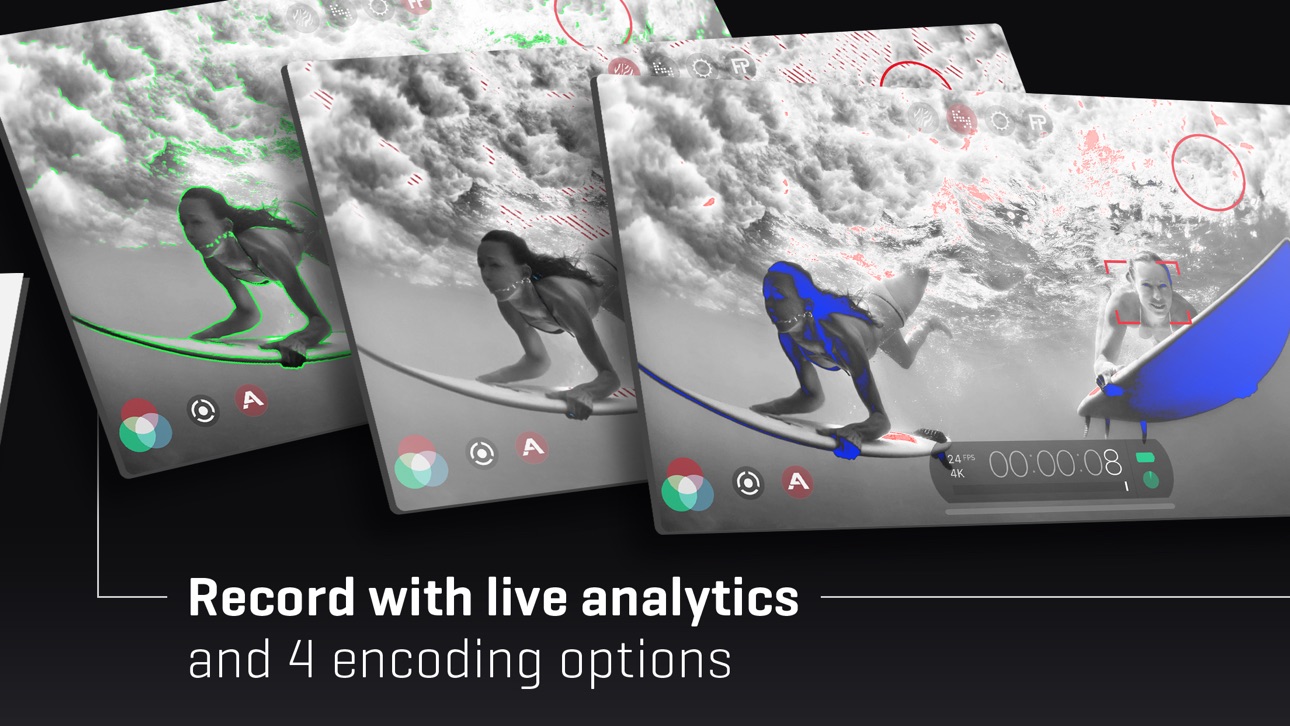
• Live Analytic suite including Zebras, False Color, Focus Peaking*
• Support for DolbyVision HDR, 10-bit SDR, and 8-bit HEVC and H264*
• Clean HDMI Out transforms your device into a pro level web cam
• Frame.io Camera to Cloud (C2C) support*
• Advanced Audio Controls for manual input gain, 16/24-bit audio, and uncompressed PCM
• CMS for industry standard clip naming conventions.
— Foundation Features —
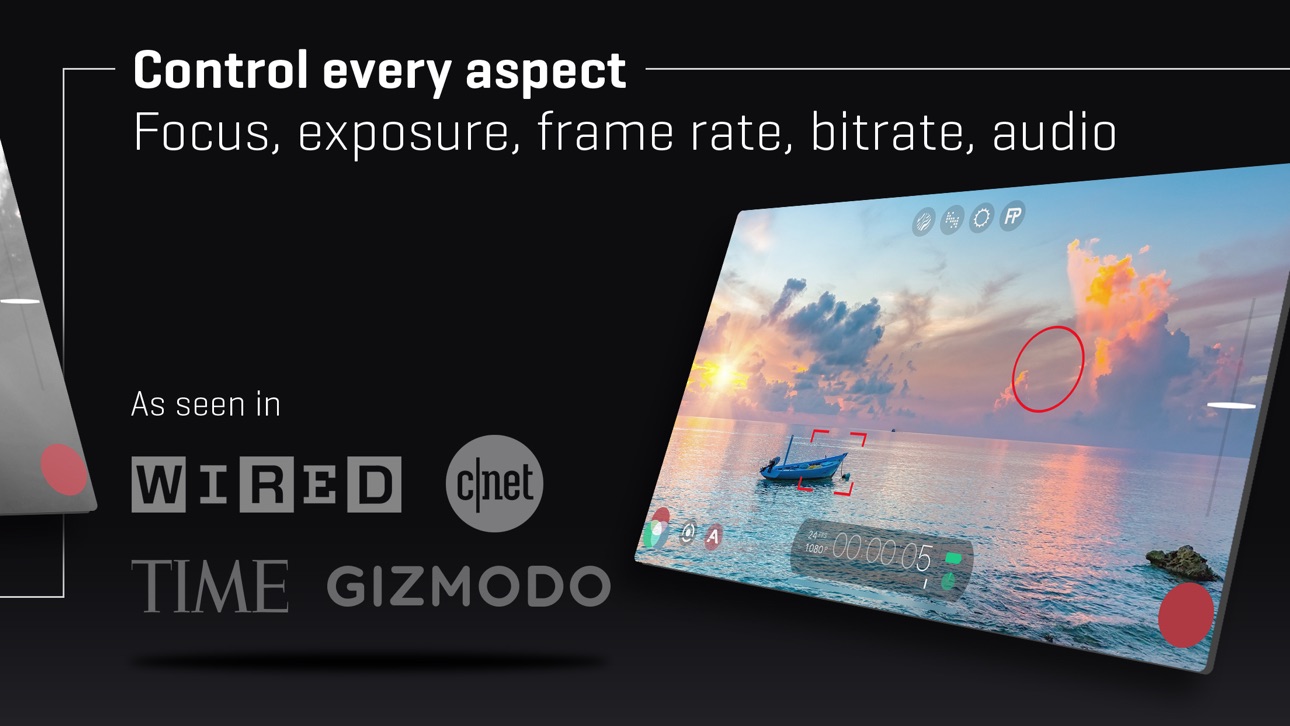
• Manual control over every capture parameter
• Apple Watch support for remote start/stop + video preview
• Vertical and landscape support
• Sync audio frame rates of 24/25/30/48/50/60 fps*
• High speed frame rates of 60/120/240fps*
• Slow and fast motion FX
• Time lapse mode
• Histogram and waveform
• Downsample to lower resolutions
• Capture presets synced to the cloud
• Framing guide overlays
• Image stabilization (standard/cinematic)*
• Support for Filmic Remote. Remote allows you to control an iOS device running Filmic Pro with a second device running Remote.
• 8 aspect ratios including Widescreen (16:9); Ultra Panavision (2.76:1); Square (1:1).
• 4 encoding options for H264/HEVC to balance quality and file size:
— Filmic Extreme
— Filmic Quality
— Apple Standard
— Economy
• 3rd Party Hardware Support
— 1.33x and 1.55x anamorphic desqueeze
— 35mm lens adapters
— Horizontal flip
• Supported Gimbals
— Zhiyun Q3/4 + Smooth 4/5
— DJI OSMO Mobile 1/2/3/4/5
• Advanced Audio Features:
— Pro audio formats; headphone monitoring; manual gain
* 機能はハードウェアまたは構成に依存します。詳細については、当社のウェブサイトをご覧ください。
サブスクリプション情報
- 購読期間:毎週、毎年
- お支払いは、購入が確認され次第、請求されます。
- 購読は自動的に更新されます。ただし、現在の期間が終了する24時間前までに自動更新をオフにした場合は除きます。
- 購読をキャンセルする場合、あなたの購読は期間終了まで有効です。自動更新は無効になりますが、現在の月額プランは払い戻されません。
- 無料トライアル期間が提供された場合、未使用の部分は、サブスクリプションを購入する際に没収されます。
Skärmbilder © respektive ägare · App Store


iOSGods är inte anslutet till, godkänt av eller sponsrat av Apple Inc., Google LLC eller utvecklarna av apparna som listas här. Apple, iOS och App Store är varumärken som tillhör Apple Inc. Android och Google Play är varumärken som tillhör Google LLC. Alla övriga appnamn, ikoner, bilder och varumärken tillhör sina respektive ägare.
- iPhone eller iPad utan jailbreak/jailad eller med jailbreak.
- Sideloadly eller alternativ.
- Dator med Windows/macOS/Linux och iTunes installerat.
STEG 1: Ladda ner den förhackade .IPA-filen från länken ovan till din dator. För att ladda ner från iOSGods App, se vår Guide för att ladda ner IPA i iOSGods App som även innehåller ett videoexempel.
STEG 2: Ladda ner Sideloadly och installera det på din Windows eller Mac.
STEG 3: Öppna Sideloadly på din dator, anslut din iOS-enhet och vänta tills enhetens namn visas i Sideloadly.
STEG 4: När din iEnhet känns igen drar du den moddade .IPA-filen du laddat ner och släpper den i Sideloadly-programmet.
STEG 5: Ange e-postadressen till ditt Apple Account och tryck sedan på ”Start”. Du ombeds sedan ange ditt lösenord. Fyll i de uppgifter som krävs.
STEG 6: Vänta tills Sideloadly är klar med att sideloada/installera den hackade IPA-filen. Om problem uppstår under installationen, läs noten nedan.
STEG 7: När installationen är klar och du ser appen på din hemskärm behöver du gå till Inställningar → Allmänt → Profiler / VPN & enhetshantering. Tryck där på e-postadressen du angav i steg 6 och tryck sedan på ”Lita på [email protected]”.
STEG 8: Gå nu till din hemskärm och öppna den nyligen installerade appen — allt ska fungera som det ska. Du kan behöva följa ytterligare app-specifika instruktioner i hackets popup inne i spelet.
OBS: På iOS/iPadOS 16 och senare måste du aktivera Utvecklarläge. För gratis Apple Developer-konton behöver du upprepa processen var sjunde dag. Om du har frågor eller problem, läs vår Sideloadly FAQ-avsnitt i tråden.
Game Name iOS Mod IPA is an action adventure game enhanced with powerful gameplay boosts and quality-of-life improvements. Win battles faster, earn rewards quicker, and enjoy uninterrupted play without ads.
- Unlimited Gold - spend freely to unlock premium content
- Damage Multiplier - deal significantly more damage in combat
- Defense Multiplier - take less damage and survive longer
- Reward Multiplier - earn more loot from every battle
- Max Level - instantly reach the highest player rank
- No Ads - play without interruptions or advertisements
This app also comes with iGameGod, giving you access to Auto Touch to automate repetitive tasks, App Speed Manager for adjustable gameplay speed, Memory Engine value editing, and more powerful iOS game tools.
Ladda ner Game Name Mod IPA från länkarna ovan. Tryck på installationsknappen och följ instruktionerna för att installera denna iOS-apphack på iPhone, iPad eller Apple Silicon.
Behöver du mer hjälp Se våra iOSGods-appens vanliga frågor för detaljerade svar och felsökningstips.
----------------------------------------------------------
--------------------------------------------------