Connexion requise
Connectez-vous avec votre compte iOSGods pour continuer.
Connectez-vous avec votre compte iOSGods pour continuer.
Obtenez l'enregistrement vidéo cinématographique premium sans frais : FiLMiC Pro Mod IPA déverrouille l'application payante complète et le kit Cinématographe gratuitement, vous donnant des contrôles de tournage manuels de qualité professionnelle sur votre iPhone ou iPad. Cette caméra vidéo mobile avancée offre les outils réactifs et riches en fonctionnalités utilisés par les réalisateurs primés dans les projets cinématographiques de haut profil, maintenant complètement gratuit.
- Application payante gratuite → version premium complète déverrouillée
- Achat gratuit du kit Cinématographe → outils de tournage professionnel inclus
Cette app est également livrée avec iGameGod, qui vous donne accès à Auto Touch pour automatiser les tâches répétitives, App Speed Manager pour ajuster la vitesse de jeu, à l'édition de valeurs avec Memory Engine, et à d'autres outils puissants pour les jeux iOS.
Téléchargez FiLMiC Pro-Video Camera modded IPA depuis les liens ci-dessus. Appuyez sur le bouton d'installation et suivez les instructions pour installer ce hack iOS sur votre iPhone, iPad ou Apple Silicon.
Besoin de plus d'aide ? Consultez notre FAQ de l'app iOSGods pour des réponses détaillées et des conseils de dépannage.
Filmic Pro v7 transforme votre appareil mobile en une caméra de cinéma professionnelle, vous permettant de capturer la meilleure qualité vidéo possible sur un smartphone ou une tablette, avec l'expérience de capture la plus intuitive qui soit.
Plusieurs fois élue application iOS Video Camera de l'année, Filmic Pro a été utilisée dans plus de projets vidéo de haut niveau par des cinéastes primés que toute autre application :
- Tangerine - Sean Baker
- High Flying Bird - Steven Soderbergh
- Detour - Michel Gondry
- Lose You to Love Me - Selena Gomez
Entièrement repensé, Filmic Pro v7 offre aux cinéastes, aux présentateurs de journaux télévisés, aux enseignants, aux vlogueurs et aux créateurs de contenu de médias sociaux l'expérience de caméra la plus puissante et la plus intuitive qui soit, avec une suite complète de fonctionnalités avancées mais faciles à utiliser.
| — V7 New Features — |
• Dedicated Focus/Exposure Mode selector, comprising three intuitive focus and exposure modes.
• Redesigned Manual Sliders for improved focus and exposure control:
— New Exposure/Zoom Slider provides discrete control over LV; ISO; shutter speed; and zoom.
— Improved pull points for automated rack focus and zoom moves.
• Quick Action Modals (QAMs) put key functionality at your fingertips front and center in the main interface, eliminating the need to dive into settings.
• Action Slider can be revealed to provide a real-time readout and control over key capture settings including ISO, shutter speed, white balance, and gamma curve. Tap a value to interact with its associated QAM for unrivalled control.
• Custom Function (Fn) Button now allows you to map one of dozens of available custom functions to the main UI, so your most used feature is only ever a tap away.
• Enhanced pro audio capabilities with support for 16/24-bit audio.
— — Headline Features — —
• ProRes Capture (Proxy; LT; 422; 422 HQ)*
• Log and Flat gamma curves*
• Realtime Film Looks for cinematic results without the need for grading*
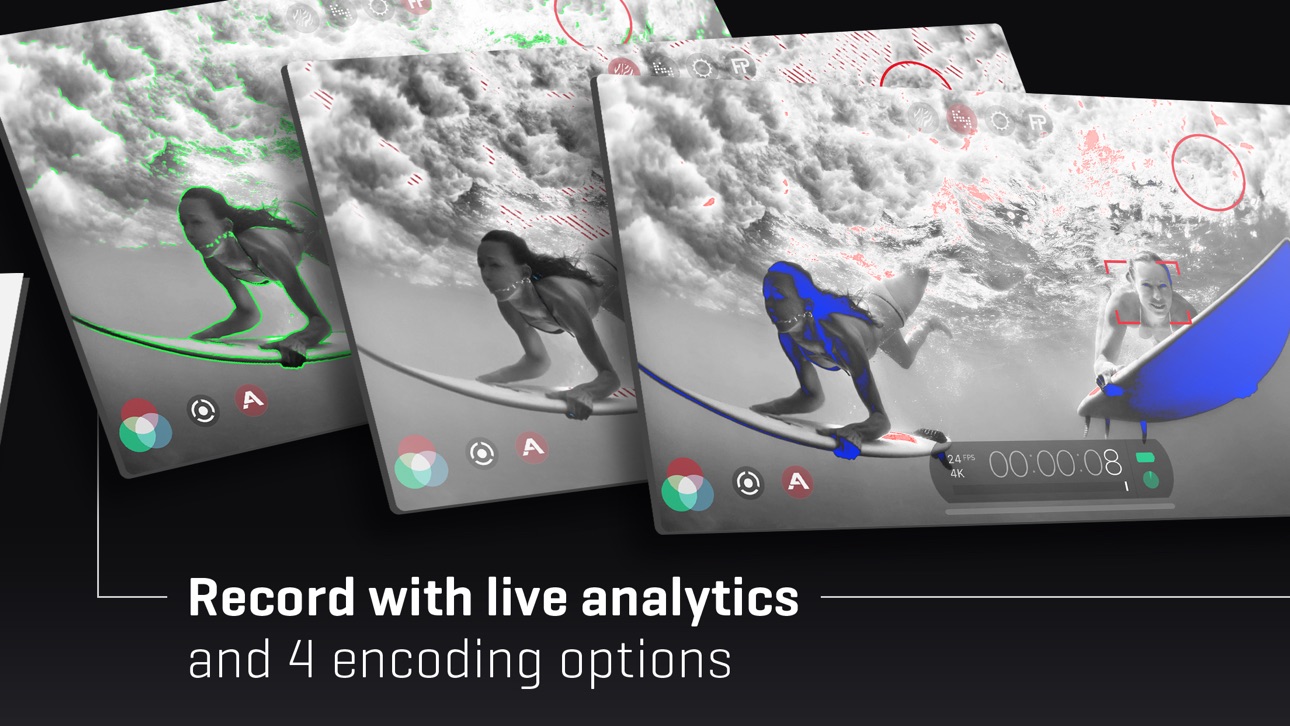
• Live Analytic suite including Zebras, False Color, Focus Peaking*
• Support for DolbyVision HDR, 10-bit SDR, and 8-bit HEVC and H264*
• Clean HDMI Out transforms your device into a pro level web cam
• Frame.io Camera to Cloud (C2C) support*
• Advanced Audio Controls for manual input gain, 16/24-bit audio; uncompressed PCM
• CMS for industry standard clip naming conventions.
— Foundation Features —
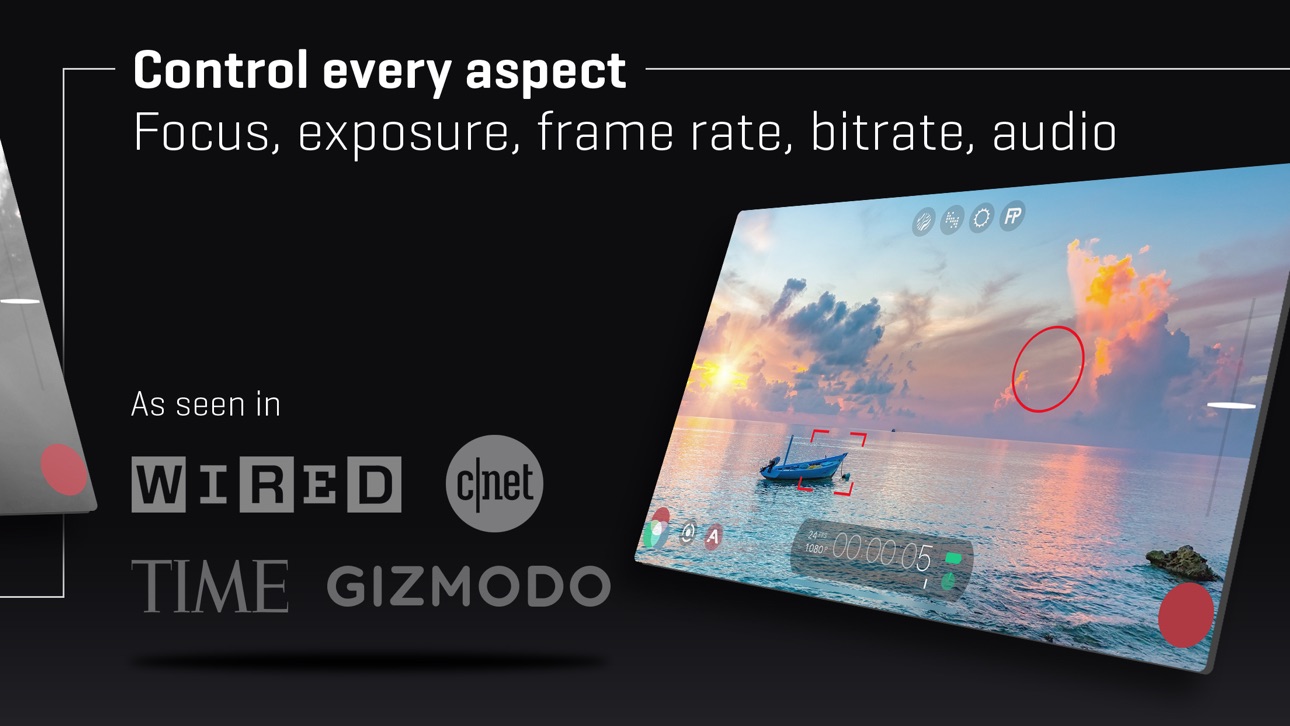
• Manual control over every capture parameter
• Apple Watch support for remote start/stop + video preview
• Vertical and landscape support
• Sync audio frame rates of 24/25/30/48/50/60 fps*
• High speed frame rates of 60/120/240fps*
• Slow and fast motion FX
• Time lapse mode
• Histogram & waveform
• Capture presets synced to the cloud
• Framing guide overlays
• Image stabilization (standard/cinematic)*
• Support for FiLMiC Remote.
• 8 aspect ratios including Widescreen (16:9); Ultra Panavision (2.76:1); Square (1:1).
• 3rd Party Hardware Support
— 1.33x and 1.55x anamorphic
— 35mm lens adapters
• Supported Gimbals
— Zhiyun Q3-4 + Smooth 4-5
— DJI OSMO Mobile 1-5
* Les fonctionnalités sont spécifiques au matériel ou à la configuration. Pour plus d'informations, visitez notre site web.
INFORMATIONS SUR L'ABONNEMENT
- Durée de l'abonnement : hebdomadaire, annuel
- Le paiement sera effectué dès que vous aurez confirmé votre achat.
- Votre abonnement sera renouvelé automatiquement, sauf si vous désactivez le renouvellement automatique au moins 24 heures avant la fin de la période en cours.
- Lorsque vous annulez un abonnement, celui-ci reste actif jusqu'à la fin de la période. Le renouvellement automatique sera désactivé, mais l'abonnement en cours ne sera pas remboursé.
- Toute portion inutilisée d'une période d'essai gratuite, si elle est offerte, sera perdue lors de l'achat d'un abonnement.
Captures © leurs propriétaires respectifs · App Store


iOSGods n'est ni affilié à Apple Inc., Google LLC ou aux développeurs des applications listées ici, ni approuvé ou sponsorisé par eux. Apple, iOS et App Store sont des marques d'Apple Inc. Android et Google Play sont des marques de Google LLC. Tous les autres noms d'applications, icônes, visuels et marques appartiennent à leurs propriétaires respectifs.

- iPhone ou iPad avec ou sans Jailbreak.
- Sideloadly ou alternatives.
- Ordinateur sous Windows/macOS/Linux avec iTunes installé.
ÉTAPE 1: Téléchargez le fichier .IPA pré-modifié depuis le lien ci-dessus sur votre ordinateur. Pour le télécharger depuis l'iOSGods App, consultez notre Tutoriel de téléchargement de l'IPA depuis l'iOSGods App qui comprend un exemple en vidéo.
ÉTAPE 2: Téléchargez Sideloadly et installez-le sur votre Windows ou Mac.
ÉTAPE 3: Ouvrez Sideloadly sur votre ordinateur, connectez votre appareil iOS et attendez que le nom de votre appareil apparaisse dans Sideloadly.
ÉTAPE 4: Une fois votre iDevice reconnu, glissez le fichier .IPA modifié que vous avez téléchargé et déposez-le dans l'application Sideloadly.
ÉTAPE 5: Saisissez l'adresse e-mail de votre Apple Account, puis appuyez sur « Start ». Il vous sera ensuite demandé d'entrer votre mot de passe. Fournissez les informations requises.
ÉTAPE 6: Attendez que Sideloadly termine le sideloading/l'installation de l'IPA modifié. En cas de problème durant l'installation, veuillez lire la remarque ci-dessous.
ÉTAPE 7: Une fois l'installation terminée et l'app visible sur votre écran d'accueil, vous devez aller dans Réglages → Général → Profils / VPN et gestion de l'appareil. Là, appuyez sur l'adresse e-mail saisie à l'étape 6, puis appuyez sur « Faire confiance à [email protected] ».
ÉTAPE 8: Allez maintenant sur votre écran d'accueil et ouvrez l'app nouvellement installée ; tout devrait fonctionner correctement. Vous devrez peut-être suivre des instructions supplémentaires propres à chaque app, dans la fenêtre du hack en jeu.
REMARQUE : À partir d'iOS/iPadOS 16, vous devez activer le mode Développeur. Pour les comptes Apple Developer gratuits, vous devrez répéter ce processus tous les 7 jours. Pour toute question ou problème, lisez notre section FAQ Sideloadly du sujet.
Game Name iOS Mod IPA is an action adventure game enhanced with powerful gameplay boosts and quality-of-life improvements. Win battles faster, earn rewards quicker, and enjoy uninterrupted play without ads.
- Unlimited Gold - spend freely to unlock premium content
- Damage Multiplier - deal significantly more damage in combat
- Defense Multiplier - take less damage and survive longer
- Reward Multiplier - earn more loot from every battle
- Max Level - instantly reach the highest player rank
- No Ads - play without interruptions or advertisements
This app also comes with iGameGod, giving you access to Auto Touch to automate repetitive tasks, App Speed Manager for adjustable gameplay speed, Memory Engine value editing, and more powerful iOS game tools.
Téléchargez Game Name Mod IPA depuis les liens ci-dessus. Appuyez sur le bouton d'installation et suivez les instructions pour installer ce hack iOS sur votre iPhone, iPad ou Apple Silicon.
Besoin de plus d'aide Consultez notre FAQ de l'app iOSGods pour des réponses détaillées et des conseils de dépannage.
----------------------------------------------------------
--------------------------------------------------