Inloggen vereist
Log in met je iOSGods-account om door te gaan.
Log in met je iOSGods-account om door te gaan.

Krijg premium cinema-videoupnames zonder betaalmuur: FiLMiC Pro Mod IPA ontgrendelt de volledige betaalde app en Cinematographer Kit gratis, waardoor je professionele handmatige filmbesturingselementen op je iPhone of iPad krijgt. Deze geavanceerde mobiele videocamera hack biedt de responsieve, functieverrijkte tools die door bekroonde regisseurs in hoogprofielfilmprojecten worden gebruikt, nu volledig gratis.
- Gratis betaalde app → volledige premiumversie ontgrendeld
- Gratis Cinematographer Kit-aankoop → professionele filmtools inbegrepen
Deze app bevat ook iGameGod, waarmee je toegang krijgt tot Auto Touch om repetitieve taken te automatiseren, App Speed Manager voor een aanpasbare spelsnelheid, het bewerken van waarden met Memory Engine en andere krachtige iOS-gametools.
Download FiLMiC Pro-Video Camera modded IPA via de bovenstaande links. Tik op de installatieknop en volg de instructies om deze iOS-app-hack op je iPhone, iPad of Apple Silicon te installeren.
Meer hulp nodig? Bekijk onze Veelgestelde vragen over de iOSGods-app voor uitgebreide antwoorden en probleemoplossingstips.
Filmic Pro v7 transforms your mobile device into a professional cinema camera, allowing you to capture the highest video quality possible on a smartphone or tablet, with the most intuitive capture experience — ever.
A multi-time iOS Video Camera App of the Year, Filmic Pro has been used in more high profile video projects by award winning filmmakers than any other app:
• Stupid Love - Lady Gaga
• Tangerine - Sean Baker
• Unsane & High Flying Bird - Steven Soderbergh
• Snow Steam Iron - Zack Snyder
Redesigned from the ground up, Filmic Pro v7 provides filmmakers, newscasters, teachers, vloggers, and social media content creators with the most powerful and intuitive camera experience available, with a full suite of advanced yet easy to use features.
| — V7 New Features — |
• Dedicated Focus/Exposure Mode selector, comprising three intuitive focus and exposure modes.
• Redesigned Manual Sliders for improved focus and exposure control:
— New Exposure/Zoom Slider provides discrete control over LV; ISO; shutter speed; and zoom.
— Improved pull points for automated rack focus and zoom moves.
• Quick Action Modals (QAMs) put key functionality at your fingertips front and center in the main interface, eliminating the need to dive into settings.
• Action Slider can be revealed to provide a real-time readout and control over key capture settings including ISO, shutter speed, white balance, and gamma curve. Tap a value to interact with its associated QAM for unrivaled control.
• Custom Function (Fn) Button now allows you to map one of dozens of available custom functions to the main UI, so your most used feature is only ever a tap away.
• Enhanced pro audio capabilities with support for 16/24-bit audio.
— — Headline Features — —
• ProRes Capture (Proxy; LT; 422; 422 HQ; 4444)*
• iPad Pro M2 exclusive: ProRes 4444 XQ
• Log gamma curves*
• Realtime Film Looks for cinematic results without the need for grading*
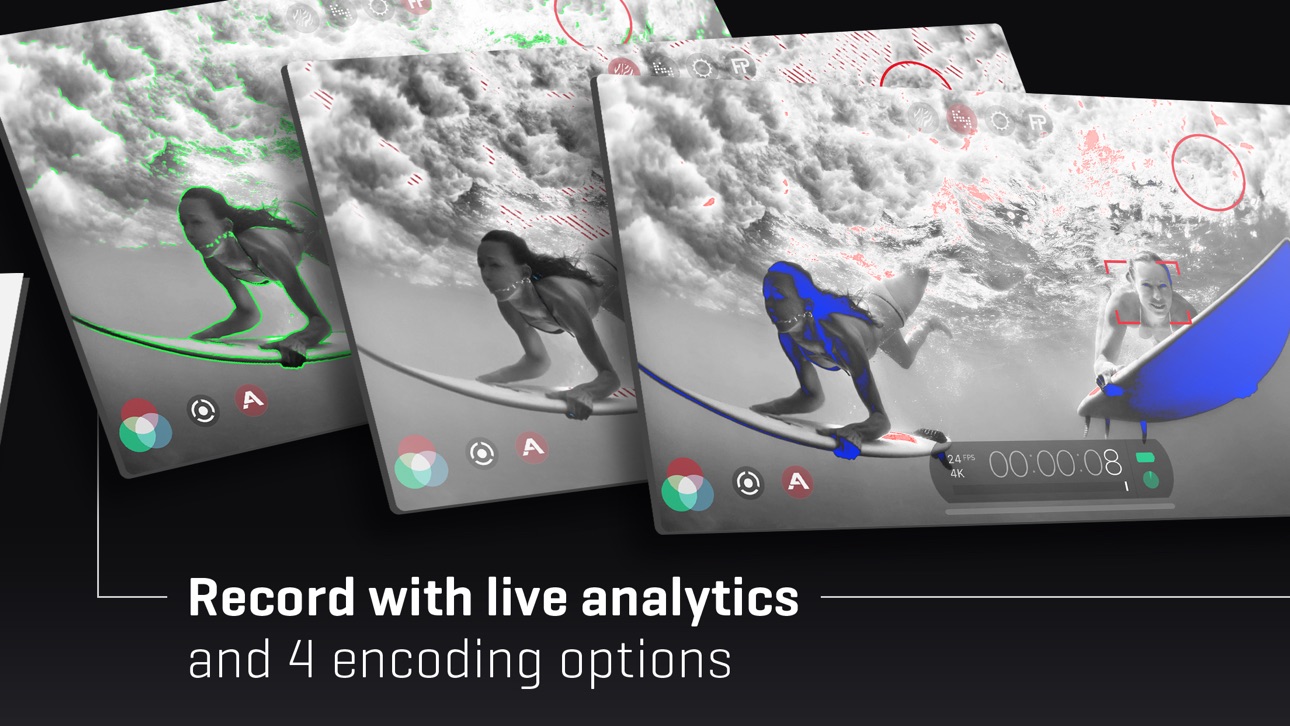
• Live Analytic suite including Zebras, False Color, Focus Peaking*
• Support for DolbyVision HDR, 10-bit SDR, and 8-bit HEVC/H264*
• Clean HDMI Out transforms your device into a pro level web cam
• Frame.io Camera to Cloud (C2C) support*
• Advanced Audio Controls for manual input gain, 16/24-bit audio; uncompressed PCM
• CMS for industry standard clip naming conventions.
— Foundation Features —
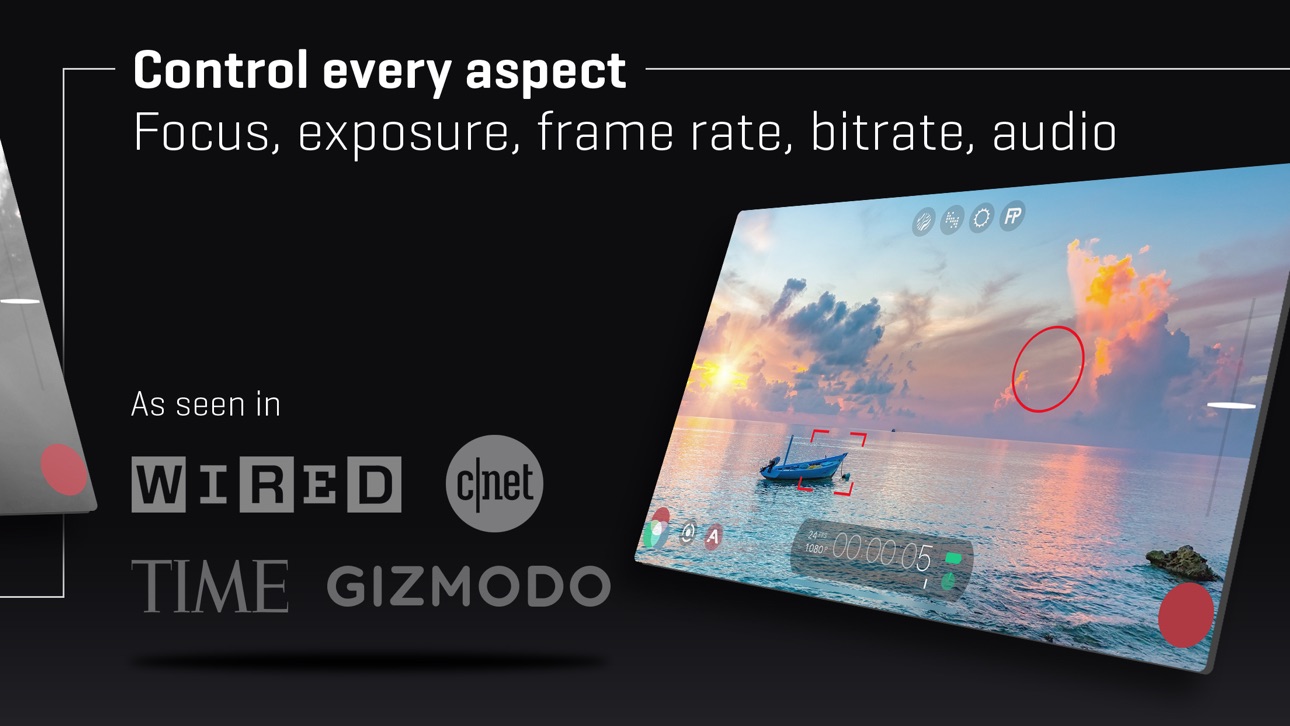
• Manual control over every capture parameter
• Apple Watch support for remote start/stop + video preview
• Vertical and landscape support
• Sync audio frame rates of 24/25/30/48/50/60 fps*
• High speed frame rates of 60/120/240fps*
• Slow and fast motion FX
• Time lapse
• Histogram & waveform
• Downsample to lower resolutions
• Capture presets synced to the cloud
• Image stabilization (standard/cinematic)*
• Support for Filmic Remote. Control an iOS device running Filmic Pro with a second device running Remote.
• 8 aspect ratios including Widescreen (16:9); Ultra Panavision (2.76:1); Square (1:1).
• 4 encoding options for H264/HEVC to balance quality and file size
• 3rd Party Hardware Support
— 1.33x and 1.55x anamorphic desqueeze
— 35mm lens adapters
— Horizontal flip
• Supported Gimbals
— Zhiyun Q3/4 + Smooth 4-5
— DJI OSMO Mobile 1-5
• Advanced Audio Features:
— Pro audio formats; headphone monitoring; manual gain
* Features are hardware or configuration specific. For more information visit our website.
SUBSCRIPTION INFO
• Subscription length: weekly, yearly
• Payment will be charged as soon as you confirm your purchase
• Your subscription will renew automatically, unless you turn off auto-renew at least 24 hours before the end of the current period
• When canceling a subscription, your subscription will stay active until the end of the period. Auto-renewal will be disabled, but the current subscription will not be refunded.
• Any unused portion of a free trial period, if offered, will be forfeited when purchasing a subscription.
Screenshots © respectieve eigenaren · App Store


iOSGods is niet verbonden aan, onderschreven door of gesponsord door Apple Inc., Google LLC of de ontwikkelaars van de hier vermelde apps. Apple, iOS en App Store zijn handelsmerken van Apple Inc. Android en Google Play zijn handelsmerken van Google LLC. Alle overige app-namen, iconen, afbeeldingen en handelsmerken behoren toe aan hun respectieve eigenaren.
- Niet-jailbroken/jailed of jailbroken iPhone of iPad.
- Sideloadly of alternatieven.
- Computer met Windows/macOS/Linux en iTunes geïnstalleerd.
STAP 1: Download het vooraf gehackte .IPA-bestand via de link hierboven naar uw computer. Om het te downloaden vanuit de iOSGods App, bekijk onze iOSGods App IPA-downloadhandleiding met een videovoorbeeld.
STAP 2: Download Sideloadly en installeer het op uw Windows of Mac.
STAP 3: Open Sideloadly op uw computer, sluit uw iOS-apparaat aan en wacht tot de naam van uw apparaat in Sideloadly verschijnt.
STAP 4: Zodra uw iDevice is herkend, sleept u het gedownloade gemodde .IPA-bestand naar de Sideloadly-applicatie.
STAP 5: Voer het e-mailadres van uw Apple Account in en druk op “Start”. U wordt vervolgens gevraagd om uw wachtwoord in te voeren. Geef de gevraagde informatie op.
STAP 6: Wacht tot Sideloadly het sideloaden/installeren van de gehackte IPA heeft voltooid. Als er problemen zijn tijdens de installatie, lees dan onderstaande opmerking.
STAP 7: Zodra de installatie is voltooid en u de app op uw beginscherm ziet, gaat u naar Instellingen → Algemeen → Profielen / VPN- en apparaatbeheer. Tik daar op het e-mailadres dat u in stap 6 hebt ingevoerd en tik vervolgens op “Vertrouw [email protected]”.
STAP 8: Ga nu naar uw beginscherm en open de zojuist geïnstalleerde app; alles zou correct moeten werken. Mogelijk moet u verdere app-specifieke instructies volgen in de hack-popup in het spel.
OPMERKING: Op iOS/iPadOS 16 en later moet u Ontwikkelaarsmodus inschakelen. Voor gratis Apple Developer-accounts moet u dit proces elke 7 dagen herhalen. Als u vragen of problemen hebt, lees dan onze Sideloadly FAQ-sectie van het onderwerp.
Game Name iOS Mod IPA is an action adventure game enhanced with powerful gameplay boosts and quality-of-life improvements. Win battles faster, earn rewards quicker, and enjoy uninterrupted play without ads.
- Unlimited Gold - spend freely to unlock premium content
- Damage Multiplier - deal significantly more damage in combat
- Defense Multiplier - take less damage and survive longer
- Reward Multiplier - earn more loot from every battle
- Max Level - instantly reach the highest player rank
- No Ads - play without interruptions or advertisements
This app also comes with iGameGod, giving you access to Auto Touch to automate repetitive tasks, App Speed Manager for adjustable gameplay speed, Memory Engine value editing, and more powerful iOS game tools.
Download Game Name Mod IPA via de bovenstaande links. Tik op de installatieknop en volg de instructies om deze iOS-app-hack op je iPhone, iPad of Apple Silicon te installeren.
Meer hulp nodig Bekijk onze Veelgestelde vragen over de iOSGods-app voor uitgebreide antwoorden en probleemoplossingstips.
----------------------------------------------------------
--------------------------------------------------