需要登录
请使用您的 iOSGods 账户登录以继续。
请使用您的 iOSGods 账户登录以继续。
无需付费即可获得专业级电影视频录制功能:FiLMiC Pro Mod IPA 解锁完整付费应用和电影摄影师套件,让您在 iPhone 或 iPad 上免费使用专业级手动拍摄控制。这款先进的移动视频摄像机破解版提供了获奖导演在高端电影项目中使用的响应迅速、功能丰富的工具,现已完全免费。
- 免费付费应用 → 完整高级版本已解锁
- 免费电影摄影师套件购买 → 专业拍摄工具已包含
此应用还内置 iGameGod,让你能够使用 Auto Touch 自动执行重复操作、通过 App Speed Manager 调节游戏速度、使用 Memory Engine 修改内存数值,以及更多强大的 iOS 游戏工具。
从上方链接下载 FiLMiC Pro-Video Camera modded IPA。点击安装按钮并按照屏幕提示在 iPhone、iPad 或 Apple Silicon 上安装此 iOS 应用修改版。
需要更多帮助?请查看我们的 iOSGods 应用常见问题解答 获取详细解答和故障排除技巧。
Filmic Pro v7 verwandelt Ihr mobiles Gerät in eine professionelle Kinokamera, mit der Sie die bestmögliche Videoqualität auf einem Smartphone oder Tablet mit der intuitivsten Aufnahmeerfahrung überhaupt aufnehmen können.
Als mehrfache iOS-Videokamera-App des Jahres wurde Filmic Pro in mehr hochkarätigen Videoprojekten von preisgekrönten Filmemachern eingesetzt als jede andere App:
- Stupid Love - Lady Gaga
- Tangerine - Sean Baker
- Unsane und Hoch fliegender Vogel - Steven Soderbergh
- Verliere dich, um mich zu lieben - Selena Gomez
Filmic Pro v7 wurde von Grund auf neu entwickelt und bietet Filmemachern, Nachrichtensprechern, Lehrern, Vloggern und Autoren von Social Media-Inhalten die leistungsstärkste und intuitivste Kameraerfahrung auf dem Markt mit einer ganzen Reihe fortschrittlicher und dennoch einfach zu bedienender Funktionen.
| — V7 New Features — |
• Dedicated Focus/Exposure Mode selector, comprising three intuitive focus and exposure modes.
• Redesigned Manual Sliders for improved focus and exposure control:
— New Exposure/Zoom Slider provides discrete control over LV; ISO; shutter speed; and zoom.
— Improved pull points for automated rack focus and zoom moves.
• Quick Action Modals (QAMs) put key functionality at your fingertips front and center in the main interface, eliminating the need to dive into settings.
• Action Slider can be revealed to provide a real-time readout and control over key capture settings including ISO, shutter speed, white balance, and gamma curve. Tap a value to interact with its associated QAM for unrivalled control.
• Custom Function (Fn) Button now allows you to map one of dozens of available custom functions to the main UI, so your most used feature is only ever a tap away.
• Enhanced pro audio capabilities with support for 16/24-bit audio.
— — Headline Features — —
• ProRes Capture (Proxy; LT; 422; 422 HQ)*
• Log and Flat gamma curves*
• Realtime Film Looks for cinematic results without the need for grading*
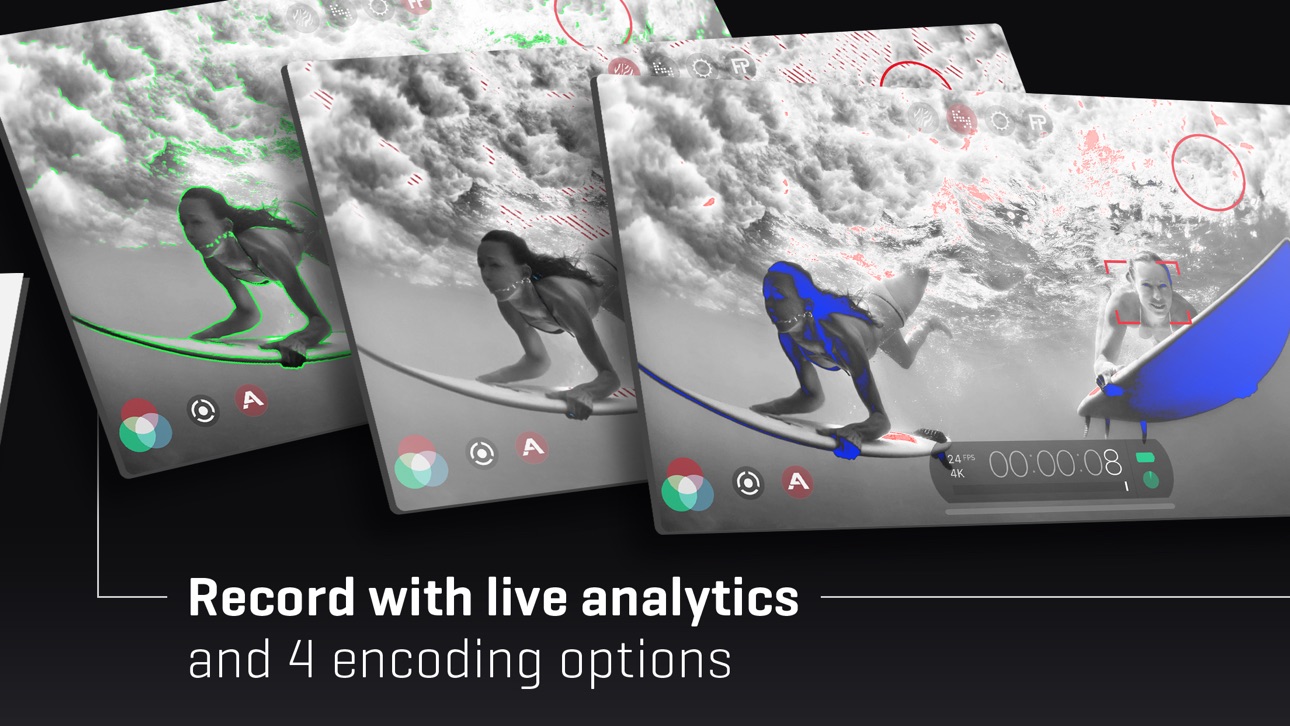
• Live Analytic suite including Zebras, False Color, Focus Peaking*
• Support for DolbyVision HDR, 10-bit SDR, and 8-bit HEVC and H264*
• Clean HDMI Out transforms your device into a pro level web cam
• Frame.io Camera to Cloud (C2C) support*
• Advanced Audio Controls for manual input gain, 16/24-bit audio; uncompressed PCM
• CMS for industry standard clip naming conventions.
— Foundation Features —
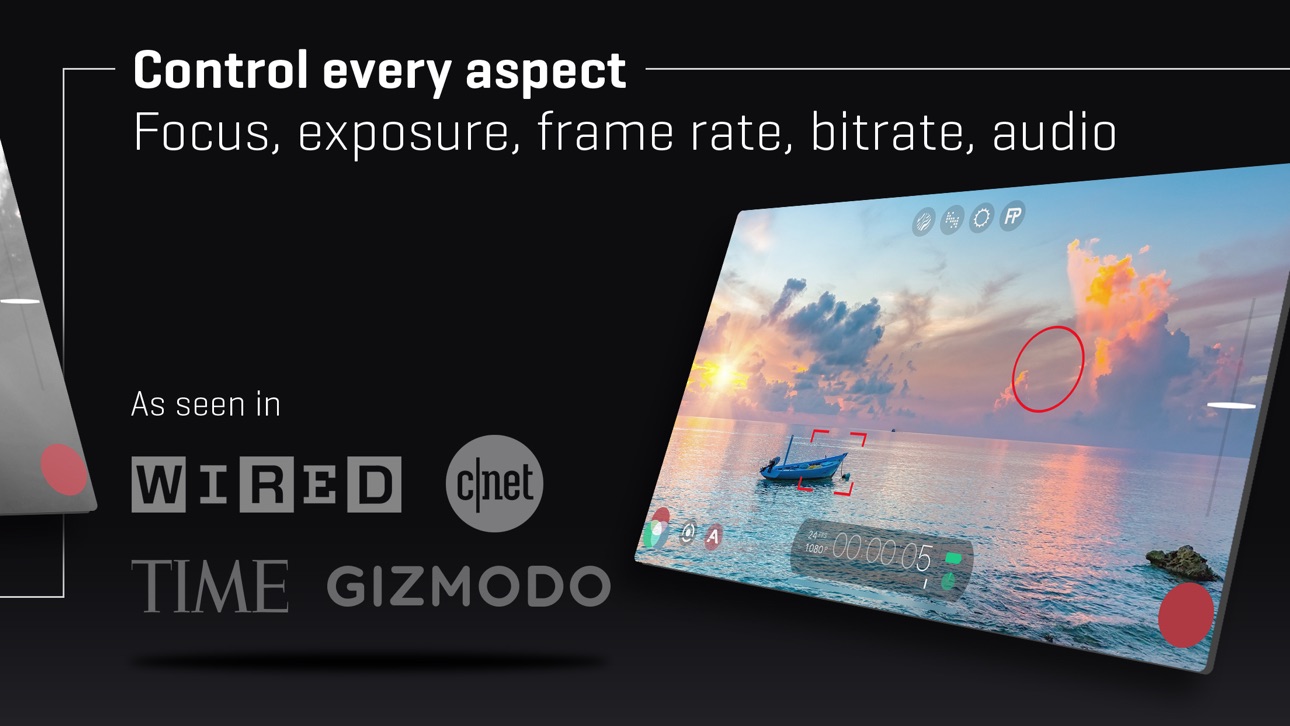
• Manual control over every capture parameter
• Apple Watch support for remote start/stop + video preview
• Vertical and landscape support
• Sync audio frame rates of 24/25/30/48/50/60 fps*
• High speed frame rates of 60/120/240fps*
• Slow and fast motion FX
• Time lapse
• Histogram & waveform
• Capture presets synced to the cloud
• Image stabilization (standard/cinematic)*
• Support for Filmic Remote. Control an iOS device running Filmic Pro with a second device running Remote.
• 8 aspect ratios including Ultra Panavision (2.76:1); Square (1:1).
• 4 encoding options for H264/HEVC to balance quality and file size
• 3rd Party Hardware Support
— 1.33x and 1.55x anamorphic
— 35mm lens adapters
• Supported Gimbals
— Zhiyun Q3/4 + Smooth 4/5
— DJI OSMO Mobile 1-5
* Die Funktionen sind hardware- oder konfigurationsabhängig. Für weitere Informationen besuchen Sie unsere Website.
INFORMATIONEN ZUM ABONNEMENT
- Dauer des Abonnements: wöchentlich, jährlich
- Die Zahlung wird abgebucht, sobald Sie Ihren Kauf bestätigen.
- Ihr Abonnement wird automatisch verlängert, es sei denn, Sie deaktivieren die automatische Verlängerung mindestens 24 Stunden vor Ablauf des aktuellen Zeitraums.
- Wenn Sie ein Abonnement kündigen, bleibt Ihr Abonnement bis zum Ende des Zeitraums aktiv. Die automatische Verlängerung wird deaktiviert, aber das laufende Abonnement wird nicht zurückerstattet.
- Der ungenutzte Teil eines kostenlosen Testzeitraums, falls angeboten, verfällt beim Kauf eines Abonnements.
截图 © 各自所有者 · App Store


iOSGods 与 Apple Inc.、Google LLC 及此处列出应用的开发者没有任何关联,也未获得其认可或赞助。Apple、iOS 和 App Store 是 Apple Inc. 的商标。Android 和 Google Play 是 Google LLC 的商标。其他所有应用名称、图标、图片和商标均归各自所有者所有。

- 未越狱/受限或已越狱的 iPhone 或 iPad。
- Sideloadly 或替代方案。
- 运行 Windows/macOS/Linux 且已安装 iTunes 的电脑。
步骤 1: 通过上方链接将已破解的 .IPA 文件下载到您的电脑。如需从 iOSGods App 下载,请参阅我们的 iOSGods App IPA 下载教程,其中包含视频示例。
步骤 2: 下载 Sideloadly 并将其安装到您的 Windows 或 Mac 上。
步骤 3: 在电脑上打开 Sideloadly,连接您的 iOS 设备,等待设备名称在 Sideloadly 中显示。
步骤 4: 当 Sideloadly 识别到您的 iOS 设备后,将下载好的修改版 .IPA 文件拖放到 Sideloadly 应用中。
步骤 5: 输入您的 Apple Account 邮箱,然后点击 "Start"。系统会提示您输入密码,请按要求填写信息。
步骤 6: 等待 Sideloadly 完成已破解 IPA 的旁加载/安装。如果安装过程中出现问题,请阅读下方的注意事项。
步骤 7: 安装完成并在主屏幕上看到该应用后,您需要前往 设置 → 通用 → 描述文件 / VPN 与设备管理。进入后,点击您在第 6 步中输入的邮箱,然后点击 "信任 [email protected]"。
步骤 8: 现在返回主屏幕并打开新安装的应用,一切应可正常运行。您可能需要按照游戏内修改弹窗中的具体说明执行进一步操作。
注意: 在 iOS/iPadOS 16 及更高版本上,您必须 启用开发者模式。对于免费的 Apple Developer 账户,您需要每 7 天重复一次此操作。如有任何疑问或问题,请阅读我们的 主题中的 Sideloadly 常见问题部分。
Game Name iOS Mod IPA is an action adventure game enhanced with powerful gameplay boosts and quality-of-life improvements. Win battles faster, earn rewards quicker, and enjoy uninterrupted play without ads.
- Unlimited Gold - spend freely to unlock premium content
- Damage Multiplier - deal significantly more damage in combat
- Defense Multiplier - take less damage and survive longer
- Reward Multiplier - earn more loot from every battle
- Max Level - instantly reach the highest player rank
- No Ads - play without interruptions or advertisements
This app also comes with iGameGod, giving you access to Auto Touch to automate repetitive tasks, App Speed Manager for adjustable gameplay speed, Memory Engine value editing, and more powerful iOS game tools.
从上方链接下载 Game Name Mod IPA。点击安装按钮并按照屏幕提示在 iPhone、iPad 或 Apple Silicon 上安装此 iOS 应用修改版。
需要更多帮助请查看我们的 iOSGods 应用常见问题解答 获取详细解答和故障排除技巧。
----------------------------------------------------------
--------------------------------------------------