Giriş Gerekli
Devam etmek için iOSGods hesabınızla giriş yapın.
Devam etmek için iOSGods hesabınızla giriş yapın.
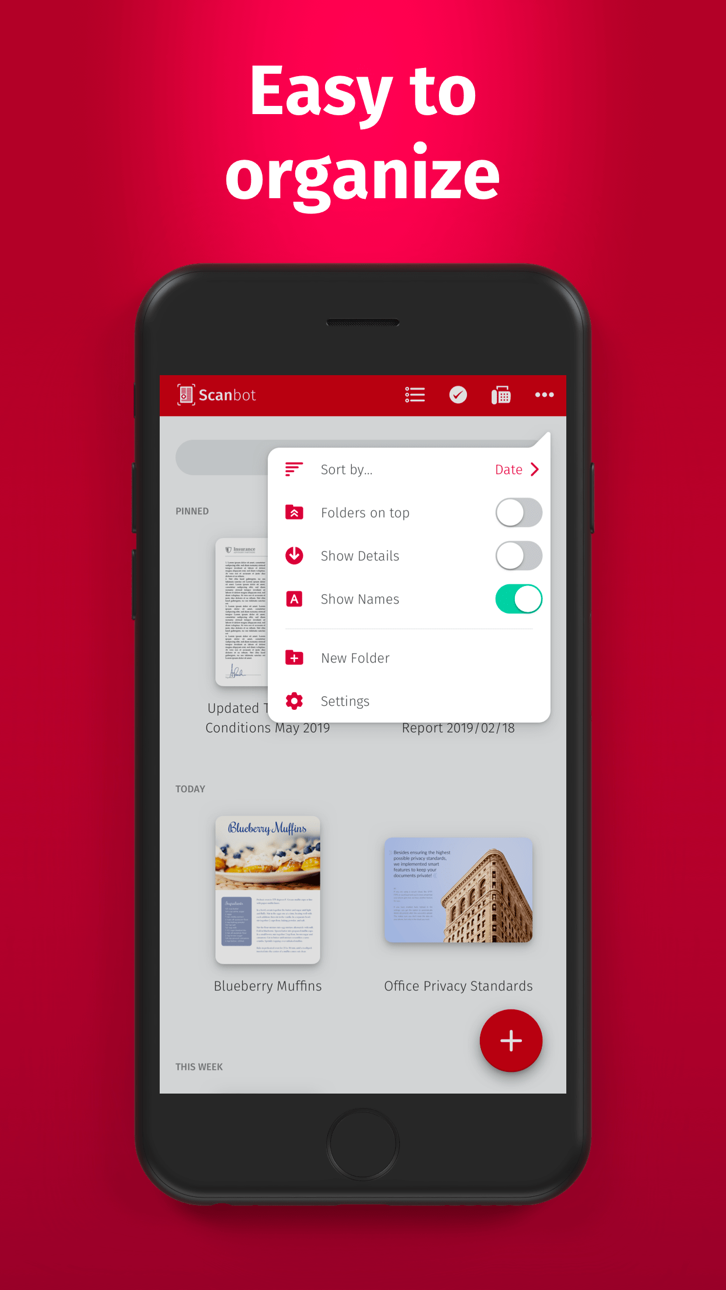
Scanbot Pro'nun premium tarama özelliklerini bu Mod IPA ile ücretsiz olarak açın, yüksek kaliteli PDF ve JPG belge taraması, iCloud Drive, Dropbox, Box ve Evernote ile bulut entegrasyonu, QR kod tanıma ve faks yeteneklerine ödeme yapmadan tam erişim sağlayın. Scanbot Pro, masaüstü kalitesinde tarama gücünü iOS cihazınıza sığdırır, saniyeler içinde profesyonel taramalar oluşturmanıza ve bunları doğrudan tercih ettiğiniz bulut hizmetine yüklemenize olanak tanır.
Bu uygulama ayrıca, tekrar eden görevleri otomatikleştirmek için Auto Touch, ayarlanabilir oyun hızı için App Speed Manager, Memory Engine ile değer düzenleme ve daha pek çok güçlü iOS oyun aracına erişim sağlayan iGameGod ile birlikte gelir.
Yukarıdaki bağlantılardan Scanbot Pro modded IPA indirin. Yükle düğmesine dokunup ekrandaki yönergeleri izleyerek bu iOS uygulama hack'ini iPhone, iPad veya Apple Silicon'a yükleyin.
Daha fazla yardıma mı ihtiyacınız var? Ayrıntılı yanıtlar ve sorun giderme ipuçları için iOSGods Uygulaması Sık Sorulan Sorular sayfamıza bakın.
SwiftScanのアプリに制限され、すべての機能へのアクセスの完全SwiftScan Proのロックが解除されます。
SwiftScan Proは、文書やQRコードのための最高のモバイルスキャナアプリです。ワンタップで高品質なPDFやJPGスキャンを作成します。電子メールやファックスなどのファイルを送信します。 iCloudのドライブ、ボックス、Dropboxが、Evernoteのや他のクラウドサービスにアップロードします。
1つの小さなスキャナアプリにSwiftScanプロパックデスクトップスキャナのすべての力を!
機能ハイライト
•iOSの14ウィジェット:ショートカットウィジェットスキャン、検索に瞬時にアクセスを提供し、または最近のドキュメントを表示
•スキャンプレミアム品質のPDFファイルやJPGのみ200dpiで、より高いと
• 高度な AI ツールにより、ドキュメントを要約してすばやく理解したり、ドキュメントを別の言語に翻訳したりすることもできます。
•ファックス:あなたは今SwiftScanプロからのFAX権利としてドキュメントを送信することができます!
•クラウドの統合:iCloudのドライブ、Dropboxが、ボックス、Evernoteの、WebDAVと他のクラウドサービス
•スキャンQRコード:などのURL、連絡先、電話番号、場所、ホットスポット、
•雷速い:自動エッジ検出とスキャン
•複数ページのドキュメント
•お使いのスキャンを強化:カラーモードと自動最適化
•スマートバックグラウンドアップロード
•美しくデザイン
•テキスト認識(OCR):など、検索、検索、コピーするためにあなたのスキャンのテキストを抽出
•美しいテーマ:お好みのルックアンドフィールを選択
•スマートファイルの命名
•タッチID /フェイスIDをサポートしたパスコード保護
•既存のスキャンにページを追加します。
•高速全文検索
•PDFのパスワード保護
スキャン高品質
SwiftScan Proは利用可能な最新かつ最も高度なモバイルスキャン技術に依存しています。あなたのスキャンは、現代のデスクトップスキャナの性能に匹敵する200 dpiの、より高い、とのプレミアム品質で配信されています。また、様々なカラーモードは、自動最適化とぼかし削減ヘルプは、あなたのスキャンのほとんどを取得します。
スキャンQUICKLY
ただ、任意のドキュメント、レシートまたはホワイトボード上であなたのiPhoneを保持し、それがページをスキャンし、PDFやJPGとして保存するだけ秒かかります。それだけで、文書自体がスキャンされるようにSwiftScan Proの最新技術のおかげで、文書のエッジが自動的に識別されます。 SwiftScan Proのキャプチャ完璧な瞬間で可能な限り最高の画像。
スキャンANYTHING
メディアのすべての種類を持つすべての機会にSwiftScan Proの作品。例えば、紙の文書、名刺、レシート、メモ、ホワイトボードやポストそのよう文書の任意の種類をスキャンします。 SwiftScan Proはあなたのための重要な文書を保存し、紙の混乱を取り除くのに役立ちます。あなたが仕事で、または休日にしているかどうかに関係なく、SwiftScan Proはあなたと一緒です。
CLOUDへのスキャン
スキャンした文書は、電子メールで送信、印刷またはサポートされているクラウドドライブにアップロードすることができます。あなたは自動アップロードを有効にした場合SwiftScan Proは自動的に現時点では、お好みのクラウドサービスを右にあなたのスキャンを保存しますPDFスキャンが作成されています。
もっと見るhttps://swiftscan.app
連絡を取ることができます:[email protected]
サービスの利用規約:https://maplemedia.io/terms-of-service/
プライバシーポリシー:https://maplemedia.io/privacy/
Ekran görüntüleri © ilgili sahipleri · App Store


iOSGods; Apple Inc., Google LLC veya burada listelenen uygulamaların geliştiricileriyle bağlantılı değildir, onlar tarafından onaylanmamış ve desteklenmemiştir. Apple, iOS ve App Store, Apple Inc. şirketinin ticari markalarıdır. Android ve Google Play, Google LLC şirketinin ticari markalarıdır. Diğer tüm uygulama adları, simgeler, görseller ve ticari markalar ilgili sahiplerine aittir.

- Jailbreak'siz/normal ya da jailbreak'li iPhone veya iPad.
- Sideloadly veya alternatifleri.
- iTunes yüklü Windows/macOS/Linux çalıştıran bir bilgisayar.
ADIM 1: Yukarıdaki bağlantıdan önceden hacklenmiş .IPA dosyasını bilgisayarınıza indirin. iOSGods App üzerinden indirmek için video örneği de içeren iOSGods App IPA İndirme Kılavuzu bölümümüze göz atın.
ADIM 2: Sideloadly indirin ve Windows veya Mac'inize kurun.
ADIM 3: Bilgisayarınızda Sideloadly'yi açın, iOS cihazınızı bağlayın ve cihaz adınız Sideloadly'de görünene kadar bekleyin.
ADIM 4: iCihazınız tanındıktan sonra, indirdiğiniz modlu .IPA dosyasını sürükleyip Sideloadly uygulamasına bırakın.
ADIM 5: Apple Account e-posta adresinizi girin ve ardından "Start" düğmesine basın. Sonrasında sizden şifreniz istenecektir. Gerekli bilgileri girin.
ADIM 6: Sideloadly'nin hacklenmiş IPA'yı sideload edip yüklemesini bekleyin. Yükleme sırasında bir sorun olursa lütfen aşağıdaki notu okuyun.
ADIM 7: Yükleme tamamlandıktan ve uygulamayı Ana Ekranınızda gördükten sonra Ayarlar → Genel → Profiller / VPN ve Cihaz Yönetimi bölümüne gitmelisiniz. Burada 6. adımda girdiğiniz e-postaya dokunun ve ardından "[email protected]'a Güven" seçeneğine dokunun.
ADIM 8: Şimdi Ana Ekranınıza gidin ve yeni yüklediğiniz uygulamayı açın; her şey sorunsuz çalışmalıdır. Oyun içindeki hack açılır penceresinde uygulamaya özel ek talimatları takip etmeniz gerekebilir.
NOT: iOS/iPadOS 16 ve sonrasında Geliştirici Modu'nu etkinleştirmeniz gerekir. Ücretsiz Apple Developer hesapları için bu işlemi her 7 günde bir tekrarlamanız gerekir. Sorularınız veya sorunlarınız varsa konunun Sideloadly SSS bölümünü okuyun.
Game Name iOS Mod IPA is an action adventure game enhanced with powerful gameplay boosts and quality-of-life improvements. Win battles faster, earn rewards quicker, and enjoy uninterrupted play without ads.
- Unlimited Gold - spend freely to unlock premium content
- Damage Multiplier - deal significantly more damage in combat
- Defense Multiplier - take less damage and survive longer
- Reward Multiplier - earn more loot from every battle
- Max Level - instantly reach the highest player rank
- No Ads - play without interruptions or advertisements
This app also comes with iGameGod, giving you access to Auto Touch to automate repetitive tasks, App Speed Manager for adjustable gameplay speed, Memory Engine value editing, and more powerful iOS game tools.
Yukarıdaki bağlantılardan Game Name Mod IPA indirin. Yükle düğmesine dokunup ekrandaki yönergeleri izleyerek bu iOS uygulama hack'ini iPhone, iPad veya Apple Silicon'a yükleyin.
Daha fazla yardıma mı ihtiyacınız var Ayrıntılı yanıtlar ve sorun giderme ipuçları için iOSGods Uygulaması Sık Sorulan Sorular sayfamıza bakın.
----------------------------------------------------------
--------------------------------------------------