Cần đăng nhập
Đăng nhập bằng tài khoản iOSGods để tiếp tục.
Đăng nhập bằng tài khoản iOSGods để tiếp tục.
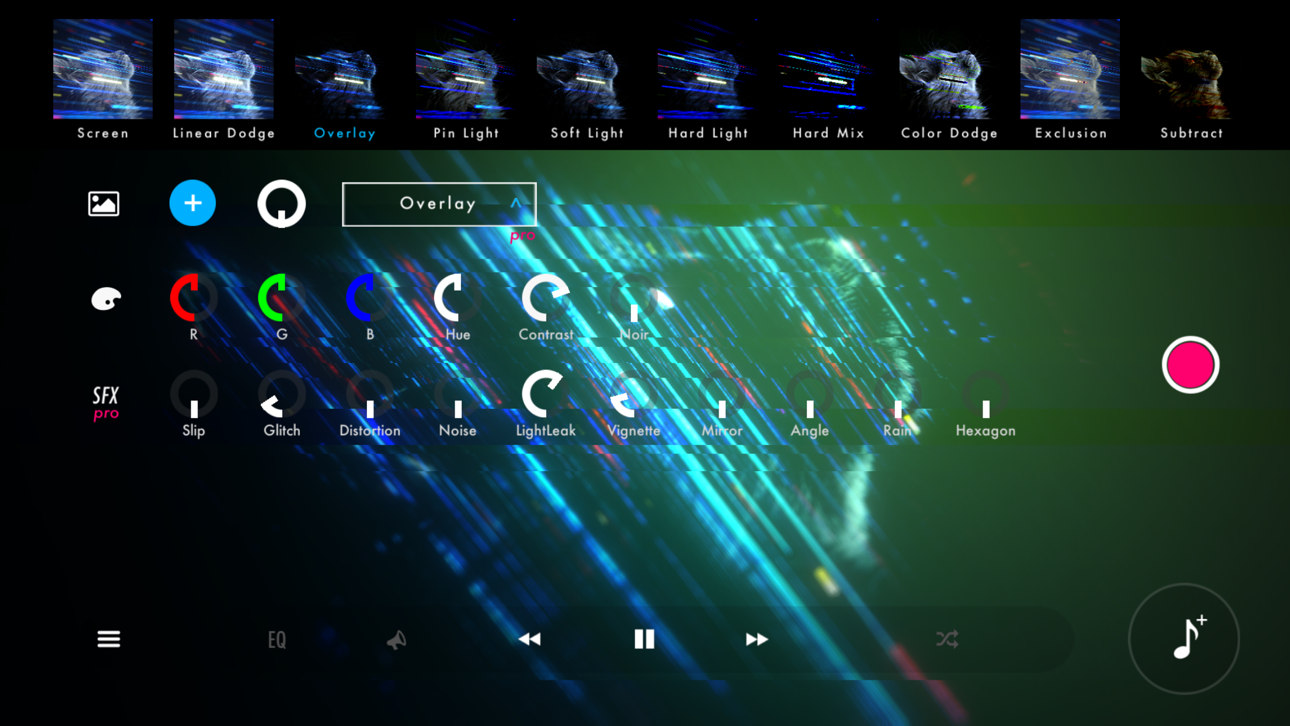
Biến âm nhạc của bạn thành những trải nghiệm hình ảnh mê hoặc với STAELLA, một Mod IPA trình phát nhạc có khả năng mở khóa các công cụ sáng tạo cao cấp. Trình phát tương tác với âm thanh này cho phép bạn nhập âm nhạc và ảnh của mình, sau đó tùy chỉnh các hình ảnh tuyệt đẹp trong thời gian thực với các hiệu ứng chuyên nghiệp, bộ lọc màn hình và chế độ pha trộn hình nền. Ghi lại các tác phẩm của bạn dưới dạng video và nâng cao cách bạn trải nghiệm âm thanh.
- Mua trong ứng dụng miễn phí → mở khóa tất cả các lần mua trong ứng dụng mà không tốn chi phí
Ứng dụng này cũng đi kèm với iGameGod, cho phép bạn truy cập Auto Touch để tự động hóa các thao tác lặp lại, App Speed Manager để điều chỉnh tốc độ chơi game, chỉnh sửa giá trị bằng Memory Engine, và nhiều công cụ mạnh mẽ khác cho game iOS.
Tải STAELLA - Music Visualizer Modded modded IPA từ các liên kết ở trên. Nhấn nút cài đặt và làm theo hướng dẫn để cài bản hack iOS lên iPhone, iPad hoặc Apple Silicon.
Cần thêm trợ giúp? Hãy xem Câu hỏi thường gặp ứng dụng iOSGods để có câu trả lời chi tiết và mẹo khắc phục sự cố.
Real-time music visualization.
30 Visuals × 70 Shapes — every play, a different piece.
■ Design the visuals from a free combination
4 categories with 30 Visuals and 70 Shapes, Knobs, Text, backgrounds, 10 Screen Effects and 10 Wallpaper Blends. Layer them into anything from a club-style spectrum to an ambient nebula.
On HDR displays, glows and gradients render with brightness beyond SDR.
■ Two recording modes for different intents
Recording keeps every knob move and Visual switch you make. Export locks the UI so a stable, hands-off render finishes on its own.
Both hide the UI, support up to 4K with HDR export, and can auto-record a full song in Playlist mode.
■ Four audio sources
Files (music on device; iOS also imports from the iTunes library)
Microphone (low-latency input)
Simulation (visuals keep moving with no source)
AUv3 (visualize plugin audio)
▸ Time-synced lyrics
Songs available in a supported lyric database can display lyrics in time with the music. Song title and artist name too.
▸ External display output (AirPlay / HDMI adapters)
Connect a TV or projector via iOS Screen Mirroring (AirPlay) or an HDMI adapter.
The visuals go full screen while the UI stays on your device.
■ Play with whatever's in your hand
Touch and flick
iPad + Magic Keyboard shortcuts
MIDI controllers (long-press any knob to assign, BLE MIDI supported)
Gamepad (D-pad, buttons, sticks)
■ Where to use it
· VJ sets at clubs, live shows and streams
· Music videos and lyric videos for social
· Screen visuals for a room or a party
■ Notes
· DRM-protected tracks (e.g. Apple Music) can't be played.
· For issues or requests, reach out via in-app feedback or support.

- iPhone hoặc iPad chưa jailbreak/đã đóng hoặc đã jailbreak.
- Sideloadly hoặc các lựa chọn thay thế.
- Máy tính chạy Windows/macOS/Linux đã cài iTunes.
BƯỚC 1: Tải tệp .IPA đã được hack sẵn từ liên kết phía trên về máy tính của bạn. Để tải từ iOSGods App, hãy xem Hướng dẫn tải IPA bằng iOSGods App của chúng tôi, có kèm ví dụ bằng video.
BƯỚC 2: Tải Sideloadly và cài đặt trên Windows hoặc Mac của bạn.
BƯỚC 3: Mở Sideloadly trên máy tính, kết nối thiết bị iOS của bạn và chờ cho đến khi tên thiết bị hiển thị trong Sideloadly.
BƯỚC 4: Khi thiết bị iOS của bạn đã được nhận diện, hãy kéo tệp .IPA đã chỉnh sửa mà bạn tải về và thả vào ứng dụng Sideloadly.
BƯỚC 5: Nhập email Apple Account của bạn, sau đó nhấn "Start." Bạn sẽ được yêu cầu nhập mật khẩu. Hãy cung cấp các thông tin cần thiết.
BƯỚC 6: Chờ Sideloadly hoàn tất quá trình sideload/cài đặt tệp IPA đã hack. Nếu gặp sự cố trong quá trình cài đặt, vui lòng đọc lưu ý bên dưới.
BƯỚC 7: Khi cài đặt hoàn tất và bạn thấy ứng dụng trên Màn hình chính, bạn cần truy cập Cài đặt → Cài đặt chung → Hồ sơ / VPN & Quản lý thiết bị. Tại đó, nhấn vào email bạn đã nhập ở bước 6, rồi nhấn "Tin cậy [email protected]".
BƯỚC 8: Bây giờ hãy về Màn hình chính và mở ứng dụng vừa cài đặt, mọi thứ sẽ hoạt động bình thường. Bạn có thể cần làm theo hướng dẫn riêng của từng ứng dụng trong cửa sổ popup của bản hack trong game.
LƯU Ý: Trên iOS/iPadOS 16 trở lên, bạn phải bật Chế độ nhà phát triển. Với tài khoản Apple Developer miễn phí, bạn sẽ cần lặp lại quy trình này mỗi 7 ngày. Nếu bạn có thắc mắc hoặc gặp sự cố, hãy đọc mục FAQ về Sideloadly trong chủ đề của chúng tôi.
Hack Features:
- Inf Coins (Spend)
App Installation Instructions:
---------------------------------------------------------
----------------------------------------------------------
If you require more information or help, please read our Frequently Asked Questions topic on iOSGods.com.
----------------------------------------------------------
--------------------------------------------------