تسجيل الدخول مطلوب
سجّل الدخول بحساب iOSGods للمتابعة.
سجّل الدخول بحساب iOSGods للمتابعة.
افتح الوصول المميز إلى Prêt-à-Template Modded، تطبيق رسم الأزياء الذي يحول جهاز iOS الخاص بك إلى استوديو تصميم رقمي. يمنحك هذا التهكير إمكانية الوصول الكامل إلى جميع القوالب والفرش والأنماط والأدوات المتقدمة بدون قيود، حتى تتمكن من رسم الملابس والإكسسوارات والأشكال الموضة باستخدام ميزات احترافية في أي مكان وأي وقت.
- وصول مميز → إمكانية الوصول الكامل إلى جميع القوالب والفرش وأدوات التصميم
يأتي هذا التطبيق أيضًا مع iGameGod، مما يتيح لك الوصول إلى Auto Touch لأتمتة المهام المتكررة، وApp Speed Manager لضبط سرعة اللعب، وتعديل القيم عبر Memory Engine، والمزيد من أدوات ألعاب iOS القوية.
قم بتنزيل Prêt-à-Template Modded modded IPA من الروابط أعلاه. اضغط على زر التثبيت واتبع التعليمات لتثبيت هذا التعديل لـ iOS على iPhone أو iPad أو Apple Silicon.
هل تحتاج إلى مزيد من المساعدة؟ راجع الأسئلة الشائعة لتطبيق iOSGods للحصول على إجابات مفصلة ونصائح لاستكشاف الأخطاء.
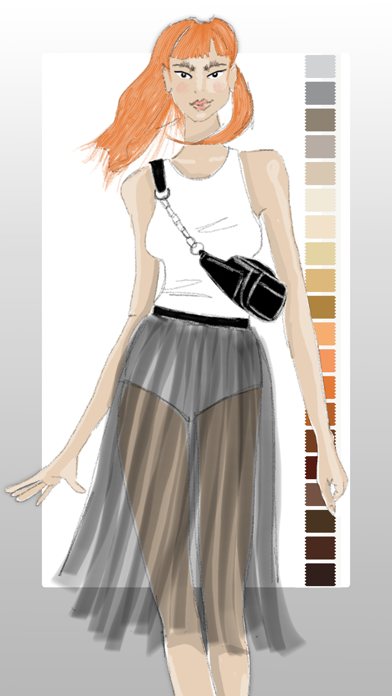
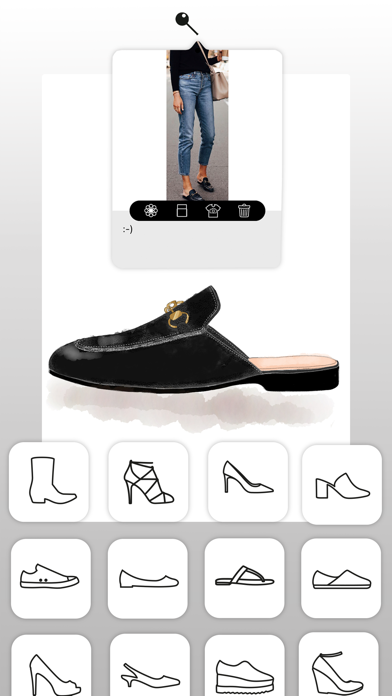
Bring your fashion design ideas to life, from the first sketch to the finished collection. Prêt-à-Template is a professional fashion design app created for fashion sketching, fashion illustration, outfit design, and product development. Built for students, creatives, stylists, and professional designers, it transforms inspiration into polished fashion concepts with tools designed specifically for the real fashion workflow.
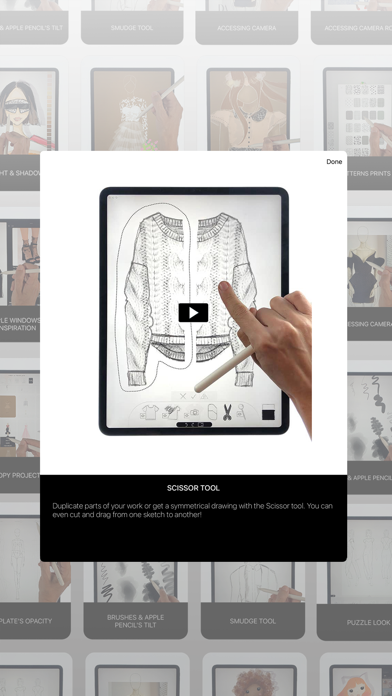
Whether you are learning fashion drawing, building a fashion portfolio, developing a collection, or exploring new styling ideas, Prêt-à-Template offers a complete workspace for modern fashion design. Unlike generic drawing apps, it is built specifically for the needs of the fashion industry, combining fashion sketch tools, realistic templates, visual research, and presentation workflows in one place. It supports both creative exploration and technical development, helping designers move from early concepts to more resolved and presentation-ready ideas with greater speed and confidence.
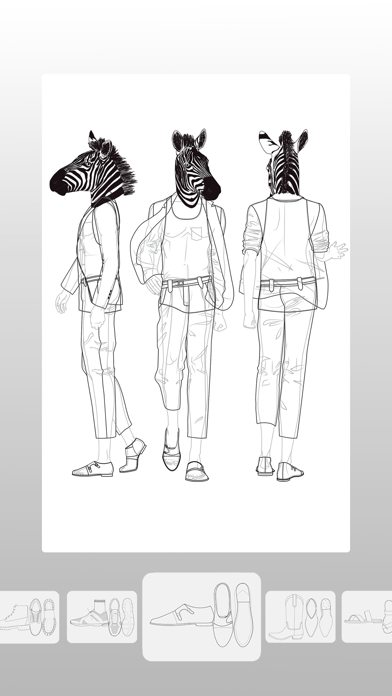
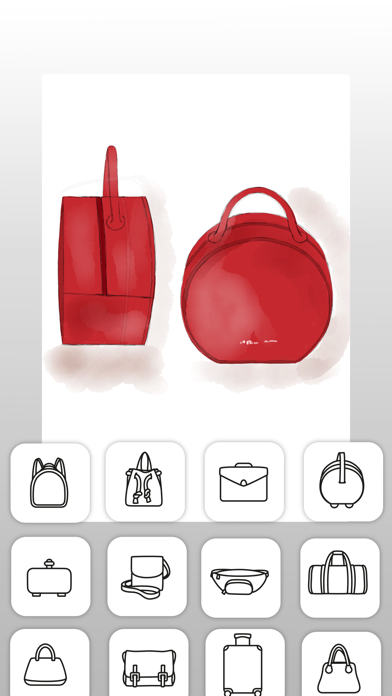
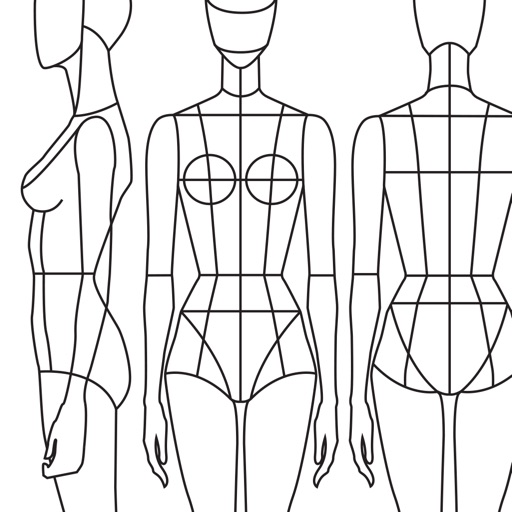
The app lets you begin creating in two distinct ways, depending on your design style. You can work with linework templates that include front, side, and back guides, making them ideal for structured fashion sketches, technical development, and clean fashion illustration. Or you can start with realistic product templates, working directly over lifelike silhouettes with depth and volume, which is perfect for outfit design, product visualization, and concept development. Puzzle Look makes the creative process even faster and more intuitive. Simply describe the look you want, and it selects the most relevant templates from the library so you can begin designing right away. AI supports your process with fashion-aware suggestions while keeping the designer fully in control of every creative decision.
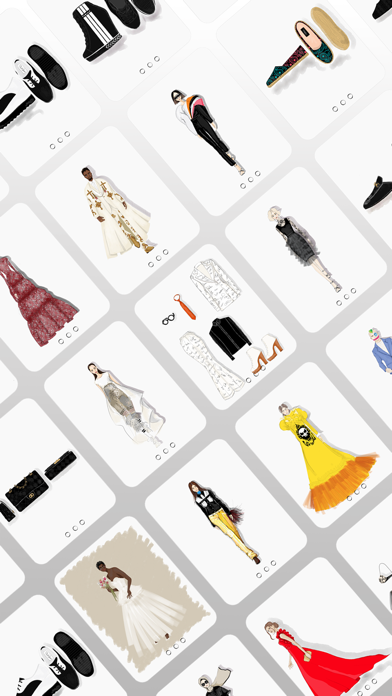
Prêt-à-Template also includes a flexible mood board workspace where inspiration, materials, styling ideas, and product references can come together naturally. Its integrated fashion library includes fabrics, textile structures, prints, patterns, textures, trims, findings, sleeves, collars, cuffs, pockets, openings, construction details, care labels, and textile symbols, creating a rich environment for research, experimentation, and product thinking.
The canvas makes fashion sketching feel more expressive, natural, and realistic. You can sketch, shade, annotate, render, and refine using intuitive tools, realistic brush behavior, and a paper-like surface that gives the digital drawing experience a more tactile quality. Prêt-à-Template also uses AI with real fashion context. Its templates are built around garment proportions, silhouette logic, fabric behavior, drape, trims, and construction details, helping deliver results that feel realistic and aligned with professional fashion design workflows rather than generic image generation.
From fashion design and fashion sketching to fashion illustration, outfit design, mood board creation, collection development, styling exploration, textile research, and fashion portfolio building, Prêt-à-Template supports every stage of the fashion design process in one creative workspace, whether you are just starting out or already working at a professional level.
Subscription Pricing & Terms
Prêt-à-Template is free to download. Unlock full access with a yearly or monthly subscription. Auto-renews unless canceled 24 hours before the current period ends.
Manage your subscription in your Apple Account settings.
Terms of Use (EULA):
https://www.apple.com/legal/internet-services/itunes/dev/stdeula/
Privacy Policy:
https://www.pretatemplate.com/privacy-policy
- iPhone أو iPad بجيلبريك أو بدون جيلبريك.
- Sideloadly أو بدائلها.
- كمبيوتر يعمل بنظام Windows/macOS/Linux مع تثبيت iTunes.
الخطوة 1: قم بتنزيل ملف .IPA المعدّل مسبقًا من الرابط أعلاه إلى الكمبيوتر الخاص بك. للتنزيل من تطبيق iOSGods App، اطلع على دليل تنزيل IPA من تطبيق iOSGods App الذي يتضمن مثالًا بالفيديو.
الخطوة 2: قم بتنزيل Sideloadly وتثبيته على جهاز Windows أو Mac.
الخطوة 3: افتح Sideloadly على الكمبيوتر، ووصّل جهاز iOS الخاص بك، وانتظر حتى يظهر اسم جهازك داخل Sideloadly.
الخطوة 4: بمجرد التعرّف على جهاز iDevice الخاص بك، اسحب ملف .IPA المعدّل الذي قمت بتنزيله وأفلِته داخل تطبيق Sideloadly.
الخطوة 5: أدخل البريد الإلكتروني لحساب Apple Account الخاص بك، ثم اضغط على «Start». سيُطلب منك بعد ذلك إدخال كلمة المرور. تابع وأدخل المعلومات المطلوبة.
الخطوة 6: انتظر حتى ينتهي Sideloadly من تحميل/تثبيت ملف IPA المعدّل. في حال واجهت أي مشاكل أثناء التثبيت، يرجى قراءة الملاحظة أدناه.
الخطوة 7: بعد اكتمال التثبيت ورؤية التطبيق على الشاشة الرئيسية، انتقل إلى Settings → General → Profiles / VPN & Device Management. ثم اضغط على البريد الإلكتروني الذي أدخلته في الخطوة 6، ثم اضغط على «الوثوق بـ [email protected]».
الخطوة 8: الآن انتقل إلى الشاشة الرئيسية وافتح التطبيق الذي تم تثبيته للتو وسيعمل كل شيء بشكل صحيح. قد تحتاج إلى اتباع تعليمات إضافية خاصة بكل تطبيق داخل النافذة المنبثقة للتعديل أثناء اللعب.
ملاحظة: بدءًا من iOS/iPadOS 16 وما بعده، يجب تفعيل وضع المطور (Developer Mode). بالنسبة لحسابات Apple Developer المجانية، ستحتاج إلى تكرار هذه العملية كل 7 أيام. إذا كانت لديك أي أسئلة أو مشاكل، يرجى قراءة قسم الأسئلة الشائعة حول Sideloadly في الموضوع.