ต้องเข้าสู่ระบบ
เข้าสู่ระบบด้วยบัญชี iOSGods เพื่อดำเนินการต่อ
เข้าสู่ระบบด้วยบัญชี iOSGods เพื่อดำเนินการต่อ
X (formerly Twitter) เป็นศูนย์กลางเครือข่ายสังคมแบบเรียลไทม์สำหรับข่าวสารล่าสุด เหตุการณ์สดๆ และการสนทนาระดับโลก แต่ปัญหาการเข้าสู่ระบบอาจขัดขวางการเข้าถึง Login Fix Mod IPA นี้แก้ไขปัญหาการยืนยันตัวตนเพื่อให้คุณกลับมาที่ฟีดของคุณได้ทันที
ไม่ว่าคุณจะแก้ไขปัญหาหน้าจอเข้าสู่ระบบที่ติดขัดหรือเตรียมการสำหรับการติดตั้งเวอร์ชันที่ปรับแต่งของ X ตัวแก้ไขนี้จะเชื่อมช่องว่างโดยคืนความสามารถในการยืนยันตัวตนและเชื่อมต่อของคุณ ทำให้เป็นเพื่อนสัตว์ประลองที่จำเป็นสำหรับผู้ใช้ iOS ที่จัดการการติดตั้ง X หลายรายหรือกู้คืนจากความขัดแย้งของแอป
- Login Fix (แตะไอคอน H ที่มีขอบสีแดงและเลือกเปิดใช้การเข้าสู่ระบบ) → คืนการยืนยันตัวตนและแก้ไขความล้มเหลวในการเข้าสู่ระบบ
ขั้นตอนการติดตั้ง:
แอปนี้ยังมาพร้อมกับ iGameGod ซึ่งช่วยให้คุณเข้าถึง Auto Touch สำหรับการทำงานซ้ำ ๆ โดยอัตโนมัติ, App Speed Manager สำหรับปรับความเร็วของเกม, การแก้ไขค่าด้วย Memory Engine และเครื่องมือสำหรับเกม iOS ที่ทรงพลังอื่น ๆ อีกมากมาย
ดาวน์โหลด X / Twitter Login Fix modded IPA จากลิงก์ด้านบน แตะปุ่มติดตั้งและทำตามคำแนะนำบนหน้าจอเพื่อติดตั้งแฮ็กแอป iOS นี้บน iPhone, iPad หรือ Apple Silicon
ต้องการความช่วยเหลือเพิ่มเติม? ดู คำถามที่พบบ่อยของแอป iOSGods สำหรับคำตอบโดยละเอียดและเคล็ดลับการแก้ไขปัญหา
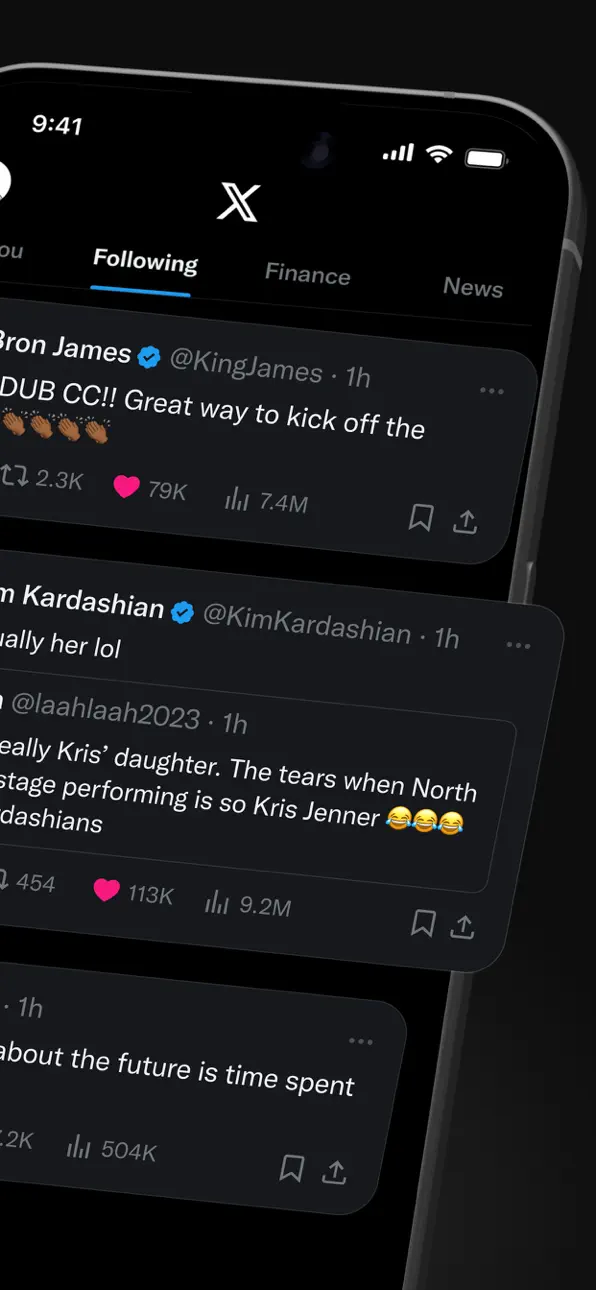
X (formerly Twitter) is a social media app where you can follow breaking news, live events, and trending topics as they happen. Sports, tech, music, politics: whatever you're into, the conversation starts here, raw and unfiltered.
It's also a place to be heard. Post your take on the day's news, go live, and grow an audience for whatever you create. Millions of people come to X every day to find out what's happening and talk about it.
WHAT YOU CAN DO ON X
- Follow breaking news – Get news from around the world before it hits the headlines, with real-time updates on trending topics and viral conversations.
- Post to a global community – Share your thoughts, photos, and videos. Join millions of users shaping public dialogue across social, cultural, and political conversations.
- Ask Grok – Grok is the AI assistant powered by X's real-time data. Ask Grok to summarize trending news, explain videos, or give you more context about posts. Grok also powers the photo and video editing tools in the app.
- Create original videos – The built-in Video Editor and Recorder lets you shoot, add multi-language captions, apply green screen effects, and post pro-level content directly in the app.
- Go live on video – Stream a concert, a live game, or your thoughts on a hot topic, and keep your audience engaged with enhanced livestream tools.
- Watch video and podcasts – From live breaking news and sports clips to podcasts and gaming sessions up to 3 hours long. Many of the world's leading voices in comedy, gaming, podcasting, and politics share their content on X.
- Host live audio with Spaces – Spaces is X's audio feature for hosting discussions, holding interviews, or starting your next live podcast.
- Message privately – Connect and chat with friends, followers, customers, or collaborators through Direct Messages.
- Pin Custom Timelines – Custom Timelines are Grok-powered topic feeds you can pin for the topics you follow most.
- Turn on Priority Notifications – Priority Notifications surface your key interactions first.
- Open your History tab – The History tab is one unified place for your bookmarks, likes, videos, and articles.
- Subscribe to X Premium – X Premium unlocks a blue checkmark, boosted visibility, prioritized replies, fewer ads, longer videos, and post editing. It also gives you creator revenue sharing and the ability to offer exclusive content to subscribers.
WHO X IS FOR
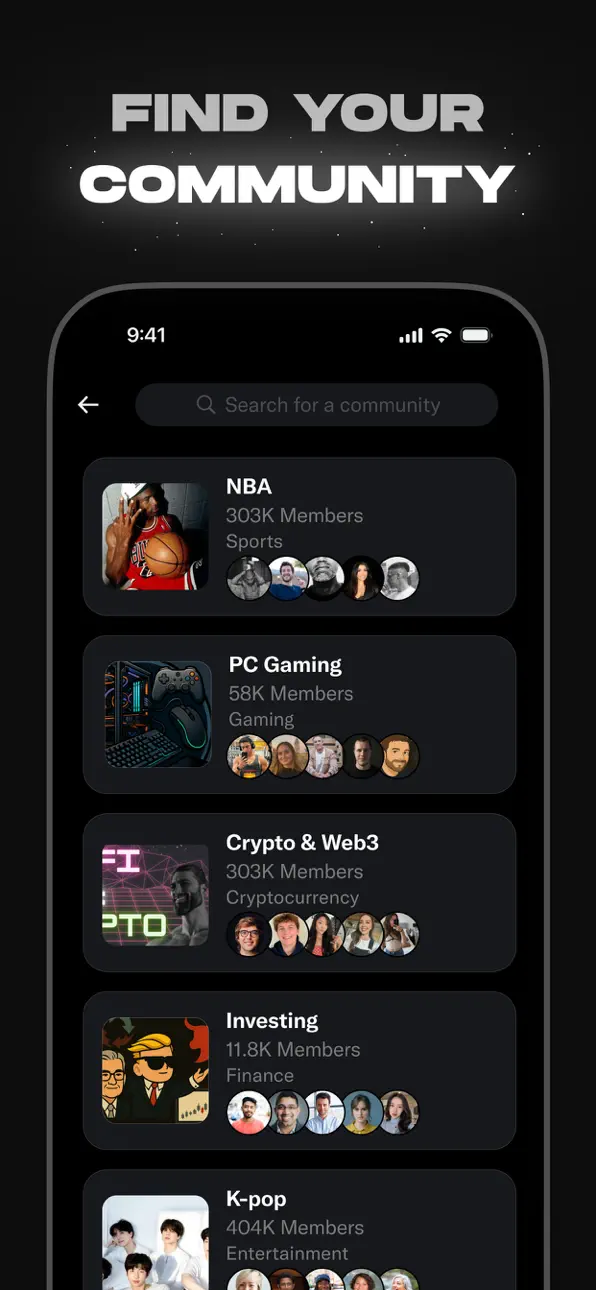
X is for people who follow breaking news and live events in real time, for sports, tech, music, and politics fans, for creators and podcasters who stream and create original video content for an audience, and for anyone building a community around gaming, entertainment, crypto, entrepreneurship, or tech.
WHY X?
In a world of constant change, X is your real-time source to stay ahead of the curve, connect with people, explore diverse perspectives, and create standout content. From breaking live news and trending memes to top podcasts, live streams, and original videos from your favorite creators, X brings it all together in one powerful social experience.
ภาพหน้าจอ © เจ้าของแต่ละราย · App Store


iOSGods ไม่มีความเกี่ยวข้อง ไม่ได้รับการรับรอง และไม่ได้รับการสนับสนุนจาก Apple Inc., Google LLC หรือผู้พัฒนาแอปที่แสดงไว้ที่นี่ Apple, iOS และ App Store เป็นเครื่องหมายการค้าของ Apple Inc. Android และ Google Play เป็นเครื่องหมายการค้าของ Google LLC ชื่อแอป ไอคอน ภาพ และเครื่องหมายการค้าอื่นทั้งหมดเป็นทรัพย์สินของเจ้าของแต่ละราย

- iPhone หรือ iPad ที่ไม่ได้เจลเบรก/ไม่ได้เจลเบรก หรือเจลเบรกแล้ว
- Sideloadly หรือทางเลือกอื่น
- คอมพิวเตอร์ที่ใช้ Windows/macOS/Linux และติดตั้ง iTunes ไว้
ขั้นตอนที่ 1: ดาวน์โหลดไฟล์ .IPA ที่แฮกไว้ล่วงหน้าจากลิงก์ด้านบนลงในคอมพิวเตอร์ของคุณ หากต้องการดาวน์โหลดจากแอป iOSGods โปรดดู วิธีดาวน์โหลด IPA ในแอป iOSGods ซึ่งมีตัวอย่างวิดีโอประกอบ
ขั้นตอนที่ 2: ดาวน์โหลด Sideloadly แล้วติดตั้งบน Windows หรือ Mac ของคุณ
ขั้นตอนที่ 3: เปิด Sideloadly บนคอมพิวเตอร์ เชื่อมต่ออุปกรณ์ iOS แล้วรอจนกว่าชื่ออุปกรณ์ของคุณจะปรากฏใน Sideloadly
ขั้นตอนที่ 4: เมื่อ iDevice ของคุณถูกตรวจพบแล้ว ให้ลากไฟล์ .IPA ที่ม็อดมาวางลงในโปรแกรม Sideloadly
ขั้นตอนที่ 5: กรอกอีเมล Apple Account ของคุณ จากนั้นกด "Start" ระบบจะถามรหัสผ่าน กรอกข้อมูลที่จำเป็นให้เรียบร้อย
ขั้นตอนที่ 6: รอจนกว่า Sideloadly จะ sideload/ติดตั้งไฟล์ IPA ที่แฮกเสร็จ หากเกิดปัญหาระหว่างติดตั้ง โปรดอ่านหมายเหตุด้านล่าง
ขั้นตอนที่ 7: เมื่อการติดตั้งเสร็จสิ้นและเห็นแอปบนหน้าจอหลักแล้ว ให้ไปที่ การตั้งค่า → ทั่วไป → โปรไฟล์ / VPN และการจัดการอุปกรณ์ จากนั้นแตะที่อีเมลที่คุณกรอกในขั้นตอนที่ 6 แล้วแตะ "เชื่อถือ [email protected]"
ขั้นตอนที่ 8: จากนั้นไปที่หน้าจอหลักและเปิดแอปที่ติดตั้งใหม่ ทุกอย่างควรทำงานได้ปกติ คุณอาจต้องทำตามคำแนะนำเพิ่มเติมเฉพาะแอปในป๊อปอัปของม็อดในเกม
หมายเหตุ: สำหรับ iOS/iPadOS 16 ขึ้นไป คุณต้อง เปิดโหมดนักพัฒนา (Developer Mode) สำหรับบัญชี Apple Developer แบบฟรี คุณต้องทำขั้นตอนนี้ซ้ำทุก 7 วัน หากมีคำถามหรือพบปัญหา โปรดอ่าน หัวข้อ FAQ ของ Sideloadly ในกระทู้
Game Name iOS Mod IPA is an action adventure game enhanced with powerful gameplay boosts and quality-of-life improvements. Win battles faster, earn rewards quicker, and enjoy uninterrupted play without ads.
- Unlimited Gold - spend freely to unlock premium content
- Damage Multiplier - deal significantly more damage in combat
- Defense Multiplier - take less damage and survive longer
- Reward Multiplier - earn more loot from every battle
- Max Level - instantly reach the highest player rank
- No Ads - play without interruptions or advertisements
This app also comes with iGameGod, giving you access to Auto Touch to automate repetitive tasks, App Speed Manager for adjustable gameplay speed, Memory Engine value editing, and more powerful iOS game tools.
ดาวน์โหลด Game Name Mod IPA จากลิงก์ด้านบน แตะปุ่มติดตั้งและทำตามคำแนะนำบนหน้าจอเพื่อติดตั้งแฮ็กแอป iOS นี้บน iPhone, iPad หรือ Apple Silicon
ต้องการความช่วยเหลือเพิ่มเติม ดู คำถามที่พบบ่อยของแอป iOSGods สำหรับคำตอบโดยละเอียดและเคล็ดลับการแก้ไขปัญหา
----------------------------------------------------------
--------------------------------------------------