Inicio de sesión requerido
Inicia sesión con tu cuenta de iOSGods para continuar.
Inicia sesión con tu cuenta de iOSGods para continuar.
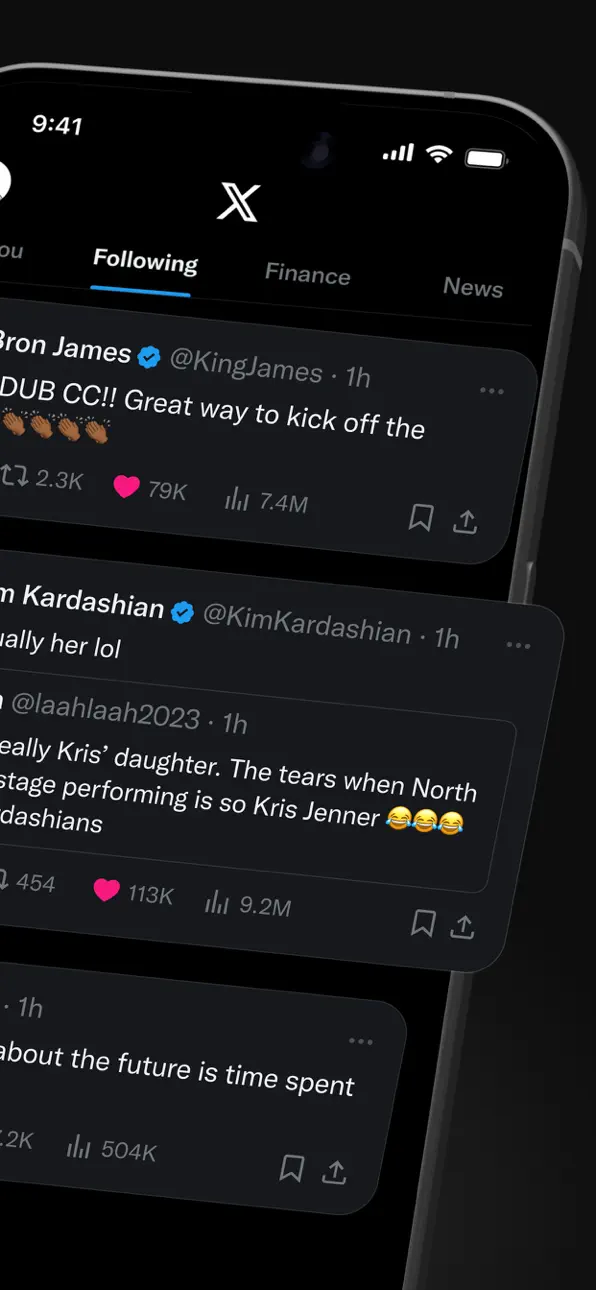
X (anteriormente Twitter) es un centro de redes sociales en tiempo real para noticias de última hora, eventos en vivo y conversaciones globales, pero los problemas de inicio de sesión pueden bloquear el acceso. Este Login Fix Mod IPA resuelve problemas de autenticación para que puedas volver a tu feed al instante.
Ya sea que estés solucionando una pantalla de inicio de sesión atascada o preparándote para instalar una versión modificada de X, esta solución cierra la brecha restaurando tu capacidad de autenticación y conexión, lo que la convierte en una herramienta esencial para usuarios de iOS que administran múltiples instalaciones de X o se recuperan de conflictos de aplicaciones.
- Corrección de Inicio de Sesión (toca el icono H con borde rojo y elige habilitar inicio de sesión) → restaura la autenticación y resuelve fallos de inicio de sesión
Pasos de Instalación:
Esta app también incluye iGameGod, que te ofrece acceso a Auto Touch para automatizar tareas repetitivas, App Speed Manager para ajustar la velocidad del juego, edición de valores con Memory Engine y más potentes herramientas para juegos de iOS.
Descarga X / Twitter Login Fix modded IPA desde los enlaces de arriba. Toca el botón de instalación y sigue las instrucciones para instalar este hack iOS en tu iPhone, iPad o Mac con Apple Silicon.
¿Necesitas más ayuda? Consulta nuestras Preguntas frecuentes de la app iOSGods para respuestas detalladas y consejos de solución de problemas.
X(구 트위터)에 오신 것을 환영합니다 — 신뢰할 수 있는 디지털 광장, 대화가 실시간으로 펼쳐지고 전 세계가 속보·라이브 이벤트·팟캐스트 등으로 연결되는 공간입니다.
스포츠, 테크, 음악, 정치 등 무엇에 열정이 있든, X는 전 세계에서 지금 일어나는 일을 가장 앞자리에서 보게 해주는 무대입니다.
X는 또 하나의 소셜 앱이 아닙니다. 제대로 정보를 얻고, 생각을 나누고, 커뮤니티를 만들기 위한 최적의 목적지입니다. X와 함께라면 관련 트렌드와 속보를 여과 없이 즉시 화면으로 받아 보며 언제나 흐름의 한가운데에 있을 수 있습니다.
X에서 할 수 있는 일:
• 전 세계의 속보를 헤드라인이 뜨기 전에 팔로우하고, 트렌드 주제와 급격히 확산되는 대화에 대한 실시간 업데이트로 한발 앞서가세요.
• 생각, 사진, 동영상을 글로벌 커뮤니티와 공유하세요. 수백만 사용자와 함께 사회·문화·정치 전반의 공적 대화를 만들어 갑니다.
• X의 실시간 데이터를 바탕으로 작동하는 AI 어시스턴트 ‘Grok’을 만나보세요. 유행 중인 뉴스를 요약해 달라거나, 동영상을 설명해 달라거나, 게시물의 추가 맥락을 알려 달라고 요청할 수 있습니다.
• 라이브 비디오를 스트리밍하거나 X의 오디오 기능 ‘스페이스’로 생방송을 시작하세요. 토론을 열고, 인터뷰를 진행하거나, 다음 라이브 팟캐스트를 시작할 수 있습니다. 콘서트, 생중계 경기, 뜨거운 이슈 등 무엇이든 X가 청중의 몰입을 이끌어 줍니다.
• 비디오 시청: 실시간 속보와 스포츠 클립부터 팟캐스트, 최대 3시간 길이의 게임 스트림까지. 코미디, 게임, 팟캐스트, 정치 등 다양한 분야의 세계적 크리에이터들이 X에서 콘텐츠를 공유합니다.
• 다이렉트 메시지(DM)로 친구, 팔로워, 고객, 협업자와 비공개로 소통하세요.
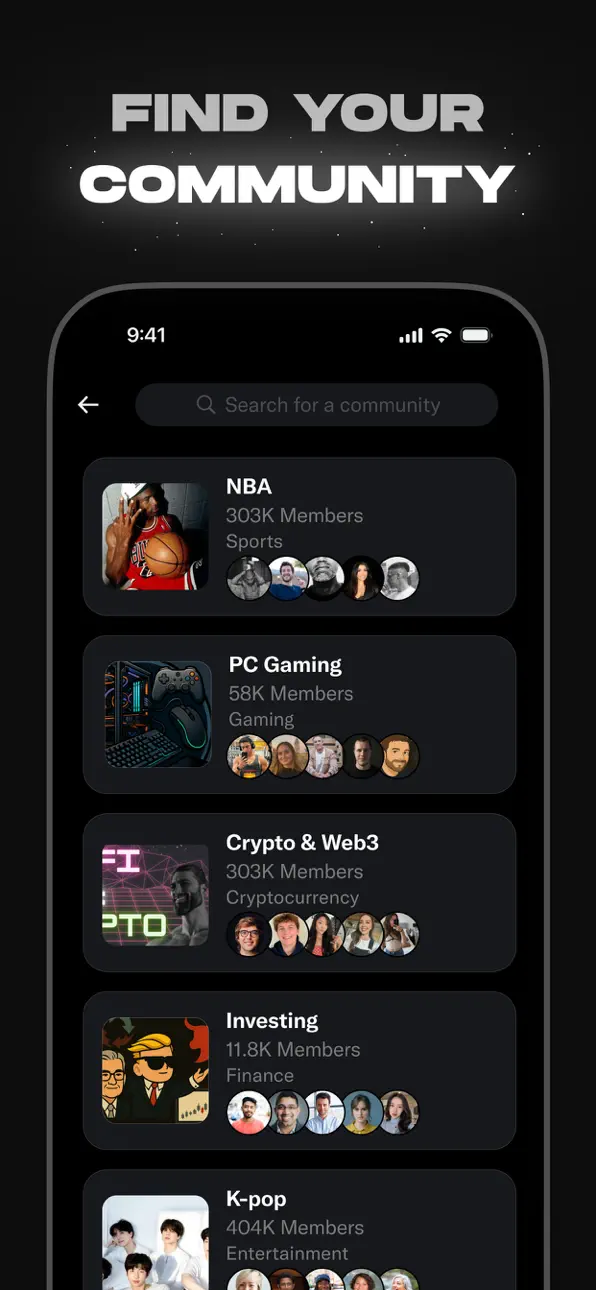
• 관심사에 맞춘 커뮤니티에 가입하거나 직접 만들어 보세요 — 스포츠 뉴스, 게임, 엔터테인먼트, 암호화폐(크립토), 창업, 테크 등.
• X 프리미엄을 구독해 파란 인증 배지(블루 체크), 강화된 노출, 답글 우선순위, 더 적은 광고, 더 긴 동영상, 게시물 편집 등 독점 기능을 이용하세요. 또한 크리에이터 수익 배분에 참여하고 구독자에게 전용 콘텐츠를 제공할 수 있습니다.
왜 X인가요?
끊임없이 변화하는 세상에서 X는 한발 앞서 나갈 수 있게 해 주는 실시간 정보 허브이자 사람들과 연결되고 다양한 관점을 만나는 창입니다. 생중계 속보와 트렌딩 밈부터 인기 팟캐스트와 좋아하는 크리에이터의 라이브 스트림까지 — X는 강력한 하나의 소셜 경험으로 모두를 한데 모읍니다.
접근 권한 안내
X 앱은 다음과 같이 기기의 특정 기능에 대해 접근을 요청할 수 있습니다.
필수적 접근 권한: 없음
선택적 접근 권한:
• 마이크: X에서 오디오 기반 기능을 이용하기 위해 사용하는 권한입니다(스페이스, 라이브, 챗봇).
• 사진: X에서 사진을 공유하기 위해 사용하는 권한입니다.
• 앱이 활동을 추적하도록 허용: 관심사를 반영한 게시물 및 광고를 표시하기 위해 사용하는 권한입니다.
• 연락처: 친구 연결 및 팔로우 추천을 위해 사용하는 권한입니다.
• 위치: 위치에 기반한 맞춤형 X 경험을 제공하기 위해 사용하는 권한입니다
• 카메라: X에서 촬영한 사진 및 동영상을 게시하기 위해 사용하는 권한입니다.
선택적 접근 권한의 허용에 동의하지 않더라도 기본 서비스는 계속 이용할 수 있습니다.
개인정보 처리방침: https://x.com/privacy
이용약관: https://x.com/tos
Capturas © sus respectivos dueños · App Store


iOSGods no está afiliado, avalado ni patrocinado por Apple Inc., Google LLC ni por los desarrolladores de las apps que aparecen aquí. Apple, iOS y App Store son marcas comerciales de Apple Inc. Android y Google Play son marcas comerciales de Google LLC. Todos los demás nombres de apps, iconos, imágenes y marcas pertenecen a sus respectivos dueños.

- iPhone o iPad con o sin Jailbreak.
- Sideloadly u otras alternativas.
- Ordenador con Windows/macOS/Linux e iTunes instalado.
PASO 1: Descargue el archivo .IPA pre-modificado desde el enlace de arriba a su ordenador. Para descargarlo desde la iOSGods App, consulte nuestro Tutorial de descarga del IPA desde la iOSGods App, que incluye un ejemplo en vídeo.
PASO 2: Descargue Sideloadly e instálelo en su Windows o Mac.
PASO 3: Abra Sideloadly en su ordenador, conecte su dispositivo iOS y espere hasta que el nombre del dispositivo aparezca en Sideloadly.
PASO 4: Una vez que su iDevice sea reconocido, arrastre el archivo .IPA modificado que descargó y suéltelo en la aplicación Sideloadly.
PASO 5: Introduzca el correo electrónico de su Apple Account y, a continuación, pulse «Start». Le pedirá que introduzca su contraseña. Proporcione la información solicitada.
PASO 6: Espere a que Sideloadly termine de hacer sideload/instalar el IPA modificado. Si surgen problemas durante la instalación, por favor lea la nota a continuación.
PASO 7: Una vez completada la instalación y al ver la app en la pantalla de inicio, deberá ir a Ajustes → General → Perfiles / VPN y Gestión de Dispositivos. Una vez allí, toque el correo electrónico que introdujo en el paso 6 y, después, toque en «Confiar en [email protected]».
PASO 8: Ahora vaya a la pantalla de inicio y abra la app recién instalada; todo debería funcionar correctamente. Es posible que tenga que seguir instrucciones adicionales específicas de cada app dentro del popup del hack en el juego.
NOTA: En iOS/iPadOS 16 y posteriores, debe activar el Modo Desarrollador. Para cuentas gratuitas de Apple Developer, deberá repetir este proceso cada 7 días. Si tiene alguna pregunta o problema, lea nuestra sección de Preguntas Frecuentes de Sideloadly del tema.
Game Name iOS Mod IPA is an action adventure game enhanced with powerful gameplay boosts and quality-of-life improvements. Win battles faster, earn rewards quicker, and enjoy uninterrupted play without ads.
- Unlimited Gold - spend freely to unlock premium content
- Damage Multiplier - deal significantly more damage in combat
- Defense Multiplier - take less damage and survive longer
- Reward Multiplier - earn more loot from every battle
- Max Level - instantly reach the highest player rank
- No Ads - play without interruptions or advertisements
This app also comes with iGameGod, giving you access to Auto Touch to automate repetitive tasks, App Speed Manager for adjustable gameplay speed, Memory Engine value editing, and more powerful iOS game tools.
Descarga Game Name Mod IPA desde los enlaces de arriba. Toca el botón de instalación y sigue las instrucciones para instalar este hack iOS en tu iPhone, iPad o Mac con Apple Silicon.
¿Necesitas más ayuda Consulta nuestras Preguntas frecuentes de la app iOSGods para respuestas detalladas y consejos de solución de problemas.
----------------------------------------------------------
--------------------------------------------------