تسجيل الدخول مطلوب
سجّل الدخول بحساب iOSGods للمتابعة.
سجّل الدخول بحساب iOSGods للمتابعة.
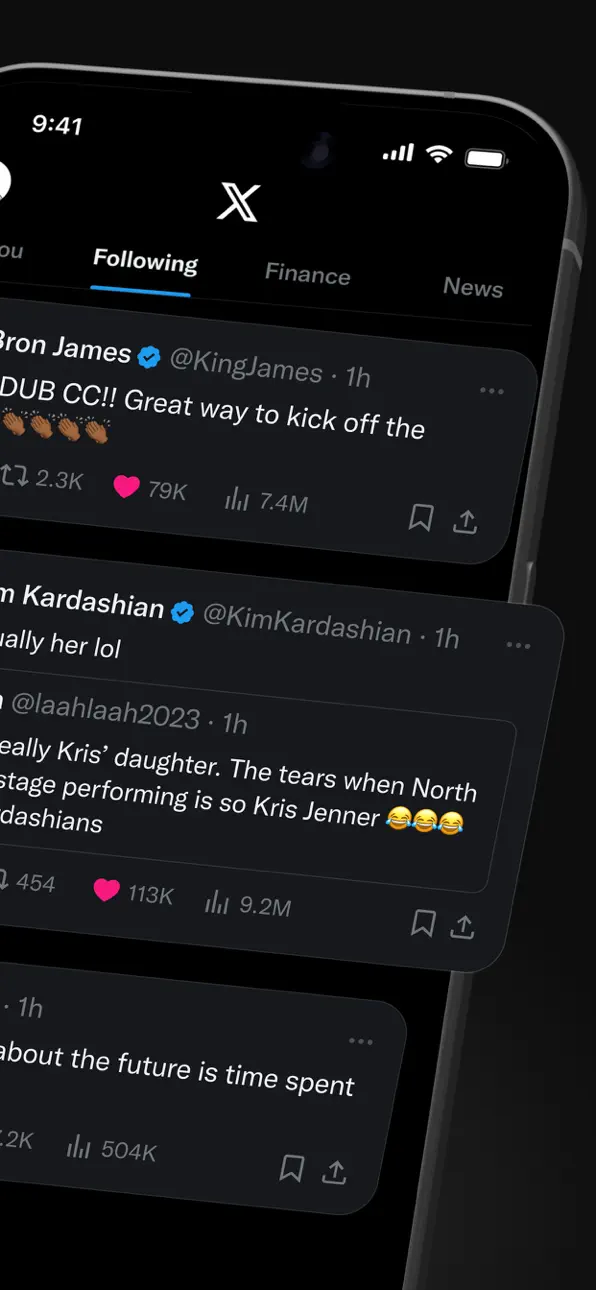
X (تطبيق تويتر سابقاً) هو منصة تواصل اجتماعي فورية لأخبار العاجلة والأحداث المباشرة والحوارات العالمية، لكن مشاكل تسجيل الدخول قد تحجب الوصول، وهذا Mod IPA لإصلاح تسجيل الدخول يحل مشاكل المصادقة حتى تتمكن من العودة إلى خيطك على الفور.
سواء كنت تحاول حل مشكلة شاشة تسجيل دخول عالقة أو تستعد لتثبيت نسخة معدلة من X، فإن هذا الإصلاح يسد الفجوة بواسطة استعادة قدرتك على المصادقة والاتصال، مما يجعله رفيقاً أساسياً لمستخدمي iOS الذين يديرون عدة تثبيتات من X أو يتعافون من تضارب التطبيقات.
- إصلاح تسجيل الدخول (اضغط على أيقونة H بالحد الأحمر واختر تفعيل تسجيل الدخول) → استعادة المصادقة وحل فشل تسجيل الدخول
خطوات التثبيت:
يأتي هذا التطبيق أيضًا مع iGameGod، مما يتيح لك الوصول إلى Auto Touch لأتمتة المهام المتكررة، وApp Speed Manager لضبط سرعة اللعب، وتعديل القيم عبر Memory Engine، والمزيد من أدوات ألعاب iOS القوية.
قم بتنزيل X / Twitter Login Fix modded IPA من الروابط أعلاه. اضغط على زر التثبيت واتبع التعليمات لتثبيت هذا التعديل لـ iOS على iPhone أو iPad أو Apple Silicon.
هل تحتاج إلى مزيد من المساعدة؟ راجع الأسئلة الشائعة لتطبيق iOSGods للحصول على إجابات مفصلة ونصائح لاستكشاف الأخطاء.
Välkommen till X (tidigare Twitter) — din pålitliga digitala mötesplats där samtal sker i realtid och världen möts genom senaste nytt, livesändningar, poddar och allt däremellan.
Oavsett om du brinner för sport, teknik, musik eller politik ger X dig plats på första raden till det som händer världen över.
X är inte bara ännu en social app — det är den självklara platsen för att hålla sig välinformerad, dela idéer och bygga communityn. Med X är du alltid med i svängen: relevanta trender och nyheter i realtid levereras direkt till din skärm — rakt och ofiltrerat.
Det här kan du göra i X:
• Följa nyhetsläget från hela världen innan det når rubrikerna och ligga steget före med uppdateringar i realtid om trendande ämnen och virala samtal.
• Publicera dina tankar, foton och videor för en global community. Gå med i miljoner användares arbete med att forma den offentliga dialogen inom sociala, kulturella och politiska frågor.
• Upptäcka Grok — AI-assistenten som drivs av X:s data i realtid. Be Grok sammanfatta trendnyheter, förklara videor eller ge mer kontext till inlägg.
• Strömma video live eller gå live med Spaces — vår ljudfunktion som låter dig hålla samtal, göra intervjuer eller starta din nästa livepodd. Oavsett om du sänder en konsert, en match eller dina tankar om ett hett ämne håller X din publik engagerad.
• Titta på videor: från direktsända nyheter och sportklipp till poddar och spelsändningar på upp till 3 timmar. Många av världens ledande röster — inom komedi, gaming, poddar och politik — delar sitt innehåll på X.
• Koppla upp dig och chatta privat med vänner, följare, kunder eller samarbetspartner via Direktmeddelanden (DM).
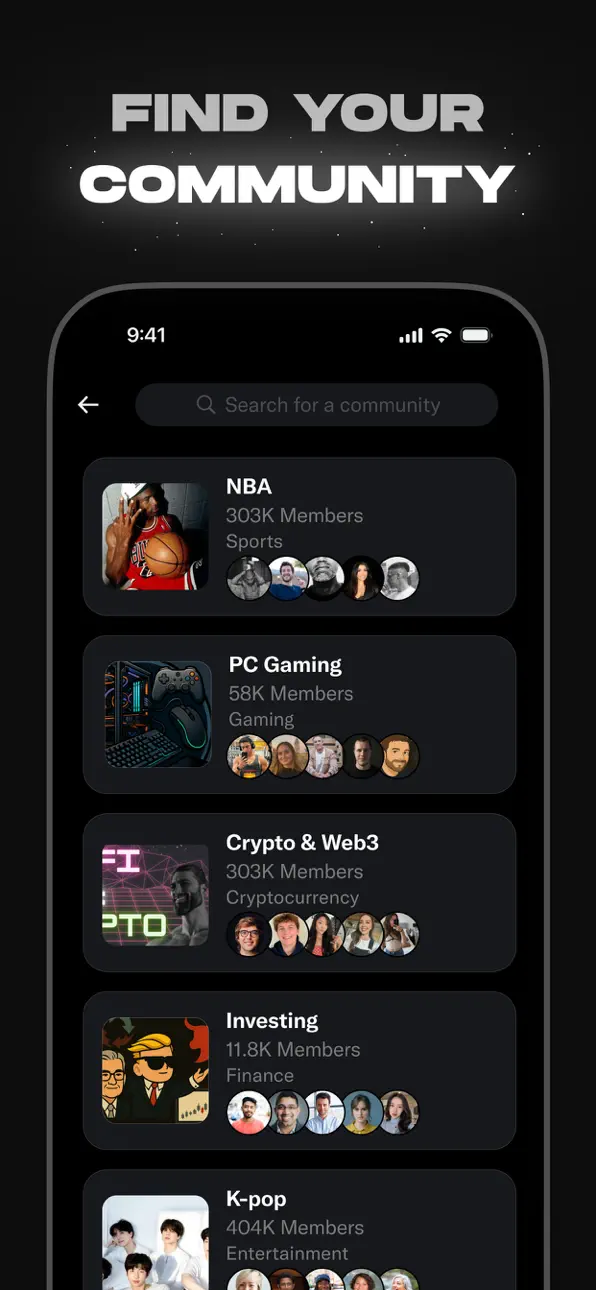
• Gå med i och bygg Communityn efter dina intressen — från sportsnyheter, gaming och underhållning till krypto, entreprenörskap, teknik och mycket mer.
• Prenumerera på X Premium för att låsa upp exklusiva funktioner som blå verifieringsbock, ökad synlighet, prioriterade svar, färre annonser, längre videor och redigering av inlägg. X Premium ger dig också tillgång till intäktsdelning för skapare samt möjlighet att erbjuda exklusivt innehåll till prenumeranter.
Varför X?
I en värld som ständigt förändras är X din källa i realtid för att ligga steget före, knyta kontakter och utforska olika perspektiv. Från direkta nyhetssändningar och trendande memes till topppoddar och liveströmmar från dina favoritkreatörer — X samlar allt i en enda kraftfull social upplevelse.
Integritetspolicy: https://x.com/privacy
Användarvillkor: https://x.com/tos
لقطات الشاشة © لأصحابها · App Store


iOSGods ليست تابعة لشركة Apple Inc. أو Google LLC أو مطوّري التطبيقات المدرجة هنا، وليست معتمدة أو مدعومة منهم. Apple وiOS وApp Store علامات تجارية لشركة Apple Inc. وAndroid وGoogle Play علامتان تجاريتان لشركة Google LLC. أما بقية أسماء التطبيقات والأيقونات والصور والعلامات التجارية فهي ملك لأصحابها.

- iPhone أو iPad بجيلبريك أو بدون جيلبريك.
- Sideloadly أو بدائلها.
- كمبيوتر يعمل بنظام Windows/macOS/Linux مع تثبيت iTunes.
الخطوة 1: قم بتنزيل ملف .IPA المعدّل مسبقًا من الرابط أعلاه إلى الكمبيوتر الخاص بك. للتنزيل من تطبيق iOSGods App، اطلع على دليل تنزيل IPA من تطبيق iOSGods App الذي يتضمن مثالًا بالفيديو.
الخطوة 2: قم بتنزيل Sideloadly وتثبيته على جهاز Windows أو Mac.
الخطوة 3: افتح Sideloadly على الكمبيوتر، ووصّل جهاز iOS الخاص بك، وانتظر حتى يظهر اسم جهازك داخل Sideloadly.
الخطوة 4: بمجرد التعرّف على جهاز iDevice الخاص بك، اسحب ملف .IPA المعدّل الذي قمت بتنزيله وأفلِته داخل تطبيق Sideloadly.
الخطوة 5: أدخل البريد الإلكتروني لحساب Apple Account الخاص بك، ثم اضغط على «Start». سيُطلب منك بعد ذلك إدخال كلمة المرور. تابع وأدخل المعلومات المطلوبة.
الخطوة 6: انتظر حتى ينتهي Sideloadly من تحميل/تثبيت ملف IPA المعدّل. في حال واجهت أي مشاكل أثناء التثبيت، يرجى قراءة الملاحظة أدناه.
الخطوة 7: بعد اكتمال التثبيت ورؤية التطبيق على الشاشة الرئيسية، انتقل إلى Settings → General → Profiles / VPN & Device Management. ثم اضغط على البريد الإلكتروني الذي أدخلته في الخطوة 6، ثم اضغط على «الوثوق بـ [email protected]».
الخطوة 8: الآن انتقل إلى الشاشة الرئيسية وافتح التطبيق الذي تم تثبيته للتو وسيعمل كل شيء بشكل صحيح. قد تحتاج إلى اتباع تعليمات إضافية خاصة بكل تطبيق داخل النافذة المنبثقة للتعديل أثناء اللعب.
ملاحظة: بدءًا من iOS/iPadOS 16 وما بعده، يجب تفعيل وضع المطور (Developer Mode). بالنسبة لحسابات Apple Developer المجانية، ستحتاج إلى تكرار هذه العملية كل 7 أيام. إذا كانت لديك أي أسئلة أو مشاكل، يرجى قراءة قسم الأسئلة الشائعة حول Sideloadly في الموضوع.
Game Name iOS Mod IPA is an action adventure game enhanced with powerful gameplay boosts and quality-of-life improvements. Win battles faster, earn rewards quicker, and enjoy uninterrupted play without ads.
- Unlimited Gold - spend freely to unlock premium content
- Damage Multiplier - deal significantly more damage in combat
- Defense Multiplier - take less damage and survive longer
- Reward Multiplier - earn more loot from every battle
- Max Level - instantly reach the highest player rank
- No Ads - play without interruptions or advertisements
This app also comes with iGameGod, giving you access to Auto Touch to automate repetitive tasks, App Speed Manager for adjustable gameplay speed, Memory Engine value editing, and more powerful iOS game tools.
قم بتنزيل Game Name Mod IPA من الروابط أعلاه. اضغط على زر التثبيت واتبع التعليمات لتثبيت هذا التعديل لـ iOS على iPhone أو iPad أو Apple Silicon.
هل تحتاج إلى مزيد من المساعدة؟ راجع الأسئلة الشائعة لتطبيق iOSGods للحصول على إجابات مفصلة ونصائح لاستكشاف الأخطاء.
----------------------------------------------------------
--------------------------------------------------