تسجيل الدخول مطلوب
سجّل الدخول بحساب iOSGods للمتابعة.
سجّل الدخول بحساب iOSGods للمتابعة.
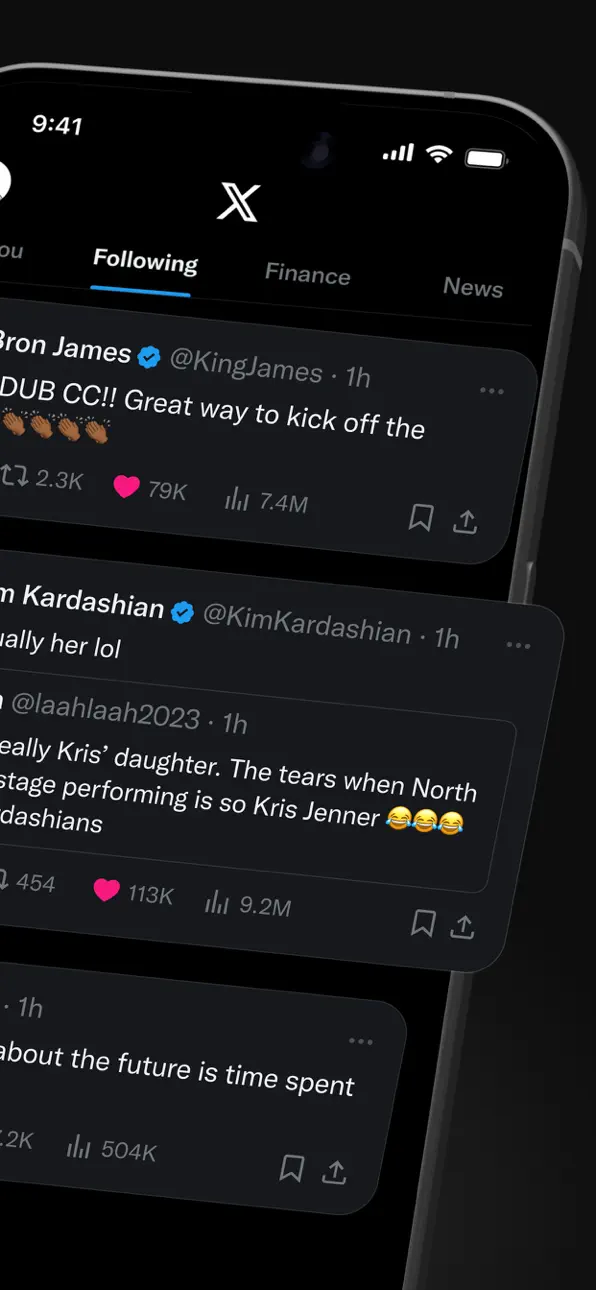
X (تطبيق تويتر سابقاً) هو منصة تواصل اجتماعي فورية لأخبار العاجلة والأحداث المباشرة والحوارات العالمية، لكن مشاكل تسجيل الدخول قد تحجب الوصول، وهذا Mod IPA لإصلاح تسجيل الدخول يحل مشاكل المصادقة حتى تتمكن من العودة إلى خيطك على الفور.
سواء كنت تحاول حل مشكلة شاشة تسجيل دخول عالقة أو تستعد لتثبيت نسخة معدلة من X، فإن هذا الإصلاح يسد الفجوة بواسطة استعادة قدرتك على المصادقة والاتصال، مما يجعله رفيقاً أساسياً لمستخدمي iOS الذين يديرون عدة تثبيتات من X أو يتعافون من تضارب التطبيقات.
- إصلاح تسجيل الدخول (اضغط على أيقونة H بالحد الأحمر واختر تفعيل تسجيل الدخول) → استعادة المصادقة وحل فشل تسجيل الدخول
خطوات التثبيت:
يأتي هذا التطبيق أيضًا مع iGameGod، مما يتيح لك الوصول إلى Auto Touch لأتمتة المهام المتكررة، وApp Speed Manager لضبط سرعة اللعب، وتعديل القيم عبر Memory Engine، والمزيد من أدوات ألعاب iOS القوية.
قم بتنزيل X / Twitter Login Fix modded IPA من الروابط أعلاه. اضغط على زر التثبيت واتبع التعليمات لتثبيت هذا التعديل لـ iOS على iPhone أو iPad أو Apple Silicon.
هل تحتاج إلى مزيد من المساعدة؟ راجع الأسئلة الشائعة لتطبيق iOSGods للحصول على إجابات مفصلة ونصائح لاستكشاف الأخطاء.
Добро пожаловать в X (ранее Twitter) — вашу надежную цифровую площадь, где разговоры разворачиваются в реальном времени, а мир соединяется благодаря новостям с пометкой «срочно», прямым эфирам, подкастам и многому другому.
Что бы ни было вам ближе — спорт, технологии, музыка или политика — X дает место в первом ряду к тому, что происходит по всему миру.
X — это не просто еще одно социальное приложение; это лучшее место, чтобы оставаться в курсе, делиться идеями и строить сообщества. С X вы всегда «в теме»: актуальные тренды и горячие новости приходят на ваш экран мгновенно — прямо, без прикрас и без фильтров.
Что можно делать в X:
• Следить за срочными новостями со всего мира еще до того, как они станут заголовками, и быть на шаг впереди благодаря обновлениям в реальном времени о трендах и вирусных обсуждениях.
• Публиковать мысли, фото и видео для глобального сообщества. Присоединяйтесь к миллионам пользователей, формирующим публичный диалог на социальные, культурные и политические темы.
• Открыть для себя Grok — ИИ-ассистента на данных X в реальном времени. Попросите Grok кратко пересказать трендовые новости, объяснить видео или добавить контекст к публикациям.
• Запускать прямые видеотрансляции или выходить в эфир в Spaces — нашей аудиоплатформе для дискуссий, интервью и live-подкастов. Будь то концерт, матч или «горящая» тема — X удерживает внимание вашей аудитории.
• Смотреть видео: от прямых включений и спортивных хайлайтов до подкастов и игровых стримов продолжительностью до 3 часов. Многие ведущие голоса мира — в комедии, гейминге, подкастинге и политике — делятся контентом именно в X.
• Общаться приватно с друзьями, подписчиками, клиентами или партнёрами через Личные сообщения (DM).
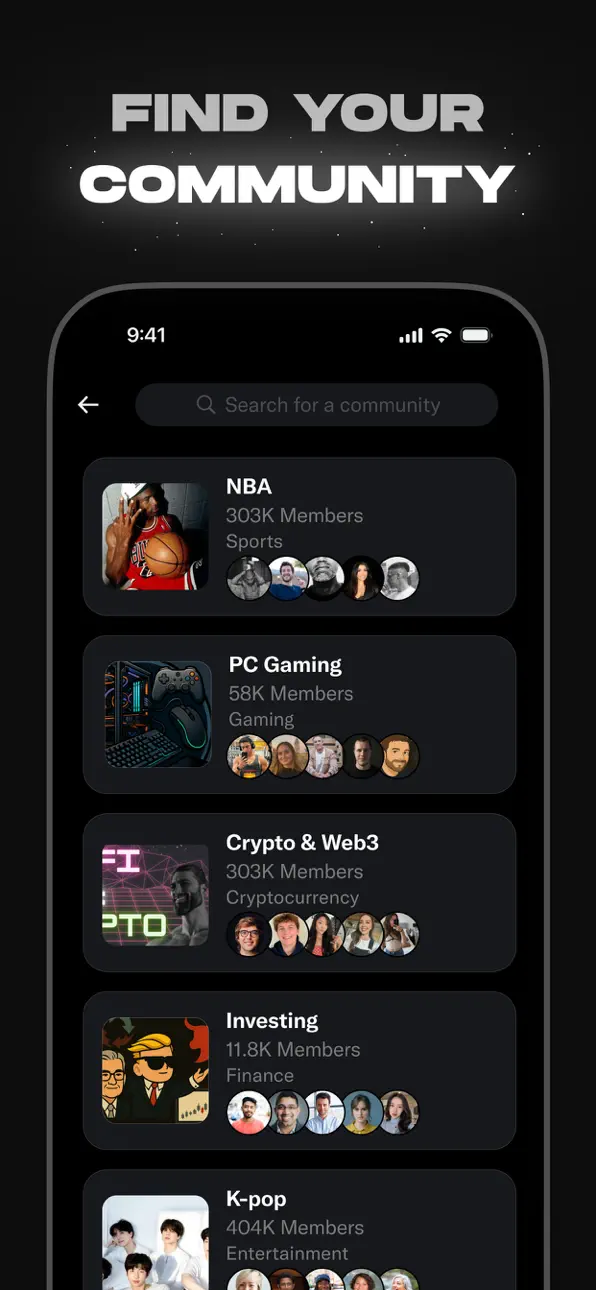
• Вступать в сообщества и создавать свои под интересы — от спортивных новостей и гейминга до развлечений, крипто, предпринимательства, технологий и многого другого.
• Оформить X Premium, чтобы открыть эксклюзивные возможности: синюю галочку, повышенную видимость, приоритет ответов, меньше рекламы, более длинные видео и редактирование постов. X Premium также дает доступ к программе разделения доходов с авторами и позволяет предлагать подписчикам эксклюзивный контент.
Почему X?
В мире постоянных изменений X — ваш источник в реальном времени, чтобы оставаться на шаг впереди, общаться с людьми и видеть разные точки зрения. От живых репортажей и трендовых мемов до топовых подкастов и лайв-эфиров ваших любимых создателей — X объединяет все это в одном мощном социальном опыте.
Политика конфиденциальности: https://x.com/ru/privacy
Условия использования: https://x.com/ru/tos
لقطات الشاشة © لأصحابها · App Store


iOSGods ليست تابعة لشركة Apple Inc. أو Google LLC أو مطوّري التطبيقات المدرجة هنا، وليست معتمدة أو مدعومة منهم. Apple وiOS وApp Store علامات تجارية لشركة Apple Inc. وAndroid وGoogle Play علامتان تجاريتان لشركة Google LLC. أما بقية أسماء التطبيقات والأيقونات والصور والعلامات التجارية فهي ملك لأصحابها.

- iPhone أو iPad بجيلبريك أو بدون جيلبريك.
- Sideloadly أو بدائلها.
- كمبيوتر يعمل بنظام Windows/macOS/Linux مع تثبيت iTunes.
الخطوة 1: قم بتنزيل ملف .IPA المعدّل مسبقًا من الرابط أعلاه إلى الكمبيوتر الخاص بك. للتنزيل من تطبيق iOSGods App، اطلع على دليل تنزيل IPA من تطبيق iOSGods App الذي يتضمن مثالًا بالفيديو.
الخطوة 2: قم بتنزيل Sideloadly وتثبيته على جهاز Windows أو Mac.
الخطوة 3: افتح Sideloadly على الكمبيوتر، ووصّل جهاز iOS الخاص بك، وانتظر حتى يظهر اسم جهازك داخل Sideloadly.
الخطوة 4: بمجرد التعرّف على جهاز iDevice الخاص بك، اسحب ملف .IPA المعدّل الذي قمت بتنزيله وأفلِته داخل تطبيق Sideloadly.
الخطوة 5: أدخل البريد الإلكتروني لحساب Apple Account الخاص بك، ثم اضغط على «Start». سيُطلب منك بعد ذلك إدخال كلمة المرور. تابع وأدخل المعلومات المطلوبة.
الخطوة 6: انتظر حتى ينتهي Sideloadly من تحميل/تثبيت ملف IPA المعدّل. في حال واجهت أي مشاكل أثناء التثبيت، يرجى قراءة الملاحظة أدناه.
الخطوة 7: بعد اكتمال التثبيت ورؤية التطبيق على الشاشة الرئيسية، انتقل إلى Settings → General → Profiles / VPN & Device Management. ثم اضغط على البريد الإلكتروني الذي أدخلته في الخطوة 6، ثم اضغط على «الوثوق بـ [email protected]».
الخطوة 8: الآن انتقل إلى الشاشة الرئيسية وافتح التطبيق الذي تم تثبيته للتو وسيعمل كل شيء بشكل صحيح. قد تحتاج إلى اتباع تعليمات إضافية خاصة بكل تطبيق داخل النافذة المنبثقة للتعديل أثناء اللعب.
ملاحظة: بدءًا من iOS/iPadOS 16 وما بعده، يجب تفعيل وضع المطور (Developer Mode). بالنسبة لحسابات Apple Developer المجانية، ستحتاج إلى تكرار هذه العملية كل 7 أيام. إذا كانت لديك أي أسئلة أو مشاكل، يرجى قراءة قسم الأسئلة الشائعة حول Sideloadly في الموضوع.
Game Name iOS Mod IPA is an action adventure game enhanced with powerful gameplay boosts and quality-of-life improvements. Win battles faster, earn rewards quicker, and enjoy uninterrupted play without ads.
- Unlimited Gold - spend freely to unlock premium content
- Damage Multiplier - deal significantly more damage in combat
- Defense Multiplier - take less damage and survive longer
- Reward Multiplier - earn more loot from every battle
- Max Level - instantly reach the highest player rank
- No Ads - play without interruptions or advertisements
This app also comes with iGameGod, giving you access to Auto Touch to automate repetitive tasks, App Speed Manager for adjustable gameplay speed, Memory Engine value editing, and more powerful iOS game tools.
قم بتنزيل Game Name Mod IPA من الروابط أعلاه. اضغط على زر التثبيت واتبع التعليمات لتثبيت هذا التعديل لـ iOS على iPhone أو iPad أو Apple Silicon.
هل تحتاج إلى مزيد من المساعدة؟ راجع الأسئلة الشائعة لتطبيق iOSGods للحصول على إجابات مفصلة ونصائح لاستكشاف الأخطاء.
----------------------------------------------------------
--------------------------------------------------