Anmeldung erforderlich
Melde dich mit deinem iOSGods-Konto an, um fortzufahren.
Melde dich mit deinem iOSGods-Konto an, um fortzufahren.

X (ehemals Twitter) ist ein Echtzeit-Social-Networking-Hub für Nachrichten, Live-Events und globale Gespräche, aber Login-Probleme können den Zugriff blockieren. Diese Login Fix Mod IPA behebt Authentifizierungsprobleme, damit du sofort wieder auf deinen Feed zugreifen kannst.
Egal ob du einen feststeckenden Login-Bildschirm behebst oder dich auf das Sideloading einer modifizierten Version von X vorbereitest, diese Lösung überbrückt die Lücke, indem sie deine Authentifizierungsfähigkeit und Verbindung wiederherstellt. Sie ist ein unverzichtbarer Begleiter für iOS-Nutzer, die mehrere X-Installationen verwalten oder sich von App-Konflikten erholen.
- Login Fix (tippe auf das H-Symbol mit rotem Rand und wähle Login aktivieren) → stellt die Authentifizierung wieder her und behebt Login-Fehler
Installationsschritte:
Diese App wird zusätzlich mit iGameGod geliefert und bietet dir Zugriff auf Auto Touch zur Automatisierung sich wiederholender Aufgaben, App Speed Manager für eine anpassbare Spielgeschwindigkeit, Memory Engine zur Wertbearbeitung und weitere leistungsstarke iOS-Spielwerkzeuge.
Lade X / Twitter Login Fix modded IPA über die obigen Links herunter. Tippe auf den Installations-Button und folge den Anweisungen, um diese iOS-App auf deinem iPhone, iPad oder Apple Silicon zu installieren.
Brauchst du mehr Hilfe? In unseren iOSGods App häufig gestellten Fragen findest du ausführliche Antworten und Tipps zur Fehlerbehebung.
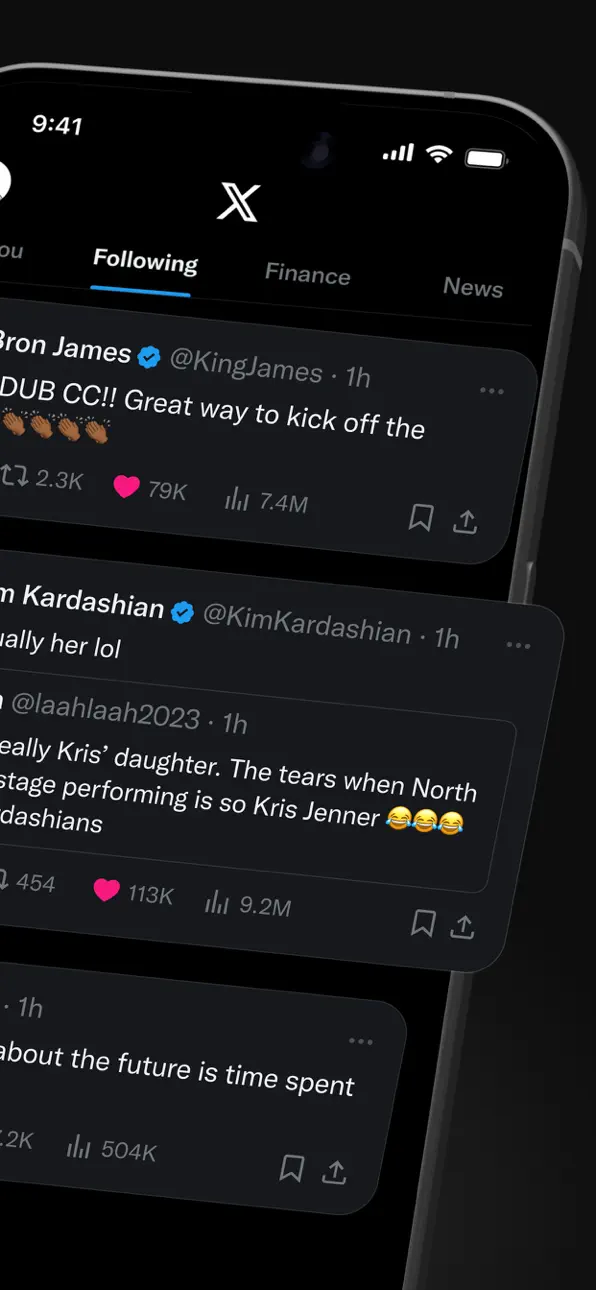
Willkommen bei X, früher bekannt als Twitter, Ihrem vertrauenswürdigen digitalen Marktplatz wo Gespräche in Echtzeit ablaufen und die Welt sich über Eilmeldungen, Live-Events, Podcasts und alles dazwischen verbindet.
Ob Sie leidenschaftlich an Sport, Technik, Musik oder Politik interessiert sind, X bietet Ihnen einen Platz in der ersten Reihe für das, was weltweit passiert.
X ist nicht nur eine weitere Social-Media-App, sondern das ultimative Ziel, um gut informiert zu bleiben, Ideen zu teilen und Communities aufzubauen.
Mit X sind Sie immer auf dem Laufenden mit relevanten Trending-Themen und Eilmeldungen, die sofort auf Ihrem Bildschirm erscheinen, roh und ungefiltert.
Was Sie auf X tun können:
• Verfolgen Sie Eilmeldungen aus der ganzen Welt, bevor sie in die Schlagzeilen kommen, und bleiben Sie voraus mit Echtzeit-Updates zu Trending-Themen und viralen Gesprächen.
• Teilen Sie Ihre Gedanken, Fotos und Videos mit einer globalen Community. Schließen Sie sich Millionen von Nutzern an, um den öffentlichen Diskurs in sozialen, kulturellen und politischen Gesprächen zu gestalten.
• Entdecken Sie Grok, den KI-Assistenten, der von den Echtzeit-Daten von X angetrieben wird. Sie können Grok bitten, Trending-News zusammenzufassen, Videos zu erklären oder mehr Kontext zu Beiträgen zu geben.
• Streamen Sie Live-Videos oder gehen Sie live mit Spaces, unserem Audio-Feature, das es Ihnen ermöglicht, Diskussionen zu moderieren, Interviews zu führen oder Ihren nächsten Live-Podcast zu starten. Ob Sie ein Konzert, ein Live-Spiel oder Ihre Gedanken zu einem heißen Thema streamen, X hält Ihr Publikum bei der Stange.
• Schauen Sie Videos: von Live-Eilmeldungen und Sport-Clips bis hin zu Podcasts und Gaming-Sessions, die bis zu 3 Stunden lang sein können. Viele der führenden Stimmen der Welt in Komödie, Gaming, Podcasting und Politik teilen ihren Content auf X.
• Verbinden Sie sich und chatten Sie privat mit Freunden, Followern, Kunden oder Kollaborateuren über Direktnachrichten.
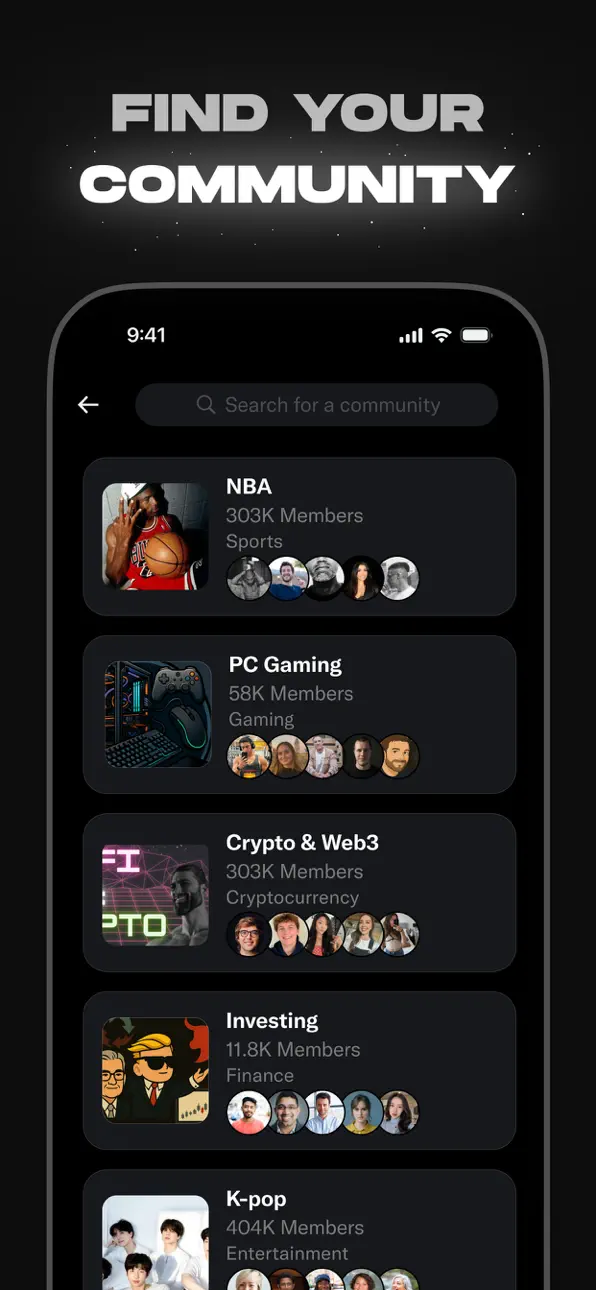
• Treten Sie Communities bei und bauen Sie sie auf, die auf Ihre Interessen zugeschnitten sind: von Sport-News, Gaming, Entertainment, Krypto, Unternehmertum, Tech und mehr.
• Abonnieren Sie X Premium, um exklusive Features freizuschalten wie das blaue Häkchen, erhöhte Sichtbarkeit, priorisierte Antworten, weniger Werbung, längere Videos und die Bearbeitung von Beiträgen. X Premium gibt Ihnen auch Zugang zum Revenue-Sharing für Creator und die Möglichkeit, exklusiven Content für Abonnenten anzubieten.
Warum X?
In einer Welt des ständigen Wandels ist X Ihre Echtzeit-Quelle, um voraus zu sein, mit Menschen in Kontakt zu treten und vielfältige Perspektiven zu erkunden. Von Live-Eilmeldungen und Trending-Memes bis hin zu Top-Podcasts und Live-Streams Ihrer Lieblings-Creator bringt X alles in einer leistungsstarken Social-Erfahrung zusammen.
Datenschutzrichtlinie: https://x.com/de/privacy
Nutzungsbedingungen: https://x.com/de/tos
Screenshots © der jeweiligen Inhaber · App Store


iOSGods ist nicht mit Apple Inc., Google LLC oder den Entwicklern der hier aufgeführten Apps verbunden und wird von ihnen weder unterstützt noch gesponsert. Apple, iOS und App Store sind Marken von Apple Inc. Android und Google Play sind Marken von Google LLC. Alle weiteren App-Namen, Symbole, Grafiken und Marken gehören ihren jeweiligen Inhabern.
- Nicht-Jailbroken/Jailed oder Jailbroken iPhone oder iPad.
- Sideloadly oder Alternativen.
- Computer mit Windows/macOS/Linux und installiertem iTunes.
SCHRITT 1: Lade die vorinstallierte .IPA-Datei über den obigen Link auf deinen Computer herunter. Zum Herunterladen aus der iOSGods-App siehe unser iOSGods App IPA Download-Tutorial mit Videobeispiel.
SCHRITT 2: Lade Sideloadly herunter und installiere es auf deinem Windows oder Mac.
SCHRITT 3: Öffne Sideloadly auf deinem Computer, verbinde dein iOS-Gerät und warte, bis dein Gerätename in Sideloadly erscheint.
SCHRITT 4: Sobald dein iDevice erkannt wird, ziehe die heruntergeladene gemoddete .IPA-Datei in die Sideloadly-Anwendung.
SCHRITT 5: Gib deine Apple-Account-E-Mail ein und drücke „Start". Du wirst dann nach deinem Passwort gefragt. Gib die erforderlichen Informationen ein.
SCHRITT 6: Warte, bis Sideloadly das Sideloading/Installieren der gehackten IPA abgeschlossen hat. Bei Problemen während der Installation lies bitte den Hinweis unten.
SCHRITT 7: Sobald die Installation abgeschlossen ist und die App auf deinem Home-Bildschirm angezeigt wird, musst du zu Einstellungen → Allgemein → Profile / VPN & Geräteverwaltung gehen. Tippe dort auf die E-Mail, die du in Schritt 6 eingegeben hast, und dann auf „Trust [email protected]".
SCHRITT 8: Gehe nun zu deinem Home-Bildschirm und öffne die neu installierte App – alles sollte einwandfrei funktionieren. Möglicherweise musst du weitere App-spezifische Anweisungen im Hack-Popup im Spiel befolgen.
HINWEIS: iOS/iPadOS 16 und höher: Du musst den Entwicklermodus aktivieren. Bei kostenlosen Apple Developer-Accounts musst du diesen Vorgang alle 7 Tage wiederholen. Bei Fragen oder Problemen lies bitte unsere Sideloadly-FAQ-Sektion im Thema.
Game Name iOS Mod IPA is an action adventure game enhanced with powerful gameplay boosts and quality-of-life improvements. Win battles faster, earn rewards quicker, and enjoy uninterrupted play without ads.
- Unlimited Gold - spend freely to unlock premium content
- Damage Multiplier - deal significantly more damage in combat
- Defense Multiplier - take less damage and survive longer
- Reward Multiplier - earn more loot from every battle
- Max Level - instantly reach the highest player rank
- No Ads - play without interruptions or advertisements
This app also comes with iGameGod, giving you access to Auto Touch to automate repetitive tasks, App Speed Manager for adjustable gameplay speed, Memory Engine value editing, and more powerful iOS game tools.
Lade Game Name Mod IPA über die obigen Links herunter. Tippe auf den Installations-Button und folge den Anweisungen, um diese iOS-App auf deinem iPhone, iPad oder Apple Silicon zu installieren.
Brauchst du mehr Hilfe In unseren iOSGods App häufig gestellten Fragen findest du ausführliche Antworten und Tipps zur Fehlerbehebung.
----------------------------------------------------------
--------------------------------------------------