Accesso richiesto
Accedi con il tuo account iOSGods per continuare.

Hack Features:
- Full Paid App
Questa app include iGameGod, che ti offre accesso ad Auto Touch per automatizzare attività ripetitive, App Speed Manager per regolare la velocità di gioco, modifica dei valori con Memory Engine e altri potenti strumenti per giochi iOS.
Scarica Duet Display modded IPA dai link sopra. Tocca il pulsante di installazione e segui le istruzioni per installare questo hack iOS sul tuo iPhone, iPad o Mac con Apple Silicon.
Hai bisogno di altro aiuto? Consulta le nostre Domande frequenti sull'app iOSGods per risposte dettagliate e consigli per la risoluzione dei problemi.
#1 best-selling iPad app in US, Japan, UK, Germany, and 17 other countries!
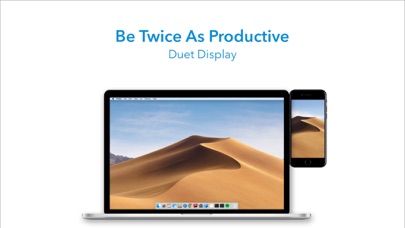
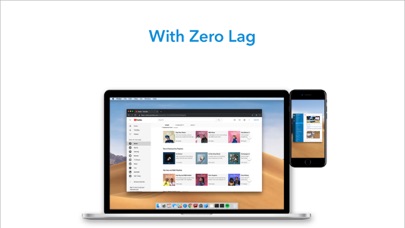
Duet turns your iPad or iPhone into the most advanced extra display for your Mac & PC. Developed by a team of ex-Apple engineers, Duet offers unparalleled performance and display quality - all with zero lag.
— DO MORE —
Be twice as productive by multitasking with two screens. And for those that travel, have a portable way to stay productive.
— INCREDIBLY SIMPLE —
To get started, plug your iPad into your desktop using your charging cable. The free Duet desktop app will automatically detect your device, and transform it into a high performance touchscreen display.
There’s no need to worry about unreliable Wi-Fi, laggy performance, pixelated screens or managing network passwords.
— TOUCHSCREEN —
Interact with Mac & PC like never before, with touch & gestures, including two-finger scrolling, pan and zoom.
And with our latest release, you can even add a touch bar to any iPad with any Mac.
— PERFECT FOR APPLE PENCIL —
With Duet Pro, you can turn your iPad and Apple Pencil into a professional graphics tablet. We’ve re-engineered our rendering algorithms for ultra-responsive drawing, optimized specifically for designers, illustrators and artists.
Duet Pro also unlocks pressure & tilt sensitivity, hover, palm rejection, and more to seamlessly draw in the most powerful programs for professionals. Get precise control in Photoshop, Corel Painter, Lightroom, ToonBoom, Illustrator, Manga Studio and more.
— PRESS —
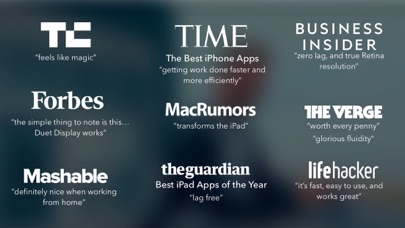
TechCrunch - "Feels Like Magic"
TIME - "Getting Work Done Faster and More Efficiently"
The Guardian - "Lag-free"
Forbes - "The simple thing to note is this...Duet Display works."
The Verge - "Glorious Fluidity"
Lifehacker - "It's fast, easy to use, and works great"
Business Insider - "Zero lag and true retina resolution”
Wall Street Journal - “It’s as easy as just plugging it in"
— REVIEWS —
“Awesome! My iPad Pro can be an extra monitor! Cool app”
~CEO of T-Mobile, John Legere
“Very smooth and responsive indeed, plus you could use the touch screen to “click” on screen interfaces!”
~Photographer, Lok Cheung
“Love the ability to use my iPad as a monitor with Duet.”
~Former Chief Evangelist of Apple, Guy Kawasaki
“Just started using this app called Duet… Kinda love it so far.”
~Comedian and Youtube, Phillip DeFranco
“All my mac folks look at the Duet app… GREAT!”
~Actor and Comedian, Sinbad
"I really like the app, I suppose the biggest compliment I can give is that it's so easy to setup it almost seems like an Apple product.”
~Early Adopter, M. Nightingale
"Amazing solution for me by the way. Works as I was hoping for and actually my main reason for getting an iPad : )”
~Early Adopter, M. Gemzoe
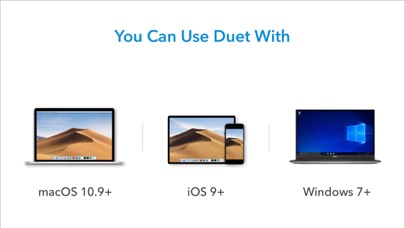
Duet Works With:
All iPhones and iPads with iOS 7.0 and later
All Macs with 10.9 (Mavericks) and later
All PCs with Windows 7 and later
Duet Pro Works With:
All iPad Pros with Apple Pencil
All Macs with 10.9 (Mavericks) and later
All PCs with Windows 8.1 and later (64 bit)
Duet Pro is an optional upgrade for additional features, and price may vary by location. Duet Pro subscriptions will be charged to your credit card through your iTunes account. Your subscription will automatically renew unless canceled at least 24 hours before the end of the current period. You will not be able to cancel the subscription once activated. Manage Duet Pro in Account Settings after the optional upgrade.
Learn more at http://www.duetdisplay.com
Privacy Policy - http://updates.duetdisplay.com/license
- iPhone o iPad non jailbroken/jailed oppure jailbroken.
- Sideloadly o alternative.
- Computer con Windows/macOS/Linux con iTunes installato.
PASSO 1: Scarica il file .IPA pre-modificato dal link sopra sul tuo computer. Per scaricarlo dall'iOSGods App, consulta il nostro Tutorial download IPA dell'iOSGods App, che include un esempio video.
PASSO 2: Scarica Sideloadly e installalo sul tuo Windows o Mac.
PASSO 3: Apri Sideloadly sul tuo computer, collega il tuo dispositivo iOS e attendi finché il nome del dispositivo non appare in Sideloadly.
PASSO 4: Una volta riconosciuto il tuo iDevice, trascina il file .IPA moddato che hai scaricato e rilascialo nell'applicazione Sideloadly.
PASSO 5: Inserisci l'email del tuo Apple Account, poi premi “Start”. Ti verrà quindi chiesto di inserire la password. Procedi e fornisci le informazioni richieste.
PASSO 6: Attendi che Sideloadly completi il sideload/installazione dell'IPA modificata. Se ci sono problemi durante l'installazione, leggi la nota qui sotto.
PASSO 7: Una volta completata l'installazione e vista l'app sulla schermata Home, dovrai andare in Impostazioni → Generali → Profili / Gestione VPN e dispositivi. Una volta lì, tocca l'email inserita al passo 6 e poi tocca “Autorizza [email protected]”.
PASSO 8: Ora vai sulla schermata Home e apri l'app appena installata: tutto dovrebbe funzionare correttamente. Potrebbe essere necessario seguire ulteriori istruzioni specifiche all'interno del popup dell'hack nel gioco.
NOTA: Per iOS/iPadOS 16 e versioni successive, devi attivare la Modalità sviluppatore. Per gli account Apple Developer gratuiti, dovrai ripetere questa procedura ogni 7 giorni. Se hai domande o problemi, leggi la nostra sezione FAQ Sideloadly del topic.