ต้องเข้าสู่ระบบ
เข้าสู่ระบบด้วยบัญชี iOSGods เพื่อดำเนินการต่อ
เข้าสู่ระบบด้วยบัญชี iOSGods เพื่อดำเนินการต่อ

เปลี่ยน iPad หรือ iPhone ของคุณเป็นจอแสดงผลพรีเมียมสำหรับ Mac และ PC ด้วย Mod IPA ที่ปลดล็อกแล้วของ Duet Display ซึ่งพัฒนาโดยวิศวกรอดีตของ Apple โปรแกรมนี้มอบประสิทธิการทำงานที่ไม่มีความล่าช้าและคุณภาพการแสดงผลระดับมืออาชีพเพื่อเพิ่มประสิทธิผลของคุณด้วยการทำงานแบบหลายหน้าจอ เพียงเสียบเข้าผ่านสายชาร์จของคุณและเริ่มทำงานบนสองหน้าจออย่างทันที
- แอปพลิเคชันเต็มรูปแบบที่ชำระแล้ว → เข้าถึงฟีเจอร์พรีเมียมทั้งหมดอย่างสมบูรณ์
แอปนี้ยังมาพร้อมกับ iGameGod ซึ่งช่วยให้คุณเข้าถึง Auto Touch สำหรับการทำงานซ้ำ ๆ โดยอัตโนมัติ, App Speed Manager สำหรับปรับความเร็วของเกม, การแก้ไขค่าด้วย Memory Engine และเครื่องมือสำหรับเกม iOS ที่ทรงพลังอื่น ๆ อีกมากมาย
ดาวน์โหลด Duet Display modded IPA จากลิงก์ด้านบน แตะปุ่มติดตั้งและทำตามคำแนะนำบนหน้าจอเพื่อติดตั้งแฮ็กแอป iOS นี้บน iPhone, iPad หรือ Apple Silicon
ต้องการความช่วยเหลือเพิ่มเติม? ดู คำถามที่พบบ่อยของแอป iOSGods สำหรับคำตอบโดยละเอียดและเคล็ดลับการแก้ไขปัญหา
#1 best-selling iPad app in US, Japan, UK, Germany, and 17 other countries!
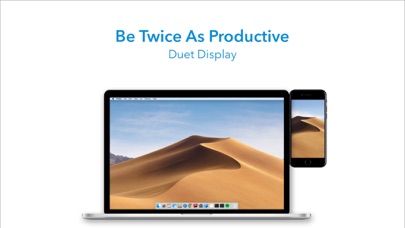
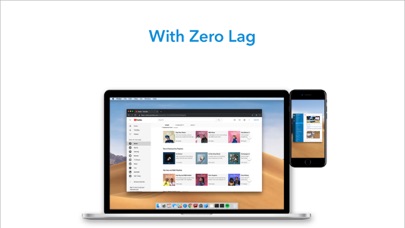
Duet turns your iPad or iPhone into the most advanced extra display for your Mac & PC. Developed by a team of ex-Apple engineers, Duet offers unparalleled performance and display quality - all with zero lag.
— DO MORE —
Be twice as productive by multitasking with two screens. And for those that travel, have a portable way to stay productive.
— INCREDIBLY SIMPLE —
To get started, plug your iPad into your desktop using your charging cable. The free Duet desktop app will automatically detect your device, and transform it into a high performance touchscreen display.
There’s no need to worry about unreliable Wi-Fi, laggy performance, pixelated screens or managing network passwords.
— TOUCHSCREEN —
Interact with Mac & PC like never before, with touch & gestures, including two-finger scrolling, pan and zoom.
And with our latest release, you can even add a touch bar to any iPad with any Mac.
— PERFECT FOR APPLE PENCIL —
With Duet Pro, you can turn your iPad and Apple Pencil into a professional graphics tablet. We’ve re-engineered our rendering algorithms for ultra-responsive drawing, optimized specifically for designers, illustrators and artists.
Duet Pro also unlocks pressure & tilt sensitivity, hover, palm rejection, and more to seamlessly draw in the most powerful programs for professionals. Get precise control in Photoshop, Corel Painter, Lightroom, ToonBoom, Illustrator, Manga Studio and more.
— PRESS —
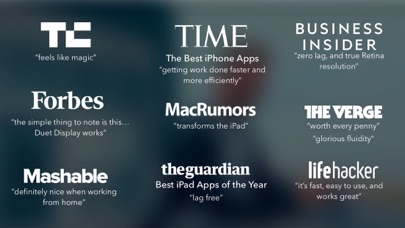
TechCrunch - "Feels Like Magic"
TIME - "Getting Work Done Faster and More Efficiently"
The Guardian - "Lag-free"
Forbes - "The simple thing to note is this...Duet Display works."
The Verge - "Glorious Fluidity"
Lifehacker - "It's fast, easy to use, and works great"
Business Insider - "Zero lag and true retina resolution”
Wall Street Journal - “It’s as easy as just plugging it in"
— REVIEWS —
“Awesome! My iPad Pro can be an extra monitor! Cool app”
~CEO of T-Mobile, John Legere
“Very smooth and responsive indeed, plus you could use the touch screen to “click” on screen interfaces!”
~Photographer, Lok Cheung
“Love the ability to use my iPad as a monitor with Duet.”
~Former Chief Evangelist of Apple, Guy Kawasaki
“Just started using this app called Duet… Kinda love it so far.”
~Comedian and Youtube, Phillip DeFranco
“All my mac folks look at the Duet app… GREAT!”
~Actor and Comedian, Sinbad
"I really like the app, I suppose the biggest compliment I can give is that it's so easy to setup it almost seems like an Apple product.”
~Early Adopter, M. Nightingale
"Amazing solution for me by the way. Works as I was hoping for and actually my main reason for getting an iPad : )”
~Early Adopter, M. Gemzoe
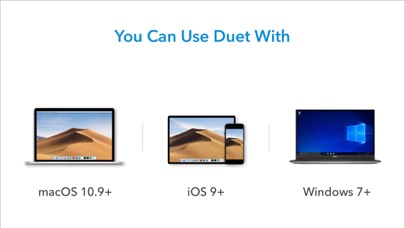
Duet Works With:
All iPhones and iPads with iOS 7.0 and later
All Macs with 10.9 (Mavericks) and later
All PCs with Windows 7 and later
Duet Pro Works With:
All iPad Pros with Apple Pencil
All Macs with 10.9 (Mavericks) and later
All PCs with Windows 8.1 and later (64 bit)
Duet Pro is an optional upgrade for additional features, and price may vary by location. Duet Pro subscriptions will be charged to your credit card through your iTunes account. Your subscription will automatically renew unless canceled at least 24 hours before the end of the current period. You will not be able to cancel the subscription once activated. Manage Duet Pro in Account Settings after the optional upgrade.
Learn more at http://www.duetdisplay.com
Terms: https://www.duetdisplay.com/help-center/duet-terms-and-conditions
Privacy Policy: https://www.duetdisplay.com/help-center/duet-privacy-policy
- iPhone หรือ iPad ที่ไม่ได้เจลเบรก/ไม่ได้เจลเบรก หรือเจลเบรกแล้ว
- Sideloadly หรือทางเลือกอื่น
- คอมพิวเตอร์ที่ใช้ Windows/macOS/Linux และติดตั้ง iTunes ไว้
ขั้นตอนที่ 1: ดาวน์โหลดไฟล์ .IPA ที่แฮกไว้ล่วงหน้าจากลิงก์ด้านบนลงในคอมพิวเตอร์ของคุณ หากต้องการดาวน์โหลดจากแอป iOSGods โปรดดู วิธีดาวน์โหลด IPA ในแอป iOSGods ซึ่งมีตัวอย่างวิดีโอประกอบ
ขั้นตอนที่ 2: ดาวน์โหลด Sideloadly แล้วติดตั้งบน Windows หรือ Mac ของคุณ
ขั้นตอนที่ 3: เปิด Sideloadly บนคอมพิวเตอร์ เชื่อมต่ออุปกรณ์ iOS แล้วรอจนกว่าชื่ออุปกรณ์ของคุณจะปรากฏใน Sideloadly
ขั้นตอนที่ 4: เมื่อ iDevice ของคุณถูกตรวจพบแล้ว ให้ลากไฟล์ .IPA ที่ม็อดมาวางลงในโปรแกรม Sideloadly
ขั้นตอนที่ 5: กรอกอีเมล Apple Account ของคุณ จากนั้นกด "Start" ระบบจะถามรหัสผ่าน กรอกข้อมูลที่จำเป็นให้เรียบร้อย
ขั้นตอนที่ 6: รอจนกว่า Sideloadly จะ sideload/ติดตั้งไฟล์ IPA ที่แฮกเสร็จ หากเกิดปัญหาระหว่างติดตั้ง โปรดอ่านหมายเหตุด้านล่าง
ขั้นตอนที่ 7: เมื่อการติดตั้งเสร็จสิ้นและเห็นแอปบนหน้าจอหลักแล้ว ให้ไปที่ การตั้งค่า → ทั่วไป → โปรไฟล์ / VPN และการจัดการอุปกรณ์ จากนั้นแตะที่อีเมลที่คุณกรอกในขั้นตอนที่ 6 แล้วแตะ "เชื่อถือ [email protected]"
ขั้นตอนที่ 8: จากนั้นไปที่หน้าจอหลักและเปิดแอปที่ติดตั้งใหม่ ทุกอย่างควรทำงานได้ปกติ คุณอาจต้องทำตามคำแนะนำเพิ่มเติมเฉพาะแอปในป๊อปอัปของม็อดในเกม
หมายเหตุ: สำหรับ iOS/iPadOS 16 ขึ้นไป คุณต้อง เปิดโหมดนักพัฒนา (Developer Mode) สำหรับบัญชี Apple Developer แบบฟรี คุณต้องทำขั้นตอนนี้ซ้ำทุก 7 วัน หากมีคำถามหรือพบปัญหา โปรดอ่าน หัวข้อ FAQ ของ Sideloadly ในกระทู้