تسجيل الدخول مطلوب
سجّل الدخول بحساب iOSGods للمتابعة.
Hack Features:
- PREMIUM
قم بتنزيل Typorama: Text on Photo Editor Modded modded IPA من الروابط أعلاه. اضغط على زر التثبيت واتبع التعليمات لتثبيت هذا التعديل لـ iOS على iPhone أو iPad أو Apple Silicon.
هل تحتاج إلى مزيد من المساعدة؟ راجع الأسئلة الشائعة لتطبيق iOSGods للحصول على إجابات مفصلة ونصائح لاستكشاف الأخطاء.

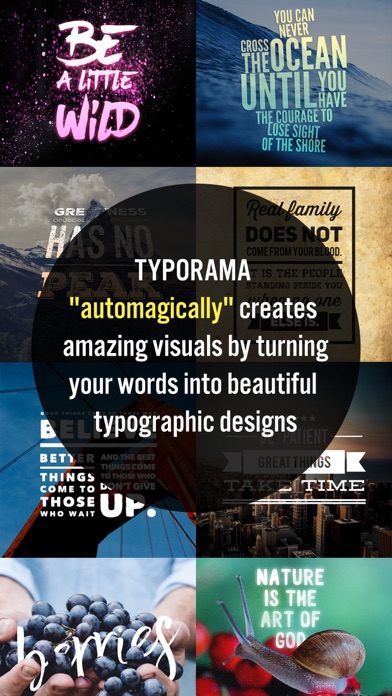
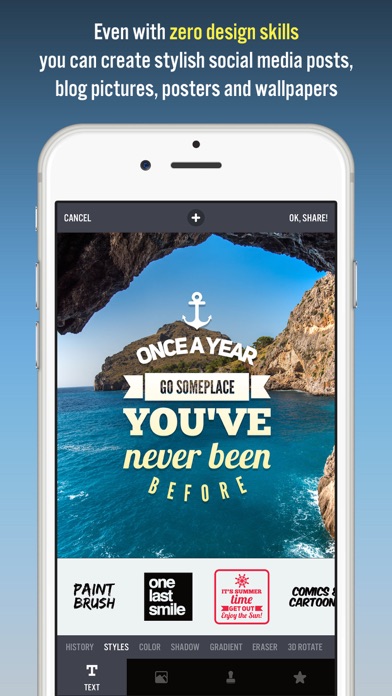
Typorama lets you create amazing visuals by "automagically" transforming your text and photos into beautiful typographic designs. No design skills needed!
Just choose a background, type in your words and your creative typography is ready!
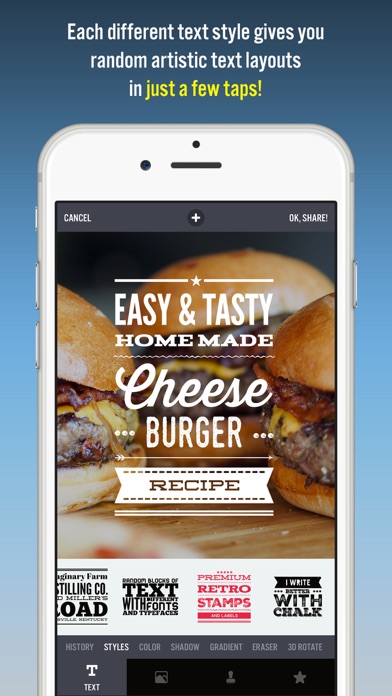
Typorama saves you tons of work by automatically creating complex text layouts with different fonts and typefaces. By just a few taps, you instantly get your text beautifully laid out on a background of your choice. This would take hours if you were using Photoshop or a similar photo editor. (The text designs are not templates and they are generated randomly as you choose different styles).
Use Typorama to:
- Make beautiful typographic text layouts
- Create Instagram, Facebook, Twitter posts with stylish text designs
- Create flyers and posters for your events or organization
- Make headers for your blog or wallpapers for your iPhone
- Promote your brand online or turn your designs into physical goods and sell for profits, full commercial use with all included images and fonts allowed!
- Enrich your family photos adding creative text styles and share your love
Features:
- More than 50 different, randomly generating typographic text styles
- More than a hundred different fonts and typefaces from the world's top designers
- Badges, ribbons, curved text and artistic ornaments enriching your designs
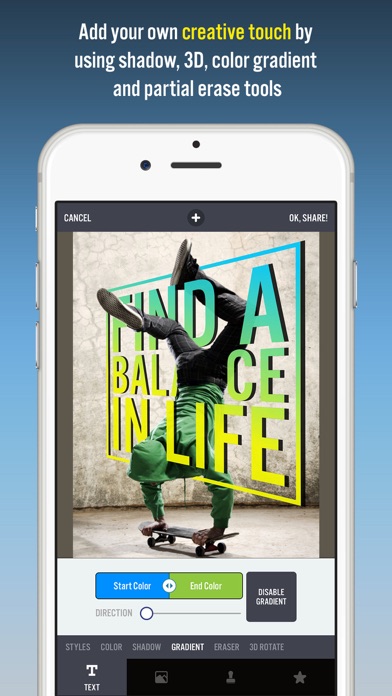
- Ability to 3D distort, apply gradient colors, shadows to your text
- Ability to gradually delete parts of text, useful for placing your text designs behind other elements in your photos
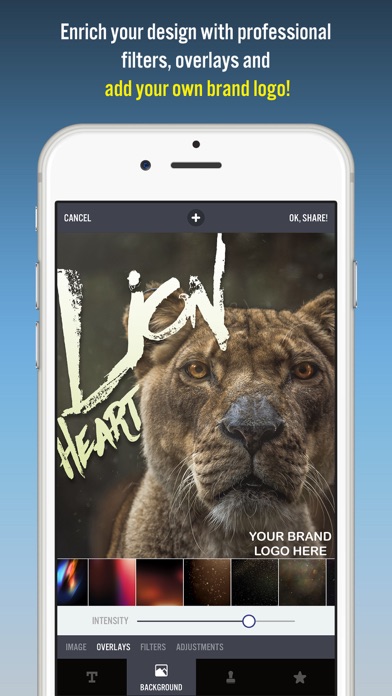
- Professional photo filters, overlays and adjustment tools to polish your photo backgrounds
- Hundreds of pre-installed quotes to inspire you
- Fun color combinations for your words
- Thousands of ready-to-use stock photography from Pixabay and Unsplash
- 2048 x 2048 high resolution super crisp output
- Advanced crop options to create the perfect size pictures for social media posts, wallpapers, posters, flyers and postcards.
- Ability to design your own watermark / logo and add it to your creations. Once you add it, it automatically gets added to all of your future creations, great for promoting your brand on social media!
- Easily share your creation on your favorite social networks or send it to your friends via instant messengers
- Use your designs commercially for promoting your brand online or via printed posters, flyers or any kind of physical products you like.
Typorama is featured as:
- "Best New App and Best Apps of April 2015" by Apple
- "Best Apps of the Week" by the TIME magazine
- "Honorable App of the Week" by AppAdvice
Got a suggestion to make or running into bugs? Contact us at [email protected], we'll get back to you in 24 hours!
We're excited to see how you'll be using Typorama!
====================
Typorama PRO Upgrade FAQ
With Typorama PRO you'll have unlimited access to all the premium content and features.
Payment will be charged to iTunes Account at confirmation of purchase. Your subscription automatically renews unless auto-renew is turned off at least 24-hours before the end of the current period. Your account will be charged for renewal within 24-hours prior to the end of the current period with the same cost you've started your subscription.
To cancel or manage your subscription, navigate to manage your Apple ID in your device's settings. Sign in to the iTunes / App Store, tap Typorama, and turn off the automatic renewal for the subscription. Disabling the automatic renewal must be done 24-hours before the end of the subscription period to avoid being charged. Due to Apple’s policy, immediate cancellation of subscriptions isn’t possible.
To restore your upgrade to Typorama PRO on a new device, go to the INFO screen, tap the “Restore Previous Purchases” option and your subscription / previous purchases will become active free of charge.
More info: http://www.apperto.com/typorama/faq/
Privacy policy: http://www.apperto.com/privacy/
- iPhone أو iPad بجيلبريك أو بدون جيلبريك.
- Sideloadly أو بدائلها.
- كمبيوتر يعمل بنظام Windows/macOS/Linux مع تثبيت iTunes.
الخطوة 1: قم بتنزيل ملف .IPA المعدّل مسبقًا من الرابط أعلاه إلى الكمبيوتر الخاص بك. للتنزيل من تطبيق iOSGods App، اطلع على دليل تنزيل IPA من تطبيق iOSGods App الذي يتضمن مثالًا بالفيديو.
الخطوة 2: قم بتنزيل Sideloadly وتثبيته على جهاز Windows أو Mac.
الخطوة 3: افتح Sideloadly على الكمبيوتر، ووصّل جهاز iOS الخاص بك، وانتظر حتى يظهر اسم جهازك داخل Sideloadly.
الخطوة 4: بمجرد التعرّف على جهاز iDevice الخاص بك، اسحب ملف .IPA المعدّل الذي قمت بتنزيله وأفلِته داخل تطبيق Sideloadly.
الخطوة 5: أدخل البريد الإلكتروني لحساب Apple Account الخاص بك، ثم اضغط على «Start». سيُطلب منك بعد ذلك إدخال كلمة المرور. تابع وأدخل المعلومات المطلوبة.
الخطوة 6: انتظر حتى ينتهي Sideloadly من تحميل/تثبيت ملف IPA المعدّل. في حال واجهت أي مشاكل أثناء التثبيت، يرجى قراءة الملاحظة أدناه.
الخطوة 7: بعد اكتمال التثبيت ورؤية التطبيق على الشاشة الرئيسية، انتقل إلى Settings → General → Profiles / VPN & Device Management. ثم اضغط على البريد الإلكتروني الذي أدخلته في الخطوة 6، ثم اضغط على «الوثوق بـ [email protected]».
الخطوة 8: الآن انتقل إلى الشاشة الرئيسية وافتح التطبيق الذي تم تثبيته للتو وسيعمل كل شيء بشكل صحيح. قد تحتاج إلى اتباع تعليمات إضافية خاصة بكل تطبيق داخل النافذة المنبثقة للتعديل أثناء اللعب.
ملاحظة: بدءًا من iOS/iPadOS 16 وما بعده، يجب تفعيل وضع المطور (Developer Mode). بالنسبة لحسابات Apple Developer المجانية، ستحتاج إلى تكرار هذه العملية كل 7 أيام. إذا كانت لديك أي أسئلة أو مشاكل، يرجى قراءة قسم الأسئلة الشائعة حول Sideloadly في الموضوع.