Потрібен вхід
Увійдіть у свій обліковий запис iOSGods, щоб продовжити.

Hack Features:
- PREMIUM
Цей застосунок постачається з iGameGod, який надає доступ до Auto Touch для автоматизації повторюваних дій, App Speed Manager для регулювання швидкості гри, редагування значень за допомогою Memory Engine та інших потужних інструментів для iOS-ігор.
Завантажте Typorama: Text on Photo Editor Modded modded IPA за посиланнями вище. Натисніть кнопку встановлення та дотримуйтесь інструкцій, щоб встановити цей хак iOS на iPhone, iPad або Apple Silicon.
Потрібна додаткова допомога? Перегляньте наш Поширені запитання про застосунок iOSGods для детальних відповідей та порад з усунення несправностей.
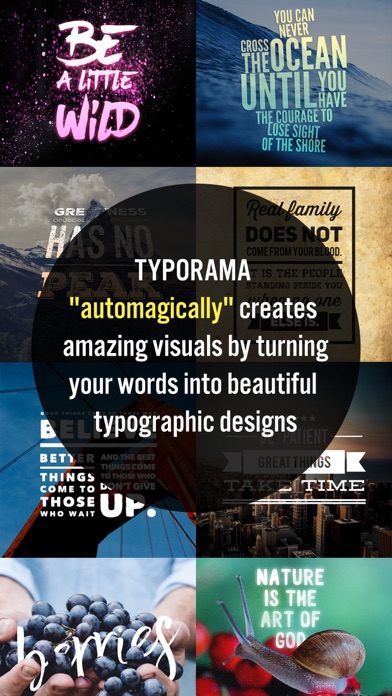
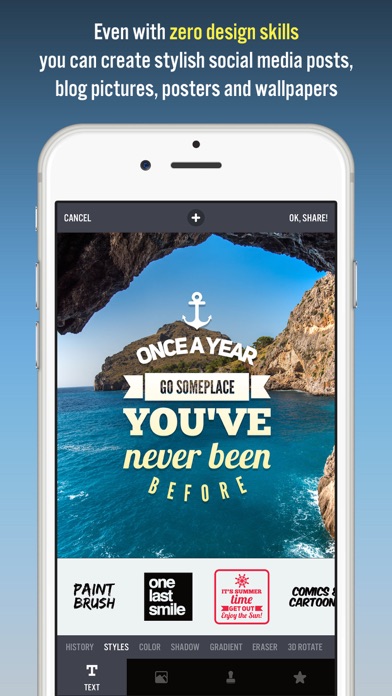
Typorama lets you create amazing visuals by "automagically" transforming your text and photos into beautiful typographic designs. No design skills needed!
Just choose a background, type in your words and your creative typography is ready!
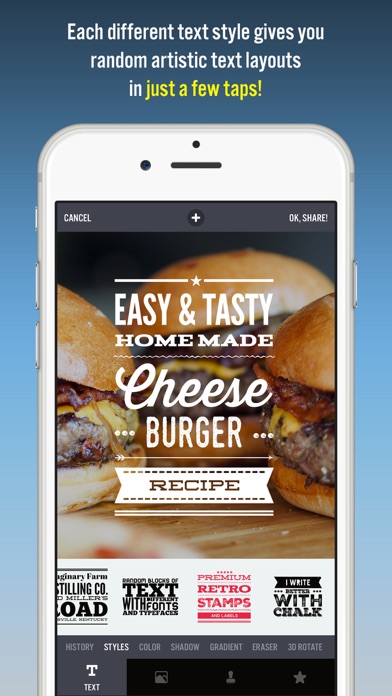
Typorama saves you tons of work by automatically creating complex text layouts with different fonts and typefaces. By just a few taps, you instantly get your text beautifully laid out on a background of your choice. This would take hours if you were using Photoshop or a similar photo editor. (The text designs are not templates and they are generated randomly as you choose different styles).
Use Typorama to:
- Make beautiful typographic text layouts
- Create Instagram, Facebook, Twitter posts with stylish text designs
- Create flyers and posters for your events or organization
- Make headers for your blog or wallpapers for your iPhone
- Promote your brand online or turn your designs into physical goods and sell for profits, full commercial use with all included images and fonts allowed!
- Enrich your family photos adding creative text styles and share your love
Features:
- More than 50 different, randomly generating typographic text styles
- More than a hundred different fonts and typefaces from the world's top designers
- Badges, ribbons, curved text and artistic ornaments enriching your designs
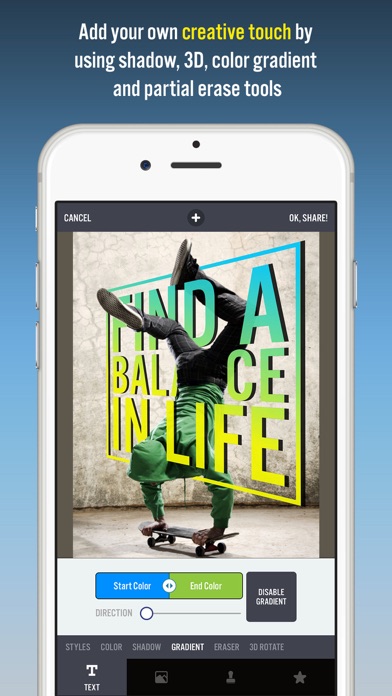
- Ability to 3D distort, apply gradient colors, shadows to your text
- Ability to gradually delete parts of text, useful for placing your text designs behind other elements in your photos
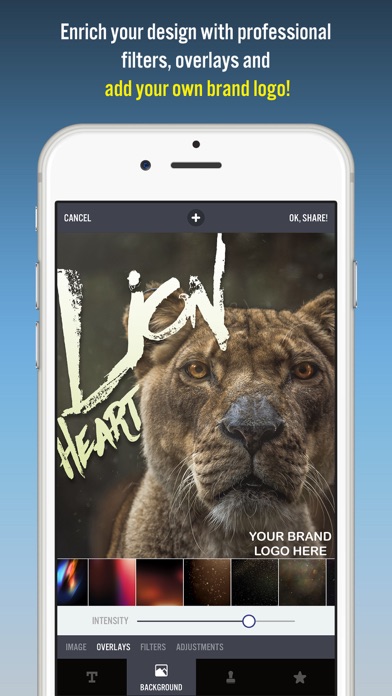
- Professional photo filters, overlays and adjustment tools to polish your photo backgrounds
- Hundreds of pre-installed quotes to inspire you
- Fun color combinations for your words
- Thousands of ready-to-use stock photography from Pixabay and Unsplash
- 2048 x 2048 high resolution super crisp output
- Advanced crop options to create the perfect size pictures for social media posts, wallpapers, posters, flyers and postcards.
- Ability to design your own watermark / logo and add it to your creations. Once you add it, it automatically gets added to all of your future creations, great for promoting your brand on social media!
- Easily share your creation on your favorite social networks or send it to your friends via instant messengers
- Use your designs commercially for promoting your brand online or via printed posters, flyers or any kind of physical products you like.
Typorama is featured as:
- "Best New App and Best Apps of April 2015" by Apple
- "Best Apps of the Week" by the TIME magazine
- "Honorable App of the Week" by AppAdvice
Got a suggestion to make or running into bugs? Contact us at [email protected], we'll get back to you in 24 hours!
We're excited to see how you'll be using Typorama!
====================
Typorama PRO Upgrade FAQ
With Typorama PRO you'll have unlimited access to all the premium content and features.
Payment will be charged to iTunes Account at confirmation of purchase. Your subscription automatically renews unless auto-renew is turned off at least 24-hours before the end of the current period. Your account will be charged for renewal within 24-hours prior to the end of the current period with the same cost you've started your subscription.
To cancel or manage your subscription, navigate to manage your Apple ID in your device's settings. Sign in to the iTunes / App Store, tap Typorama, and turn off the automatic renewal for the subscription. Disabling the automatic renewal must be done 24-hours before the end of the subscription period to avoid being charged. Due to Apple’s policy, immediate cancellation of subscriptions isn’t possible.
To restore your upgrade to Typorama PRO on a new device, go to the INFO screen, tap the “Restore Previous Purchases” option and your subscription / previous purchases will become active free of charge.
More info: http://www.apperto.com/typorama/faq/
Privacy policy: http://www.apperto.com/privacy/
- iPhone або iPad без джейлбрейку/у заводському стані або з джейлбрейком.
- Sideloadly або альтернативи.
- Комп'ютер під керуванням Windows/macOS/Linux із встановленим iTunes.
КРОК 1: Завантажте попередньо зламаний .IPA-файл за посиланням вище на свій комп'ютер. Щоб завантажити з iOSGods App, перегляньте наш Посібник із завантаження IPA в iOSGods App, який містить відеоприклад.
КРОК 2: Завантажте Sideloadly і встановіть його на своєму Windows або Mac.
КРОК 3: Відкрийте Sideloadly на комп'ютері, підключіть свій iOS-пристрій і зачекайте, поки назва пристрою з'явиться у Sideloadly.
КРОК 4: Коли ваш iDevice буде розпізнано, перетягніть завантажений модифікований .IPA-файл і відпустіть його в застосунок Sideloadly.
КРОК 5: Введіть електронну пошту вашого Apple Account, потім натисніть «Start». Після цього вас попросять ввести пароль. Введіть необхідні дані.
КРОК 6: Зачекайте, доки Sideloadly завершить sideload/встановлення зламаного IPA. Якщо під час встановлення виникнуть проблеми, прочитайте примітку нижче.
КРОК 7: Коли встановлення завершено й ви побачите застосунок на головному екрані, перейдіть до Налаштування → Загальні → Профілі / VPN і керування пристроєм. Там натисніть на електронну пошту, яку ви ввели на кроці 6, а потім натисніть «Довіряти [email protected]».
КРОК 8: Тепер перейдіть на головний екран і відкрийте щойно встановлений застосунок — усе має працювати належним чином. Можливо, доведеться виконати додаткові інструкції для конкретного застосунку в спливаючому вікні хака в грі.
ПРИМІТКА: У iOS/iPadOS 16 і пізніших версіях потрібно увімкнути режим розробника. Для безкоштовних облікових записів Apple Developer цей процес доведеться повторювати кожні 7 днів. Якщо у вас є запитання або проблеми, прочитайте наш розділ FAQ зі Sideloadly у темі.