需要登入
請使用您的 iOSGods 帳戶登入以繼續。
請使用您的 iOSGods 帳戶登入以繼續。
使用 Typorama 建立令人驚艷的排版設計,這款文字疊圖編輯器能在數秒內將您的文字和圖像轉換成精美的版面。此破解版 iOS 應用程式解鎖了高級功能,讓您無限制地存取所有字體、背景和設計工具。無需設計經驗,只需選擇背景、輸入文字,應用程式就會自動生成專業品質的排版。
- 高級版解鎖 → 存取所有字體、背景和設計功能
此應用程式也內建 iGameGod,讓你可以使用 Auto Touch 自動執行重複操作、透過 App Speed Manager 調整遊戲速度、使用 Memory Engine 修改記憶體數值,以及更多強大的 iOS 遊戲工具。
從上方連結下載 Typorama: Text on Photo Editor Modded modded IPA。點選安裝按鈕並依照畫面指示在 iPhone、iPad 或 Apple Silicon 上安裝此 iOS 應用程式修改版。
需要更多協助?請查看我們的 iOSGods 應用程式常見問題 以獲得詳細解答與疑難排解。
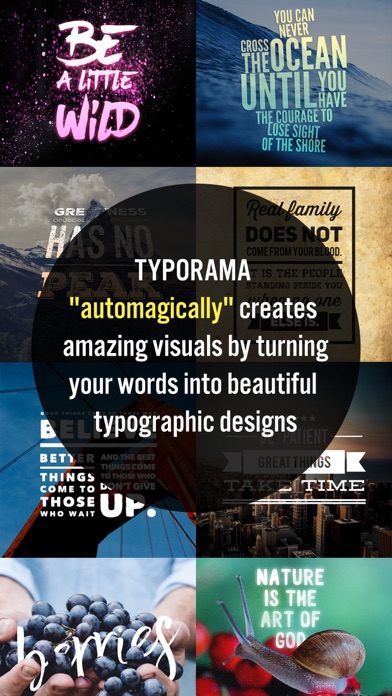
Typorama lets you create amazing visuals by "automagically" transforming your text and photos into beautiful typographic designs. No design skills needed!
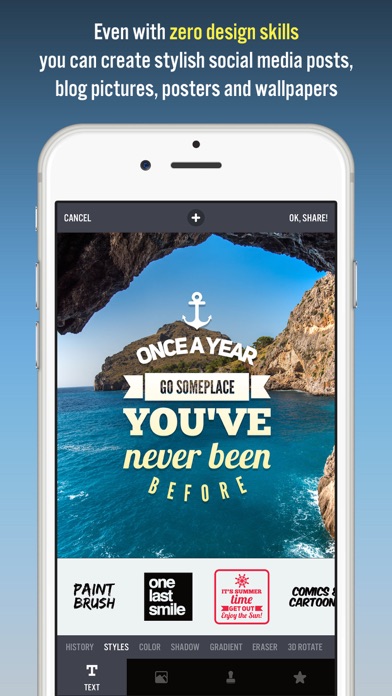
Just choose a background, type in your words and your creative typography is ready!
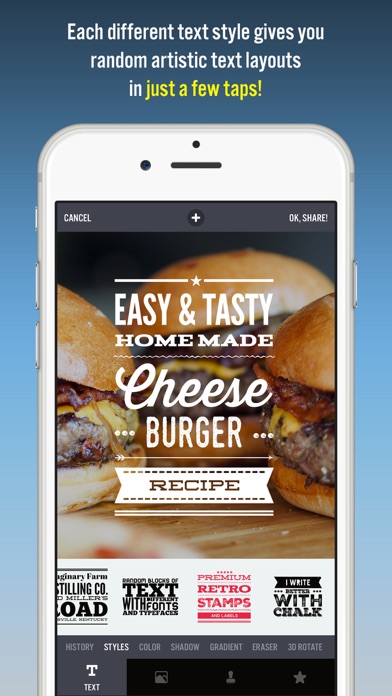
Typorama saves you tons of work by automatically creating complex text layouts with different fonts and typefaces. By just a few taps, you instantly get your text beautifully laid out on a background of your choice. This would take hours if you were using Photoshop or a similar photo editor. (The text designs are not templates and they are generated randomly as you choose different styles).
Use Typorama to:
- Make beautiful typographic text layouts
- Create Instagram, Facebook, Twitter posts with stylish text designs
- Create flyers and posters for your events or organization
- Make headers for your blog or wallpapers for your iPhone
- Promote your brand online or turn your designs into physical goods and sell for profits, full commercial use with all included images and fonts allowed!
- Enrich your family photos adding creative text styles and share your love
Features:
- More than 50 different, randomly generating typographic text styles
- More than a hundred different fonts and typefaces from the world's top designers
- Badges, ribbons, curved text and artistic ornaments enriching your designs
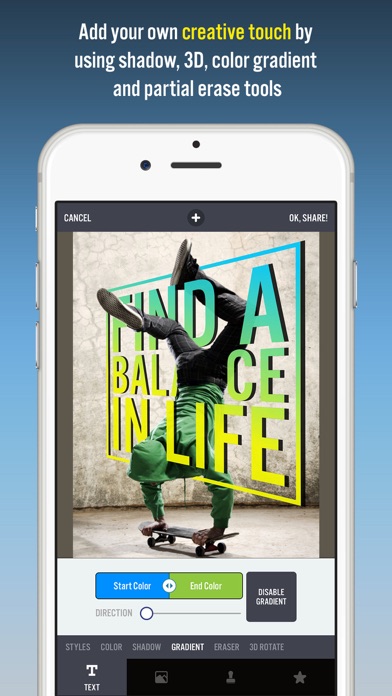
- Ability to 3D distort, apply gradient colors, shadows to your text
- Ability to gradually delete parts of text, useful for placing your text designs behind other elements in your photos
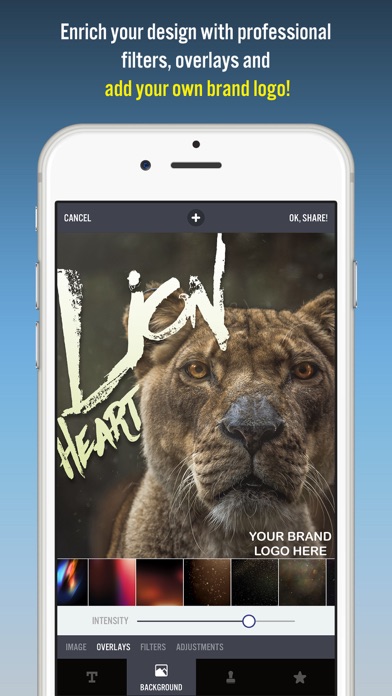
- Professional photo filters, overlays and adjustment tools to polish your photo backgrounds
- Hundreds of pre-installed quotes to inspire you
- Fun color combinations for your words
- Thousands of ready-to-use stock photography from Pixabay and Unsplash
- 2048 x 2048 high resolution super crisp output
- Advanced crop options to create the perfect size pictures for social media posts, wallpapers, posters, flyers and postcards.
- Ability to design your own watermark / logo and add it to your creations. Once you add it, it automatically gets added to all of your future creations, great for promoting your brand on social media!
- Easily share your creation on your favorite social networks or send it to your friends via instant messengers
- Use your designs commercially for promoting your brand online or via printed posters, flyers or any kind of physical products you like.
Typorama is featured as:
- "Best New App and Best Apps of April 2015" by Apple
- "Best Apps of the Week" by the TIME magazine
- "Honorable App of the Week" by AppAdvice
We're excited to see how you'll be using Typorama!
====================
Typorama PRO Upgrade FAQ
With Typorama PRO you'll have unlimited access to all the premium content and features.
Payment will be charged to iTunes Account at confirmation of purchase. Your subscription automatically renews unless auto-renew is turned off at least 24-hours before the end of the current period. Your account will be charged for renewal within 24-hours prior to the end of the current period with the same cost you've started your subscription.
To cancel or manage your subscription, navigate to manage your Apple ID in your device's settings. Sign in to the iTunes / App Store, tap Typorama, and turn off the automatic renewal for the subscription. Disabling the automatic renewal must be done 24-hours before the end of the subscription period to avoid being charged. Due to Apple’s policy, immediate cancellation of subscriptions isn’t possible.
To restore your upgrade to Typorama PRO on a new device, go to the INFO screen, tap the “Restore Previous Purchases” option and your subscription / previous purchases will become active free of charge.
More info: http://www.apperto.com/typorama/faq/
Privacy policy: http://www.apperto.com/privacy/
Terms of use: http://www.apperto.com/terms/

- 未越獄/受限或已越獄的 iPhone 或 iPad。
- Sideloadly 或替代方案。
- 執行 Windows/macOS/Linux 且已安裝 iTunes 的電腦。
步驟 1: 透過上方連結將已破解的 .IPA 檔案下載到您的電腦。若要從 iOSGods App 下載,請參閱我們的 iOSGods App IPA 下載教學,其中包含影片範例。
步驟 2: 下載 Sideloadly 並將其安裝在您的 Windows 或 Mac 上。
步驟 3: 在電腦上開啟 Sideloadly,連接您的 iOS 裝置,並等待裝置名稱出現在 Sideloadly 中。
步驟 4: 當 Sideloadly 辨識到您的 iOS 裝置後,將下載好的修改版 .IPA 檔案拖曳並放到 Sideloadly 應用程式中。
步驟 5: 輸入您的 Apple Account 電子郵件,然後按下「Start」。系統會要求您輸入密碼,請依指示提供所需資訊。
步驟 6: 等待 Sideloadly 完成已破解 IPA 的旁載/安裝。如果安裝過程中發生問題,請閱讀下方的注意事項。
步驟 7: 安裝完成並在主畫面上看到該應用程式後,您需要前往 設定 → 一般 → 描述檔 / VPN 與裝置管理。進入後,點選您在步驟 6 中輸入的電子郵件,然後點選「信任 [email protected]」。
步驟 8: 現在回到主畫面並開啟新安裝的應用程式,一切應該都能正常運作。您可能需要依照遊戲內破解彈出視窗中的進一步指示操作。
注意: 在 iOS/iPadOS 16 及更新版本上,您必須 啟用開發者模式。若使用免費的 Apple Developer 帳號,您將需要每 7 天重複此程序。如有任何疑問或問題,請閱讀我們的 主題中的 Sideloadly 常見問題區段。