Требуется вход
Войдите в учётную запись iOSGods, чтобы продолжить.
Hack Features:
- Unlock All Levels (iAP Content)
Скачайте PJ Masks: Moonlight Heroes Hack modded IPA по ссылкам выше. Нажмите кнопку установки и следуйте инструкциям, чтобы установить этот хак iOS на iPhone, iPad или Mac с Apple Silicon.
Нужна помощь? Посмотрите наши Часто задаваемые вопросы по приложению iOSGods, чтобы получить подробные ответы и советы по устранению неполадок.
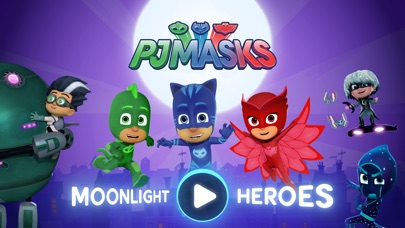
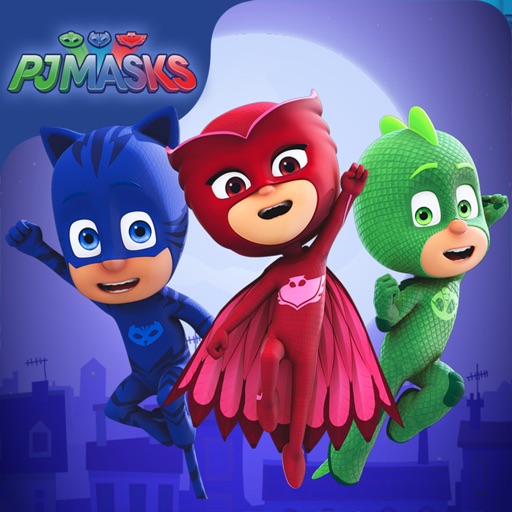
Catboy, Gekko and Owlette are on a night-time adventure in this PJ Masks game app.
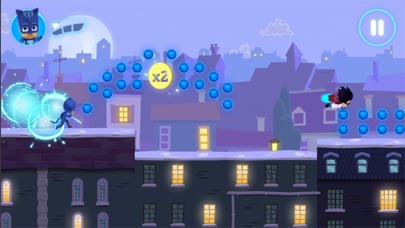
Choose your favorite hero character to play with and journey across the moonlit rooftops, and through the night, collecting as many orbs as you can. But beware of those pesky villains, they’re up to mischief again!
The PJ Masks are on their way, into the night to save the day!
FEATURES
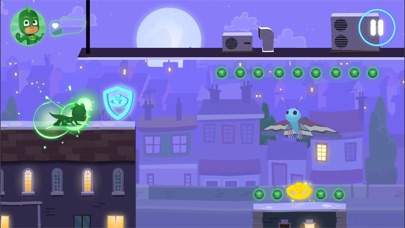
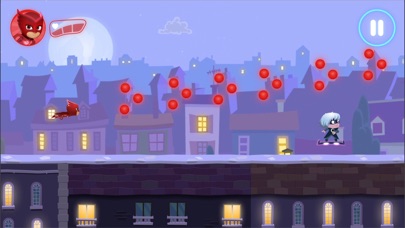
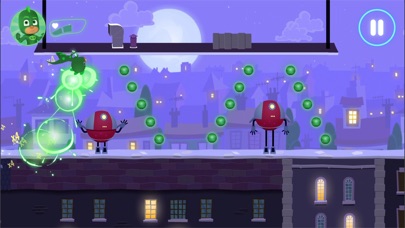
• Collectable orbs - collect orbs to add to your final score.
• Gold amulets - pick up gold amulets along the way to boost your final score. Make sure to keep your eyes out for them as they’re hard to find!
• Hazards - dodge the obstacles the villains are throwing in their way!
CHARACTER POWER UPS
Collect the coloured amulets and trigger the heroes’ super powers:
• Catboy – ability to jump higher
• Owlette – ability to see hidden orbs
• Gekko – ability to smash through obstacles
UPGRADE
The app has 21 levels that are free to play, but additional content can be bought via an in-app purchase. Unlock and get the following:
• 30 new levels
• 3 bonus levels featuring the villains
• New power ups
• Hidden areas
SAFE AND AD-FREE
Trusted by millions of families across the globe, the PJ Masks: Moonlight Heroes gives parents peace of mind with:
• Age-appropriate content tailored for preschoolers
• A safe and secure environment - NO ads!
• Parental gate to stop your little ones making unauthorised purchases
PJ MASKS
PJ Masks has become a firm favorite with families all around the world. Together the trio of heroes, Catboy, Owlette and Gekko embark on action packed adventures, solving mysteries and learning valuable lessons along the way. Watch out night-time baddies – the PJ Masks are on their way, into the night to save the day!
ABOUT Entertainment One
Entertainment One (eOne) is a market leader in the creation, distribution and marketing of award-winning kids content that connects with families around the world. Inspiring smiles with the world's most beloved characters, from Peppa Pig to PJ Masks, eOne takes vibrant brands all the way from screens to stores.
SUPPORT
• We currently support iOS 8.0 and up
• For best performance, we recommend iPad Air and above, or iPhone 6 / SE and above
• Please note: This app is not compatible with the iPad 1
CONTACT US
Feedback or questions? We'd love to hear from you.
Email us at [email protected]
MORE INFORMATION
Privacy Policy: http://pjmasks.co.uk/grown-ups/privacy-policy
Terms of Use: http://pjmasks.co.uk/grown-ups/terms-and-conditions
More Information: http://pjmasks.co.uk/grown-ups/apps/general-app-support
- iPhone или iPad без джейлбрейка/в обычном режиме или с джейлбрейком.
- Sideloadly или альтернативы.
- Компьютер с Windows/macOS/Linux и установленным iTunes.
ШАГ 1: Скачайте предварительно взломанный файл .IPA по ссылке выше на свой компьютер. Чтобы скачать его из приложения iOSGods, посмотрите наш Туториал по скачиванию IPA в приложении iOSGods, в котором есть видеопример.
ШАГ 2: Скачайте Sideloadly и установите его на Windows или Mac.
ШАГ 3: Откройте Sideloadly на компьютере, подключите iOS-устройство и дождитесь, пока его имя появится в Sideloadly.
ШАГ 4: Когда устройство будет распознано, перетащите скачанный модифицированный файл .IPA в окно Sideloadly.
ШАГ 5: Введите адрес электронной почты вашего Apple Account, затем нажмите «Start». После этого вас попросят ввести пароль. Укажите необходимые данные.
ШАГ 6: Дождитесь, пока Sideloadly завершит sideload/установку взломанного IPA. При возникновении проблем во время установки ознакомьтесь с примечанием ниже.
ШАГ 7: После завершения установки и появления приложения на главном экране перейдите в Настройки → Основные → Профили / VPN и управление устройством. Там нажмите на email, который вы ввели на шаге 6, а затем нажмите «Доверять [email protected]».
ШАГ 8: Теперь перейдите на главный экран и откройте установленное приложение — всё должно работать. Возможно, потребуется выполнить дополнительные инструкции в попапе мода внутри игры.
ПРИМЕЧАНИЕ: На iOS/iPadOS 16 и новее необходимо включить режим разработчика. Для бесплатных учётных записей Apple Developer этот процесс нужно повторять каждые 7 дней. Если возникнут вопросы или проблемы, ознакомьтесь с нашим разделом FAQ по Sideloadly в теме.