تسجيل الدخول مطلوب
سجّل الدخول بحساب iOSGods للمتابعة.
سجّل الدخول بحساب iOSGods للمتابعة.
Hack Features:
- Unlock All Levels (iAP Content)
يأتي هذا التطبيق أيضًا مع iGameGod، مما يتيح لك الوصول إلى Auto Touch لأتمتة المهام المتكررة، وApp Speed Manager لضبط سرعة اللعب، وتعديل القيم عبر Memory Engine، والمزيد من أدوات ألعاب iOS القوية.
قم بتنزيل PJ Masks: Moonlight Heroes Hack modded IPA من الروابط أعلاه. اضغط على زر التثبيت واتبع التعليمات لتثبيت هذا التعديل لـ iOS على iPhone أو iPad أو Apple Silicon.
هل تحتاج إلى مزيد من المساعدة؟ راجع الأسئلة الشائعة لتطبيق iOSGods للحصول على إجابات مفصلة ونصائح لاستكشاف الأخطاء.
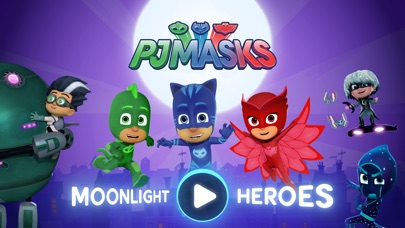
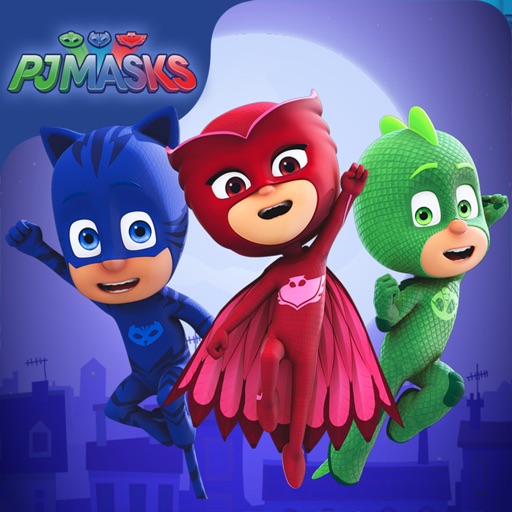
Catboy, Gekko and Owlette are on a night-time adventure in this PJ Masks game app.
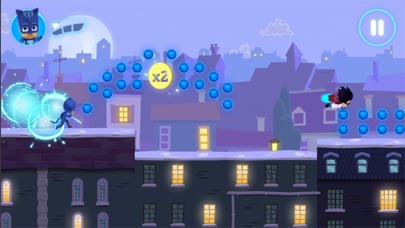
Choose your favourite hero character to play with and journey across the moonlit rooftops, and through the night, collecting as many orbs as you can. But beware of those pesky villains, they’re up to mischief again!
The PJ Masks are on their way, into the night to save the day!
FEATURES
• The app has 21 levels that are free to play, and additional content can be bought via the Shop in the app.
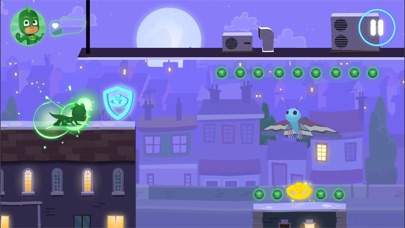
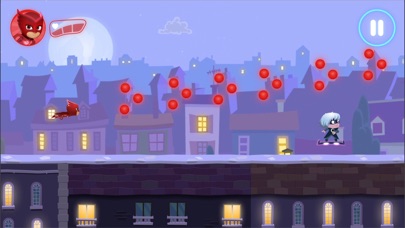
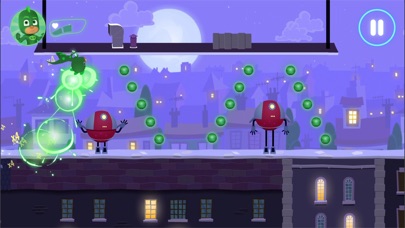
• Collectable orbs - collect orbs to add to your final score.
• Gold amulets - pick up gold amulets along the way to boost your final score. Make sure to keep your eyes out for them as they’re hard to find!
• Hazards - dodge the obstacles the villains are throwing in their way!
CHARACTER POWER UPS
Collect the coloured amulets and trigger the heroes’ super powers:
• Catboy – ability to jump higher
• Owlette – ability to see hidden orbs
• Gekko – ability to smash through obstacles
SAFE AND AD-FREE
Trusted by millions of families across the globe, the PJ Masks: Moonlight Heroes gives parents peace of mind with:
• Age-appropriate content tailored for preschoolers
• A safe and secure environment: NO ads!
• Parental gate to stop your little ones making unauthorized purchases
• COPPA compliant
• COPPA and kidSAFE certifications
PJ MASKS
PJ Masks is a big favourite with families all around the world. Together the trio of heroes – Catboy, Owlette, and Gekko – embark on action-packed adventures, solving mysteries and learning valuable lessons along the way. Watch out nighttime baddies – the PJ Masks are on their way, into the night to save the day!
ABOUT Entertainment One
Entertainment One (eOne) is a market leader in the creation, distribution, and marketing of award-winning kids' content that connects with families around the world. Inspiring smiles with the world's most beloved characters, from Peppa Pig to PJ Masks, eOne takes dynamic brands all the way from screens to stores.
NOTE TO PARENTS
* This game is free to play, but it contains items that can be purchased for real money. You can turn off this feature by disabling in-app purchases in your device’s settings."
SUPPORT
• We currently support iOS 9.0 and up
• For the best performance, we recommend iPad Air and above, or iPhone 6 / SE and above
CONTACT US
Feedback or questions? We'd love to hear from you.
Email us at [email protected]
MORE INFORMATION
Privacy Policy: http://scarybeasties.com/pjmasks-privacy-policy/
- iPhone أو iPad بجيلبريك أو بدون جيلبريك.
- Sideloadly أو بدائلها.
- كمبيوتر يعمل بنظام Windows/macOS/Linux مع تثبيت iTunes.
الخطوة 1: قم بتنزيل ملف .IPA المعدّل مسبقًا من الرابط أعلاه إلى الكمبيوتر الخاص بك. للتنزيل من تطبيق iOSGods App، اطلع على دليل تنزيل IPA من تطبيق iOSGods App الذي يتضمن مثالًا بالفيديو.
الخطوة 2: قم بتنزيل Sideloadly وتثبيته على جهاز Windows أو Mac.
الخطوة 3: افتح Sideloadly على الكمبيوتر، ووصّل جهاز iOS الخاص بك، وانتظر حتى يظهر اسم جهازك داخل Sideloadly.
الخطوة 4: بمجرد التعرّف على جهاز iDevice الخاص بك، اسحب ملف .IPA المعدّل الذي قمت بتنزيله وأفلِته داخل تطبيق Sideloadly.
الخطوة 5: أدخل البريد الإلكتروني لحساب Apple Account الخاص بك، ثم اضغط على «Start». سيُطلب منك بعد ذلك إدخال كلمة المرور. تابع وأدخل المعلومات المطلوبة.
الخطوة 6: انتظر حتى ينتهي Sideloadly من تحميل/تثبيت ملف IPA المعدّل. في حال واجهت أي مشاكل أثناء التثبيت، يرجى قراءة الملاحظة أدناه.
الخطوة 7: بعد اكتمال التثبيت ورؤية التطبيق على الشاشة الرئيسية، انتقل إلى Settings → General → Profiles / VPN & Device Management. ثم اضغط على البريد الإلكتروني الذي أدخلته في الخطوة 6، ثم اضغط على «الوثوق بـ [email protected]».
الخطوة 8: الآن انتقل إلى الشاشة الرئيسية وافتح التطبيق الذي تم تثبيته للتو وسيعمل كل شيء بشكل صحيح. قد تحتاج إلى اتباع تعليمات إضافية خاصة بكل تطبيق داخل النافذة المنبثقة للتعديل أثناء اللعب.
ملاحظة: بدءًا من iOS/iPadOS 16 وما بعده، يجب تفعيل وضع المطور (Developer Mode). بالنسبة لحسابات Apple Developer المجانية، ستحتاج إلى تكرار هذه العملية كل 7 أيام. إذا كانت لديك أي أسئلة أو مشاكل، يرجى قراءة قسم الأسئلة الشائعة حول Sideloadly في الموضوع.