Inicio de sesión requerido
Inicia sesión con tu cuenta de iOSGods para continuar.
Inicia sesión con tu cuenta de iOSGods para continuar.
Hack Features:
- Unlock All Levels (iAP Content)
Esta app también incluye iGameGod, que te ofrece acceso a Auto Touch para automatizar tareas repetitivas, App Speed Manager para ajustar la velocidad del juego, edición de valores con Memory Engine y más potentes herramientas para juegos de iOS.
Descarga PJ Masks: Moonlight Heroes Hack modded IPA desde los enlaces de arriba. Toca el botón de instalación y sigue las instrucciones para instalar este hack iOS en tu iPhone, iPad o Mac con Apple Silicon.
¿Necesitas más ayuda? Consulta nuestras Preguntas frecuentes de la app iOSGods para respuestas detalladas y consejos de solución de problemas.
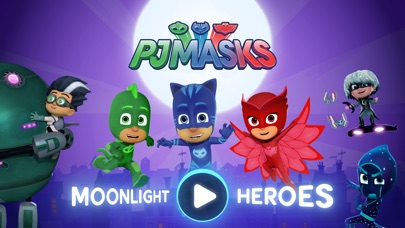
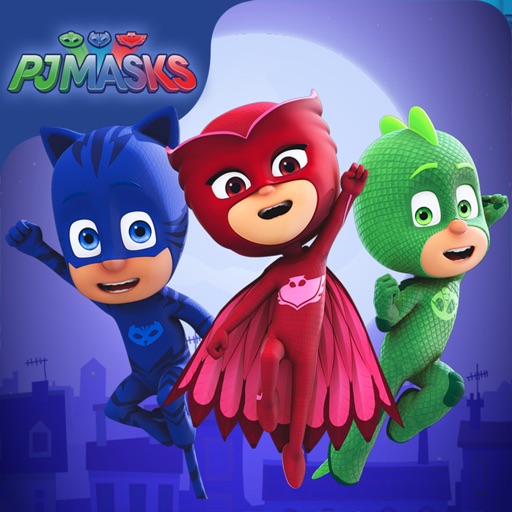
Catboy, Gecko y Ululette se embarcan en una aventura nocturna en la aplicación de PJ Masks.
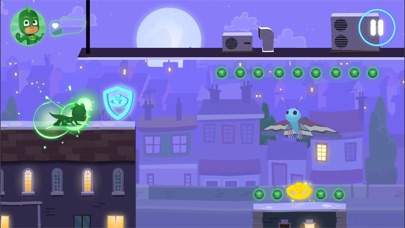
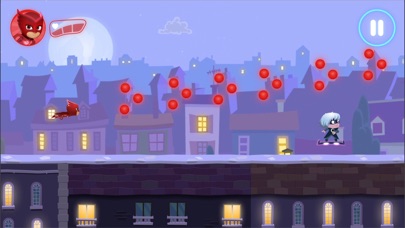
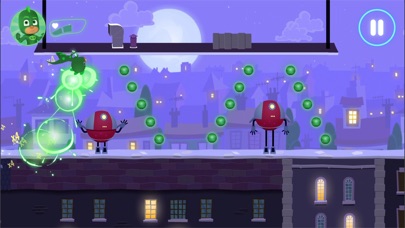
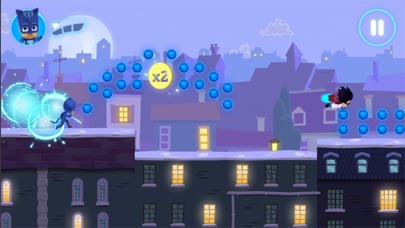
Elige a tu héroe preferido para jugar y viaja durante la noche por los tejados a la luz de la luna mientras recoges tantos orbes como puedas. Pero cuidado con esos molestos villanos, ¡están tramando nuevas travesuras!
¡Héroes en pijamas con valentía, durante la noche, a salvar el día!
CARACTERÍSTICAS
• La aplicación tiene 21 niveles gratis para jugar y se puede comprar contenido adicional a través de la Tienda dentro de la misma aplicación.
• Orbes coleccionables: recoge orbes para sumarlos a tu puntuación final.
• Amuletos de oro: recoge amuletos de oro en tu camino para aumentar tu puntuación final. ¡Asegúrate de mantener los ojos bien abiertos, ya que no son fáciles de encontrar!
• Peligros: ¡evita los obstáculos que los villanos lanzan a su paso!
POTENCIADORES DE LOS PERSONAJES
Recoge los amuletos de colores y activa los superpoderes de los héroes:
• Catboy: habilidad de saltar más alto
• Ululette: habilidad de ver orbes ocultos
• Gecko: habilidad de atravesar obstáculos
SEGURO Y SIN ANUNCIOS
Con la confianza de millones de familias de todo el mundo, PJ Masks: Héroes de la Luz de la Luna les ofrece tranquilidad con:
• Contenido adecuado y diseñado para niños de preescolar
• Un entorno seguro y protegido: ¡SIN anuncios!
• Portal parental para que los pequeños no realicen compras sin autorización
• Cumple con las normas de COPPA
• Certificaciones COPPA y kidSAFE
PJ MASKS
PJ Masks es uno de los grandes favoritos de las familias de todo el mundo. El trío de héroes, Catboy, Ululette, y Gecko, se lanzan en una aventura llena de acción, donde resuelven misterios y aprenden valiosas lecciones en el proceso. Cuidado, villanos de la noche: ¡Héroes en pijamas con valentía, durante la noche, a salvar el día!
ACERCA DE Entertainment One
Entertainment One (eOne) es uno de los líderes del mercado en la creación, distribución y comercialización de contenido galardonado para niños que conecta con las familias de todo el mundo. Inspirando sonrisas con los personajes más amados del mundo, desde Peppa Pig hasta PJ Masks, eOne lleva a las marcas más dinámicas desde la pantalla hacia los aparadores.
SOPORTE
• Actualmente, ofrecemos soporte para iOS 9.0 y superior
• Para el mejor rendimiento, recomendamos el uso de iPad Air y superior o iPhone 6 / SE y superior
CONTACTARNOS
CONTACTARNOS
¿Preguntas o comentarios? Nos gustaría mucho escucharte.
Envíanos un correo electrónico a [email protected]
MÁS INFORMACIÓN
Política de privacidad: http://scarybeasties.com/pjmasks-privacy-policy/
- iPhone o iPad con o sin Jailbreak.
- Sideloadly u otras alternativas.
- Ordenador con Windows/macOS/Linux e iTunes instalado.
PASO 1: Descargue el archivo .IPA pre-modificado desde el enlace de arriba a su ordenador. Para descargarlo desde la iOSGods App, consulte nuestro Tutorial de descarga del IPA desde la iOSGods App, que incluye un ejemplo en vídeo.
PASO 2: Descargue Sideloadly e instálelo en su Windows o Mac.
PASO 3: Abra Sideloadly en su ordenador, conecte su dispositivo iOS y espere hasta que el nombre del dispositivo aparezca en Sideloadly.
PASO 4: Una vez que su iDevice sea reconocido, arrastre el archivo .IPA modificado que descargó y suéltelo en la aplicación Sideloadly.
PASO 5: Introduzca el correo electrónico de su Apple Account y, a continuación, pulse «Start». Le pedirá que introduzca su contraseña. Proporcione la información solicitada.
PASO 6: Espere a que Sideloadly termine de hacer sideload/instalar el IPA modificado. Si surgen problemas durante la instalación, por favor lea la nota a continuación.
PASO 7: Una vez completada la instalación y al ver la app en la pantalla de inicio, deberá ir a Ajustes → General → Perfiles / VPN y Gestión de Dispositivos. Una vez allí, toque el correo electrónico que introdujo en el paso 6 y, después, toque en «Confiar en [email protected]».
PASO 8: Ahora vaya a la pantalla de inicio y abra la app recién instalada; todo debería funcionar correctamente. Es posible que tenga que seguir instrucciones adicionales específicas de cada app dentro del popup del hack en el juego.
NOTA: En iOS/iPadOS 16 y posteriores, debe activar el Modo Desarrollador. Para cuentas gratuitas de Apple Developer, deberá repetir este proceso cada 7 días. Si tiene alguna pregunta o problema, lea nuestra sección de Preguntas Frecuentes de Sideloadly del tema.