Login Diperlukan
Masuk dengan akun iOSGods kamu untuk melanjutkan.
Hack Features:
- Unlock All Levels (iAP Content)
Unduh PJ Masks: Moonlight Heroes Hack modded IPA dari tautan di atas. Ketuk tombol pasang dan ikuti petunjuk di layar untuk memasang hack iOS ini di iPhone, iPad, atau Apple Silicon.
Butuh bantuan lebih lanjut? Lihat Pertanyaan yang Sering Diajukan untuk Aplikasi iOSGods kami untuk jawaban dan tips lengkap.
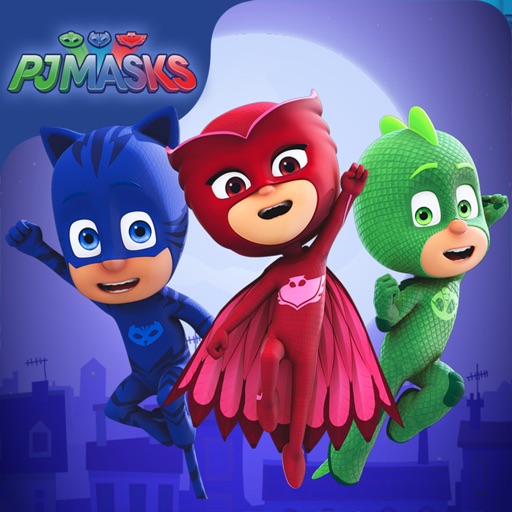
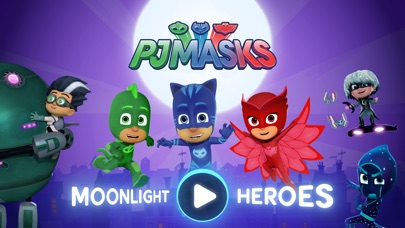
Catboy, Gekko and Owlette are on a night-time adventure in this PJ Masks game app.
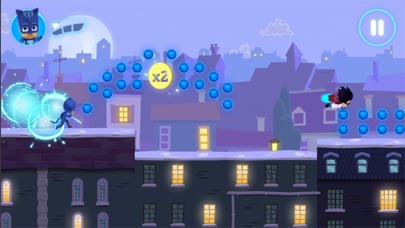
Choose your favorite hero character to play with and journey across the moonlit rooftops, and through the night, collecting as many orbs as you can. But beware of those pesky villains, they’re up to mischief again!
The PJ Masks are on their way, into the night to save the day!
FEATURES
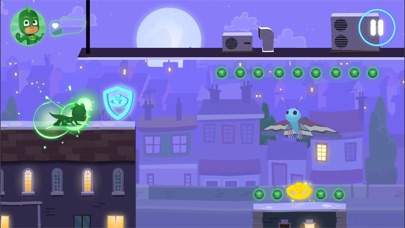
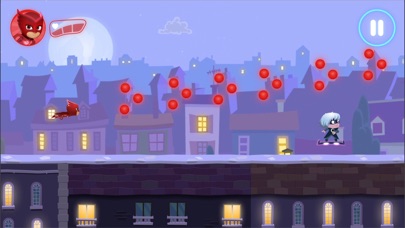
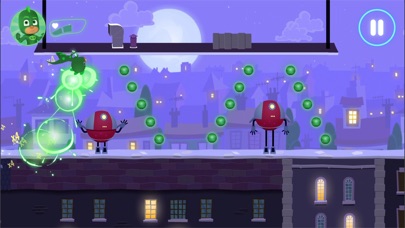
• Collectable orbs - collect orbs to add to your final score.
• Gold amulets - pick up gold amulets along the way to boost your final score. Make sure to keep your eyes out for them as they’re hard to find!
• Hazards - dodge the obstacles the villains are throwing in their way!
CHARACTER POWER UPS
Collect the coloured amulets and trigger the heroes’ super powers:
• Catboy – ability to jump higher
• Owlette – ability to see hidden orbs
• Gekko – ability to smash through obstacles
UPGRADE
The app has 21 levels that are free to play, but additional content can be bought via an in-app purchase. Unlock and get the following:
• 30 new levels
• 3 bonus levels featuring the villains
• New power ups
• Hidden areas
SAFE AND AD-FREE
Trusted by millions of families across the globe, the PJ Masks: Moonlight Heroes gives parents peace of mind with:
• Age-appropriate content tailored for preschoolers
• A safe and secure environment - NO ads!
• Parental gate to stop your little ones making unauthorised purchases
PJ MASKS
PJ Masks has become a firm favorite with families all around the world. Together the trio of heroes, Catboy, Owlette and Gekko embark on action packed adventures, solving mysteries and learning valuable lessons along the way. Watch out night-time baddies – the PJ Masks are on their way, into the night to save the day!
ABOUT Entertainment One
Entertainment One (eOne) is a market leader in the creation, distribution and marketing of award-winning kids content that connects with families around the world. Inspiring smiles with the world's most beloved characters, from Peppa Pig to PJ Masks, eOne takes vibrant brands all the way from screens to stores.
SUPPORT
• We currently support iOS 8.0 and up
• For best performance, we recommend iPad Air and above, or iPhone 6 / SE and above
• Please note: This app is not compatible with the iPad 1
CONTACT US
Feedback or questions? We'd love to hear from you.
Email us at [email protected]
MORE INFORMATION
Privacy Policy: http://pjmasks.co.uk/grown-ups/privacy-policy
Terms of Use: http://pjmasks.co.uk/grown-ups/terms-and-conditions
More Information: http://pjmasks.co.uk/grown-ups/apps/general-app-support
- iPhone atau iPad tanpa Jailbreak atau dengan Jailbreak.
- Sideloadly atau alternatifnya.
- Komputer dengan Windows/macOS/Linux dan iTunes terpasang.
LANGKAH 1: Unduh file .IPA yang sudah di-hack dari tautan di atas ke komputer Anda. Untuk mengunduhnya dari iOSGods App, silakan lihat Tutorial Mengunduh IPA dari iOSGods App kami yang dilengkapi contoh video.
LANGKAH 2: Unduh Sideloadly dan pasang di Windows atau Mac Anda.
LANGKAH 3: Buka Sideloadly di komputer Anda, sambungkan perangkat iOS Anda, dan tunggu hingga nama perangkat Anda muncul di Sideloadly.
LANGKAH 4: Setelah iDevice Anda terdeteksi, seret file .IPA yang sudah dimodifikasi dan lepaskan ke dalam aplikasi Sideloadly.
LANGKAH 5: Masukkan email Apple Account Anda, lalu tekan "Start". Anda kemudian akan diminta memasukkan kata sandi. Silakan isi informasi yang diminta.
LANGKAH 6: Tunggu hingga Sideloadly selesai melakukan sideloading/pemasangan IPA yang di-hack. Jika terjadi masalah saat pemasangan, silakan baca catatan di bawah ini.
LANGKAH 7: Setelah pemasangan selesai dan Anda melihat aplikasi di Layar Beranda, Anda perlu masuk ke Pengaturan → Umum → Profil / VPN & Manajemen Perangkat. Setelah itu, ketuk email yang Anda masukkan pada langkah 6, lalu ketuk "Percayai [email protected]".
LANGKAH 8: Sekarang buka Layar Beranda dan jalankan aplikasi yang baru saja dipasang; semuanya seharusnya berjalan normal. Anda mungkin perlu mengikuti petunjuk tambahan per aplikasi yang muncul di popup hack di dalam game.
CATATAN: Pada iOS/iPadOS 16 dan yang lebih baru, Anda harus mengaktifkan Mode Pengembang. Untuk akun Apple Developer gratis, Anda perlu mengulangi proses ini setiap 7 hari. Jika Anda memiliki pertanyaan atau masalah, silakan baca bagian FAQ Sideloadly di topik tersebut kami.