Please note: The multi-cam feature shown at the Apple Keynote event is not yet available in FiLMiC Pro and will be coming soon.
FiLMiC Pro v6 is the most advanced cinema video camera for mobile. Ever. FiLMiC Pro has been enhanced with cutting-edge capabilities and the most responsive manual filming app available on iPhone and iPad
A multi-time iOS Video Camera App of the Year, FiLMiC Pro has been used in more high profile video projects by award winning directors than any other video app:
Unsane & High Flying Bird by Steven Soderbergh
Tangerine by Sean Baker
Detour by Michel Gondry
Snow Steam Iron by Zack Snyder
Three Minutes by Peter Chan
Olivia Wilde - No Love Like Yours
Claude Lelouch - The Best Years of a Life (Premiere Cannes 2019)
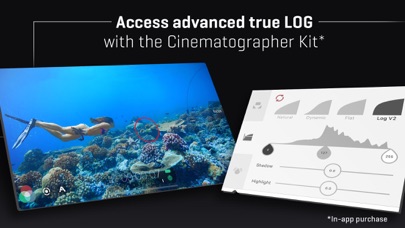
FiLMiC Pro provides filmmakers, newscasters, teachers, vloggers, artists and musicians with the capability to shoot in a true LOG gamma curve (included in the Cinematographer Kit optional in-app purchase). LOG V2 allows for greater tonal range and flexibility in post production by expanding dynamic range by up to 2.5 extra stops and setting the iPhone’s capabilities on par with camera equipment such as dslr costing thousands more. †
v6 Banner Features:
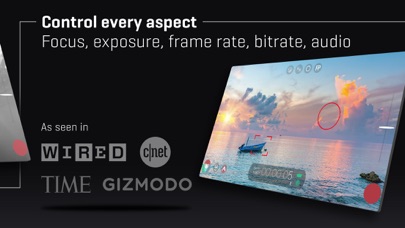
•Dual arc slider controls for manual focus and exposure adjustments.
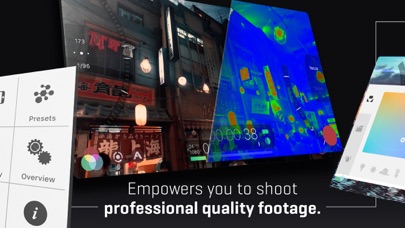
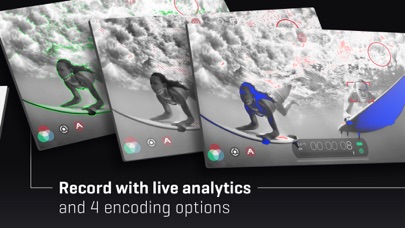
•Live analytics suite including Zebra Stripes, Clipping, False Color and Focus Peaking. (A8 processor or newer required).
• Ramped zoom rocker control.
• Waveform monitor including tri-mode histogram.
• White balance adjustment matrix with predefined and custom presets.
• Content Management System for project file naming.
• FiLMiC Sync integration to store preset data in the cloud and share between devices.
• Batch upload to supported share targets.
• Gamma curve controls for Natural, Dynamic, Flat and LOGv2. †
• Live shadow and highlight adjustments. †
• Live RGB, saturation and vibrance adjustments. †
(† Available as an optional purchase for iPhones with an A9 or newer processor and iPads with an A10X or newer processor. Limited to 30fps at 4k and 60fps at 1080p)
Foundation Features:
• Standard, manual and hybrid shooting modes. A shooting style for any skill level.
• Apple Watch support for remote start/stop and live video preview.
• Vertical and landscape shooting orientations.
• Variable speed zoom.
• Sync audio frame rates of 24, 25, 30, 48 50 and 60 fps.
• High speed frame rates of 60,120, 240 fps (hardware dependent).
• Slow and fast motion FX.
• Configurable time lapse recording.
• Tri-mode histogram, including waveform monitor. (A7 processor devices and newer)
• Downsampling to multiple size/resolutions.
• Customizable saved shooting presets.
• Aspect ratio framing guide overlays.
• Thirds guide for composition.
• Image stabilization.
• Support for FiLMiC Remote. FiLMiC Remote allows you to control an iOS device running FiLMiC Pro with a second device running FiLMiC Remote.
Full manual controls with pull capabilities for:
Exposure-ISO-Shutter Speed-Focus-Zoom
Up to a dozen different resolutions and aspect ratios including:
• HD Widescreen (16:9)
• Super 35 (2.39:1)
• Letterbox (2.20:1)
• Digital Cinema Initiative (17:9)
• Standard Definition (4:3)
• Ultra Panavision (2.76:1)
• Square (1:1)
Share your video through any iOS share-capable apps like: Facebook, DropBox, SanDisk iXpand, FTP
4 Flexible encoding options to balance between quality and file size:
• FiLMiC Extreme (offers up to 140Mbps encoding at 4K on latest gen devices)
• FiLMiC Quality
• Apple Standard
• Economy
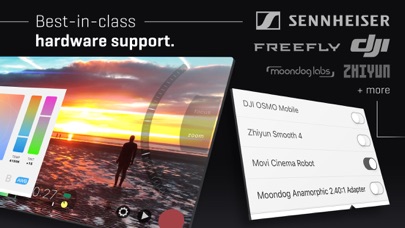
3rd Party Hardware Support:
• Moondog Labs Anamorphic Lens (2.40:1)
• 35mm lens adapters
• Horizontal image flip
• Zhiyun Smooth 4 gimbal
•Movi Cinema Robot gimbal
• WD Wireless Passport Pro
• DJI OSMO Mobile 1 & 2 gimbals
Advanced Audio Features:
• Multiple audio formats: AAC, AIFF or PCM
• 44.1 * 48kHz sample rates
• Headphone monitoring
• Dynamic audio meter
• Adjustable input gain
• Support for external microphone levels
***Not all features available on older devices.
iOS App Store에서 보기