Accesso richiesto
Accedi con il tuo account iOSGods per continuare.
Accedi con il tuo account iOSGods per continuare.

Ottieni registrazione video cinematografica premium senza pagamenti: FiLMiC Pro Mod IPA sblocca l'app completa a pagamento e il Cinematographer Kit gratuitamente, offrendoti controlli di ripresa manuale di livello professionale su iPhone o iPad. Questo hack avanzato di videocamera mobile per dispositivi iOS fornisce gli strumenti reattivi e ricchi di funzionalità utilizzati da registi pluripremiati in progetti cinematografici di alto profilo, completamente gratuiti.
- App a Pagamento Gratuita → versione premium completa sbloccata
- Acquisto Cinematographer Kit Gratuito → strumenti di ripresa professionale inclusi
Questa app include anche iGameGod, che ti offre accesso ad Auto Touch per automatizzare attività ripetitive, App Speed Manager per regolare la velocità di gioco, modifica dei valori con Memory Engine e altri potenti strumenti per giochi iOS.
Scarica FiLMiC Pro-Video Camera modded IPA dai link sopra. Tocca il pulsante di installazione e segui le istruzioni per installare questo hack iOS sul tuo iPhone, iPad o Mac con Apple Silicon.
Hai bisogno di altro aiuto? Consulta le nostre Domande frequenti sull'app iOSGods per risposte dettagliate e consigli per la risoluzione dei problemi.
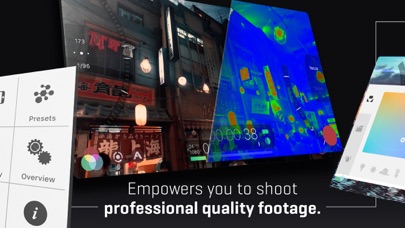
Filmic Pro v7 將您的移動設備轉變為專業的電影攝影機,讓您可以在智能手機或平板電腦上以最直觀的拍攝體驗拍攝最高質量的視頻。
作為一款屢獲殊榮的 iOS 攝像機應用程序,Filmic Pro 已被屢獲殊榮的電影製作人用於比任何其他應用程序更多的高端視頻項目:
• 愚蠢的愛 - Lady Gaga
• 橘子——肖恩·貝克
• Unsane & High Flying Bird - 史蒂文·索德伯格
• 繞道 - Michel Gondry
• 雪地蒸汽熨斗 - Zack Snyder
• Lose You to Love Me - 賽琳娜·戈麥斯
從頭開始重新設計的 Filmic Pro v7 為電影製作人、新聞播音員、教師、視頻博主和社交媒體內容創作者提供了最強大、最直觀的相機體驗,以及一整套先進但易於使用的功能。
| — V7 New Features — |
• Dedicated Focus/Exposure Mode selector, comprising three intuitive focus and exposure modes.
• Redesigned Manual Sliders for improved focus and exposure control:
— New Exposure/Zoom Slider provides discrete control over LV; ISO; shutter speed; and zoom.
— Improved pull points for automated rack focus and zoom moves.
• Quick Action Modals (QAMs) put key functionality at your fingertips front and center in the main interface, eliminating the need to dive into settings.
• Action Slider can be revealed to provide a real-time readout and control over key capture settings including ISO, shutter speed, white balance, and gamma curve. Tap a value to interact with its associated QAM for unrivalled control.
• Custom Function (Fn) Button now allows you to map one of dozens of available custom functions to the main UI, so your most used feature is only ever a tap away.
• Enhanced pro audio capabilities with support for 16/24-bit audio.
— — Headline Features — —
• ProRes Capture (Proxy; LT; 422; 422 HQ; 4444)*
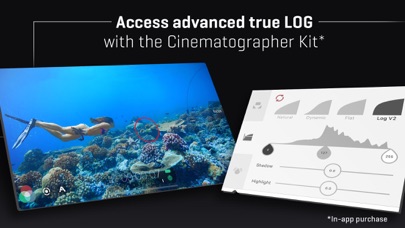
• Log and Flat gamma curves*
• Realtime Film Looks for cinematic results without the need for grading*
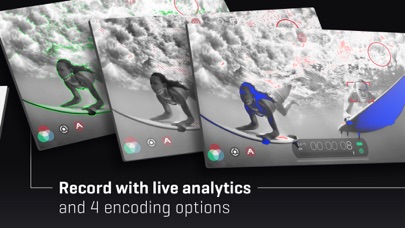
• Live Analytic suite including Zebras, False Color, Focus Peaking*
• Support for DolbyVision HDR, 10-bit SDR, and 8-bit HEVC and H264*
• Clean HDMI Out transforms your device into a pro level web cam
• Frame.io Camera to Cloud (C2C) support*
• Advanced Audio Controls for manual input gain, 16/24-bit audio, and uncompressed PCM
• CMS for industry standard clip naming conventions.
— Foundation Features —
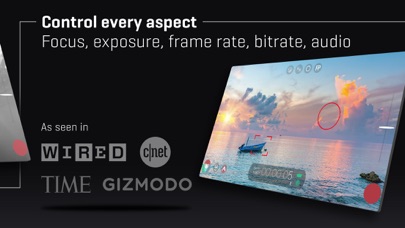
• Manual control over every capture parameter
• Apple Watch support for remote start/stop + video preview
• Vertical and landscape support
• Sync audio frame rates of 24/25/30/48/50/60 fps*
• High speed frame rates of 60/120/240fps*
• Slow and fast motion FX
• Time lapse mode
• Histogram and waveform
• Downsample to lower resolutions
• Capture presets synced to the cloud
• Framing guide overlays
• Image stabilization (standard/cinematic)*
• Support for Filmic Remote. Remote allows you to control an iOS device running Filmic Pro with a second device running Remote.
• 8 aspect ratios including Widescreen (16:9); Ultra Panavision (2.76:1); Square (1:1).
• 4 encoding options for H264/HEVC to balance quality and file size:
— Filmic Extreme
— Filmic Quality
— Apple Standard
— Economy
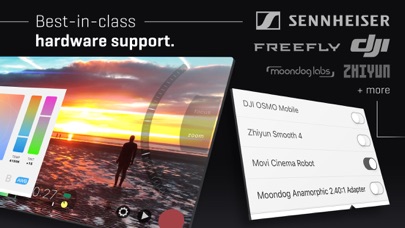
• 3rd Party Hardware Support
— 1.33x and 1.55x anamorphic desqueeze
— 35mm lens adapters
— Horizontal flip
• Supported Gimbals
— Zhiyun Q3/4 + Smooth 4/5
— DJI OSMO Mobile 1/2/3/4/5
• Advanced Audio Features:
— Pro audio formats; headphone monitoring; manual gain
* 功能是特定於硬件或配置的。 如果你想知道更多的信息,請訪問我們的網站。
訂閱信息
• 訂閱時長:每週、每年
• 確認購買後將立即收取款項
• 您的訂閱將自動續訂,除非您在當前訂閱期結束前至少 24 小時關閉自動續訂
• 取消訂閱時,您的訂閱將保持有效直到訂閱期結束。 自動續訂將被禁用,但當前訂閱將不予退還。
• 免費試用期的任何未使用部分(如果提供)將在購買訂閱時被沒收。
Terms of Service: https://support.bendingspoons.com/tos.html?app=436577167
- iPhone o iPad non jailbroken/jailed oppure jailbroken.
- Sideloadly o alternative.
- Computer con Windows/macOS/Linux con iTunes installato.
PASSO 1: Scarica il file .IPA pre-modificato dal link sopra sul tuo computer. Per scaricarlo dall'iOSGods App, consulta il nostro Tutorial download IPA dell'iOSGods App, che include un esempio video.
PASSO 2: Scarica Sideloadly e installalo sul tuo Windows o Mac.
PASSO 3: Apri Sideloadly sul tuo computer, collega il tuo dispositivo iOS e attendi finché il nome del dispositivo non appare in Sideloadly.
PASSO 4: Una volta riconosciuto il tuo iDevice, trascina il file .IPA moddato che hai scaricato e rilascialo nell'applicazione Sideloadly.
PASSO 5: Inserisci l'email del tuo Apple Account, poi premi “Start”. Ti verrà quindi chiesto di inserire la password. Procedi e fornisci le informazioni richieste.
PASSO 6: Attendi che Sideloadly completi il sideload/installazione dell'IPA modificata. Se ci sono problemi durante l'installazione, leggi la nota qui sotto.
PASSO 7: Una volta completata l'installazione e vista l'app sulla schermata Home, dovrai andare in Impostazioni → Generali → Profili / Gestione VPN e dispositivi. Una volta lì, tocca l'email inserita al passo 6 e poi tocca “Autorizza [email protected]”.
PASSO 8: Ora vai sulla schermata Home e apri l'app appena installata: tutto dovrebbe funzionare correttamente. Potrebbe essere necessario seguire ulteriori istruzioni specifiche all'interno del popup dell'hack nel gioco.
NOTA: Per iOS/iPadOS 16 e versioni successive, devi attivare la Modalità sviluppatore. Per gli account Apple Developer gratuiti, dovrai ripetere questa procedura ogni 7 giorni. Se hai domande o problemi, leggi la nostra sezione FAQ Sideloadly del topic.