Connexion requise
Connectez-vous avec votre compte iOSGods pour continuer.
Hack Features:
- PREMIUM
Cette app est livrée avec iGameGod, qui vous donne accès à Auto Touch pour automatiser les tâches répétitives, App Speed Manager pour ajuster la vitesse de jeu, à l'édition de valeurs avec Memory Engine, et à d'autres outils puissants pour les jeux iOS.
Téléchargez VideoShow Video Editor & Maker Modded modded IPA depuis les liens ci-dessus. Appuyez sur le bouton d'installation et suivez les instructions pour installer ce hack iOS sur votre iPhone, iPad ou Apple Silicon.
Besoin de plus d'aide ? Consultez notre FAQ de l'app iOSGods pour des réponses détaillées et des conseils de dépannage.
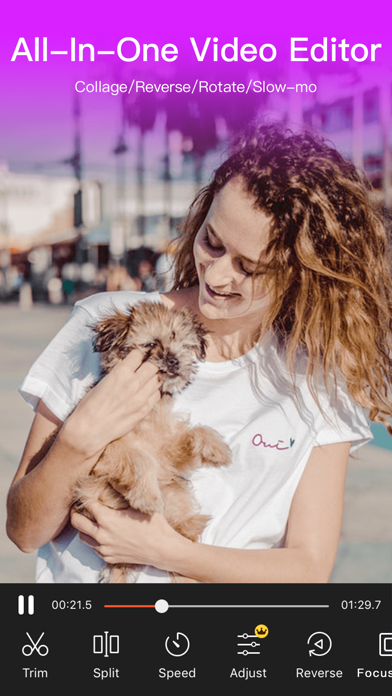
VideoShow is ranked as the No.1 video editor app in many countries. It’s the choice of 500 million users! We have received numerous honors in the app markets and have gained more than 4,000,000 five-star ratings. VideoShow offers powerful editing tools to help user edit video like a pro on the go.
Key Features:
• Professional Video Editing:
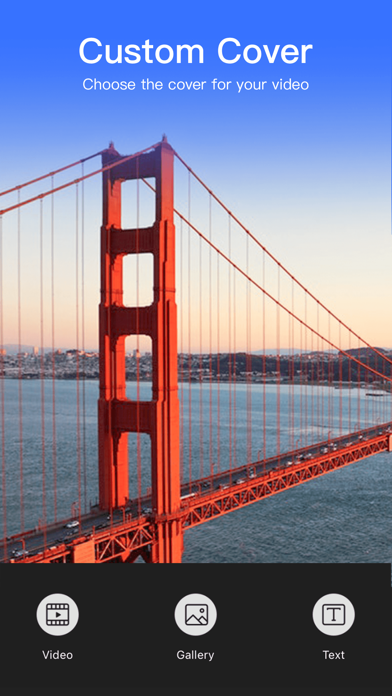
VideoShow makes it easy to cut/merge/trim/split/reverse/duplicate/rotate/convert/flip/dub/compress video. You can collage video and images from gallery, erase and change video background, use fast motion or slow motion. Advanced features like video overlay, PIP, custom cover, mosaic, scroll text help you create a super interesting piece of art.
• Popular Music:
Hundreds of fully licensed music are offered, you can also add local songs from your device. Extensive online catalogs and local music make your video fun and popular. You can even record and use your own voice to make the video cooler.

• Trendy Themes & Filters:
Themes, filters, after effects and beauty camera make you look fantastic in every photo and vlog. Help you grab attention and gain more followers and likes on social media
• Subtitles & Graffiti:
There’re variety of text styles/outline color/fonts/opacity for you to choose. You can change your voice in the video into robot/minions, or extract the audio from your own video. You can also doodle on the video and become a video star on social media.
• Share:
We provide 720P/1080P HD export with high quality and no duration limit. Support square theme and multiple aspect ratios. Sharing your video on Facebook, YouTube, Instagram, TikTok, Twitter. Record special moments like wedding, birthday, Valentine's Day, Halloween, Thanksgiving, Christmas...
[VideoShowVIP Subscription Service]
1. Subscribing to VideoShowVIP membership includes the following features: Watermark removal, HD video export support, scrolling subtitles, adjustable sound changes, long video GIF production, and all paid material/music/subtitle/theme/sticker privileges.
2.Length of subscription: Depending on your choice, VideoShow VIP offers a free trial (renewed on a monthly fee), an annual fee, and a permanent subscription. The price depends on the subscription package that you choose, and the subscription fee will be charged when you confirm your purchase. All paid features and content of VideoShow can be used unlimitedly during the membership period.
3. Payment will be charged to iTunes Account at confirmation of purchase.
4. Account will be charged for renewal within 24-hours prior to the end of the current period, and identify the cost of the renewal. Subscription automatically renews for the same price and duration period as the original"one month"/"one-year" package unless auto-renew is turned off at least 24-hours before the end of the current period. You may cancel a subscription during its free trial period via the subscription setting through your iTunes Account. This must be done 24-hours before the end of the subscription period to avoid being charged. You can go to your iTunes Account Settings any time to manage your subscriptions and turn off automatic renewals.No cancellation of the current subscription is allowed during an active subscription period.Please visit http://support.apple.com/kb/ht4098for more information
5. Any unused portion of a free trial period will be forfeited when the user purchases a VideoShow VIP Subscription.
6. All prices are subject to change without notification. We occasionally run promotion prices as incentives or limited time opportunities for qualifying purchases made during the promotional time period. Due to the time sensitive and promotional nature of these events, we are unable to offer price protection or retroactive discounts or refunds for previous purchases in the event of a price reduction or promotional offering.
7. Privacy Policy: http://www.enjoy-global.com/privacy.html
Terms of use: https://jinshuju.net/f/9Zh7KL
- iPhone ou iPad avec ou sans Jailbreak.
- Sideloadly ou alternatives.
- Ordinateur sous Windows/macOS/Linux avec iTunes installé.
ÉTAPE 1: Téléchargez le fichier .IPA pré-modifié depuis le lien ci-dessus sur votre ordinateur. Pour le télécharger depuis l'iOSGods App, consultez notre Tutoriel de téléchargement de l'IPA depuis l'iOSGods App qui comprend un exemple en vidéo.
ÉTAPE 2: Téléchargez Sideloadly et installez-le sur votre Windows ou Mac.
ÉTAPE 3: Ouvrez Sideloadly sur votre ordinateur, connectez votre appareil iOS et attendez que le nom de votre appareil apparaisse dans Sideloadly.
ÉTAPE 4: Une fois votre iDevice reconnu, glissez le fichier .IPA modifié que vous avez téléchargé et déposez-le dans l'application Sideloadly.
ÉTAPE 5: Saisissez l'adresse e-mail de votre Apple Account, puis appuyez sur « Start ». Il vous sera ensuite demandé d'entrer votre mot de passe. Fournissez les informations requises.
ÉTAPE 6: Attendez que Sideloadly termine le sideloading/l'installation de l'IPA modifié. En cas de problème durant l'installation, veuillez lire la remarque ci-dessous.
ÉTAPE 7: Une fois l'installation terminée et l'app visible sur votre écran d'accueil, vous devez aller dans Réglages → Général → Profils / VPN et gestion de l'appareil. Là, appuyez sur l'adresse e-mail saisie à l'étape 6, puis appuyez sur « Faire confiance à [email protected] ».
ÉTAPE 8: Allez maintenant sur votre écran d'accueil et ouvrez l'app nouvellement installée ; tout devrait fonctionner correctement. Vous devrez peut-être suivre des instructions supplémentaires propres à chaque app, dans la fenêtre du hack en jeu.
REMARQUE : À partir d'iOS/iPadOS 16, vous devez activer le mode Développeur. Pour les comptes Apple Developer gratuits, vous devrez répéter ce processus tous les 7 jours. Pour toute question ou problème, lisez notre section FAQ Sideloadly du sujet.