Inicio de sesión requerido
Inicia sesión con tu cuenta de iOSGods para continuar.

Descarga Papumba: Games for Kids 2-7 Modded modded IPA desde los enlaces de arriba. Toca el botón de instalación y sigue las instrucciones para instalar este hack iOS en tu iPhone, iPad o Mac con Apple Silicon.
¿Necesitas más ayuda? Consulta nuestras Preguntas frecuentes de la app iOSGods para respuestas detalladas y consejos de solución de problemas.
***#1 play-based preschool academy in 30+ countries***
***Tailored for kids aged 2 to 7***
Worried about the quality of your child's screen time?
Rest easy with Papumba.
Papumba features:
EDUCATOR CURATED, PLAY-BASED ACTIVITIES
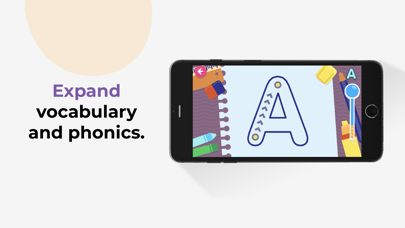
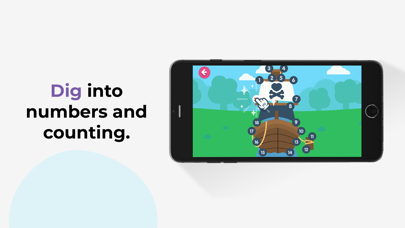
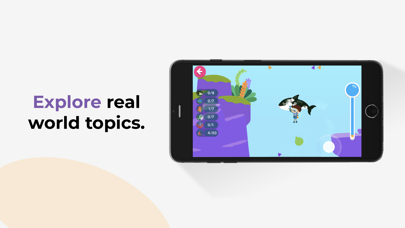
● 500+ interactive games and learning activities.
● Games designed around developmental milestones for ages 2–7.
● Endless hours of play-based learning to keep kids engaged.
PERSONALIZED LEARNING FOR EVERY CHILD
● Each activity adapts to your child's age and aptitude.
● Games are designed around key preschool curriculum milestones.
● Give your kids a head start in learning 21st-century STEAM skills.
AD-FREE, KID-SAFE SPACE
● Papumba’s online environment is 100% ad-free, private and safe online environment for kids.
● Kids learn at their own pace with no high stress or addictive gimmicks.
● Activities encourage independent play and critical thinking.
OFFLINE, FAMILY-FOCUSED FUN
● Downloadable activities: No Internet connection needed.
● Great tool for quality learning time during long trips and waits.
● Offline family-centered activities designed to let families join in the fun!
Start your free trial today to give your kids a head start in preschool and critical STEAM skills! Cancel any time during the trial period.
Subscription details:
- Papumba is a subscription app that gives your child access to thousands of developmentally appropriate games and activities approved by educators.
- Regular price: $5.99/month*.
- Cancel online any time—there is no cancellation fee.
- Payment will be charged to iTunes account upon confirmation of purchase.
- Use your subscription on any device registered with your Apple account.
- Subscription automatically renews unless auto-renew is turned off at least 24 hours before the end of the current period.
- Account will be charged for renewal within 24 hours prior to the end of the current period.The cost of the renewal will be identified as such.
- Subscriptions can be managed by the user. Automatic renewal can be turned off in the user's account settings after purchase.
- Cancellation will not go into effect until the end of the monthly billing cycle.
- Any unused portion of a free trial period, if offered, will be forfeited when the user purchases a subscription.
- Privacy policy: https://www.papumba.com/privacy/
- Terms And Conditions: https://www.papumba.com/terms/
*This fee is the U.S subscription cost. Fees vary by country.
Love Papumba?
Like us on Facebook: http://www.facebook.com/papumbagames
Follow us on Twitter: http://twitter.com/papumba_ok
Follow us on Instagram: https://www.instagram.com/papumba/
E-Mail: [email protected]
- iPhone o iPad con o sin Jailbreak.
- Sideloadly u otras alternativas.
- Ordenador con Windows/macOS/Linux e iTunes instalado.
PASO 1: Descargue el archivo .IPA pre-modificado desde el enlace de arriba a su ordenador. Para descargarlo desde la iOSGods App, consulte nuestro Tutorial de descarga del IPA desde la iOSGods App, que incluye un ejemplo en vídeo.
PASO 2: Descargue Sideloadly e instálelo en su Windows o Mac.
PASO 3: Abra Sideloadly en su ordenador, conecte su dispositivo iOS y espere hasta que el nombre del dispositivo aparezca en Sideloadly.
PASO 4: Una vez que su iDevice sea reconocido, arrastre el archivo .IPA modificado que descargó y suéltelo en la aplicación Sideloadly.
PASO 5: Introduzca el correo electrónico de su Apple Account y, a continuación, pulse «Start». Le pedirá que introduzca su contraseña. Proporcione la información solicitada.
PASO 6: Espere a que Sideloadly termine de hacer sideload/instalar el IPA modificado. Si surgen problemas durante la instalación, por favor lea la nota a continuación.
PASO 7: Una vez completada la instalación y al ver la app en la pantalla de inicio, deberá ir a Ajustes → General → Perfiles / VPN y Gestión de Dispositivos. Una vez allí, toque el correo electrónico que introdujo en el paso 6 y, después, toque en «Confiar en [email protected]».
PASO 8: Ahora vaya a la pantalla de inicio y abra la app recién instalada; todo debería funcionar correctamente. Es posible que tenga que seguir instrucciones adicionales específicas de cada app dentro del popup del hack en el juego.
NOTA: En iOS/iPadOS 16 y posteriores, debe activar el Modo Desarrollador. Para cuentas gratuitas de Apple Developer, deberá repetir este proceso cada 7 días. Si tiene alguna pregunta o problema, lea nuestra sección de Preguntas Frecuentes de Sideloadly del tema.