Login Diperlukan
Masuk dengan akun iOSGods kamu untuk melanjutkan.
Unduh Papumba: Games for Kids 2-7 Modded modded IPA dari tautan di atas. Ketuk tombol pasang dan ikuti petunjuk di layar untuk memasang hack iOS ini di iPhone, iPad, atau Apple Silicon.
Butuh bantuan lebih lanjut? Lihat Pertanyaan yang Sering Diajukan untuk Aplikasi iOSGods kami untuk jawaban dan tips lengkap.

***#1 play-based preschool academy in 30+ countries***
***Tailored for kids aged 2 to 7***
Worried about the quality of your child's screen time?
Rest easy with Papumba.
Papumba features:
EDUCATOR CURATED, PLAY-BASED ACTIVITIES
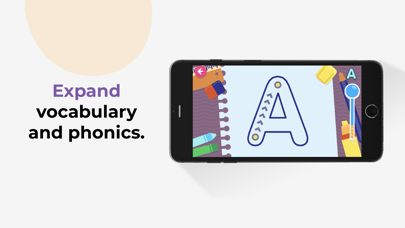
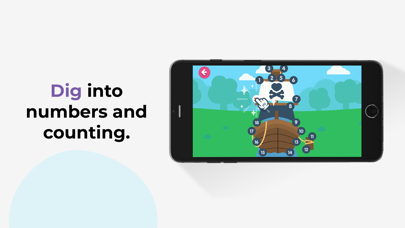
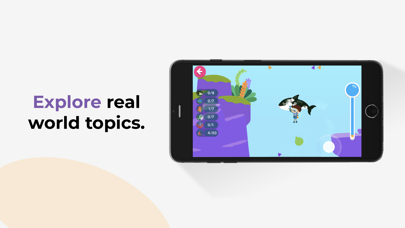
● 500+ interactive games and learning activities.
● Games designed around developmental milestones for ages 2–7.
● Endless hours of play-based learning to keep kids engaged.
PERSONALIZED LEARNING FOR EVERY CHILD
● Each activity adapts to your child's age and aptitude.
● Games are designed around key preschool curriculum milestones.
● Give your kids a head start in learning 21st-century STEAM skills.
AD-FREE, KID-SAFE SPACE
● Papumba’s online environment is 100% ad-free, private and safe online environment for kids.
● Kids learn at their own pace with no high stress or addictive gimmicks.
● Activities encourage independent play and critical thinking.
OFFLINE, FAMILY-FOCUSED FUN
● Downloadable activities: No Internet connection needed.
● Great tool for quality learning time during long trips and waits.
● Offline family-centered activities designed to let families join in the fun!
Start your free trial today to give your kids a head start in preschool and critical STEAM skills! Cancel any time during the trial period.
Subscription details:
- Papumba is a subscription app that gives your child access to thousands of developmentally appropriate games and activities approved by educators.
- Regular price: $5.99/month*.
- Cancel online any time—there is no cancellation fee.
- Payment will be charged to iTunes account upon confirmation of purchase.
- Use your subscription on any device registered with your Apple account.
- Subscription automatically renews unless auto-renew is turned off at least 24 hours before the end of the current period.
- Account will be charged for renewal within 24 hours prior to the end of the current period.The cost of the renewal will be identified as such.
- Subscriptions can be managed by the user. Automatic renewal can be turned off in the user's account settings after purchase.
- Cancellation will not go into effect until the end of the monthly billing cycle.
- Any unused portion of a free trial period, if offered, will be forfeited when the user purchases a subscription.
- Privacy policy: https://www.papumba.com/privacy/
- Terms And Conditions: https://www.papumba.com/terms/
*This fee is the U.S subscription cost. Fees vary by country.
Love Papumba?
Like us on Facebook: http://www.facebook.com/papumbagames
Follow us on Twitter: http://twitter.com/papumba_ok
Follow us on Instagram: https://www.instagram.com/papumba/
E-Mail: [email protected]
- iPhone atau iPad tanpa Jailbreak atau dengan Jailbreak.
- Sideloadly atau alternatifnya.
- Komputer dengan Windows/macOS/Linux dan iTunes terpasang.
LANGKAH 1: Unduh file .IPA yang sudah di-hack dari tautan di atas ke komputer Anda. Untuk mengunduhnya dari iOSGods App, silakan lihat Tutorial Mengunduh IPA dari iOSGods App kami yang dilengkapi contoh video.
LANGKAH 2: Unduh Sideloadly dan pasang di Windows atau Mac Anda.
LANGKAH 3: Buka Sideloadly di komputer Anda, sambungkan perangkat iOS Anda, dan tunggu hingga nama perangkat Anda muncul di Sideloadly.
LANGKAH 4: Setelah iDevice Anda terdeteksi, seret file .IPA yang sudah dimodifikasi dan lepaskan ke dalam aplikasi Sideloadly.
LANGKAH 5: Masukkan email Apple Account Anda, lalu tekan "Start". Anda kemudian akan diminta memasukkan kata sandi. Silakan isi informasi yang diminta.
LANGKAH 6: Tunggu hingga Sideloadly selesai melakukan sideloading/pemasangan IPA yang di-hack. Jika terjadi masalah saat pemasangan, silakan baca catatan di bawah ini.
LANGKAH 7: Setelah pemasangan selesai dan Anda melihat aplikasi di Layar Beranda, Anda perlu masuk ke Pengaturan → Umum → Profil / VPN & Manajemen Perangkat. Setelah itu, ketuk email yang Anda masukkan pada langkah 6, lalu ketuk "Percayai [email protected]".
LANGKAH 8: Sekarang buka Layar Beranda dan jalankan aplikasi yang baru saja dipasang; semuanya seharusnya berjalan normal. Anda mungkin perlu mengikuti petunjuk tambahan per aplikasi yang muncul di popup hack di dalam game.
CATATAN: Pada iOS/iPadOS 16 dan yang lebih baru, Anda harus mengaktifkan Mode Pengembang. Untuk akun Apple Developer gratis, Anda perlu mengulangi proses ini setiap 7 hari. Jika Anda memiliki pertanyaan atau masalah, silakan baca bagian FAQ Sideloadly di topik tersebut kami.