Anmeldung erforderlich
Melden Sie sich mit Ihrem iOSGods-Konto an, um fortzufahren.

Laden Sie Papumba: Games for Kids 2-7 Modded modded IPA über die obigen Links herunter. Tippen Sie auf den Installations-Button und folgen Sie den Anweisungen, um diese iOS-App auf Ihrem iPhone, iPad oder Apple Silicon zu installieren.
Brauchen Sie mehr Hilfe? In unseren iOSGods App häufig gestellten Fragen finden Sie ausführliche Antworten und Tipps zur Fehlerbehebung.
***#1 play-based preschool academy in 30+ countries***
***Tailored for kids aged 2 to 7***
Worried about the quality of your child's screen time?
Rest easy with Papumba.
Papumba features:
EDUCATOR CURATED, PLAY-BASED ACTIVITIES
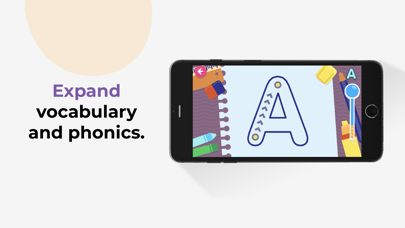
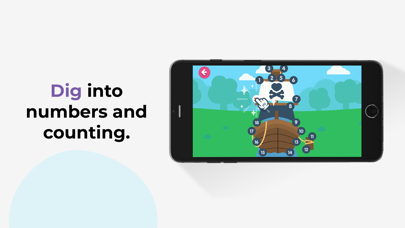
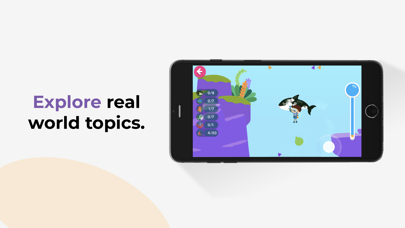
● 500+ interactive games and learning activities.
● Games designed around developmental milestones for ages 2–7.
● Endless hours of play-based learning to keep kids engaged.
PERSONALIZED LEARNING FOR EVERY CHILD
● Each activity adapts to your child's age and aptitude.
● Games are designed around key preschool curriculum milestones.
● Give your kids a head start in learning 21st-century STEAM skills.
AD-FREE, KID-SAFE SPACE
● Papumba’s online environment is 100% ad-free, private and safe online environment for kids.
● Kids learn at their own pace with no high stress or addictive gimmicks.
● Activities encourage independent play and critical thinking.
OFFLINE, FAMILY-FOCUSED FUN
● Downloadable activities: No Internet connection needed.
● Great tool for quality learning time during long trips and waits.
● Offline family-centered activities designed to let families join in the fun!
Start your free trial today to give your kids a head start in preschool and critical STEAM skills! Cancel any time during the trial period.
Subscription details:
- Papumba is a subscription app that gives your child access to thousands of developmentally appropriate games and activities approved by educators.
- Regular price: $5.99/month*.
- Cancel online any time—there is no cancellation fee.
- Payment will be charged to iTunes account upon confirmation of purchase.
- Use your subscription on any device registered with your Apple account.
- Subscription automatically renews unless auto-renew is turned off at least 24 hours before the end of the current period.
- Account will be charged for renewal within 24 hours prior to the end of the current period.The cost of the renewal will be identified as such.
- Subscriptions can be managed by the user. Automatic renewal can be turned off in the user's account settings after purchase.
- Cancellation will not go into effect until the end of the monthly billing cycle.
- Any unused portion of a free trial period, if offered, will be forfeited when the user purchases a subscription.
- Privacy policy: https://www.papumba.com/privacy/
- Terms And Conditions: https://www.papumba.com/terms/
*This fee is the U.S subscription cost. Fees vary by country.
Love Papumba?
Like us on Facebook: http://www.facebook.com/papumbagames
Follow us on Twitter: http://twitter.com/papumba_ok
Follow us on Instagram: https://www.instagram.com/papumba/
E-Mail: [email protected]
- Nicht-Jailbroken/Jailed oder Jailbroken iPhone oder iPad.
- Sideloadly oder Alternativen.
- Computer mit Windows/macOS/Linux und installiertem iTunes.
SCHRITT 1: Laden Sie die vorinstallierte .IPA-Datei über den obigen Link auf Ihren Computer herunter. Zum Herunterladen aus der iOSGods-App siehe unser iOSGods App IPA Download-Tutorial mit Videobeispiel.
SCHRITT 2: Laden Sie Sideloadly herunter und installieren Sie es auf Ihrem Windows oder Mac.
SCHRITT 3: Öffnen Sie Sideloadly auf Ihrem Computer, verbinden Sie Ihr iOS-Gerät und warten Sie, bis Ihr Gerätename in Sideloadly erscheint.
SCHRITT 4: Sobald Ihr iDevice erkannt wird, ziehen Sie die heruntergeladene gemoddete .IPA-Datei in die Sideloadly-Anwendung.
SCHRITT 5: Geben Sie Ihre Apple-Account-E-Mail ein und drücken Sie „Start". Sie werden dann nach Ihrem Passwort gefragt. Geben Sie die erforderlichen Informationen ein.
SCHRITT 6: Warten Sie, bis Sideloadly das Sideloading/Installieren der gehackten IPA abgeschlossen hat. Bei Problemen während der Installation lesen Sie bitte den Hinweis unten.
SCHRITT 7: Sobald die Installation abgeschlossen ist und die App auf Ihrem Home-Bildschirm angezeigt wird, müssen Sie zu Einstellungen → Allgemein → Profile / VPN & Geräteverwaltung gehen. Tippen Sie dort auf die E-Mail, die Sie in Schritt 6 eingegeben haben, und dann auf „Trust [email protected]".
SCHRITT 8: Gehen Sie nun zu Ihrem Home-Bildschirm und öffnen Sie die neu installierte App – alles sollte einwandfrei funktionieren. Möglicherweise müssen Sie weitere App-spezifische Anweisungen im Hack-Popup im Spiel befolgen.
HINWEIS: iOS/iPadOS 16 und höher: Sie müssen den Entwicklermodus aktivieren. Bei kostenlosen Apple Developer-Accounts müssen Sie diesen Vorgang alle 7 Tage wiederholen. Bei Fragen oder Problemen lesen Sie bitte unsere Sideloadly-FAQ-Sektion im Thema.