需要登入
請使用您的 iOSGods 帳戶登入以繼續。
Hack Features:
- PREMIUM
此應用程式內建 iGameGod,讓你可以使用 Auto Touch 自動執行重複操作、透過 App Speed Manager 調整遊戲速度、使用 Memory Engine 修改記憶體數值,以及更多強大的 iOS 遊戲工具。
從上方連結下載 Papumba: Games for Kids 2-7 Modded modded IPA。點選安裝按鈕並依照畫面指示在 iPhone、iPad 或 Apple Silicon 上安裝此 iOS 應用程式修改版。
需要更多協助?請查看我們的 iOSGods 應用程式常見問題 以獲得詳細解答與疑難排解。
***#1 play-based preschool academy in 30+ countries***
***Tailored for kids aged 2 to 7***
Worried about the quality of your child's screen time?
Rest easy with Papumba.
Papumba features:
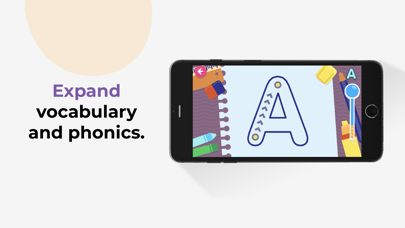
EDUCATOR CURATED, PLAY-BASED ACTIVITIES
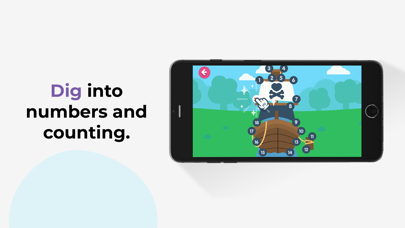
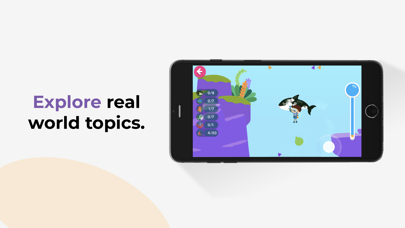
● 500+ interactive games and learning activities.
● Games designed around developmental milestones for ages 2–7.
● Endless hours of play-based learning to keep kids engaged.
PERSONALIZED LEARNING FOR EVERY CHILD
● Each activity adapts to your child's age and aptitude.
● Games are designed around key preschool curriculum milestones.
● Give your kids a head start in learning 21st-century STEAM skills.
AD-FREE, KID-SAFE SPACE
● Papumba’s online environment is 100% ad-free, private and safe online environment for kids.
● Kids learn at their own pace with no high stress or addictive gimmicks.
● Activities encourage independent play and critical thinking.
OFFLINE, FAMILY-FOCUSED FUN
● Downloadable activities: No Internet connection needed.
● Great tool for quality learning time during long trips and waits.
● Offline family-centered activities designed to let families join in the fun!
Start your free trial today to give your kids a head start in preschool and critical STEAM skills! Cancel any time during the trial period.
Subscription details:
- Papumba is a subscription app that gives your child access to thousands of developmentally appropriate games and activities approved by educators.
- Regular price: $5.99/month*.
- Cancel online any time—there is no cancellation fee.
- Payment will be charged to iTunes account upon confirmation of purchase.
- Use your subscription on any device registered with your Apple account.
- Subscription automatically renews unless auto-renew is turned off at least 24 hours before the end of the current period.
- Account will be charged for renewal within 24 hours prior to the end of the current period.The cost of the renewal will be identified as such.
- Subscriptions can be managed by the user. Automatic renewal can be turned off in the user's account settings after purchase.
- Cancellation will not go into effect until the end of the monthly billing cycle.
- Any unused portion of a free trial period, if offered, will be forfeited when the user purchases a subscription.
- Privacy policy: https://www.papumba.com/privacy/
- Terms And Conditions: https://www.papumba.com/terms/
*This fee is the U.S subscription cost. Fees vary by country.
Love Papumba?
Like us on Facebook: http://www.facebook.com/papumbagames
Follow us on Twitter: http://twitter.com/papumba_ok
Follow us on Instagram: https://www.instagram.com/papumba/
E-Mail: [email protected]
- 未越獄/受限或已越獄的 iPhone 或 iPad。
- Sideloadly 或替代方案。
- 執行 Windows/macOS/Linux 且已安裝 iTunes 的電腦。
步驟 1: 透過上方連結將已破解的 .IPA 檔案下載到您的電腦。若要從 iOSGods App 下載,請參閱我們的 iOSGods App IPA 下載教學,其中包含影片範例。
步驟 2: 下載 Sideloadly 並將其安裝在您的 Windows 或 Mac 上。
步驟 3: 在電腦上開啟 Sideloadly,連接您的 iOS 裝置,並等待裝置名稱出現在 Sideloadly 中。
步驟 4: 當 Sideloadly 辨識到您的 iOS 裝置後,將下載好的修改版 .IPA 檔案拖曳並放到 Sideloadly 應用程式中。
步驟 5: 輸入您的 Apple Account 電子郵件,然後按下「Start」。系統會要求您輸入密碼,請依指示提供所需資訊。
步驟 6: 等待 Sideloadly 完成已破解 IPA 的旁載/安裝。如果安裝過程中發生問題,請閱讀下方的注意事項。
步驟 7: 安裝完成並在主畫面上看到該應用程式後,您需要前往 設定 → 一般 → 描述檔 / VPN 與裝置管理。進入後,點選您在步驟 6 中輸入的電子郵件,然後點選「信任 [email protected]」。
步驟 8: 現在回到主畫面並開啟新安裝的應用程式,一切應該都能正常運作。您可能需要依照遊戲內破解彈出視窗中的進一步指示操作。
注意: 在 iOS/iPadOS 16 及更新版本上,您必須 啟用開發者模式。若使用免費的 Apple Developer 帳號,您將需要每 7 天重複此程序。如有任何疑問或問題,請閱讀我們的 主題中的 Sideloadly 常見問題區段。