Inloggen vereist
Log in met je iOSGods-account om door te gaan.
Log in met je iOSGods-account om door te gaan.

Infuse Plus is a premium video player Mod IPA dat het volledige potentieel van streaming en afspelen op iOS 14 ontgrendelt. Deze hack geeft je toegang tot premium-functies, zodat je naadloos video's kunt afspelen in alle ondersteunde formaten zonder beperkingen.
- Premium → Volledige toegang tot alle premium-functies
InfusePlus Core Version: v2.5
Download Infuse Plus (iOS 14) modded IPA via de bovenstaande links. Tik op de installatieknop en volg de instructies om deze iOS-app-hack op je iPhone, iPad of Apple Silicon te installeren.
Meer hulp nodig? Bekijk onze Veelgestelde vragen over de iOSGods-app voor uitgebreide antwoorden en probleemoplossingstips.
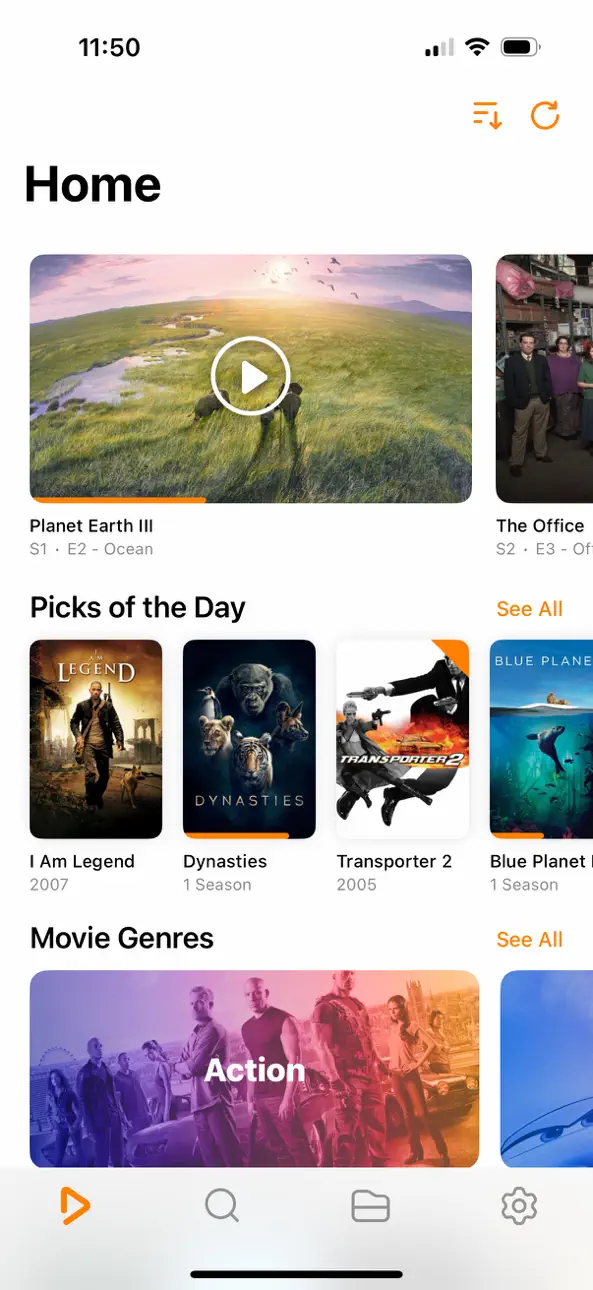
Ignite your video content with Infuse – the beautiful way to watch almost any video format on your iPhone, iPad, Apple TV, Mac, and Vision. No need to convert files! Infuse is optimized for iOS 27, with powerful streaming options, Trakt sync, and unmatched AirPlay & subtitle support. Gorgeous interface. Precise controls. And silky-smooth playback.
- PLAY MORE VIDEO TYPES
A powerful video player that plays just about anything, including MP4, MKV, M4V and MOV – plus many others. Includes support for HDR, HDR10+, Dolby Vision, plus Dolby and DTS audio.
- STREAM FROM OTHER DEVICES
Browse and play videos stored on your Mac, PC, NAS, Wi-Fi hard drive, apps like Plex, Emby, and Jellyfin, or from cloud services like Dropbox, Google Drive, OneDrive, Box, pCloud, Yandex.Disk, MEGA, Aliyun Drive, and others – no syncing required!
- AIRPLAY & GOOGLE CAST OPTIONS
Stream a wide variety of videos types such as MKV, MP4, M4V, and others over AirPlay & Google Cast with full surround sound and subtitles.
- TRAKT 2-WAY SYNC
Connect with Trakt to sync watched history, submit ratings and post comments.
- OPTIMIZED SUBTITLES POWERED BY OPENSUBTITLES
Bring your own subtitles, or download them on the fly (for free) in virtually any language.
=====
“Looks great, plays anything you throw at it...surprisingly powerful”
- Lifehacker
“The best media player for iPhone and iPad...superior to VLC.”
- Cult of Mac
“I can't give the UI high enough praise. It's great.”
- 9to5Mac
“I see no reason whatsoever to remove Infuse from my Home screen anytime soon.”
- iDownloadBlog
“A beautiful UI.”
- Trakt co-founder
“A mini Kodi!”
- Infuse user
=====
MORE THAN JUST A PRETTY FACE
THE BASICS
- Silky-smooth video player (plays full 4K w/ HDR & Dolby Vision)
- Stream from a Mac, PC, NAS or Wi-Fi enabled hard drive
- Connect with Plex, Emby, Jellyfin, Kodi (XBMC), WMC and other media servers
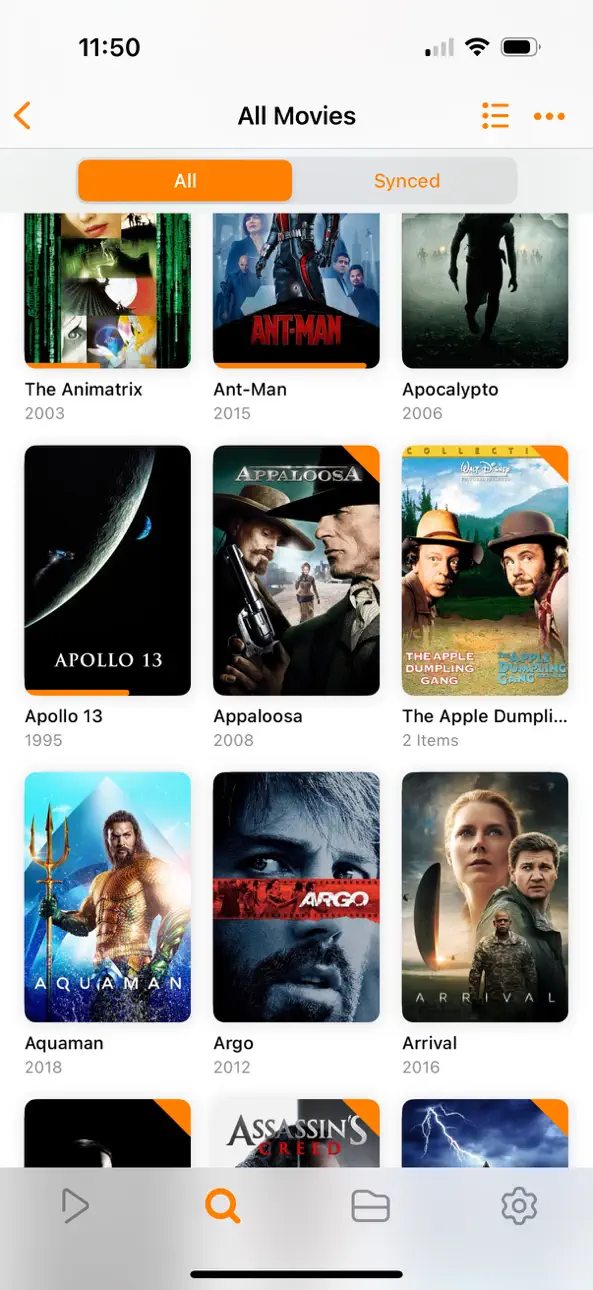
- Beautiful layout with quick access to video info
- Artwork and metadata added automatically
- Split View & PIP
- Spatial audio
SUPPORTED FORMATS
- Video: 33GP, AVI, AV1, ASF, BDMV, DIVX, DVDMEDIA, DVR-MS, FLV, H.264 (AVC), H.265 (HEVC), ISO/IMG, M4V, MKV, MOV, MP4, MPEG, MTS/M2TS, MXF, OGM, OGV, RMVB, TS, VC1, VIDEO_TS, VOB, VP9, WEBM, WMV, WTV
- Audio: AAC, AC3/E-AC3, DOLBY TRUEHD, DTS, DTS-HD MA, FLAC, MP3, OGG, PCM, WMA
- Subtitles: DVB, DVDSUB, MICRODVD, MPL2, PGS, SMI, SSA/ASS, SRT, SUB, SUP, TIMED TEXT, TXT, VOBSUB, VTT, XSUB
PLAYER FEATURES
- Multiple audio tracks
- Chapters
- Gesture controls
- 8 video zoom options
- Continuous playback
- TV out via HDMI or VGA adapter
- Deinterlacing
EXTRAS
- Folders
- One-click subtitle downloads from OpenSubtitles
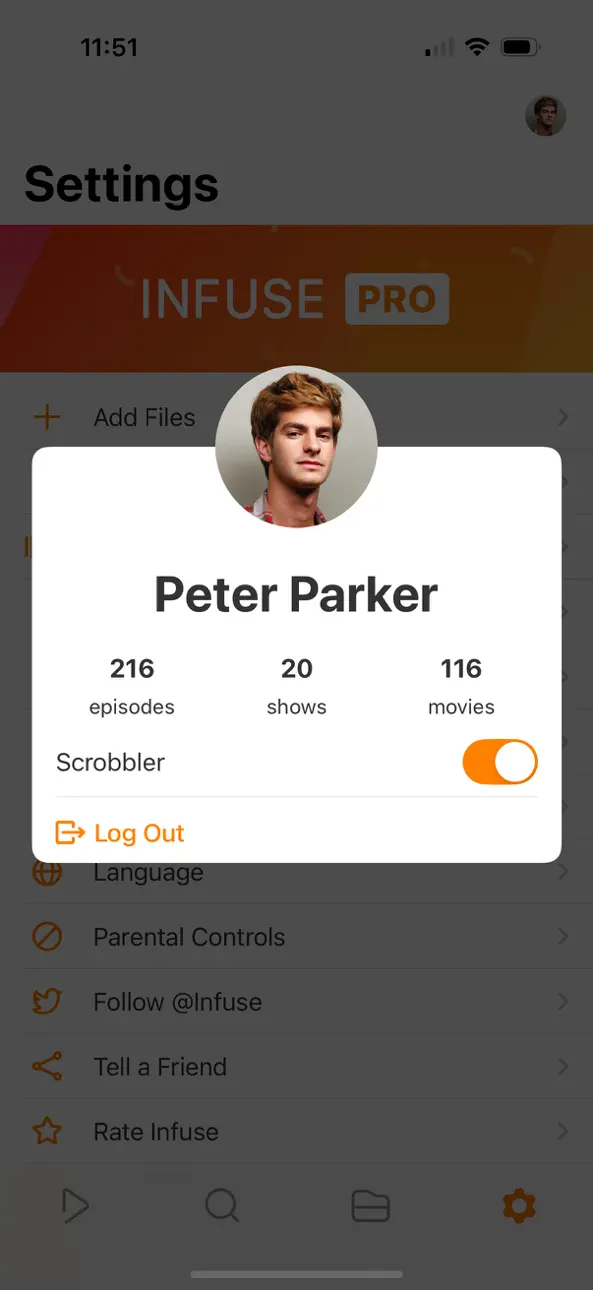
- Scrobble plays to Trakt
- Download videos from networked devices
- Drag and drop uploads via web browser
- Get extra onboard storage with SanDisk iXpand and other USB drives
GET MORE WITH INFUSE PRO!
- Play even more video formats
- Stream video trailers for movies and TV shows
- Enjoy high-resolution Dolby® and DTS® audio
- Access videos stored in cloud services like Dropbox, Google Drive, Box, OneDrive, pCloud, Yandex.Disk, MEGA, Aliyun Drive, and more
- Stream a wide variety of video types over AirPlay and Google Cast
- Sync libraries, settings, watched history, and playback progress between devices
====
Note: DRM-protected movies & TV shows purchased from the iTunes store are not supported.
Metadata and artwork provided by TMDB, which is a community maintained movie and TV show database.
====
Infuse Pro is available as a optional subscription, and includes a free trial period that begins once your purchase has been confirmed with your iTunes Account. When the trial period concludes, your subscription will start and renew automatically. Your iTunes Account will be charged for the upcoming period unless you disable auto-renew or cancel your subscription in your Account Settings at least 24-hours prior to the end of the current period. Visit firecore.com/terms-privacy for full terms and privacy policy.
Screenshots © respectieve eigenaren · App Store


iOSGods is niet verbonden aan, onderschreven door of gesponsord door Apple Inc., Google LLC of de ontwikkelaars van de hier vermelde apps. Apple, iOS en App Store zijn handelsmerken van Apple Inc. Android en Google Play zijn handelsmerken van Google LLC. Alle overige app-namen, iconen, afbeeldingen en handelsmerken behoren toe aan hun respectieve eigenaren.
- Niet-jailbroken/jailed of jailbroken iPhone of iPad.
- Sideloadly of alternatieven.
- Computer met Windows/macOS/Linux en iTunes geïnstalleerd.
STAP 1: Download het vooraf gehackte .IPA-bestand via de link hierboven naar uw computer. Om het te downloaden vanuit de iOSGods App, bekijk onze iOSGods App IPA-downloadhandleiding met een videovoorbeeld.
STAP 2: Download Sideloadly en installeer het op uw Windows of Mac.
STAP 3: Open Sideloadly op uw computer, sluit uw iOS-apparaat aan en wacht tot de naam van uw apparaat in Sideloadly verschijnt.
STAP 4: Zodra uw iDevice is herkend, sleept u het gedownloade gemodde .IPA-bestand naar de Sideloadly-applicatie.
STAP 5: Voer het e-mailadres van uw Apple Account in en druk op “Start”. U wordt vervolgens gevraagd om uw wachtwoord in te voeren. Geef de gevraagde informatie op.
STAP 6: Wacht tot Sideloadly het sideloaden/installeren van de gehackte IPA heeft voltooid. Als er problemen zijn tijdens de installatie, lees dan onderstaande opmerking.
STAP 7: Zodra de installatie is voltooid en u de app op uw beginscherm ziet, gaat u naar Instellingen → Algemeen → Profielen / VPN- en apparaatbeheer. Tik daar op het e-mailadres dat u in stap 6 hebt ingevoerd en tik vervolgens op “Vertrouw [email protected]”.
STAP 8: Ga nu naar uw beginscherm en open de zojuist geïnstalleerde app; alles zou correct moeten werken. Mogelijk moet u verdere app-specifieke instructies volgen in de hack-popup in het spel.
OPMERKING: Op iOS/iPadOS 16 en later moet u Ontwikkelaarsmodus inschakelen. Voor gratis Apple Developer-accounts moet u dit proces elke 7 dagen herhalen. Als u vragen of problemen hebt, lees dan onze Sideloadly FAQ-sectie van het onderwerp.
Game Name iOS Mod IPA is an action adventure game enhanced with powerful gameplay boosts and quality-of-life improvements. Win battles faster, earn rewards quicker, and enjoy uninterrupted play without ads.
- Unlimited Gold - spend freely to unlock premium content
- Damage Multiplier - deal significantly more damage in combat
- Defense Multiplier - take less damage and survive longer
- Reward Multiplier - earn more loot from every battle
- Max Level - instantly reach the highest player rank
- No Ads - play without interruptions or advertisements
This app also comes with iGameGod, giving you access to Auto Touch to automate repetitive tasks, App Speed Manager for adjustable gameplay speed, Memory Engine value editing, and more powerful iOS game tools.
Download Game Name Mod IPA via de bovenstaande links. Tik op de installatieknop en volg de instructies om deze iOS-app-hack op je iPhone, iPad of Apple Silicon te installeren.
Meer hulp nodig Bekijk onze Veelgestelde vragen over de iOSGods-app voor uitgebreide antwoorden en probleemoplossingstips.
----------------------------------------------------------
--------------------------------------------------