Anmeldung erforderlich
Melde dich mit deinem iOSGods-Konto an, um fortzufahren.
Melde dich mit deinem iOSGods-Konto an, um fortzufahren.

Infuse Plus ist ein Premium-Videoplayer Mod IPA, der die volle Kraft des Streamings und der Wiedergabe auf iOS 14 freischaltet. Dieser Hack gewährt dir Zugriff auf Premium-Funktionen und ermöglicht dir nahtlose Videowiedergabe über alle unterstützten Formate ohne Einschränkungen.
- Premium → Vollständiger Zugriff auf alle Premium-Funktionen
InfusePlus Core Version: v2.5
Lade Infuse Plus (iOS 14) modded IPA über die obigen Links herunter. Tippe auf den Installations-Button und folge den Anweisungen, um diese iOS-App auf deinem iPhone, iPad oder Apple Silicon zu installieren.
Brauchst du mehr Hilfe? In unseren iOSGods App häufig gestellten Fragen findest du ausführliche Antworten und Tipps zur Fehlerbehebung.
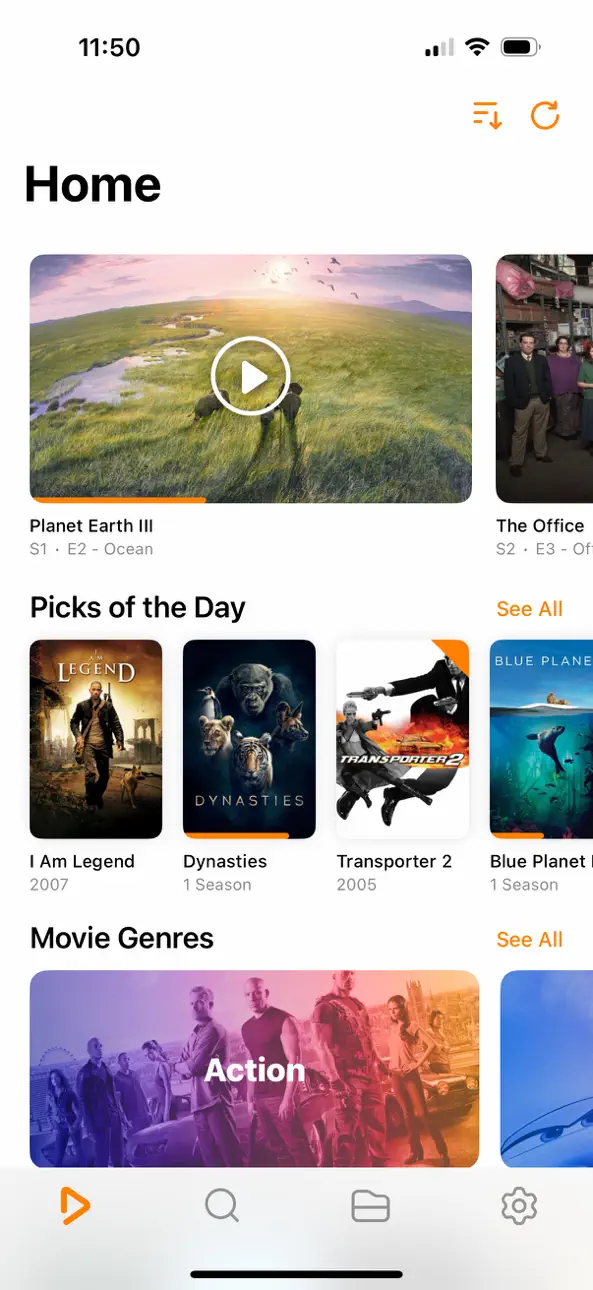
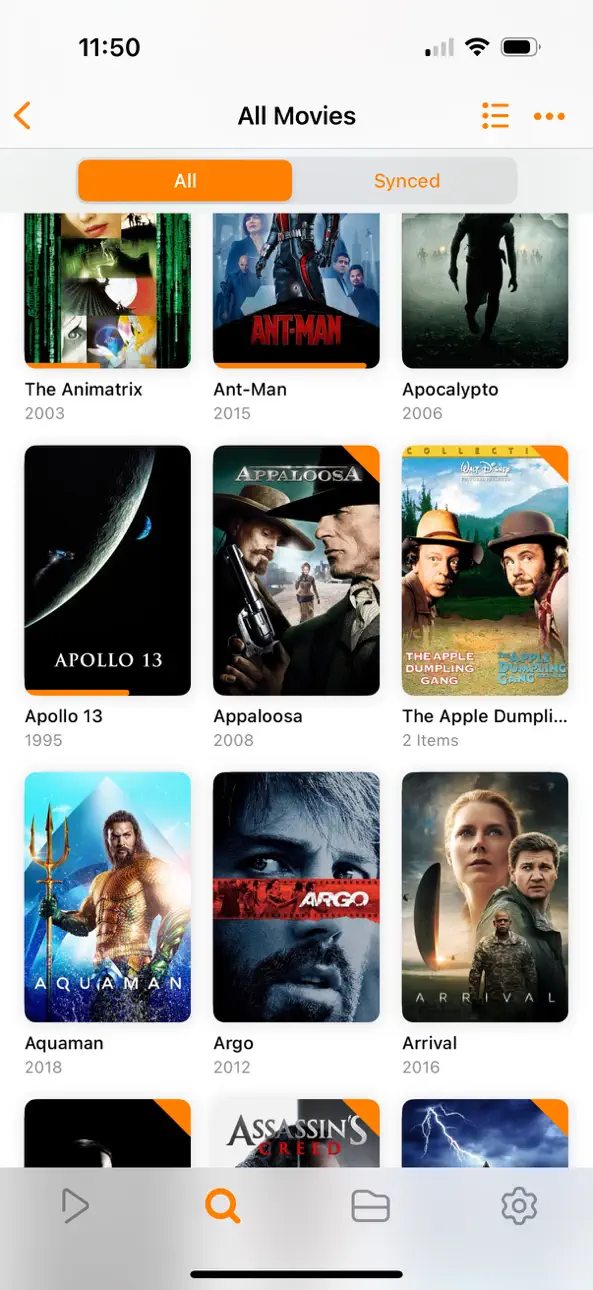
Entfesseln Sie Ihre Video-Inhalte mit Infuse – dem wundervollen Weg fast jedes Videoformat auf Ihrem iPhone, iPad, Apple TV, Mac und Vision anzuschauen. Dateien müssen nicht konvertiert werden! Infuse ist für iOS 27 optimiert, besitzt mächtige Streaming-Einstellungen, eine Trakt Synchronisation und unerreichte AirPlay & Untertitel-Unterstützung. Präzise Steuerung. Und seidig-glatte Wiedergabe.
- SPIELEN SIE MEHR VIDEO FORMATE
Die Standards MP4, M4V und MOV – plus viele mehr. Volle Unterstützung für Dolby® und DTS®-Audio.
- STREAMEN SIE VON ANDEREN GERÄTEN
Durchsuchen und spielen Sie Videos ab, die auf einem Mac, PC, NAS-Laufwerk gespeichert sind oder von Servern wie z.B. Plex, Emby, Jellyfin, Kodi (XBMC) oder von Cloud-Diensten wir Dropbox, Google Drive, Box, OneDrive, pCloud, Yandex.Disk, MEGA und Aliyun Drive - es ist kein Synchronisieren nötig.
- MÄCHTIGE AIRPLAY & GOOGLE CAST EINSTELLUNGEN
Streamen Sie die verschiedensten Videoformate wie MKV, MP4, M4V und andere mit vollem Surround-Sound und Untertiteln über AirPlay und Google Cast.
- TRAKT.TV SYNCHRONISIERUNG
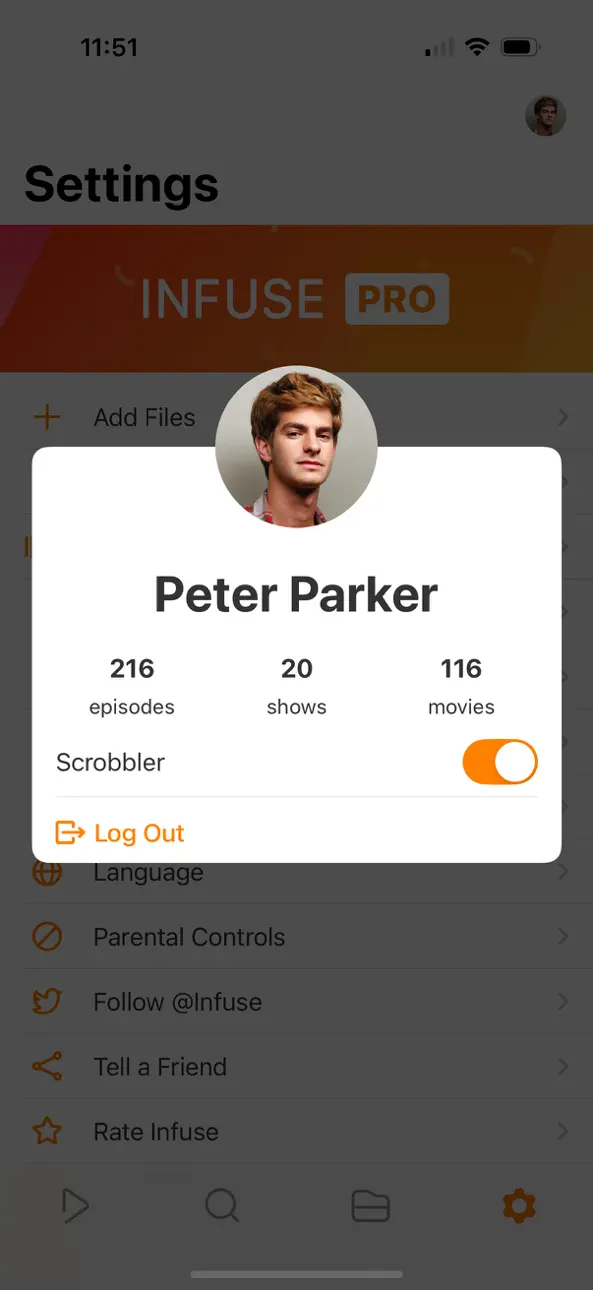
Verbinden Sie Infuse mit trakt.tv und scrobbeln Sie Wiedergaben, übermitteln Sie Wertungen und posten Sie Kommentare.
- OPTIMIERTE UNTERTITEL MIT UNTERSTÜTZUNG VON OPENSUBTITLES
Verwenden Sie Ihre eigenen Untertitel oder laden Sie diese on-the-fly quasi in allen verfügbaren Sprachen kostenlos herunter.
=====
“Sieht großartig aus und spielt alles ab was Sie ihm vorwerfen.”
- Lifehacker
“Der beste Medienplayer für iPhone und iPad.”
- Cult of Mac
“Ich kann die Benutzeroberfläche nicht hoch genug loben. Sie ist großartig.”
- 9to5Mac
“Infuse ist meiner Meinung nach VLC überlegen.”
- Alex Heath, Business Insider
“Ein Mini-Kodi!”
- Infuse Benutzer
=====
MEHR ALS NUR EIN HÜBSCHES GESICHT
DIE GRUNDLAGEN
- Spielen Sie noch mehr Video-Formate (spielt volle 4K ab)
- Streamen Sie Videos von einem Mac, PC, NAS oder einer Wi-Fi Festplatte
- Video-Streaming von Servern wie z.B. Plex, Emby, Jellyfin, Kodi (XBMC), WMC und andere
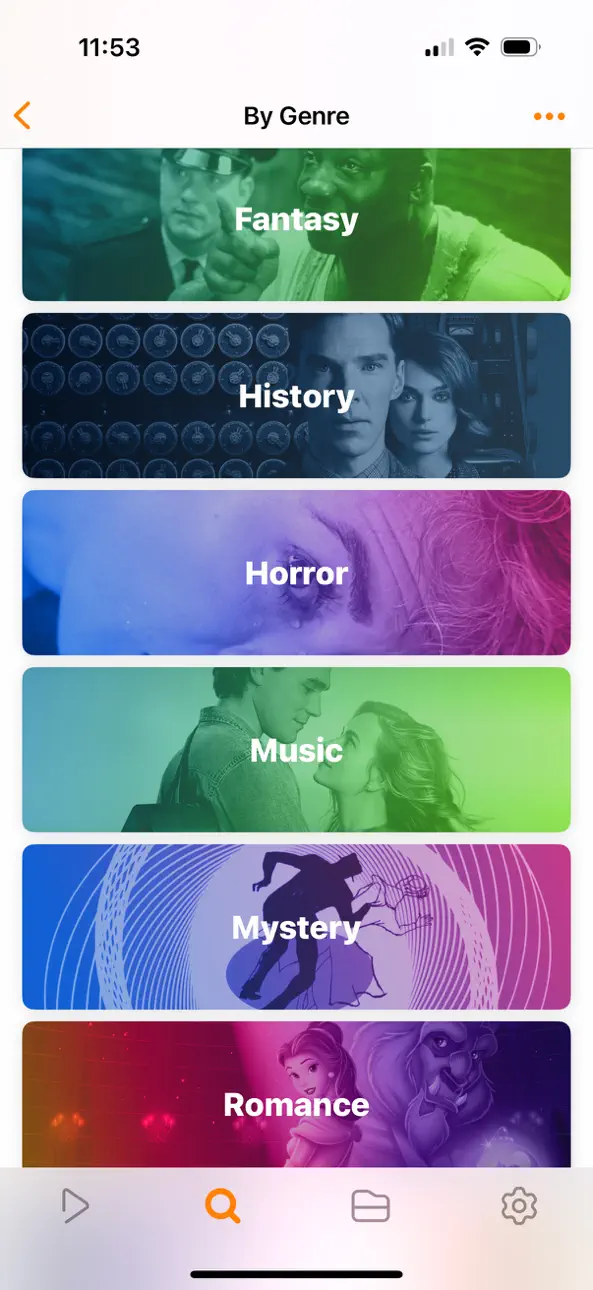
- Schöne Oberfläche mit Schnellzugriff auf Film-Infos
- Cover und Metadaten werden automatisch hinzugefügt
- Split View und Bild-in-Bild
- 3D-Audio
UNTERSTÜTZTE FORMATE
- Video: 3GP, AVI, AV1, ASF, BDMV, DIVX, DVDMEDIA, DVR-MS, FLV, H.264 (AVC), H.265 (HEVC), ISO/IMG, M4V, MKV, MOV, MP4, MPEG, MTS/M2TS, MXF, OGM, OGV, RMVB, TS, VC1, VIDEO_TS, VOB, VP9, WEBM, WMV, WTV
- Audio: AAC, AC3/E-AC3, DOLBY TRUEHD, DTS, DTS-HD MA, FLAC, MP3, OGG, PCM, WMA
- Untertitel: DVB, DVDSUB, MICRODVD, MPL2, PGS, SMI, SSA/ASS, SRT, SUB, SUP, TIMED TEXT, TMP, TXT, VOBSUB, VTT, XSUB
SPIELERFUNKTIONEN
- Multi-Audio-Spuren
- Kapitel
- Gestensteuerung
- 8 Zoom-Optionen
- Dauerwiedergabe
- TV out über HDMI oder VGA Adapter
- Video-Deinterlacing
EXTRAS
- Ordner
- Untertitel-Download von OpenSubtitles.org
- Scrobblen Sie Wiedergaben nach trakt.tv
- Herunterladen der Videos von Netzwerk-Geräten
- Drag&Drop Video-Upload über den Web-Browser
- Bekommen Sie weiteren Onboard-Speicher mit SanDisk iXpand
BEKOMMEN SIE NOCH MEHR MIT INFUSE PRO!
- Spielen Sie noch mehr Video-Formate
- Integrierter Dolby® und DTS®-Audio
- Abspielen von Trailern für Filme und Fernsehsendungen
- Zugrif auf Videos in Cloud-Diensten wie Dropbox, Google Drive, Box, OneDrive, pCloud, Yandex.Disk, MEGA und Aliyun Drive
- Multi-Format AirPlay und Google Cast Streaming
- Sychronisation von Bibliotheken, Einstellungen, Gesehen-Historie und Wiedergabe-Fortschritte zwischen den Geräten
=====
Ihr Abonnement umfasst eine kostenlose Testphase, die beginnt, sobald Ihr Kauf mit Ihrem iTunes-Konto bestätigt wurde. Nach Ablauf des Testzeitraums beginnt Ihr Abonnement und verlängert sich automatisch. Ihr iTunes-Konto wird für den bevorstehenden Zeitraum belastet, es sei denn, Sie deaktivieren die automatische Verlängerung oder kündigen Ihr Abonnement in Ihren Kontoeinstellungen mindestens 24 Stunden vor Ablauf des aktuellen Zeitraums. Für Begriffe und Datenschutzrichtlinie besuchen Sie firecore.com/terms-privacy
Screenshots © der jeweiligen Inhaber · App Store


iOSGods ist nicht mit Apple Inc., Google LLC oder den Entwicklern der hier aufgeführten Apps verbunden und wird von ihnen weder unterstützt noch gesponsert. Apple, iOS und App Store sind Marken von Apple Inc. Android und Google Play sind Marken von Google LLC. Alle weiteren App-Namen, Symbole, Grafiken und Marken gehören ihren jeweiligen Inhabern.
- Nicht-Jailbroken/Jailed oder Jailbroken iPhone oder iPad.
- Sideloadly oder Alternativen.
- Computer mit Windows/macOS/Linux und installiertem iTunes.
SCHRITT 1: Lade die vorinstallierte .IPA-Datei über den obigen Link auf deinen Computer herunter. Zum Herunterladen aus der iOSGods-App siehe unser iOSGods App IPA Download-Tutorial mit Videobeispiel.
SCHRITT 2: Lade Sideloadly herunter und installiere es auf deinem Windows oder Mac.
SCHRITT 3: Öffne Sideloadly auf deinem Computer, verbinde dein iOS-Gerät und warte, bis dein Gerätename in Sideloadly erscheint.
SCHRITT 4: Sobald dein iDevice erkannt wird, ziehe die heruntergeladene gemoddete .IPA-Datei in die Sideloadly-Anwendung.
SCHRITT 5: Gib deine Apple-Account-E-Mail ein und drücke „Start". Du wirst dann nach deinem Passwort gefragt. Gib die erforderlichen Informationen ein.
SCHRITT 6: Warte, bis Sideloadly das Sideloading/Installieren der gehackten IPA abgeschlossen hat. Bei Problemen während der Installation lies bitte den Hinweis unten.
SCHRITT 7: Sobald die Installation abgeschlossen ist und die App auf deinem Home-Bildschirm angezeigt wird, musst du zu Einstellungen → Allgemein → Profile / VPN & Geräteverwaltung gehen. Tippe dort auf die E-Mail, die du in Schritt 6 eingegeben hast, und dann auf „Trust [email protected]".
SCHRITT 8: Gehe nun zu deinem Home-Bildschirm und öffne die neu installierte App – alles sollte einwandfrei funktionieren. Möglicherweise musst du weitere App-spezifische Anweisungen im Hack-Popup im Spiel befolgen.
HINWEIS: iOS/iPadOS 16 und höher: Du musst den Entwicklermodus aktivieren. Bei kostenlosen Apple Developer-Accounts musst du diesen Vorgang alle 7 Tage wiederholen. Bei Fragen oder Problemen lies bitte unsere Sideloadly-FAQ-Sektion im Thema.
Game Name iOS Mod IPA is an action adventure game enhanced with powerful gameplay boosts and quality-of-life improvements. Win battles faster, earn rewards quicker, and enjoy uninterrupted play without ads.
- Unlimited Gold - spend freely to unlock premium content
- Damage Multiplier - deal significantly more damage in combat
- Defense Multiplier - take less damage and survive longer
- Reward Multiplier - earn more loot from every battle
- Max Level - instantly reach the highest player rank
- No Ads - play without interruptions or advertisements
This app also comes with iGameGod, giving you access to Auto Touch to automate repetitive tasks, App Speed Manager for adjustable gameplay speed, Memory Engine value editing, and more powerful iOS game tools.
Lade Game Name Mod IPA über die obigen Links herunter. Tippe auf den Installations-Button und folge den Anweisungen, um diese iOS-App auf deinem iPhone, iPad oder Apple Silicon zu installieren.
Brauchst du mehr Hilfe In unseren iOSGods App häufig gestellten Fragen findest du ausführliche Antworten und Tipps zur Fehlerbehebung.
----------------------------------------------------------
--------------------------------------------------