ログインが必要
iOSGodsアカウントでサインインして続けてください。
iOSGodsアカウントでサインインして続けてください。
Infuse Plus (iOS 14)は、iOS 14でストリーミングと再生の全機能を解放するプレミアムビデオプレイヤーMod IPAです。このハックにより、プレミアム機能へのアクセスが可能になり、サポートされているすべての形式でシームレスなビデオ再生を制限なく楽しめます。
- プレミアム → すべてのプレミアム機能への完全アクセス
InfusePlus Core Version: v2.5
Infuse Plus (iOS 14) modded IPAを上のリンクからダウンロードします。インストールボタンをタップし、画面の指示に従ってiPhone、iPad、Apple SiliconにこのiOSアプリハックをインストールします。
さらにヘルプが必要ですか? 詳しい回答とトラブルシューティングはiOSGodsアプリ よくある質問をご覧ください。
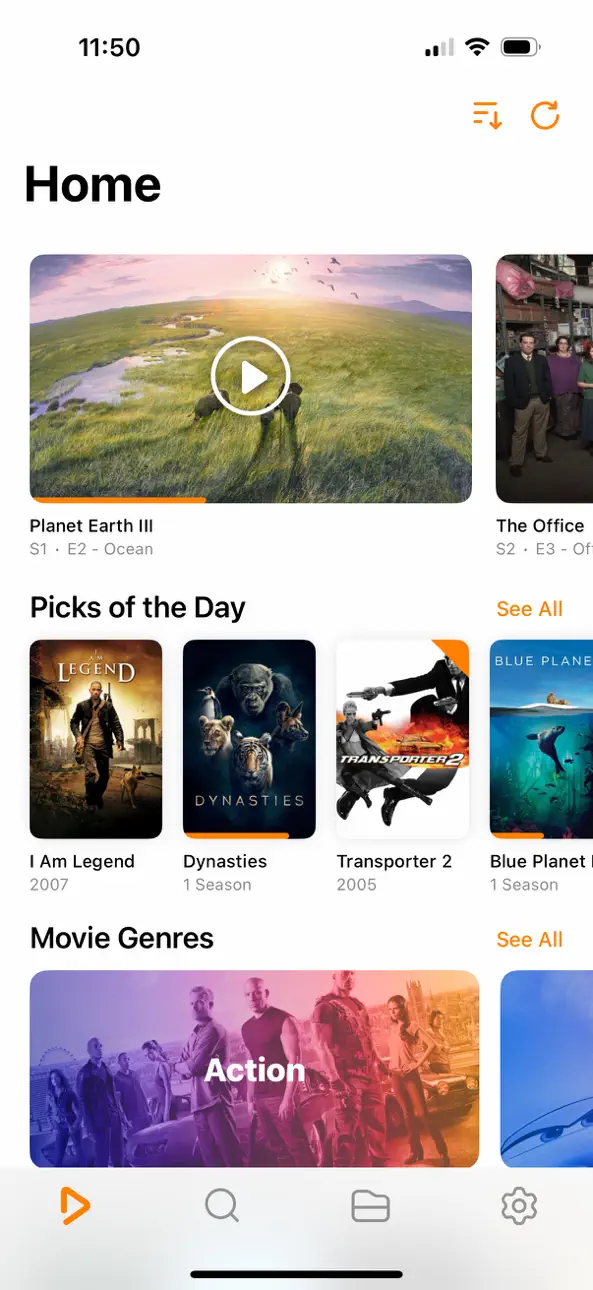
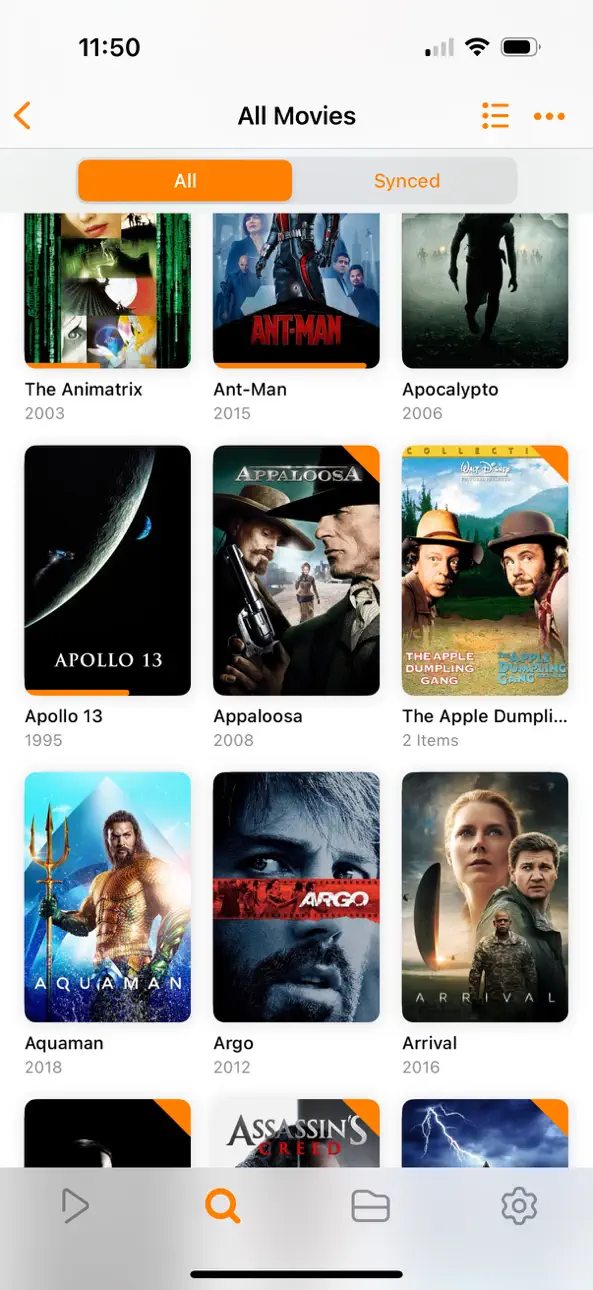
Infuse でビデオコンテンツをパワーアップ ― 100+種類ものフォーマットのビデオをiPhone、iPad、Apple TV、Mac または Vision で鑑賞できる完璧な選択肢。ファイル変換不要! InfuseはiOS 27 向けに最適化済み、trakt.tv 統合、他に類を見ない字幕サポート。ゴージャスなインターフェース。精密なコントロール。さらにシルクのように滑らかなのプレイバック。
- 17 種類のビデオファイル形式をサポート
スタンダードな MP4、M4V、MOV・・・さらにMKV、AVI、WMV、MTS、ISO、VIDEO_TS、FLV、OGM、OGV、ASF、3GP、DVR-MS、WebM、WTV対応。Dolby®および DTS® オーディオも完全サポートします。
- 他のデバイスからのストリーム
ブラウズして、Mac、Windowsパソコン、Plex、Emby、Jellyfin、Dropbox、Google Drive、Box、OneDrive、pCloud、Yandex.Disk、MEGA、Aliyun Drive、またはNASドライブ上に保存されている動画を再生する - 同期不要。
- マルチフォーマット AIRPLAY
AirPlayで、MKV、MP4、M4V、AVI、その他さまざまなビデオフォーマットを、フルサラウンド音響、字幕付きでストリーム再生します。
- TRAKT.TV 同期
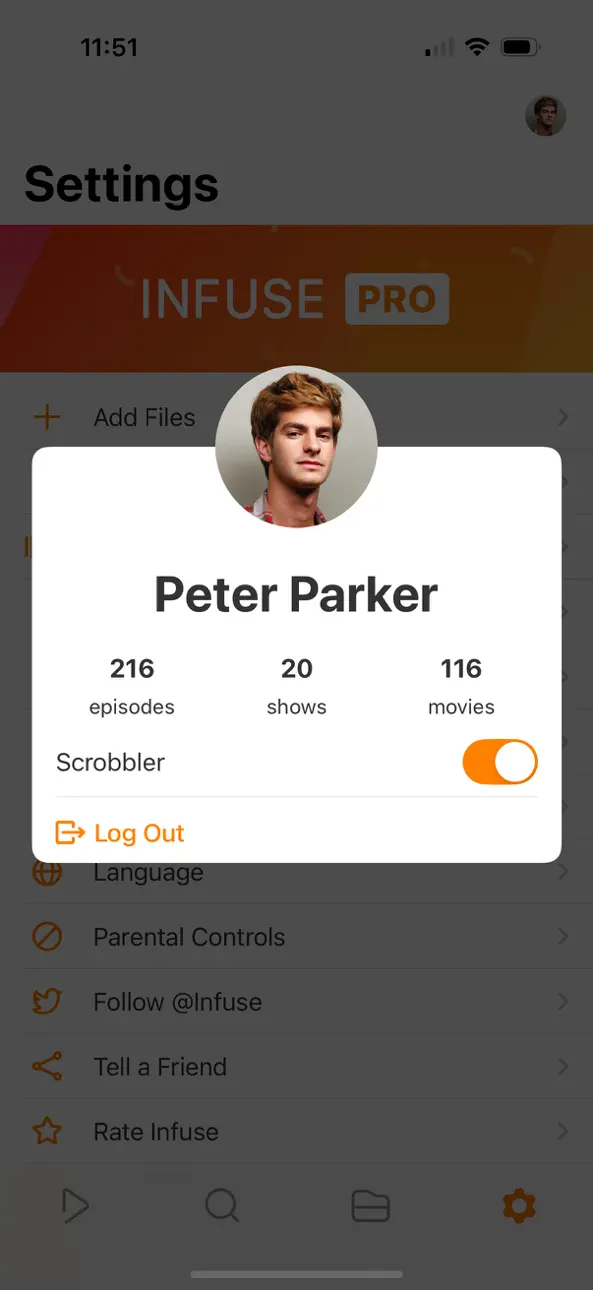
Infuseをtrakt.tvに接続し、「scrobble」再生や評価・コメントの投稿が可能です。
- OPENSUBTITLES による最適化された字幕
独自の字幕を入れたり、あっという間に (無料で) あらゆる言語の字幕をダウンロードできます。
=====
「美しい見た目、見たいものを何でも再生してくれます」
- Lifehacker
「iPhone/iPad向けの最高のメディアプレイヤー」
- Cult of Mac
「このUIにふさわしい賛辞がみつかりません。素晴らしい」
- 9to5Mac
「Infuse をわたしの待ち受け画面から消すことは、しばらくありえないですね」
- iDownloadBlog
「…InfuseはVLCを上回っています」
- Alex Heath, Cult of Mac
「美しいUIです」
- trakt.tv 共同創設者
「ミニ KODI !」
- Infuse ユーザー
=====
ただ綺麗なだけじゃない
- 最適化された録音再生エンジン(フル4K再生)
- Mac、コンピュータまたはネットワーク ストレージ ドライブから動画をストリーム
- Plex、Emby、Jellyfin、Kodi (XBMC)、WMC、などのサーバーから動画をストリーミング
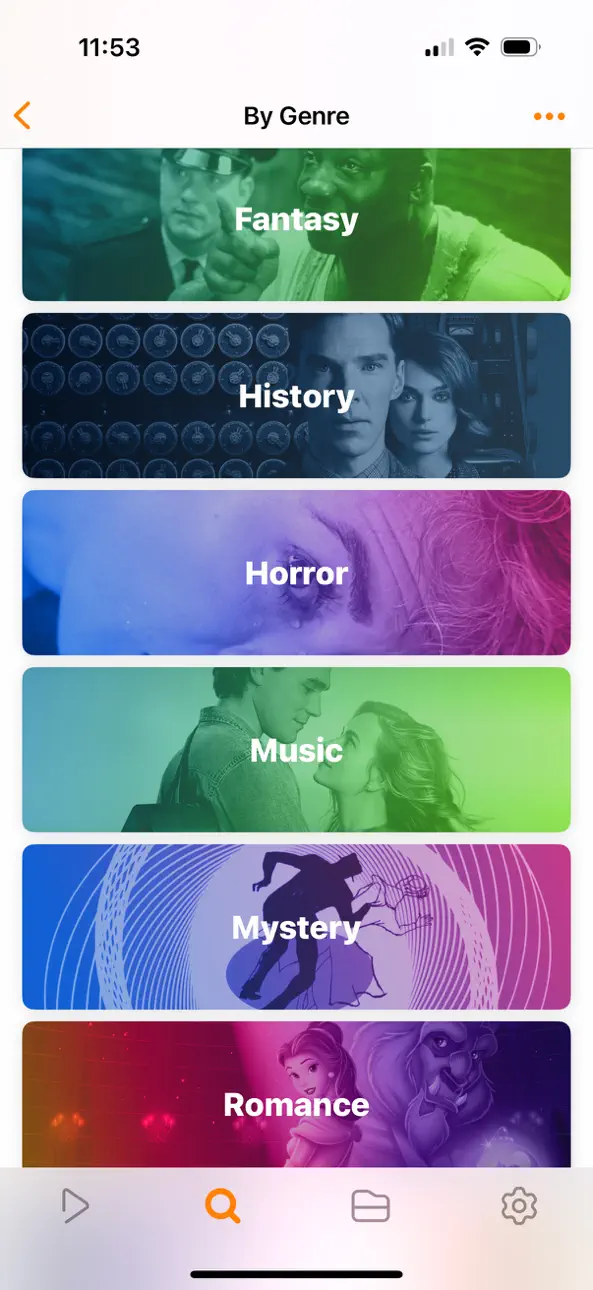
- ビデオ情報に素早くアクセスできる美しいレイアウト
- アートワークやメタデータを自動追加
- Split Viewそしてピクチャ・イン・ピクチャを
- 空間オーディオ
フォーマット
- ビデオ: 3GP、AVI、AV1、ASF、BDMV、DIVX、DVDMEDIA、DVR-MS、FLV、H.264 (AVC)、H.265 (HEVC)、ISO/IMG、M4V、MKV、MOV、MP4、MPEG、MTS/M2TS、MXF、OGM、OGV、RMVB、TS、VC1、VIDEO_TS、VOB、VP9、WEBM、WMV、WTV
- オーディオ: AAC、AC3/E-AC3、DOLBY TRUEHD、DTS、DTS-HD MA、FLAC、MP3、OGG、PCM、WMA
- 字幕: DVB、DVDSUB、MICRODVD、MPL2、PGS、SMI、SSA/ASS、SRT、SUB、SUP、TIMED TEXT、TMP、TXT、VOBSUB、VTT、XSUB
ビデオプレーヤー
- 複数のオーディオトラック
- チャプター
- ジェスチャー コントロール
- 8つのズームオプション
- 連続再生
- HDMIやVGAコネクタを使ったTV出力
- 動画のインターレース解除
エクストラ
- フォルダ
- OpenSubtitles.orgからの字幕ダウンロード
- 再生した曲をtrakt.tvにScrobble
- ウェブブラウザからドラッグ&ドロップで動画をアップロード
- SanDisk iXpand
INFUSE PRO!
- 標準的なビデオ形式の再生
- 統合されたDolby®およびDTS®モバイルサラウンド音声
- 映画やテレビ番組の予告編を再生
- マルチフォーマット AirPlayとGoogle Cast ストリーミング
- Dropbox、Google Drive、Box、OneDrive、pCloud、Yandex.Disk、MEGA、そしてAliyun Drive
- iCloud同期
=====
注:iTunes ストアで購入されたDRM で保護されたコンテンツ (映画、テレビ番組、その他) はサポートされていません。
Infuse が表示するメタデータとアートワークは TMDB より提供されています。これはコミュニティーに維持される無料の映画・テレビ番組のデータベースです。
=====
コロラド州デンバーのFirecore 製作
=====
購読には、お使いのiTunesアカウントで購入が確認された後に開始される無料試用期間が含まれています。試用期間が終了すると、定期購読が自動的に開始および更新されます。現在の期間が終了する24時間前までにアカウント設定で自動更新を無効にしたり、定期購入を取り消したりしない限り、iTunesアカウントには次の期間の請求が行われます。利用規約とプライバシーポリシーについては、firecore.com/terms-privacy をご覧ください。
スクリーンショット © 各権利者 · App Store


iOSGods は Apple Inc.、Google LLC、および掲載アプリの開発者と提携しておらず、承認や協賛も受けていません。Apple、iOS、App Store は Apple Inc. の商標です。Android および Google Play は Google LLC の商標です。その他のアプリ名、アイコン、画像、商標はすべて各権利者に帰属します。

- 脱獄/Jailed済みまたは脱獄済みのiPhoneまたはiPad。
- Sideloadlyまたは代替手段。
- iTunesがインストールされているWindows/macOS/Linuxを実行しているコンピュータ。
ステップ1: 上のリンクから事前にハックされた.IPAファイルをコンピュータにダウンロードします。iOSGodsアプリからダウンロードする方法は、ビデオ例付きのiOSGodsアプリIPAダウンロードチュートリアルをご覧ください。
ステップ2: SideloadlyをダウンロードしてWindowsまたはMacにインストールします。
ステップ3: コンピュータでSideloadlyを開き、iOSデバイスを接続して、デバイス名がSideloadlyに表示されるまで待ちます。
ステップ4: iDeviceが認識されたら、ダウンロードしたModされた.IPAファイルをSideloadlyアプリにドラッグ&ドロップします。
ステップ5: Apple Accountのメールアドレスを入力し、「Start」を押します。次にパスワードの入力を求められます。必要な情報を入力してください。
ステップ6: Sideloadlyがハックされたipaのサイドロード/インストールを完了するのを待ちます。インストール中に問題が発生した場合は、以下の注意事項をお読みください。
ステップ7: インストールが完了し、ホーム画面にアプリが表示されたら、設定 → 一般 → プロファイル / VPNとデバイス管理に移動する必要があります。そこで、ステップ6で入力したメールをタップし、「Trust [email protected]」をタップします。
ステップ8: ホーム画面に戻り、新しくインストールされたアプリを開けば、すべて正常に動作するはずです。ゲーム内のハックのポップアップで、アプリごとの追加指示に従う必要がある場合があります。
注意: iOS/iPadOS 16以降では、デベロッパモードを有効にするが必要です。無料のApple Developerアカウントの場合、このプロセスを7日ごとに繰り返す必要があります。質問や問題がある場合は、トピックのSideloadly FAQセクションをお読みください。
Game Name iOS Mod IPA is an action adventure game enhanced with powerful gameplay boosts and quality-of-life improvements. Win battles faster, earn rewards quicker, and enjoy uninterrupted play without ads.
- Unlimited Gold - spend freely to unlock premium content
- Damage Multiplier - deal significantly more damage in combat
- Defense Multiplier - take less damage and survive longer
- Reward Multiplier - earn more loot from every battle
- Max Level - instantly reach the highest player rank
- No Ads - play without interruptions or advertisements
This app also comes with iGameGod, giving you access to Auto Touch to automate repetitive tasks, App Speed Manager for adjustable gameplay speed, Memory Engine value editing, and more powerful iOS game tools.
Game Name Mod IPAを上のリンクからダウンロードします。インストールボタンをタップし、画面の指示に従ってiPhone、iPad、Apple SiliconにこのiOSアプリハックをインストールします。
さらにヘルプが必要ですか 詳しい回答とトラブルシューティングはiOSGodsアプリ よくある質問をご覧ください。
----------------------------------------------------------
--------------------------------------------------