ログインが必要
iOSGodsアカウントでサインインして続けてください。
iOSGodsアカウントでサインインして続けてください。
Infuse Plus (iOS 14)は、iOS 14でストリーミングと再生の全機能を解放するプレミアムビデオプレイヤーMod IPAです。このハックにより、プレミアム機能へのアクセスが可能になり、サポートされているすべての形式でシームレスなビデオ再生を制限なく楽しめます。
- プレミアム → すべてのプレミアム機能への完全アクセス
InfusePlus Core Version: v2.5
Infuse Plus (iOS 14) modded IPAを上のリンクからダウンロードします。インストールボタンをタップし、画面の指示に従ってiPhone、iPad、Apple SiliconにこのiOSアプリハックをインストールします。
さらにヘルプが必要ですか? 詳しい回答とトラブルシューティングはiOSGodsアプリ よくある質問をご覧ください。
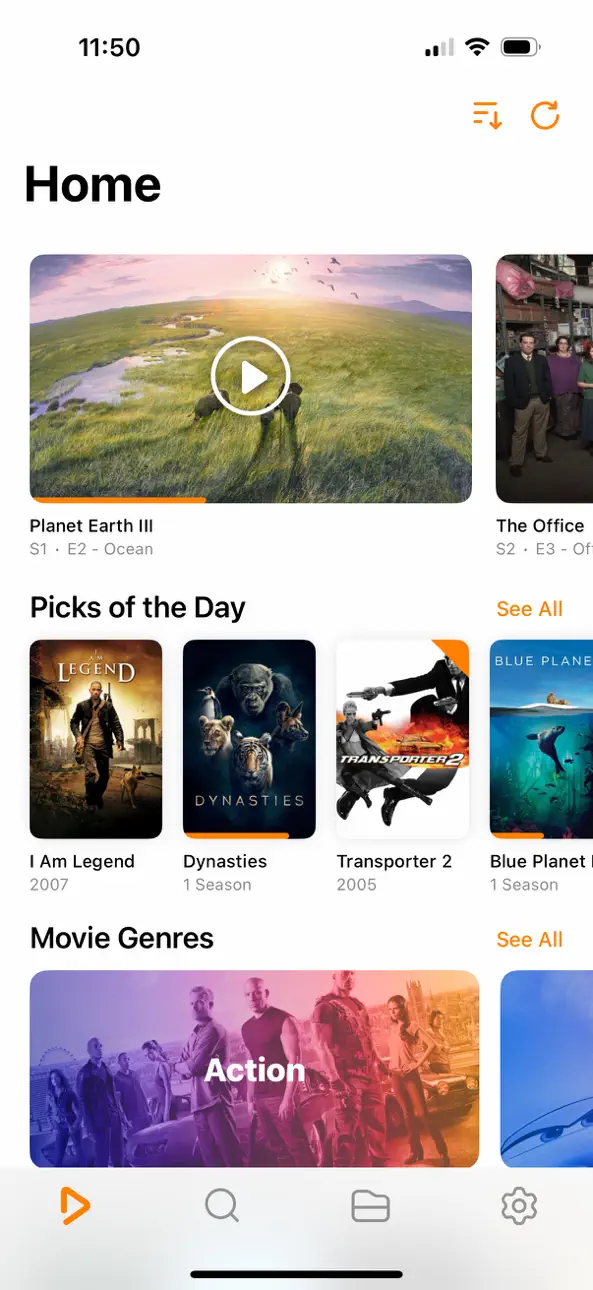
Ignite your video content with Infuse – the beautiful way to watch almost any video format on your iPhone, iPad, Apple TV, Mac, and Vision. No need to convert files! Infuse is optimized for iOS 27, with powerful streaming options, Trakt sync, and unmatched AirPlay & subtitle support. Gorgeous interface. Precise controls. And silky-smooth playback.
- PLAY MORE VIDEO TYPES
A powerful video player that plays just about anything, including MP4, MKV, M4V and MOV – plus many others. Includes support for HDR, HDR10+, Dolby Vision, plus Dolby and DTS audio.
- STREAM FROM OTHER DEVICES
Browse and play videos stored on your Mac, PC, NAS, Wi-Fi hard drive, apps like Plex, Emby, and Jellyfin, or from cloud services like Dropbox, Google Drive, OneDrive, Box, pCloud, Yandex.Disk, MEGA, Aliyun Drive, and others – no syncing required!
- AIRPLAY & GOOGLE CAST OPTIONS
Stream a wide variety of videos types such as MKV, MP4, M4V, and others over AirPlay & Google Cast with full surround sound and subtitles.
- TRAKT 2-WAY SYNC
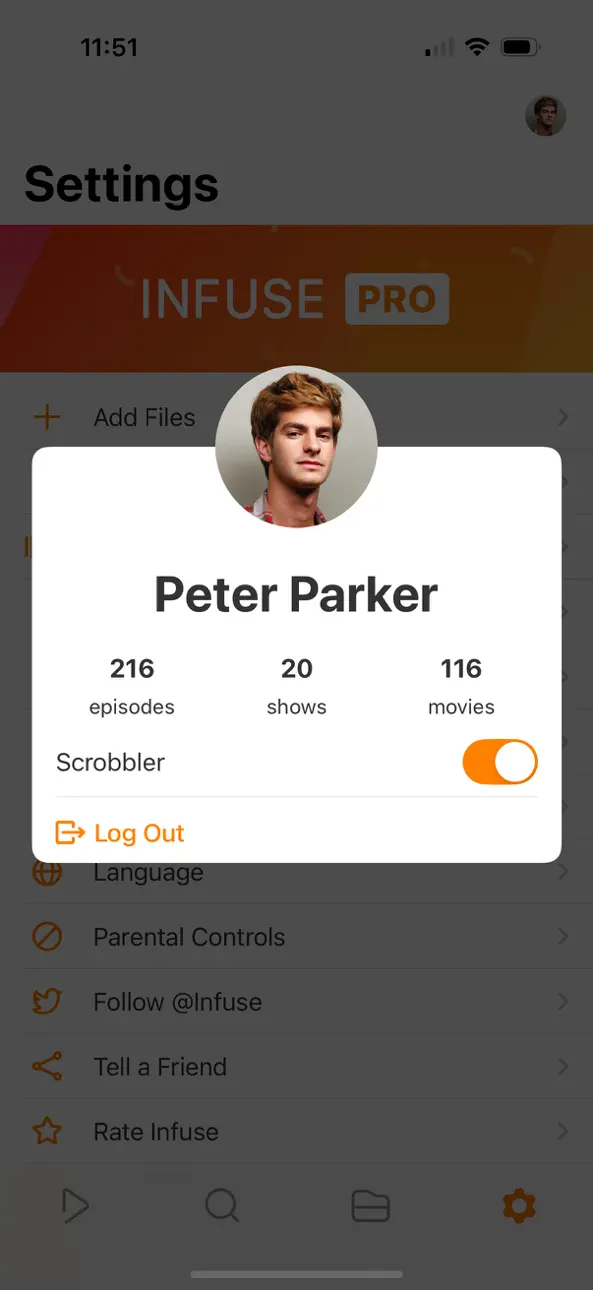
Connect with Trakt to sync watched history, submit ratings and post comments.
- OPTIMIZED SUBTITLES POWERED BY OPENSUBTITLES
Bring your own subtitles, or download them on the fly (for free) in virtually any language.
=====
“Looks great, plays anything you throw at it...surprisingly powerful”
- Lifehacker
“The best media player for iPhone and iPad...superior to VLC.”
- Cult of Mac
“I can't give the UI high enough praise. It's great.”
- 9to5Mac
“I see no reason whatsoever to remove Infuse from my Home screen anytime soon.”
- iDownloadBlog
“A beautiful UI.”
- Trakt co-founder
“A mini Kodi!”
- Infuse user
=====
MORE THAN JUST A PRETTY FACE
THE BASICS
- Silky-smooth video player (plays full 4K w/ HDR & Dolby Vision)
- Stream from a Mac, PC, NAS or Wi-Fi enabled hard drive
- Connect with Plex, Emby, Jellyfin, Kodi (XBMC), WMC and other media servers
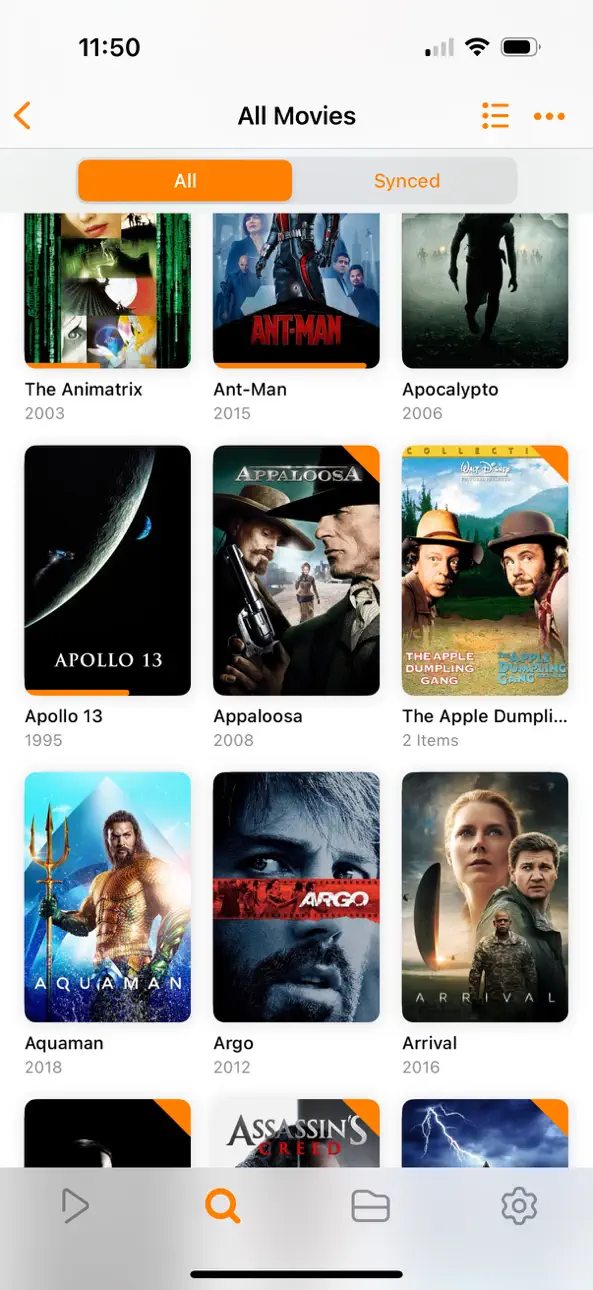
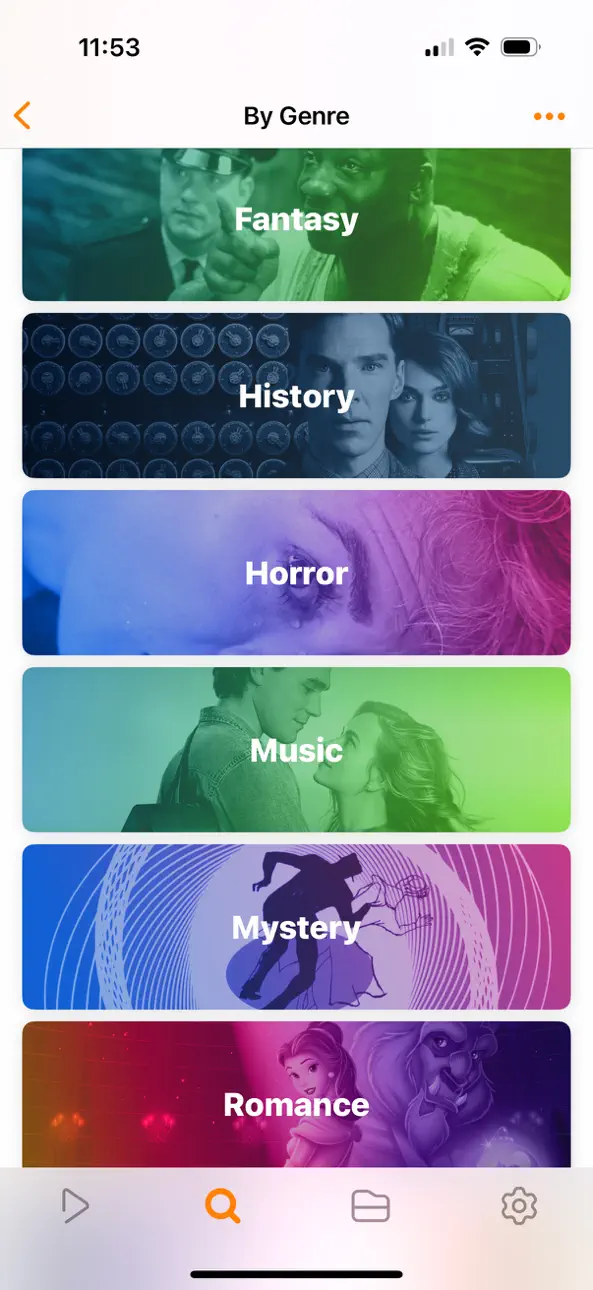
- Beautiful layout with quick access to video info
- Artwork and metadata added automatically
- Split View & PIP
- Spatial audio
SUPPORTED FORMATS
- Video: 33GP, AVI, AV1, ASF, BDMV, DIVX, DVDMEDIA, DVR-MS, FLV, H.264 (AVC), H.265 (HEVC), ISO/IMG, M4V, MKV, MOV, MP4, MPEG, MTS/M2TS, MXF, OGM, OGV, RMVB, TS, VC1, VIDEO_TS, VOB, VP9, WEBM, WMV, WTV
- Audio: AAC, AC3/E-AC3, DOLBY TRUEHD, DTS, DTS-HD MA, FLAC, MP3, OGG, PCM, WMA
- Subtitles: DVB, DVDSUB, MICRODVD, MPL2, PGS, SMI, SSA/ASS, SRT, SUB, SUP, TIMED TEXT, TXT, VOBSUB, VTT, XSUB
PLAYER FEATURES
- Multiple audio tracks
- Chapters
- Gesture controls
- 8 video zoom options
- Continuous playback
- TV out via HDMI or VGA adapter
- Deinterlacing
EXTRAS
- Folders
- One-click subtitle downloads from OpenSubtitles
- Scrobble plays to Trakt
- Download videos from networked devices
- Drag and drop uploads via web browser
- Get extra onboard storage with SanDisk iXpand and other USB drives
GET MORE WITH INFUSE PRO!
- Play even more video formats
- Stream video trailers for movies and TV shows
- Enjoy high-resolution Dolby® and DTS® audio
- Access videos stored in cloud services like Dropbox, Google Drive, Box, OneDrive, pCloud, Yandex.Disk, MEGA, Aliyun Drive, and more
- Stream a wide variety of video types over AirPlay and Google Cast
- Sync libraries, settings, watched history, and playback progress between devices
====
Note: DRM-protected movies & TV shows purchased from the iTunes store are not supported.
Metadata and artwork provided by TMDB, which is a community maintained movie and TV show database.
====
Infuse Pro is available as a optional subscription, and includes a free trial period that begins once your purchase has been confirmed with your iTunes Account. When the trial period concludes, your subscription will start and renew automatically. Your iTunes Account will be charged for the upcoming period unless you disable auto-renew or cancel your subscription in your Account Settings at least 24-hours prior to the end of the current period. Visit firecore.com/terms-privacy for full terms and privacy policy.
スクリーンショット © 各権利者 · App Store


iOSGods は Apple Inc.、Google LLC、および掲載アプリの開発者と提携しておらず、承認や協賛も受けていません。Apple、iOS、App Store は Apple Inc. の商標です。Android および Google Play は Google LLC の商標です。その他のアプリ名、アイコン、画像、商標はすべて各権利者に帰属します。

- 脱獄/Jailed済みまたは脱獄済みのiPhoneまたはiPad。
- Sideloadlyまたは代替手段。
- iTunesがインストールされているWindows/macOS/Linuxを実行しているコンピュータ。
ステップ1: 上のリンクから事前にハックされた.IPAファイルをコンピュータにダウンロードします。iOSGodsアプリからダウンロードする方法は、ビデオ例付きのiOSGodsアプリIPAダウンロードチュートリアルをご覧ください。
ステップ2: SideloadlyをダウンロードしてWindowsまたはMacにインストールします。
ステップ3: コンピュータでSideloadlyを開き、iOSデバイスを接続して、デバイス名がSideloadlyに表示されるまで待ちます。
ステップ4: iDeviceが認識されたら、ダウンロードしたModされた.IPAファイルをSideloadlyアプリにドラッグ&ドロップします。
ステップ5: Apple Accountのメールアドレスを入力し、「Start」を押します。次にパスワードの入力を求められます。必要な情報を入力してください。
ステップ6: Sideloadlyがハックされたipaのサイドロード/インストールを完了するのを待ちます。インストール中に問題が発生した場合は、以下の注意事項をお読みください。
ステップ7: インストールが完了し、ホーム画面にアプリが表示されたら、設定 → 一般 → プロファイル / VPNとデバイス管理に移動する必要があります。そこで、ステップ6で入力したメールをタップし、「Trust [email protected]」をタップします。
ステップ8: ホーム画面に戻り、新しくインストールされたアプリを開けば、すべて正常に動作するはずです。ゲーム内のハックのポップアップで、アプリごとの追加指示に従う必要がある場合があります。
注意: iOS/iPadOS 16以降では、デベロッパモードを有効にするが必要です。無料のApple Developerアカウントの場合、このプロセスを7日ごとに繰り返す必要があります。質問や問題がある場合は、トピックのSideloadly FAQセクションをお読みください。
Game Name iOS Mod IPA is an action adventure game enhanced with powerful gameplay boosts and quality-of-life improvements. Win battles faster, earn rewards quicker, and enjoy uninterrupted play without ads.
- Unlimited Gold - spend freely to unlock premium content
- Damage Multiplier - deal significantly more damage in combat
- Defense Multiplier - take less damage and survive longer
- Reward Multiplier - earn more loot from every battle
- Max Level - instantly reach the highest player rank
- No Ads - play without interruptions or advertisements
This app also comes with iGameGod, giving you access to Auto Touch to automate repetitive tasks, App Speed Manager for adjustable gameplay speed, Memory Engine value editing, and more powerful iOS game tools.
Game Name Mod IPAを上のリンクからダウンロードします。インストールボタンをタップし、画面の指示に従ってiPhone、iPad、Apple SiliconにこのiOSアプリハックをインストールします。
さらにヘルプが必要ですか 詳しい回答とトラブルシューティングはiOSGodsアプリ よくある質問をご覧ください。
----------------------------------------------------------
--------------------------------------------------