Accesso richiesto
Accedi con il tuo account iOSGods per continuare.
Accedi con il tuo account iOSGods per continuare.
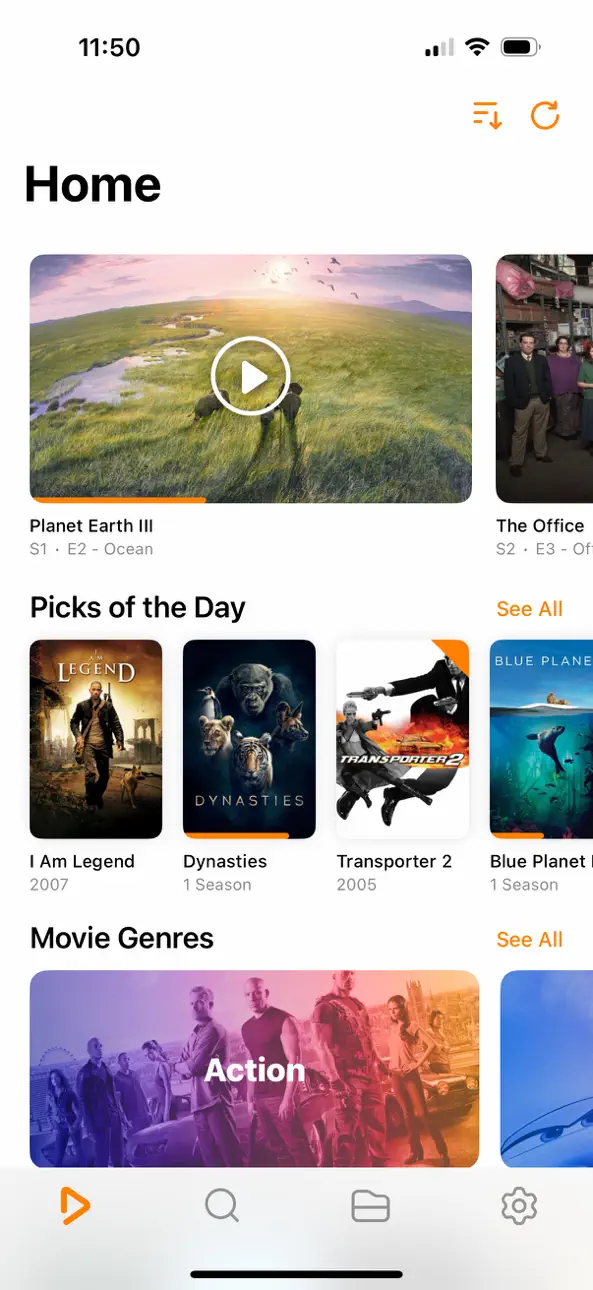
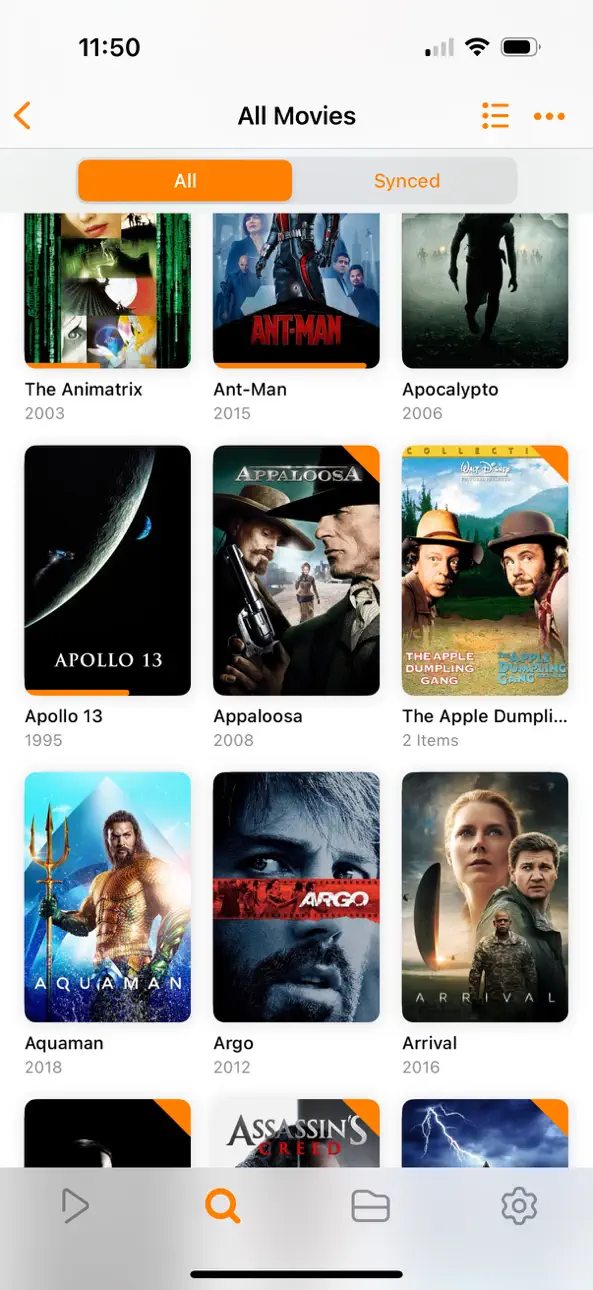
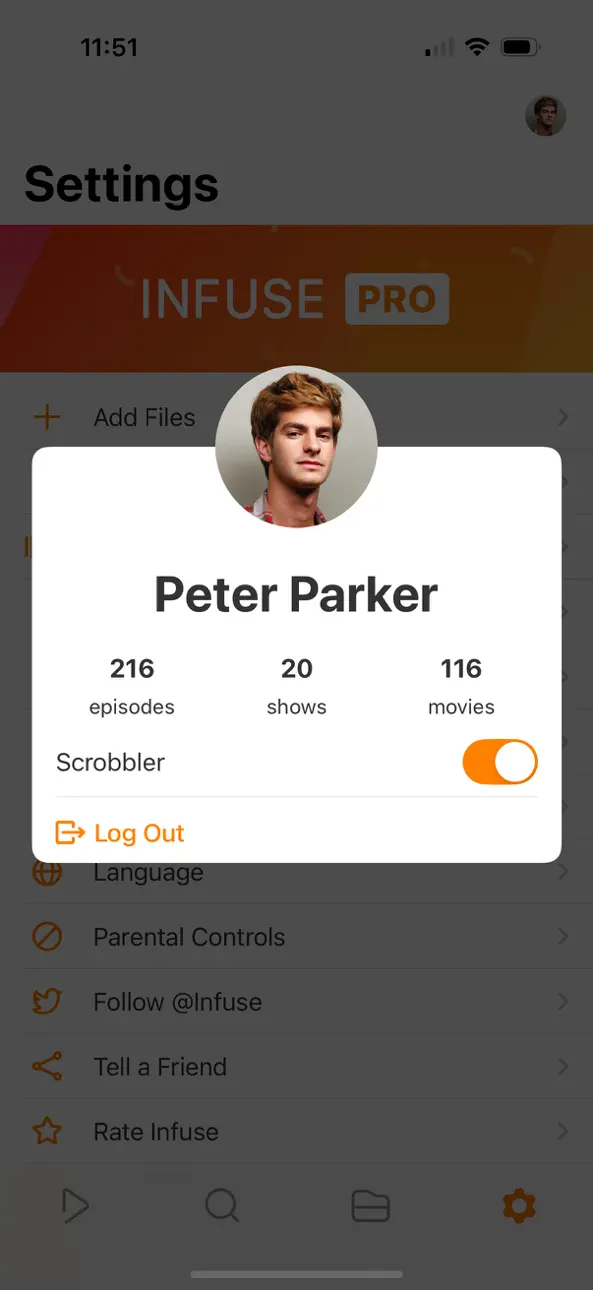
Infuse Plus è un Mod IPA lettore video premium che sblocca tutta la potenza dello streaming e della riproduzione su iOS 14. Questo hack ti concede accesso alle funzioni premium, permettendoti di goderti la riproduzione video senza interruzioni in tutti i formati supportati senza restrizioni.
- Premium → Accesso completo a tutte le funzioni premium
InfusePlus Core Version: v2.5
Scarica Infuse Plus (iOS 14) modded IPA dai link sopra. Tocca il pulsante di installazione e segui le istruzioni per installare questo hack iOS sul tuo iPhone, iPad o Mac con Apple Silicon.
Hai bisogno di altro aiuto? Consulta le nostre Domande frequenti sull'app iOSGods per risposte dettagliate e consigli per la risoluzione dei problemi.
Accendi i tuoi video con Infuse: il modo più bello per vedere video in 100+ formati diversi su iPhone, iPad, Apple TV, Mac e Vision. Nessun bisogno di convertire file! Infuse è ottimizzata per iOS 27, è integrato con Trakt e fornisce un supporto ai sottotitoli senza pari. Splendida interfaccia, comandi precisi e fluidissima riproduzione.
- 100+ TIPI DI FILE VIDEO SUPPORTATI
Gli standard MP4, M4V e MKV – e molti altri. Include il pieno supporto per l'audio Dolby® e DTS.
- RIPRODUCI IN STREAMING DA ALTRI DISPOSITIVI
Sfoglia e riproduci i video memorizzati su un drive Mac, PC, NAS o server come Plex, Emby, Jellyfin, Kodi (XBMC) e Dropbox, Google Drive, Box, OneDrive, pCloud, Yandex.Disk, MEGA e Aliyun Drive - nessuna sincronizzazione necessaria.
- AIRPLAY E GOOGLE CAST MULTI-FORMATO
Trasmetti una grande varietà di formati video come MKV, MP4, M4V, AVI e altri tramite AirPlay e Google Cast con audio surround e sottotitoli.
- SINCRONIZZAZIONE TRAKT.TV
Connetti Infuse a trakt.tv per condividere quello che guardi, lasciare recensioni e postare commenti.
- SOTTOTITOLI OTTIMIZZATI GRAZIE A OPENSUBTITLES
Aggiungi i tuoi sottotitoli o scaricali al volo (gratutitamente) praticamente in ogni lingua.
=====
“Sembra grandiosa, riproduce qualsiasi cosa ci buttate dentro.”
- Lifehacker
“Il miglior lettore multimediale per iPhone e iPad.”
- Cult of Mac
“Non potrò mai lodare abbastanza l'interfaccia utente. È fantastica.”
- 9to5Mac
“Non penso proprio che toglierò Infuse dalla schermata Home tanto presto.”
- iDownloadBlog
“…Infuse è superiore a VLC.”
- Alex Heath, Cult of Mac
“Una magnifica interfaccia utente.”
- Cofondatore di trakt.tv
“Un Kodi in miniatura!”
- Utente di Infuse
=====
PIÙ DI UN BEL FACCINO
- Motore ottimizzato (riproduce 4K)
- Trasmetti video da Mac, PC o dispositivi di archiviazione collegati alla rete
- Streaming da server come Plex, Emby, Jellyfin, Kodi (XBMC), WMC e simili
- Bellissimo layout con accesso immediato alle informazioni dei video
- Copertine e informazioni aggiunte automaticamente
- Picture in Picture (PiP)
- L'audio spaziale
FORMATI
- Video: 3GP, AVI, AV1, ASF, BDMV, DIVX, DVDMEDIA, DVR-MS, FLV, H.264 (AVC), H.265 (HEVC), ISO/IMG, M4V, MKV, MOV, MP4, MPEG, MTS/M2TS, MXF, OGM, OGV, RMVB, TS, VC1, VIDEO_TS, VOB, VP9, WEBM, WMV, WTV
- Audio: AAC, AC3/E-AC3, DOLBY TRUEHD, DTS, DTS-HD MA, FLAC, MP3, OGG, PCM, WMA
- Sottotitoli: DVB, DVDSUB, MICRODVD, MPL2, PGS, SMI, SSA/ASS, SRT, SUB, SUP, TIMED TEXT, TXT, VOBSUB, VTT, XSUB
LETTORE VIDEO
- Tracce audio multiple
- Gestione capitoli
- Controlli tramite gestures
- 8 opzioni di zoom
- Riproduzione continua
- Uscita TV via HDMI o adattatore VGA
- Deinterlacciamento video
EXTRA
- Cartellas
- Scarica sottotitoli da OpenSubtitles.org
- Scambia informazioni con trakt.tv
- Carica i video attraverso il browser con il metodo drag&drop
- SanDisk iXpand
INFUSE PRO!
- Riproduci più formati video
- Dolby® e DTS® integrato audio
- Riproduci i video di trailer per film e programmi TV
- Dropbox, Google Drive, Box, OneDrive, pCloud, Yandex.Disk, MEGA e Aliyun Drive
- Streaming AirPlay e Google Cast multi-formato
- Sincronizzazione iCloud
=====
Nota: i contenuti protetti da DRM acquistati dal negozio iTunes (film, programmi TV, ecc.) non sono supportati.
I metadati e le immagini visualizzate da Infuse sono fornite da TMDB, che è un database gratuiti di film e serie TV, curati da comunità di utenti.
=====
Creato da Firecore a Denver, Colorado.
=====
Il tuo abbonamento include un periodo di prova gratuito che inizia quando il tuo acquisto è stato confermato con il tuo account iTunes. Al termine del periodo di prova, l'abbonamento verrà attivato e rinnovato automaticamente. Il tuo account iTunes verrà addebitato per il periodo successivo a meno che non disattivi il rinnovo automatico o annulli l'abbonamento nelle Impostazioni account almeno 24 ore prima della fine del periodo corrente. Per i termini e l'informativa sulla privacy, visitare firecore.com/terms-privacy
Screenshot © rispettivi proprietari · App Store


iOSGods non è affiliata, approvata né sponsorizzata da Apple Inc., Google LLC o dagli sviluppatori delle app elencate qui. Apple, iOS e App Store sono marchi di Apple Inc. Android e Google Play sono marchi di Google LLC. Tutti gli altri nomi delle app, icone, immagini e marchi appartengono ai rispettivi proprietari.

- iPhone o iPad non jailbroken/jailed oppure jailbroken.
- Sideloadly o alternative.
- Computer con Windows/macOS/Linux con iTunes installato.
PASSO 1: Scarica il file .IPA pre-modificato dal link sopra sul tuo computer. Per scaricarlo dall'iOSGods App, consulta il nostro Tutorial download IPA dell'iOSGods App, che include un esempio video.
PASSO 2: Scarica Sideloadly e installalo sul tuo Windows o Mac.
PASSO 3: Apri Sideloadly sul tuo computer, collega il tuo dispositivo iOS e attendi finché il nome del dispositivo non appare in Sideloadly.
PASSO 4: Una volta riconosciuto il tuo iDevice, trascina il file .IPA moddato che hai scaricato e rilascialo nell'applicazione Sideloadly.
PASSO 5: Inserisci l'email del tuo Apple Account, poi premi “Start”. Ti verrà quindi chiesto di inserire la password. Procedi e fornisci le informazioni richieste.
PASSO 6: Attendi che Sideloadly completi il sideload/installazione dell'IPA modificata. Se ci sono problemi durante l'installazione, leggi la nota qui sotto.
PASSO 7: Una volta completata l'installazione e vista l'app sulla schermata Home, dovrai andare in Impostazioni → Generali → Profili / Gestione VPN e dispositivi. Una volta lì, tocca l'email inserita al passo 6 e poi tocca “Autorizza [email protected]”.
PASSO 8: Ora vai sulla schermata Home e apri l'app appena installata: tutto dovrebbe funzionare correttamente. Potrebbe essere necessario seguire ulteriori istruzioni specifiche all'interno del popup dell'hack nel gioco.
NOTA: Per iOS/iPadOS 16 e versioni successive, devi attivare la Modalità sviluppatore. Per gli account Apple Developer gratuiti, dovrai ripetere questa procedura ogni 7 giorni. Se hai domande o problemi, leggi la nostra sezione FAQ Sideloadly del topic.
Game Name iOS Mod IPA is an action adventure game enhanced with powerful gameplay boosts and quality-of-life improvements. Win battles faster, earn rewards quicker, and enjoy uninterrupted play without ads.
- Unlimited Gold - spend freely to unlock premium content
- Damage Multiplier - deal significantly more damage in combat
- Defense Multiplier - take less damage and survive longer
- Reward Multiplier - earn more loot from every battle
- Max Level - instantly reach the highest player rank
- No Ads - play without interruptions or advertisements
This app also comes with iGameGod, giving you access to Auto Touch to automate repetitive tasks, App Speed Manager for adjustable gameplay speed, Memory Engine value editing, and more powerful iOS game tools.
Scarica Game Name Mod IPA dai link sopra. Tocca il pulsante di installazione e segui le istruzioni per installare questo hack iOS sul tuo iPhone, iPad o Mac con Apple Silicon.
Hai bisogno di altro aiuto Consulta le nostre Domande frequenti sull'app iOSGods per risposte dettagliate e consigli per la risoluzione dei problemi.
----------------------------------------------------------
--------------------------------------------------