로그인 필요
계속하려면 iOSGods 계정으로 로그인하세요.
계속하려면 iOSGods 계정으로 로그인하세요.
이 Pro Camera by Moment의 무료 Mod IPA에서 수동 DSLR 같은 컨트롤로 전문가 수준의 사진과 동영상을 촬영하세요. 프리미엄 앱 비용을 지불하지 않고도 RAW 촬영, 실시간 파형, 듀얼 채널 오디오 미터, 색상 프로필, 프레임 레이트 컨트롤에 접근할 수 있습니다. 정확한 비트레이트와 오디오 설정이 필요한 영화 제작자든, 분할 포커스/노출과 셔터 속도, ISO, 화이트 밸런스, 포커스에 대한 완전한 수동 제어를 원하는 사진작가든, 이 수정된 버전은 빠르고 직관적인 인터페이스에서 전문가용 도구 모음을 제공합니다.
이 앱에는 iGameGod도 포함되어 있어 반복 작업을 자동화하는 Auto Touch, 게임 속도를 조절할 수 있는 App Speed Manager, Memory Engine 값 편집 등 강력한 iOS 게임 도구를 사용할 수 있습니다.
위의 링크에서 Pro Camera by Moment modded IPA을 다운로드합니다. 설치 버튼을 누르고 화면 안내에 따라 iPhone, iPad 또는 Apple Silicon에 이 iOS 앱 해킹을 설치합니다.
더 많은 도움이 필요하신가요? 자세한 답변과 문제 해결 팁은 iOSGods 앱 자주 묻는 질문을 확인하세요.
Pro Camera by Moment is the manual camera app that gives you full creative control and professional-level performance, all at an affordable price. It brings us closer to what we love about our DSLR and mirrorless cameras – exposure controls, precise focus, rich colors, smooth video, crisp audio – without being complicated.
If you are looking for a powerful and easy-to-use camera app, Pro Camera is for you. We make it fast and intuitive to switch between modes, dial in your shot, and keep shooting. Plus, we give you all the manual controls you’ll need: shutter speed, ISO, white balance, focus, and more. Your favorite settings can be saved and recalled on demand.
For filmmakers – the features you need, not the ones you don’t. LUTs, color spaces, bitrates, dual-channel audio meters, real-time waveforms, fast access to frame rates, and more.
For photographers – easier than shooting on your DSLR. Shoot in RAW (even in bursts), capture brackets, and more. You can even create stunning timelapses and light trail effects (in-app purchase required).
For everyone else – inspired by the pros we made the interface simple, fast, and easy to use. We provide getting started tips, video tutorials, and full-time customer service to get you set up.
We love hearing from you. If you have any features, ideas, or feedback please email us at [email protected] or DM us on Instagram @moment.
GENERAL FEATURES
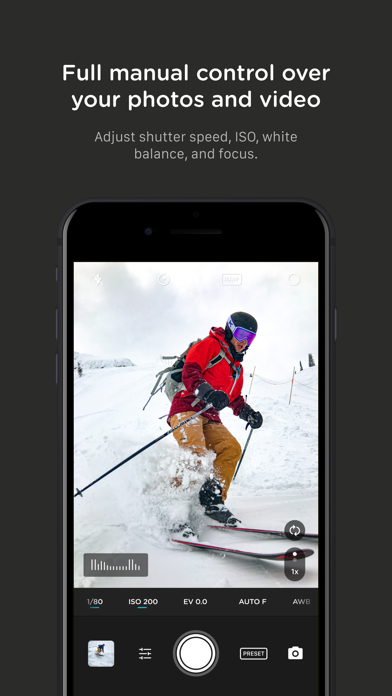
+ Full manual: control shutter speed, iso, exposure, focus, and white balance with easy-to-use sliders
+ Focus peaking: manually dial in your focus using highlighted in-focus regions
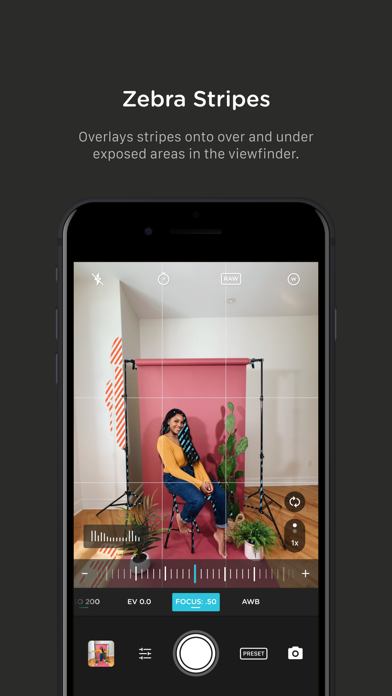
+ Zebra stripes: quickly determine over- and under-exposed areas in the viewfinder
+ Split focus and exposure: take control of tricky lighting scenarios
+ Viewfinder grid: choose from thirds, square, and golden ratio
+ Gyroscope: ensure your shot is level with an on-screen gyroscope and haptic feedback
PHOTOGRAPHY FEATURES
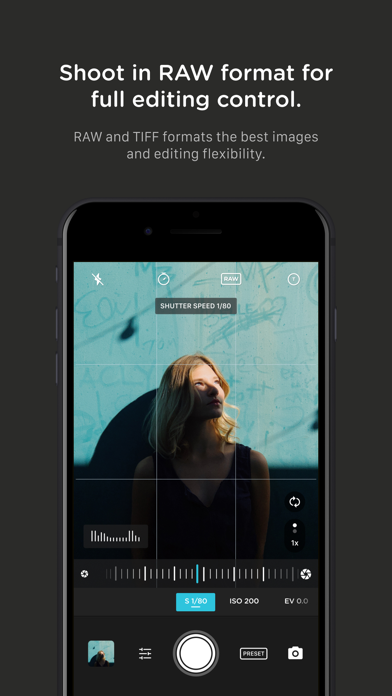
+ RAW and TIFF: shoot photos in RAW/ProRAW format for better editing, or TIFF for high-quality printing
+ RAW+JPG option: simultaneously get the best of both worlds
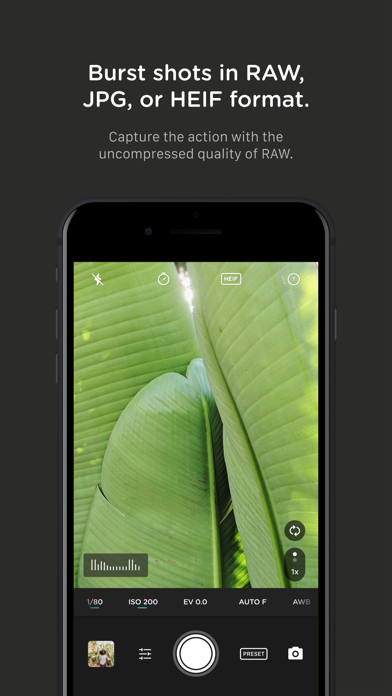
+ Burst mode: capture burst shots in RAW format – capture action while maintaining the uncompressed quality pros want with RAW
+ Bracketing: capture multiple exposures to stack later in your favorite editing apps
FILMMAKER FEATURES
+ Import, organize, and use your favorite LUTs
+ Color spaces: choose between Rec.709, Rec.2020 HDR, Display P3, and Apple Log (on compatible devices)
+ Codecs: shoot in HEVC, H.264, or any of the 422 ProRes variants
+ Video bitrates: get precise control over video quality with standard, medium, and high bitrate options
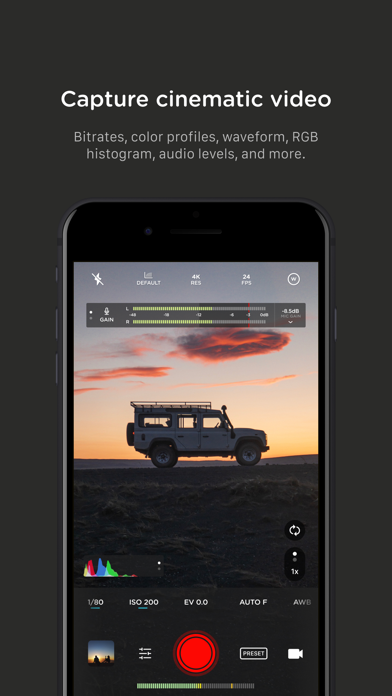
+ RGB histogram: dial in your video color, balance, and exposure
+ Waveform monitor: evaluate video brightness and exposure across your shot in real time
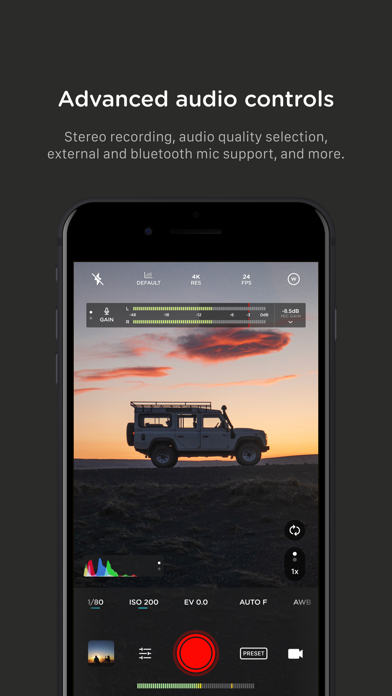
+ Audio meters: get just the right sound levels with real-time, precise, dual-channel audio levels
+ HDMI clean feed output: preview on a bigger screen
+ Video stabilization: make your videos buttery smooth
+ Video formats: change your resolution and frame rate on screen, without digging into a settings menu
+ Anamorphic: use the Moment Anamorphic lens to shoot amazing, letterbox style photos and videos, with a de-squeeze option built in
PREMIUM FEATURES (In-App Purchases)
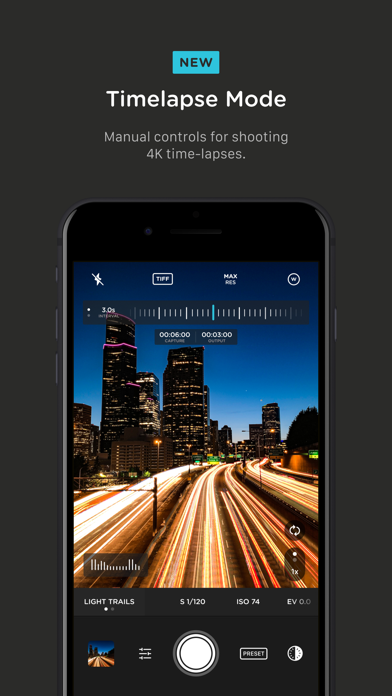
+ Timelapse mode: capture stunning time-lapse videos
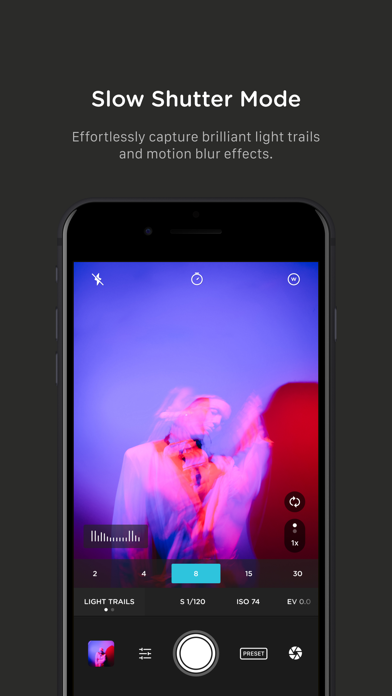
+ Slow Shutter mode: long exposure shots with motion blur or light trails
WORKS WITH
+ iPhone 16 Camera Control: get quick access to manual settings
+ Lens control: manually control which of the triple/dual lenses you want to shoot with so you can use Moment lenses over each one
+ Moment lenses: access options like anamorphic de-squeeze and distortion correction
+ Moment battery case: works with the DSLR-like shutter button on our photography cases for half-press and full-press capture. Take better photos, faster.
+ Apple Watch: use your watch as a remote to shoot photos or record videos
+ Siri Shortcuts: quick access to capture a photo or start a video

- 탈옥/제일 또는 탈옥된 iPhone 또는 iPad가 필요합니다.
- Sideloadly 또는 대체 도구가 필요합니다.
- iTunes가 설치된 Windows/macOS/Linux 컴퓨터가 필요합니다.
1단계: 위 링크에서 미리 해킹된 .IPA 파일을 컴퓨터에 다운로드합니다. iOSGods App에서 다운로드하려면 동영상 예시가 포함된 iOSGods App IPA 다운로드 튜토리얼를 참고하십시오.
2단계: Sideloadly를 다운로드하여 Windows 또는 Mac에 설치합니다.
3단계: 컴퓨터에서 Sideloadly를 실행하고 iOS 기기를 연결한 후, Sideloadly에 기기 이름이 표시될 때까지 기다립니다.
4단계: iDevice가 인식되면, 다운로드한 모드된 .IPA 파일을 Sideloadly 애플리케이션에 끌어다 놓습니다.
5단계: Apple Account 이메일을 입력한 후 “Start”를 누릅니다. 그러면 비밀번호를 입력하라는 메시지가 표시됩니다. 요청된 정보를 제공해 주십시오.
6단계: Sideloadly가 해킹된 IPA의 사이드로드/설치를 완료할 때까지 기다리십시오. 설치 중 문제가 발생하면 아래 참고 사항을 읽어 주십시오.
7단계: 설치가 완료되어 홈 화면에서 앱이 보이면 설정 → 일반 → 프로파일 / VPN 및 기기 관리 경로로 이동해야 합니다. 그곳에서 6단계에서 입력한 이메일을 탭한 다음 “[email protected] 신뢰”를 탭하십시오.
8단계: 이제 홈 화면으로 돌아가 새로 설치된 앱을 열면 모든 것이 정상적으로 작동할 것입니다. 게임 내 해킹 팝업에서 앱별 추가 안내를 따라야 할 수도 있습니다.
참고: iOS/iPadOS 16 이상에서는 개발자 모드를 활성화해야 합니다. 무료 Apple Developer 계정의 경우 이 과정을 7일마다 반복해야 합니다. 질문이나 문제가 있는 경우 해당 토픽의 Sideloadly FAQ 섹션를 읽어보십시오.