需要登入
請使用您的 iOSGods 帳戶登入以繼續。
請使用您的 iOSGods 帳戶登入以繼續。
- Never Die
- Higher Angry Gain
- High Sell Price
此應用程式也內建 iGameGod,讓你可以使用 Auto Touch 自動執行重複操作、透過 App Speed Manager 調整遊戲速度、使用 Memory Engine 修改記憶體數值,以及更多強大的 iOS 遊戲工具。
從上方連結下載 Kaz Warrior 3: Shinobi Legend Hack modded IPA。點選安裝按鈕並依照畫面指示在 iPhone、iPad 或 Apple Silicon 上安裝此 iOS 應用程式修改版。
需要更多協助?請查看我們的 iOSGods 應用程式常見問題 以獲得詳細解答與疑難排解。
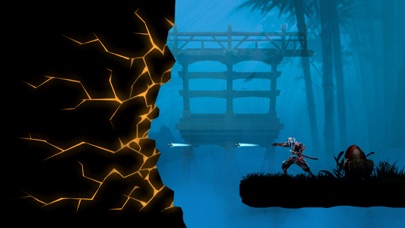
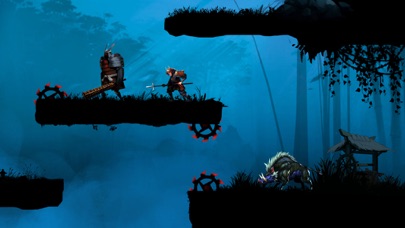
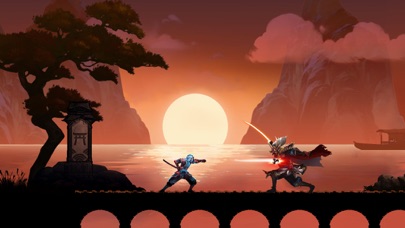
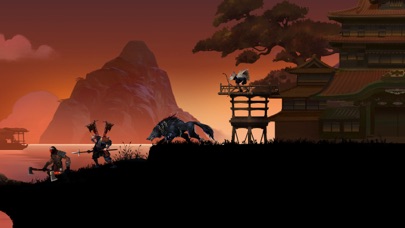
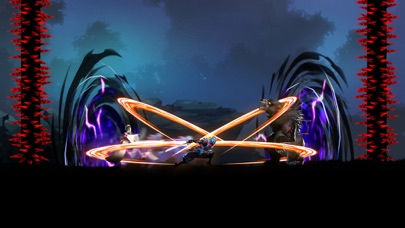
Become a powerful Kaz Warrior – a Ninja ready to confront the formidable Boss! Play the action Role-playing game: Kaz Warrior 3 – Shinobi Legend!
Features of fighting game - Kaz Warrior 3:
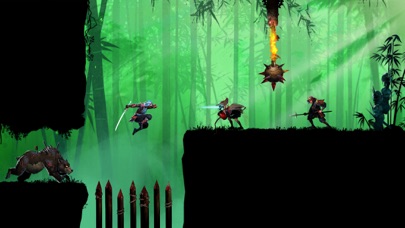
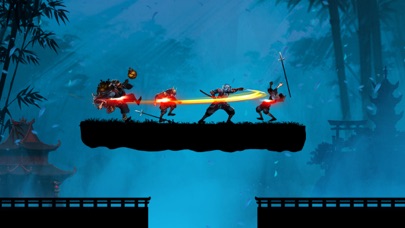
- Immerse yourself in epic battle scenes with beautiful graphics
- An RPG with lively and powerful sound effects
- Ninja game: Shadow fight is a role-playing game with an attractive storyline
- Easy gameplay in RPG
- The strategy game offers thousands of different challenges
- Diverse weapons in fighting game: darts, swords and more
- In the fighting game, dress your character in its own unique style
- Optimal ninja game design takes up less memory
The backstory of Kaz in Ninja game – Shinobi Legend:
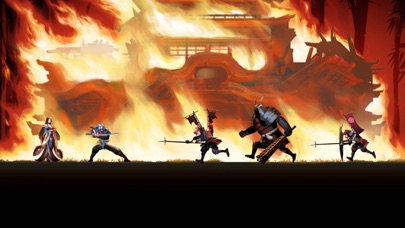
The land of Fukui was peaceful and happy. Suddenly, a brutal force invaded the village and burned it. They brutally massacred people, including Kaz’s parents and wife.
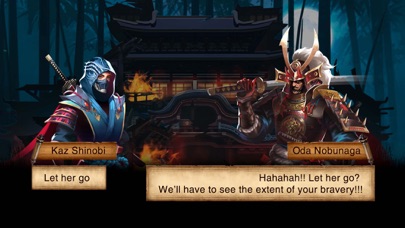
After returning from the forest, he saw that scene and felt extremely sad and angry. His heart boiled with the will to find and rescue his wife. And from that moment on, he embarked on a journey full of hardships, challenges, and enemy traps.
Not only that, the enemy forces still had the intention of invading, so he and the villagers continued to fight.
The henchmen under the boss's leadership raided the village, stealing the shinobi's thousand-year-old treasures and the dragon blood scrolls.
Kaz could not let his beloved village be destroyed by them, so he stood up to fight to reclaim the treasures and destroy the demons.
During that arduous journey, Kaz Warrior met shinobi and samurai allies. Samurai, ninjas, and Kaz fight together to defeat enemies and rebuild a peaceful, beautiful homeland.
Skills of a shinobi – ninja in the shadow fight game:
- Skillful use of swords with quick slashes
- Throws four-bladed shurikens forward, dealing high damage
- The fire-breathing technique inflicts burns on the target
- The art of disguise and stealth to avoid detection by enemies
- Extreme teleportation, high jumping, and acrobatics
Complete difficult challenges in ninja game:
- In the action game – shadow fight, a shinobi – ninja defeats enemies and battles the final boss
- With the shinobi legend, prove your bravery in epic shadow fight and complete battle chains to receive more items and increase your combat power.
- Come back every day to take on different challenges and diversify your collection.
Fight epic Boss battles
With equipped power, shinobi Kaz is ready to confront the Boss.
This epic battle will culminate in the Boss's destruction at the hands of Kaz.
The new era of blood and fire is coming, is your shinobi (ninja) spirit ready? Download the action RPG - Kaz Warrior 3 to start your adventure and fight! Can you become the strongest assassin?
Please contact us if you have any questions or suggestions about this ninja game!

- 未越獄/受限或已越獄的 iPhone 或 iPad。
- Sideloadly 或替代方案。
- 執行 Windows/macOS/Linux 且已安裝 iTunes 的電腦。
步驟 1: 透過上方連結將已破解的 .IPA 檔案下載到您的電腦。若要從 iOSGods App 下載,請參閱我們的 iOSGods App IPA 下載教學,其中包含影片範例。
步驟 2: 下載 Sideloadly 並將其安裝在您的 Windows 或 Mac 上。
步驟 3: 在電腦上開啟 Sideloadly,連接您的 iOS 裝置,並等待裝置名稱出現在 Sideloadly 中。
步驟 4: 當 Sideloadly 辨識到您的 iOS 裝置後,將下載好的修改版 .IPA 檔案拖曳並放到 Sideloadly 應用程式中。
步驟 5: 輸入您的 Apple Account 電子郵件,然後按下「Start」。系統會要求您輸入密碼,請依指示提供所需資訊。
步驟 6: 等待 Sideloadly 完成已破解 IPA 的旁載/安裝。如果安裝過程中發生問題,請閱讀下方的注意事項。
步驟 7: 安裝完成並在主畫面上看到該應用程式後,您需要前往 設定 → 一般 → 描述檔 / VPN 與裝置管理。進入後,點選您在步驟 6 中輸入的電子郵件,然後點選「信任 [email protected]」。
步驟 8: 現在回到主畫面並開啟新安裝的應用程式,一切應該都能正常運作。您可能需要依照遊戲內破解彈出視窗中的進一步指示操作。
注意: 在 iOS/iPadOS 16 及更新版本上,您必須 啟用開發者模式。若使用免費的 Apple Developer 帳號,您將需要每 7 天重複此程序。如有任何疑問或問題,請閱讀我們的 主題中的 Sideloadly 常見問題區段。