Login necessário
Entre com sua conta iOSGods para continuar.
Entre com sua conta iOSGods para continuar.
Os truques Never Die e Higher Angry Gain transformam Kaz Warrior 3: Shinobi Legend em uma aventura ninja imparável com este hack de RPG de ação. Sobreviva a todas as batalhas de chefes sem derrota, construa seu medidor de raiva mais rapidamente e domine a campanha Shinobi Legend com poder modificado que mantém seu guerreiro em pé.
- Nunca Morrer → sobreviva a todos os encontros sem derrota
- Ganho de Raiva Maior → construa seu medidor de raiva mais rapidamente em combate
- Preço de Venda Alto → ganhe mais moeda com vendas de itens
Este app também vem com iGameGod, oferecendo acesso ao Auto Touch para automatizar tarefas repetitivas, App Speed Manager para ajustar a velocidade do jogo, edição de valores com Memory Engine e outras ferramentas avançadas para jogos iOS.
Baixe Kaz Warrior 3: Shinobi Legend Hack modded IPA dos links acima. Toque no botão de instalação e siga as instruções para instalar este hack iOS no seu iPhone, iPad ou Apple Silicon.
Precisa de mais ajuda? Confira nossas Perguntas frequentes sobre o app iOSGods para respostas detalhadas e dicas de solução de problemas.
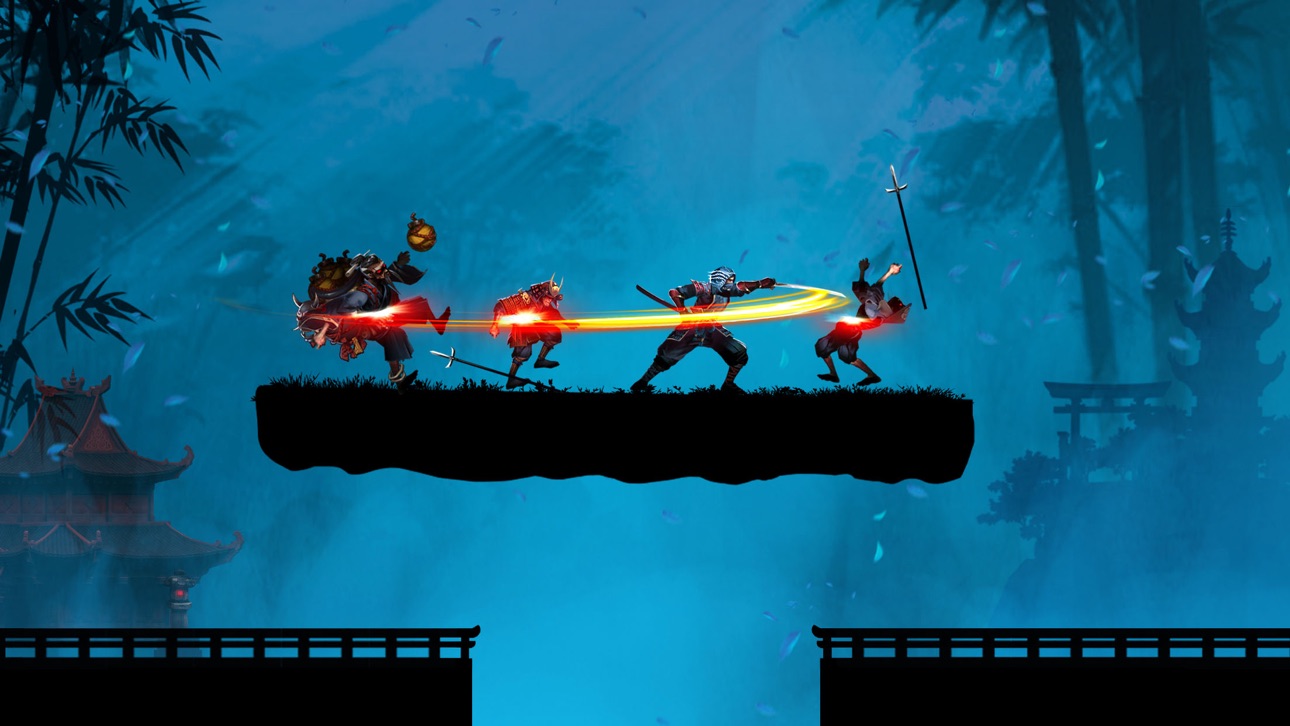
Devenez un puissant Kaz Warrior – un Ninja prêt à affronter le redoutable Boss ! Jouez au jeu de rôle et d'action : Kaz Warrior 3 – Shinobi Legend !
Caractéristiques du jeu de combat - Kaz Warrior 3 :
- Plongez-vous dans des scènes de bataille épiques avec de superbes graphismes
- Jeu de rôle avec un son vif et puissant
- Jeu Ninja : Shadow Fight est un jeu de rôle avec un scénario attrayant
- Gameplay facile en RPG
- Le jeu de stratégie comporte des milliers de défis différents
- Diverses armes dans le jeu de combat : fléchettes, épées, poison, ...
- Dans un jeu de combat, habillez le personnage selon son propre style
- La conception optimale du jeu ninja prend moins de mémoire
L'histoire de Kaz dans le jeu Ninja – Shinobi Legend :
Le pays de Fukui était paisible et heureux. Soudain, une force brutale envahit le village et l'incendia. Ils ont brutalement massacré des gens, notamment les parents et la femme de Kaz.
Après son retour de la forêt, il a vu cette scène et s'est senti extrêmement triste et en colère. Son cœur bouillonnait de la volonté de retrouver et de sauver sa femme. Et à partir de ce moment, il s’est lancé dans un voyage semé d’épreuves, de défis et de pièges ennemis.
De plus, les forces ennemies avaient toujours l’intention d’envahir, alors lui et les villageois ont continué à se battre.
Les hommes de main sous la direction du patron ont attaqué le village, ont volé les trésors millénaires des shinobi et les parchemins de sang de dragon ont été volés par eux.
Kaz ne pouvait pas laisser son village bien-aimé être détruit par eux, alors il s'est levé pour se battre pour récupérer les trésors et détruire les démons.
Et au cours de ce voyage ardu, Kaz Warrior a rencontré des amis shinobi et samouraïs. Les samouraïs, les ninjas et Kaz se battent ensemble pour vaincre leurs ennemis et reconstruire une belle et paisible patrie.
Compétences d'un shinobi - ninja dans le jeu de combat d'ombres :
- Utilisation habile des épées avec des coups rapides
- Projette des shurikens à quatre lames vers l'avant, infligeant des dégâts importants
- La technique de respiration du feu provoque des brûlures à la cible
- L'art de se déguiser et de se cacher pour ne pas être reconnu par ses ennemis
- Téléportation extrême, saut en hauteur et acrobatie
Relevez des défis difficiles dans le jeu ninja :
- Dans le jeu d'action – shadow fight, un shinobi – le ninja bat l'ennemi et se bat jusqu'au boss final
- Avec la légende shinobi, prouvez votre bravoure dans des combats d'ombres épiques et complétez des chaînes de combat pour recevoir plus d'objets et augmenter votre puissance de combat.
- Revenez chaque jour pour relever différents défis et diversifier votre collection.
Combattez des combats de boss épiques
Doté d'une puissance équipée, le shinobi Kaz est prêt à affronter le Boss.
Ce sera une bataille qui promet beaucoup de choses passionnantes et épiques lorsque le Boss sera détruit par Kaz.
La nouvelle ère du sang et du feu arrive, votre esprit shinobi (ninja) est-il prêt ? Téléchargez le RPG d'action - Kaz Warrior 3 pour commencer votre aventure et combattre ! Pouvez-vous devenir l'assassin le plus puissant ?
N'hésitez pas à nous contacter si vous avez des questions ou des suggestions sur ce jeu de ninja !
Capturas © respectivos proprietários · App Store


A iOSGods não é afiliada, endossada nem patrocinada pela Apple Inc., pela Google LLC ou pelos desenvolvedores dos apps listados aqui. Apple, iOS e App Store são marcas da Apple Inc. Android e Google Play são marcas da Google LLC. Todos os demais nomes de apps, ícones, imagens e marcas pertencem aos seus respectivos proprietários.

- iPhone ou iPad sem jailbreak/jailed ou com jailbreak.
- Sideloadly ou alternativas.
- Computador com Windows/macOS/Linux e iTunes instalado.
PASSO 1: Baixe o arquivo .IPA pré-hackeado do link acima para o seu computador. Para baixar pelo iOSGods App, veja nosso Tutorial de download de IPA do iOSGods App, que inclui um exemplo em vídeo.
PASSO 2: Baixe o Sideloadly e instale-o no seu Windows ou Mac.
PASSO 3: Abra o Sideloadly no seu computador, conecte seu dispositivo iOS e aguarde até que o nome do dispositivo apareça no Sideloadly.
PASSO 4: Assim que seu iDevice for reconhecido, arraste o arquivo .IPA modificado que você baixou e solte-o no aplicativo Sideloadly.
PASSO 5: Digite o e-mail da sua Apple Account e pressione “Start”. Em seguida, será solicitada a sua senha. Prossiga e forneça as informações solicitadas.
PASSO 6: Aguarde o Sideloadly finalizar o sideload/instalação do IPA hackeado. Se houver problemas durante a instalação, leia a observação abaixo.
PASSO 7: Quando a instalação estiver concluída e você vir o app na Tela de Início, será necessário acessar Ajustes → Geral → Perfis / Gerenciamento de VPN e Dispositivo. Lá, toque no e-mail que você inseriu no passo 6 e, em seguida, toque em “Confiar em [email protected]”.
PASSO 8: Agora vá para a Tela de Início e abra o app recém-instalado; tudo deve funcionar normalmente. Você pode precisar seguir instruções adicionais específicas no popup do hack dentro do jogo.
OBSERVAÇÃO: No iOS/iPadOS 16 e versões posteriores, você deve ativar o Modo de Desenvolvedor. Para contas Apple Developer gratuitas, será necessário repetir este processo a cada 7 dias. Se tiver dúvidas ou problemas, leia nossa seção de FAQ do Sideloadly no tópico.
Game Name iOS Mod IPA is an action adventure game enhanced with powerful gameplay boosts and quality-of-life improvements. Win battles faster, earn rewards quicker, and enjoy uninterrupted play without ads.
- Unlimited Gold - spend freely to unlock premium content
- Damage Multiplier - deal significantly more damage in combat
- Defense Multiplier - take less damage and survive longer
- Reward Multiplier - earn more loot from every battle
- Max Level - instantly reach the highest player rank
- No Ads - play without interruptions or advertisements
This app also comes with iGameGod, giving you access to Auto Touch to automate repetitive tasks, App Speed Manager for adjustable gameplay speed, Memory Engine value editing, and more powerful iOS game tools.
Baixe Game Name Mod IPA dos links acima. Toque no botão de instalação e siga as instruções para instalar este hack iOS no seu iPhone, iPad ou Apple Silicon.
Precisa de mais ajuda Confira nossas Perguntas frequentes sobre o app iOSGods para respostas detalhadas e dicas de solução de problemas.
----------------------------------------------------------
--------------------------------------------------