تسجيل الدخول مطلوب
سجّل الدخول بحساب iOSGods للمتابعة.
Free Paid App
يأتي هذا التطبيق مع iGameGod، مما يتيح لك الوصول إلى Auto Touch لأتمتة المهام المتكررة، وApp Speed Manager لضبط سرعة اللعب، وتعديل القيم عبر Memory Engine، والمزيد من أدوات ألعاب iOS القوية.
قم بتنزيل Procreate for iPad modded IPA من الروابط أعلاه. اضغط على زر التثبيت واتبع التعليمات لتثبيت هذا التعديل لـ iOS على iPhone أو iPad أو Apple Silicon.
هل تحتاج إلى مزيد من المساعدة؟ راجع الأسئلة الشائعة لتطبيق iOSGods للحصول على إجابات مفصلة ونصائح لاستكشاف الأخطاء.
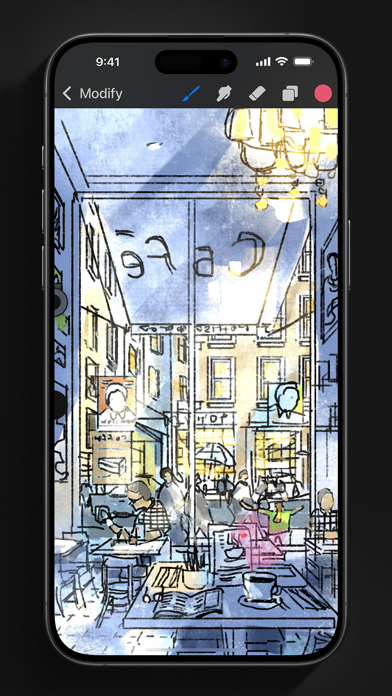
App of the Year winner Procreate Pocket is the most feature-packed and versatile art app ever designed for iPhone.
Procreate Pocket has everything you need to create expressive sketches, rich paintings, gorgeous illustrations, and beautiful animations. Offering hundreds of handmade brushes, a suite of intuitive artistic tools, an advanced layer system, and the powerful Valkyrie graphics engine. Work on the couch, on the train, at the beach, or while waiting in line for coffee.
It’s a complete art studio in the palm of your hand.
Highlights:
• High resolution canvases — up to 16k by 4k on compatible devices
• Intuitive Dark Mode interface made for iPhone
• Revolutionary QuickShape feature for perfect shapes
• Smooth and responsive smudge sampling
• Powered by Valkyrie, the lightning-fast 64-bit painting engine
• Create art in stunning 64-bit color
• 250 levels of undo and redo
• Continuous auto-save — never lose work again
Breakthrough brushes:
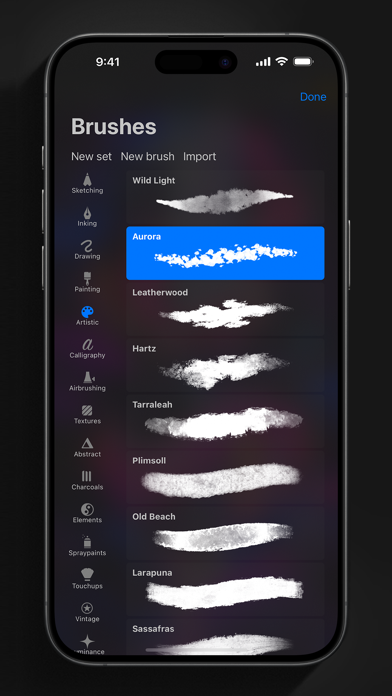
• Packed with 100s of beautifully crafted brushes
• Brush sets keep your painting, sketching, and drawing brushes organized
• Over 100 customizable settings for every brush
• Brush Studio — design custom brushes
• Import and export custom Procreate brushes
• Import Adobe® Photoshop® brushes, and run them faster than Photoshop®
Full-featured layering system:
• Layer your art for precise control over details and composition
• Create Layer and Clipping Masks for non-destructive editing
• Stay organized by combining layers into groups
• Transform objects simultaneously across multiple layers
• Access over 25 layer blend modes for industry-grade compositing
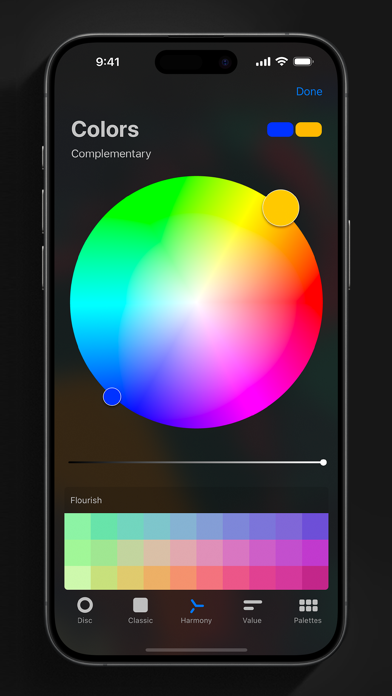
Color without compromise:
• Fill your line work with ColorDrop
• Disc, Classic, Harmony, Value, and Palette color panels
• Import color profiles for color matching
• Assign Color Dynamics to any brush
Precision design tools:
• Add vector text to your illustrations
• Easily import all your favorite fonts
• Crop and resize your canvas for perfect composition
• Perspective, isometric, 2D, and symmetry visual guides
• Drawing Assist perfects your strokes in real time
• StreamLine smooths your strokes for beautiful lettering and expert inking
Animation Assist:
• Easy frame-by-frame animation with customizable onion skinning
• Create storyboards, GIFs, animatics, and simple animations
• Export your animations in the full resolution of your canvas
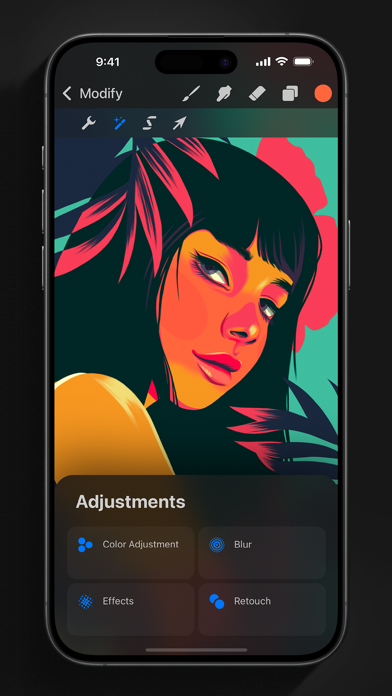
Dramatic finishing effects:
• Gradient Map — remap your image’s colors with a customizable gradient
• Glitch, Chromatic Aberration, Glow, and Halftone to add new dimensions to your work
• Gaussian and Motion Blur filters for depth and movement, or use Sharpen for perfect clarity
• Advanced Noise filter gives you more control for a classic, retro look
• Adjust Hue, Saturation, or Brightness in real time
• Powerful image adjustments including Color Balance, Curves, and HSB
• Bring your art to life with the fun, intuitive, and creative Warp, Symmetry, and Liquify Dynamics
Time-lapse replay:
• Relive your creative journey with Procreate's celebrated Time-lapse Replay
• Export your Time-lapse recording in 4K for high-end video production
• Share a short, 30-second version of your Time-lapse on your socials
Reference Companion:
• Keep a full canvas or reference image with you at all times
• Paint on your face with AR
• Color-pick right from the reference window
Import assets and share your creations:
• Import or export your art as Adobe® Photoshop® PSD files
• Import Adobe® ASE and ACO Color Palettes
• Import images files such as JPG, PNG, and TIFF
• Drag and drop artworks, brushes, palettes, and fonts between applications• Export to AirDrop, iCloud Drive, Photos, iTunes, Dropbox, Google Drive, Facebook, X (formerly Twitter), Instagram, TikTok, Weibo, Mail, and more
• Share your art as PDF, JPEG, PNG, TIFF, GIF, HEVC, or MP4 files
- iPhone أو iPad بجيلبريك أو بدون جيلبريك.
- Sideloadly أو بدائلها.
- كمبيوتر يعمل بنظام Windows/macOS/Linux مع تثبيت iTunes.
الخطوة 1: قم بتنزيل ملف .IPA المعدّل مسبقًا من الرابط أعلاه إلى الكمبيوتر الخاص بك. للتنزيل من تطبيق iOSGods App، اطلع على دليل تنزيل IPA من تطبيق iOSGods App الذي يتضمن مثالًا بالفيديو.
الخطوة 2: قم بتنزيل Sideloadly وتثبيته على جهاز Windows أو Mac.
الخطوة 3: افتح Sideloadly على الكمبيوتر، ووصّل جهاز iOS الخاص بك، وانتظر حتى يظهر اسم جهازك داخل Sideloadly.
الخطوة 4: بمجرد التعرّف على جهاز iDevice الخاص بك، اسحب ملف .IPA المعدّل الذي قمت بتنزيله وأفلِته داخل تطبيق Sideloadly.
الخطوة 5: أدخل البريد الإلكتروني لحساب Apple Account الخاص بك، ثم اضغط على «Start». سيُطلب منك بعد ذلك إدخال كلمة المرور. تابع وأدخل المعلومات المطلوبة.
الخطوة 6: انتظر حتى ينتهي Sideloadly من تحميل/تثبيت ملف IPA المعدّل. في حال واجهت أي مشاكل أثناء التثبيت، يرجى قراءة الملاحظة أدناه.
الخطوة 7: بعد اكتمال التثبيت ورؤية التطبيق على الشاشة الرئيسية، انتقل إلى Settings → General → Profiles / VPN & Device Management. ثم اضغط على البريد الإلكتروني الذي أدخلته في الخطوة 6، ثم اضغط على «الوثوق بـ [email protected]».
الخطوة 8: الآن انتقل إلى الشاشة الرئيسية وافتح التطبيق الذي تم تثبيته للتو وسيعمل كل شيء بشكل صحيح. قد تحتاج إلى اتباع تعليمات إضافية خاصة بكل تطبيق داخل النافذة المنبثقة للتعديل أثناء اللعب.
ملاحظة: بدءًا من iOS/iPadOS 16 وما بعده، يجب تفعيل وضع المطور (Developer Mode). بالنسبة لحسابات Apple Developer المجانية، ستحتاج إلى تكرار هذه العملية كل 7 أيام. إذا كانت لديك أي أسئلة أو مشاكل، يرجى قراءة قسم الأسئلة الشائعة حول Sideloadly في الموضوع.