需要登入
請使用您的 iOSGods 帳戶登入以繼續。
請使用您的 iOSGods 帳戶登入以繼續。
免費付費應用程式,無需付費即可解鎖 Procreate for iPad 的完整專業藝術工作室。這個修改版 iOS 版本讓您免費存取所有高級筆刷、進階圖層工具和強大的 Valkyrie 圖形引擎,讓您隨時隨地在 iPad 上創作富有表現力的素描、豐富的繪畫和精美的插圖。
此應用程式也內建 iGameGod,讓你可以使用 Auto Touch 自動執行重複操作、透過 App Speed Manager 調整遊戲速度、使用 Memory Engine 修改記憶體數值,以及更多強大的 iOS 遊戲工具。
從上方連結下載 Procreate for iPad modded IPA。點選安裝按鈕並依照畫面指示在 iPhone、iPad 或 Apple Silicon 上安裝此 iOS 應用程式修改版。
需要更多協助?請查看我們的 iOSGods 應用程式常見問題 以獲得詳細解答與疑難排解。
App of the Year winner Procreate Pocket is the most feature-packed and versatile art app ever designed for iPhone.
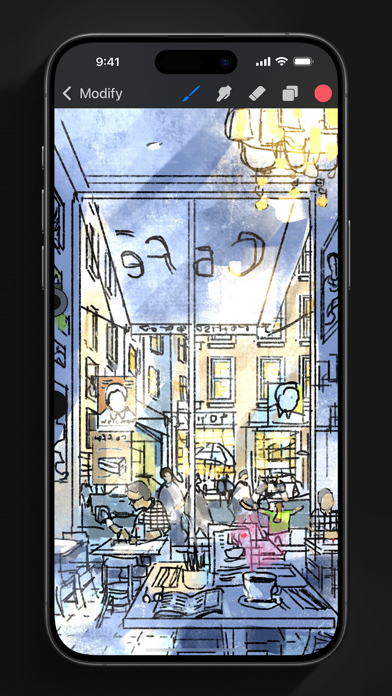
Procreate Pocket has everything you need to create expressive sketches, rich paintings, gorgeous illustrations, and beautiful animations. Offering hundreds of handmade brushes, a suite of intuitive artistic tools, an advanced layer system, and the powerful Valkyrie graphics engine. Work on the couch, on the train, at the beach, or while waiting in line for coffee.
It’s a complete art studio in the palm of your hand.
Highlights:
• High resolution canvases — up to 16k by 4k on compatible devices
• Intuitive Dark Mode interface made for iPhone
• Revolutionary QuickShape feature for perfect shapes
• Smooth and responsive smudge sampling
• Powered by Valkyrie, the lightning-fast 64-bit painting engine
• Create art in stunning 64-bit colour
• 250 levels of undo and redo
• Continuous auto-save — never lose work again
Breakthrough brushes:
• Packed with 100s of beautifully crafted brushes
• Brush sets keep your painting, sketching, and drawing brushes organised
• Over 100 customisable settings for every brush
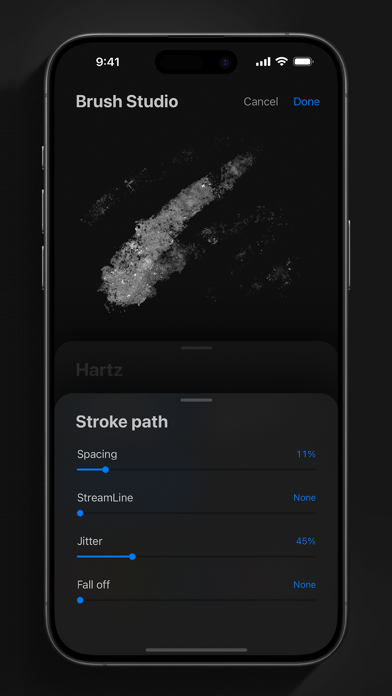
• Brush Studio — design custom brushes
• Import and export custom Procreate brushes
• Import Adobe® Photoshop® brushes, and run them faster than Photoshop®
Full-featured layering system:
• Layer your art for precise control over details and composition
• Create Layer and Clipping Masks for non-destructive editing
• Stay organised by combining layers into groups
• Transform objects simultaneously across multiple layers
• Access over 25 layer blend modes for industry-grade compositing
Colour without compromise:
• Fill your line work with ColorDrop
• Disc, Classic, Harmony, Value, and Palette colour panels
• Import colour profiles for colour matching
• Assign Colour Dynamics to any brush
Precision design tools:
• Add vector text to your illustrations
• Easily import all your favourite fonts
• Crop and resize your canvas for perfect composition
• Perspective, isometric, 2D, and symmetry visual guides
• Drawing Assist perfects your strokes in real time
• StreamLine smooths your strokes for beautiful lettering and expert inking
Animation Assist:
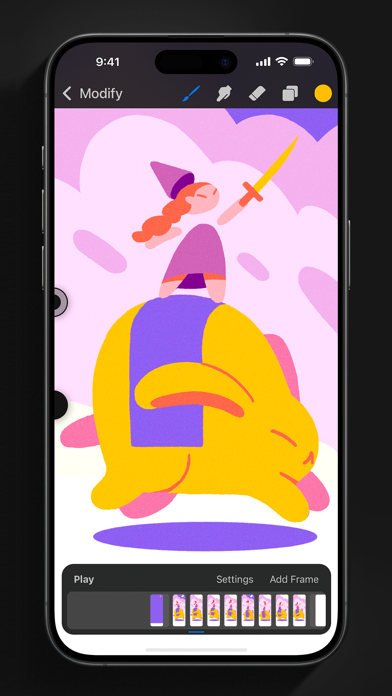
• Easy frame-by-frame animation with customisable onion skinning
• Create storyboards, GIFs, animatics, and simple animations
• Export your animations in the full resolution of your canvas
Dramatic finishing effects:
• Gradient Map — remap your image’s colours with a customisable gradient
• Glitch, Chromatic Aberration, Glow, and Halftone to add new dimensions to your work
• Gaussian and Motion Blur filters for depth and movement, or use Sharpen for perfect clarity
• Advanced Noise filter gives you more control for a classic, retro look
• Adjust Hue, Saturation, or Brightness in real time
• Powerful image adjustments including Colour Balance, Curves, and HSB
• Bring your art to life with the fun, intuitive, and creative Warp, Symmetry, and Liquify Dynamics
Time-lapse replay:
• Relive your creative journey with Procreate's celebrated Time-lapse Replay
• Export your Time-lapse recording in 4K for high-end video production
• Share a short, 30-second version of your Time-lapse on your socials
Reference Companion:
• Keep a full canvas or reference image with you at all times
• Paint on your face with AR
• Colour-pick right from the reference window
Import assets and share your creations:
• Import or export your art as Adobe® Photoshop® PSD files
• Import Adobe® ASE and ACO Colour Palettes
• Import images files such as JPG, PNG, and TIFF
• Drag and drop artworks, brushes, palettes, and fonts between applications
• Export to AirDrop, iCloud Drive, Photos, iTunes, Dropbox, Google Drive, Facebook, X (formerly Twitter), Instagram, TikTok, Weibo, Mail, and more
• Share your art as PDF, JPEG, PNG, TIFF, GIF, HEVC, or MP4 files

- 未越獄/受限或已越獄的 iPhone 或 iPad。
- Sideloadly 或替代方案。
- 執行 Windows/macOS/Linux 且已安裝 iTunes 的電腦。
步驟 1: 透過上方連結將已破解的 .IPA 檔案下載到您的電腦。若要從 iOSGods App 下載,請參閱我們的 iOSGods App IPA 下載教學,其中包含影片範例。
步驟 2: 下載 Sideloadly 並將其安裝在您的 Windows 或 Mac 上。
步驟 3: 在電腦上開啟 Sideloadly,連接您的 iOS 裝置,並等待裝置名稱出現在 Sideloadly 中。
步驟 4: 當 Sideloadly 辨識到您的 iOS 裝置後,將下載好的修改版 .IPA 檔案拖曳並放到 Sideloadly 應用程式中。
步驟 5: 輸入您的 Apple Account 電子郵件,然後按下「Start」。系統會要求您輸入密碼,請依指示提供所需資訊。
步驟 6: 等待 Sideloadly 完成已破解 IPA 的旁載/安裝。如果安裝過程中發生問題,請閱讀下方的注意事項。
步驟 7: 安裝完成並在主畫面上看到該應用程式後,您需要前往 設定 → 一般 → 描述檔 / VPN 與裝置管理。進入後,點選您在步驟 6 中輸入的電子郵件,然後點選「信任 [email protected]」。
步驟 8: 現在回到主畫面並開啟新安裝的應用程式,一切應該都能正常運作。您可能需要依照遊戲內破解彈出視窗中的進一步指示操作。
注意: 在 iOS/iPadOS 16 及更新版本上,您必須 啟用開發者模式。若使用免費的 Apple Developer 帳號,您將需要每 7 天重複此程序。如有任何疑問或問題,請閱讀我們的 主題中的 Sideloadly 常見問題區段。