ログインが必要
iOSGodsアカウントでサインインして続けてください。
Hack Features:
- PREMIUM
Darkr - fine bw analog image Modded modded IPAを上のリンクからダウンロードします。インストールボタンをタップし、画面の指示に従ってiPhone、iPad、Apple SiliconにこのiOSアプリハックをインストールします。
さらにヘルプが必要ですか? 詳しい回答とトラブルシューティングはiOSGodsアプリ よくある質問をご覧ください。
3 million downloads
Featured as Today's app in many countries and is the perfect app for learning photography.
"Darkr actually taught us how to frame pictures better"
- AppleInsider
Have you ever dreamt of trying an old darkroom, but don't have the equipment nor the time?
Now you can, and without getting wet.
DARKROOM
In a fun and intuitive way you will pick the strip that has the best time and contrast.
And just like a real darkroom, you can make parts of the image brighter and darker by blocking or adding more light to the image.
You will be presented in a very easy way with lots of tutorials on how to use the tools.
The images will only be in black and white (but you may tone them).
DARKROOM FEATURES
+ Develop either your images from your camera-roll or taken by the Large-Format camera
+ Only Black & White
+ Stripes - As in a real darkroom you'll have to find the best strip. It will be challenging, fun and very powerful
+ Crop / Rotate - Both crop and rotate the image in the same tool
+ Dodge - Make a selected part of the image brighter.
+ Burn - Make a selected part of the image darker
+ Blur - Enhance the background with some beautiful blurriness.
+ Tone - Tone the images with various strength. The toners that can be used are Selenium, Cyanotype and Sepia.
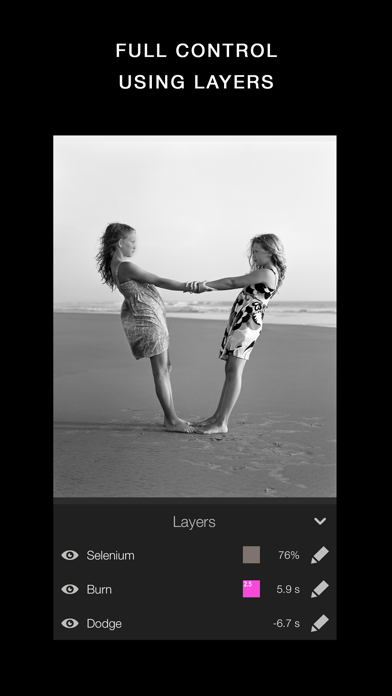
+ Layers - You can add as many effects as you want. Each effect will be treated as a layer that can be edited, deleted and changed its visibility.
+ Zoom - You can zoom the image ten times. This will make it really easy to make the detailed work.
+ OpenGL - Darkr uses OpenGL, the drawing is fast and very fluid.
CAMERA
By shooting with a large-format camera where the image is upside-down you will actually get more control over the image.
The camera is only manual and back in the old days you could not even zoom with the camera, you had to walk.
You will be forced to slow down the process and by doing so, your photographs will be so much better.
At first it may feel a bit odd to look at the upside-down image and it can even be a bit challanging to know if you should move the camera to the left or right when framing the image.
Sometimes you will even laugh at yourself, but the more you use it, the less you will even have to think about it.
MORE CAMERA-MODELS
Darkr has now added two more camera-models.
+ Medium-format which will produce a square image and just as the large-format camera it is manual.
+ Small-format which is a real basic point and shoot camera where you pretty much only shoot at what you see. Nothing to set up with, nor zoom.
CAMERA FEATURES
+ Manual - Just as in a real old analog camera, it is only manual
+ Shutter / ISO - You will set these individually
+ Focus - With a beautiful crafted loupe, you will get full control over the sharpness
+ Tilt / Shift - Just as a large-format camera you will be able to straight up any lines
+ 4x5" - The negative's size will be in the 4x5-ratio as the most popular large-format camera does
SHARE
You can naturally share both the negatives and prints.
You can optimize the resolution to lots of social media's sites like Facebook, Instagram, Twitter
SUPPORT
We are eager to hear from you. We just love to hear both good stuff and bad stuff.
And it's much likely that your opinion will be added into the next update.
Please don't hesitate to contact us at:
[email protected]
- 脱獄/Jailed済みまたは脱獄済みのiPhoneまたはiPad。
- Sideloadlyまたは代替手段。
- iTunesがインストールされているWindows/macOS/Linuxを実行しているコンピュータ。
ステップ1: 上のリンクから事前にハックされた.IPAファイルをコンピュータにダウンロードします。iOSGodsアプリからダウンロードする方法は、ビデオ例付きのiOSGodsアプリIPAダウンロードチュートリアルをご覧ください。
ステップ2: SideloadlyをダウンロードしてWindowsまたはMacにインストールします。
ステップ3: コンピュータでSideloadlyを開き、iOSデバイスを接続して、デバイス名がSideloadlyに表示されるまで待ちます。
ステップ4: iDeviceが認識されたら、ダウンロードしたModされた.IPAファイルをSideloadlyアプリにドラッグ&ドロップします。
ステップ5: Apple Accountのメールアドレスを入力し、「Start」を押します。次にパスワードの入力を求められます。必要な情報を入力してください。
ステップ6: Sideloadlyがハックされたipaのサイドロード/インストールを完了するのを待ちます。インストール中に問題が発生した場合は、以下の注意事項をお読みください。

ステップ7: インストールが完了し、ホーム画面にアプリが表示されたら、設定 → 一般 → プロファイル / VPNとデバイス管理に移動する必要があります。そこで、ステップ6で入力したメールをタップし、「Trust [email protected]」をタップします。
ステップ8: ホーム画面に戻り、新しくインストールされたアプリを開けば、すべて正常に動作するはずです。ゲーム内のハックのポップアップで、アプリごとの追加指示に従う必要がある場合があります。
注意: iOS/iPadOS 16以降では、デベロッパモードを有効にするが必要です。無料のApple Developerアカウントの場合、このプロセスを7日ごとに繰り返す必要があります。質問や問題がある場合は、トピックのSideloadly FAQセクションをお読みください。