ต้องเข้าสู่ระบบ
เข้าสู่ระบบด้วยบัญชี iOSGods เพื่อดำเนินการต่อ
เข้าสู่ระบบด้วยบัญชี iOSGods เพื่อดำเนินการต่อ
สร้างสไลด์โชว์รูปภาพที่น่าทึ่งด้วยฟิลเตอร์มืออาชีพ, การเปลี่ยนภาพ, และเพลงในแอปบันเทิงนี้, ปลดล็อกแล้วด้วยฟีเจอร์พรีเมียมใน Fliptastic Mod IPA ที่ชื่นชอบของผู้ใช้กว่า 1 ล้านคนและได้รับการยกย่องจาก TUAW และ AppAdvice, Fliptastic เปลี่ยนรูปภาพของคุณเป็นเนื้อหาที่น่าสนใจและแชร์ได้สำหรับ Instagram, Facebook, YouTube, และอีเมล ทั้งหมดในแอปเดียวที่ใช้งานง่าย
- ปลดล็อกพรีเมียม → เข้าถึงฟีเจอร์โปรทั้งหมด
แอปนี้ยังมาพร้อมกับ iGameGod ซึ่งช่วยให้คุณเข้าถึง Auto Touch สำหรับการทำงานซ้ำ ๆ โดยอัตโนมัติ, App Speed Manager สำหรับปรับความเร็วของเกม, การแก้ไขค่าด้วย Memory Engine และเครื่องมือสำหรับเกม iOS ที่ทรงพลังอื่น ๆ อีกมากมาย
ดาวน์โหลด Fliptastic — Easy Slideshows Modded modded IPA จากลิงก์ด้านบน แตะปุ่มติดตั้งและทำตามคำแนะนำบนหน้าจอเพื่อติดตั้งแฮ็กแอป iOS นี้บน iPhone, iPad หรือ Apple Silicon
ต้องการความช่วยเหลือเพิ่มเติม? ดู คำถามที่พบบ่อยของแอป iOSGods สำหรับคำตอบโดยละเอียดและเคล็ดลับการแก้ไขปัญหา
Turn your photos into stunning videos in seconds — no editing skills needed.
Fliptastic is the easiest way to create beautiful slideshows and short-form videos for TikTok, Instagram Reels, YouTube, and more. Just pick your photos, choose a style, and share.
AI AUTO-CREATE
Let our smart AI pick your best photos and arrange them into a perfect slideshow automatically. It analyzes quality, faces, composition, and lighting — so every video looks incredible.
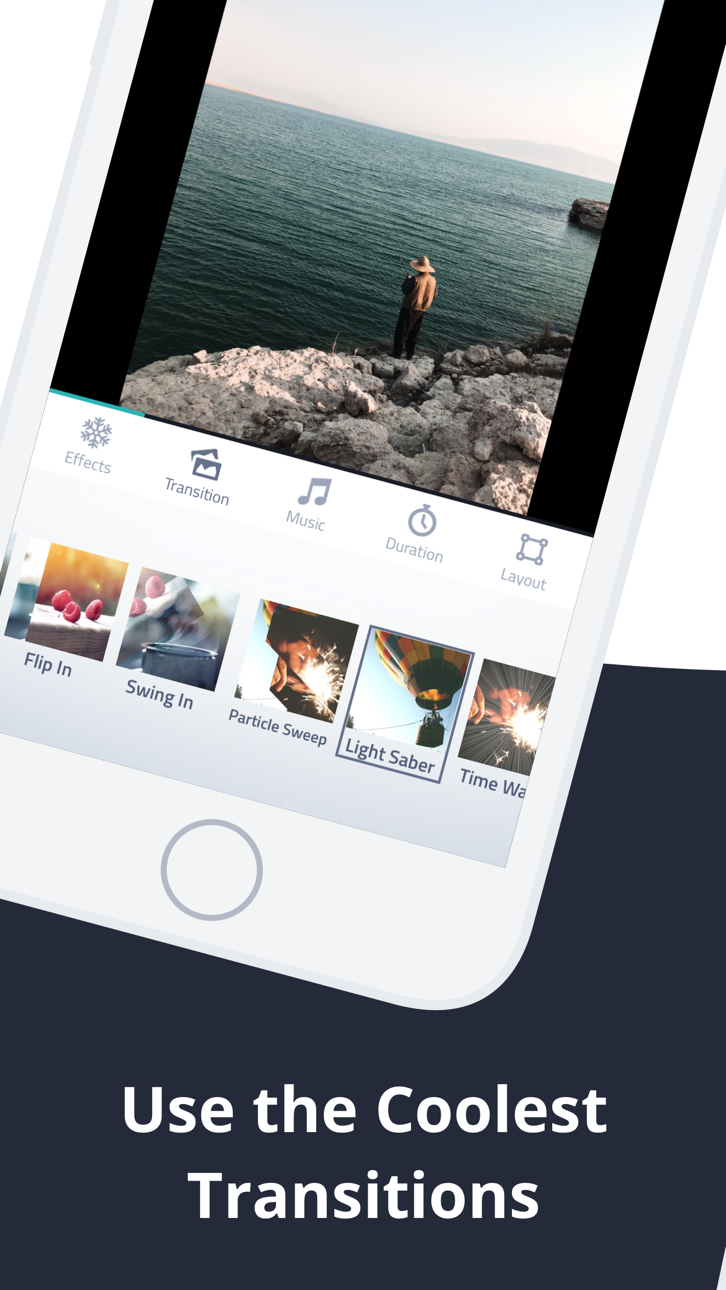
40+ CINEMATIC TRANSITIONS
Crossfade, Flip, Ken Burns, Zoom, Blur, Bounce, Rotate, and dozens more. Use one style or randomize for variety — every slideshow feels fresh and dynamic.
MADE FOR EVERY PLATFORM
Export in the perfect format for any social platform:
• 9:16 for TikTok & Instagram Reels
• 16:9 for YouTube
• 1:1 Square for posts
• 8:10 for Instagram
BUILT-IN MUSIC LIBRARY
Choose from 26 curated theme songs that perfectly complement your slideshow. Your videos will sound as good as they look.
PHOTO EDITOR & FILTERS
Fine-tune every photo with 13 stunning filters, crop, rotate, and adjust brightness, contrast, and saturation — all without leaving the app.
BEAUTIFUL TEXT SLIDES
Add titles and captions with handpicked decorative fonts like Billabong, Pacifico, and Permanent Marker. Perfect for intros, outros, and storytelling.
THEMED EFFECT PACKS
Take your videos to the next level with special effects:
• Love Pack — Hearts, romantic frames & music
• Starry Pack — Sparkling star effects
• Galaxy Pack — 5 premium cinematic transitions
• Lunar Pack — Festive effects for celebrations
• Christmas Pack — Snow & holiday magic
STOCK PHOTOS BUILT IN
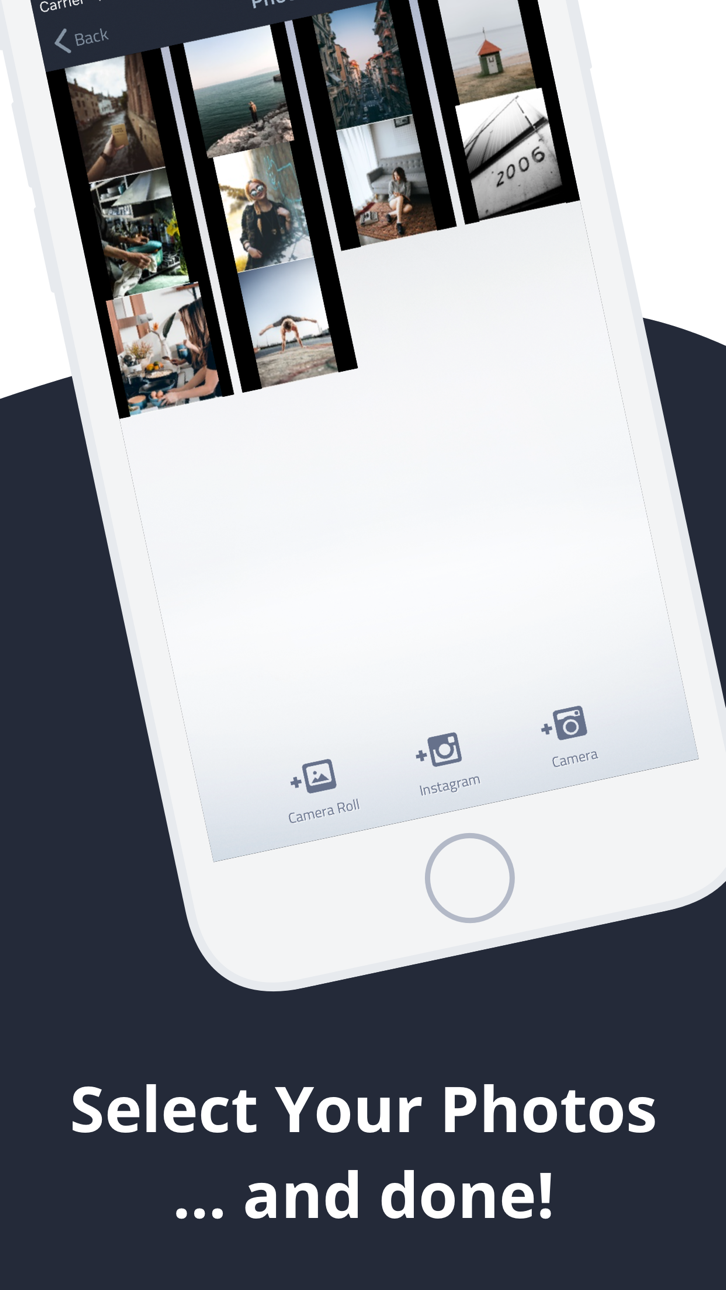
Don't have enough photos? Browse thousands of beautiful stock images from Pexels right inside the app.
MORE FEATURES YOU'LL LOVE
• Save unlimited projects and edit anytime
• Drag & drop photo arrangement
• Per-slide duration control
• Multiple image fit modes (Fit, Fill, Blur Fill)
• Live Activities & Dynamic Island progress tracking
• Undo/redo support
• Share directly to Instagram, Facebook & YouTube
Download Fliptastic free and start creating videos your followers will love.
Subscription Terms:
- Fliptastic Premium is available as a monthly or yearly auto-renewable subscription
- Payment is charged to your Apple ID account at confirmation of purchase
- Subscription automatically renews unless cancelled at least 24 hours before the end of the current period
- Your account will be charged for renewal within 24 hours prior to the end of the current period
- You can manage and cancel subscriptions in your Apple ID account settings
- Privacy Policy: https://fliptastic.me/privacy-policy
- Terms of Use (EULA): https://fliptastic.me/terms
ภาพหน้าจอ © เจ้าของแต่ละราย · App Store


iOSGods ไม่มีความเกี่ยวข้อง ไม่ได้รับการรับรอง และไม่ได้รับการสนับสนุนจาก Apple Inc., Google LLC หรือผู้พัฒนาแอปที่แสดงไว้ที่นี่ Apple, iOS และ App Store เป็นเครื่องหมายการค้าของ Apple Inc. Android และ Google Play เป็นเครื่องหมายการค้าของ Google LLC ชื่อแอป ไอคอน ภาพ และเครื่องหมายการค้าอื่นทั้งหมดเป็นทรัพย์สินของเจ้าของแต่ละราย
- iPhone หรือ iPad ที่ไม่ได้เจลเบรก/ไม่ได้เจลเบรก หรือเจลเบรกแล้ว
- Sideloadly หรือทางเลือกอื่น
- คอมพิวเตอร์ที่ใช้ Windows/macOS/Linux และติดตั้ง iTunes ไว้
ขั้นตอนที่ 1: ดาวน์โหลดไฟล์ .IPA ที่แฮกไว้ล่วงหน้าจากลิงก์ด้านบนลงในคอมพิวเตอร์ของคุณ หากต้องการดาวน์โหลดจากแอป iOSGods โปรดดู วิธีดาวน์โหลด IPA ในแอป iOSGods ซึ่งมีตัวอย่างวิดีโอประกอบ
ขั้นตอนที่ 2: ดาวน์โหลด Sideloadly แล้วติดตั้งบน Windows หรือ Mac ของคุณ
ขั้นตอนที่ 3: เปิด Sideloadly บนคอมพิวเตอร์ เชื่อมต่ออุปกรณ์ iOS แล้วรอจนกว่าชื่ออุปกรณ์ของคุณจะปรากฏใน Sideloadly
ขั้นตอนที่ 4: เมื่อ iDevice ของคุณถูกตรวจพบแล้ว ให้ลากไฟล์ .IPA ที่ม็อดมาวางลงในโปรแกรม Sideloadly
ขั้นตอนที่ 5: กรอกอีเมล Apple Account ของคุณ จากนั้นกด "Start" ระบบจะถามรหัสผ่าน กรอกข้อมูลที่จำเป็นให้เรียบร้อย
ขั้นตอนที่ 6: รอจนกว่า Sideloadly จะ sideload/ติดตั้งไฟล์ IPA ที่แฮกเสร็จ หากเกิดปัญหาระหว่างติดตั้ง โปรดอ่านหมายเหตุด้านล่าง
ขั้นตอนที่ 7: เมื่อการติดตั้งเสร็จสิ้นและเห็นแอปบนหน้าจอหลักแล้ว ให้ไปที่ การตั้งค่า → ทั่วไป → โปรไฟล์ / VPN และการจัดการอุปกรณ์ จากนั้นแตะที่อีเมลที่คุณกรอกในขั้นตอนที่ 6 แล้วแตะ "เชื่อถือ [email protected]"
ขั้นตอนที่ 8: จากนั้นไปที่หน้าจอหลักและเปิดแอปที่ติดตั้งใหม่ ทุกอย่างควรทำงานได้ปกติ คุณอาจต้องทำตามคำแนะนำเพิ่มเติมเฉพาะแอปในป๊อปอัปของม็อดในเกม
หมายเหตุ: สำหรับ iOS/iPadOS 16 ขึ้นไป คุณต้อง เปิดโหมดนักพัฒนา (Developer Mode) สำหรับบัญชี Apple Developer แบบฟรี คุณต้องทำขั้นตอนนี้ซ้ำทุก 7 วัน หากมีคำถามหรือพบปัญหา โปรดอ่าน หัวข้อ FAQ ของ Sideloadly ในกระทู้
Game Name iOS Mod IPA is an action adventure game enhanced with powerful gameplay boosts and quality-of-life improvements. Win battles faster, earn rewards quicker, and enjoy uninterrupted play without ads.
- Unlimited Gold - spend freely to unlock premium content
- Damage Multiplier - deal significantly more damage in combat
- Defense Multiplier - take less damage and survive longer
- Reward Multiplier - earn more loot from every battle
- Max Level - instantly reach the highest player rank
- No Ads - play without interruptions or advertisements
This app also comes with iGameGod, giving you access to Auto Touch to automate repetitive tasks, App Speed Manager for adjustable gameplay speed, Memory Engine value editing, and more powerful iOS game tools.
ดาวน์โหลด Game Name Mod IPA จากลิงก์ด้านบน แตะปุ่มติดตั้งและทำตามคำแนะนำบนหน้าจอเพื่อติดตั้งแฮ็กแอป iOS นี้บน iPhone, iPad หรือ Apple Silicon
ต้องการความช่วยเหลือเพิ่มเติม ดู คำถามที่พบบ่อยของแอป iOSGods สำหรับคำตอบโดยละเอียดและเคล็ดลับการแก้ไขปัญหา
----------------------------------------------------------
--------------------------------------------------